Overview
The
Export API feature in Pabbly Connect allows users to generate a
cURL request for any action step within a workflow. This is particularly useful for advanced users or developers who want to trigger a specific workflow step externally using an API call.
This can be helpful in the following scenarios:
- Triggering workflow steps from external platforms.
- Integrating with third-party tools or custom scripts.
- Testing and debugging specific actions independently.
- Automating the execution of single workflow steps on demand.
Where to Find the Export API Option
- Navigate to the Workflows section from the left sidebar.
- Select a workflow that includes at least one Action step.
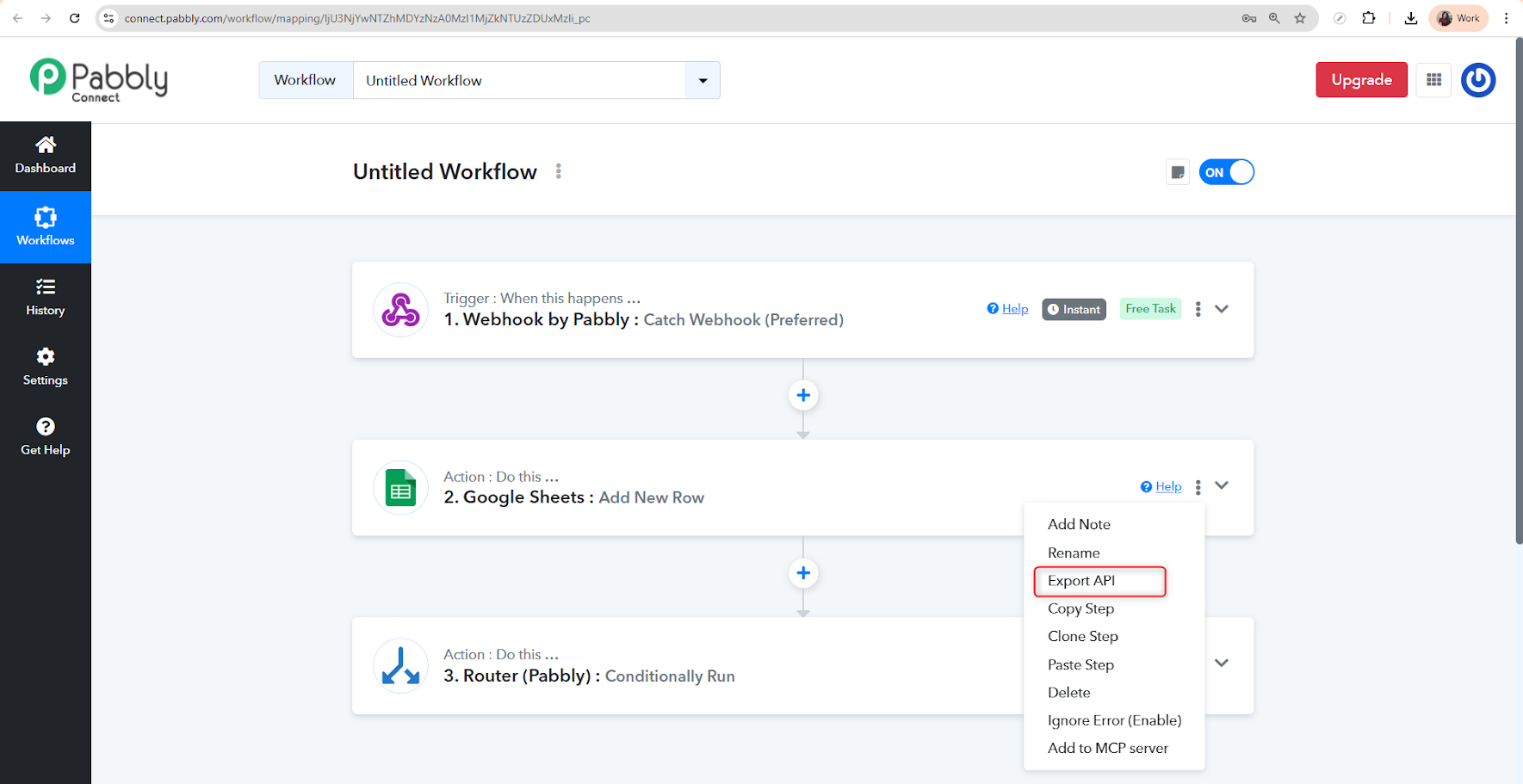
- Click on the three-dot menu ⋮ available on the action card (as shown in the screenshot below).
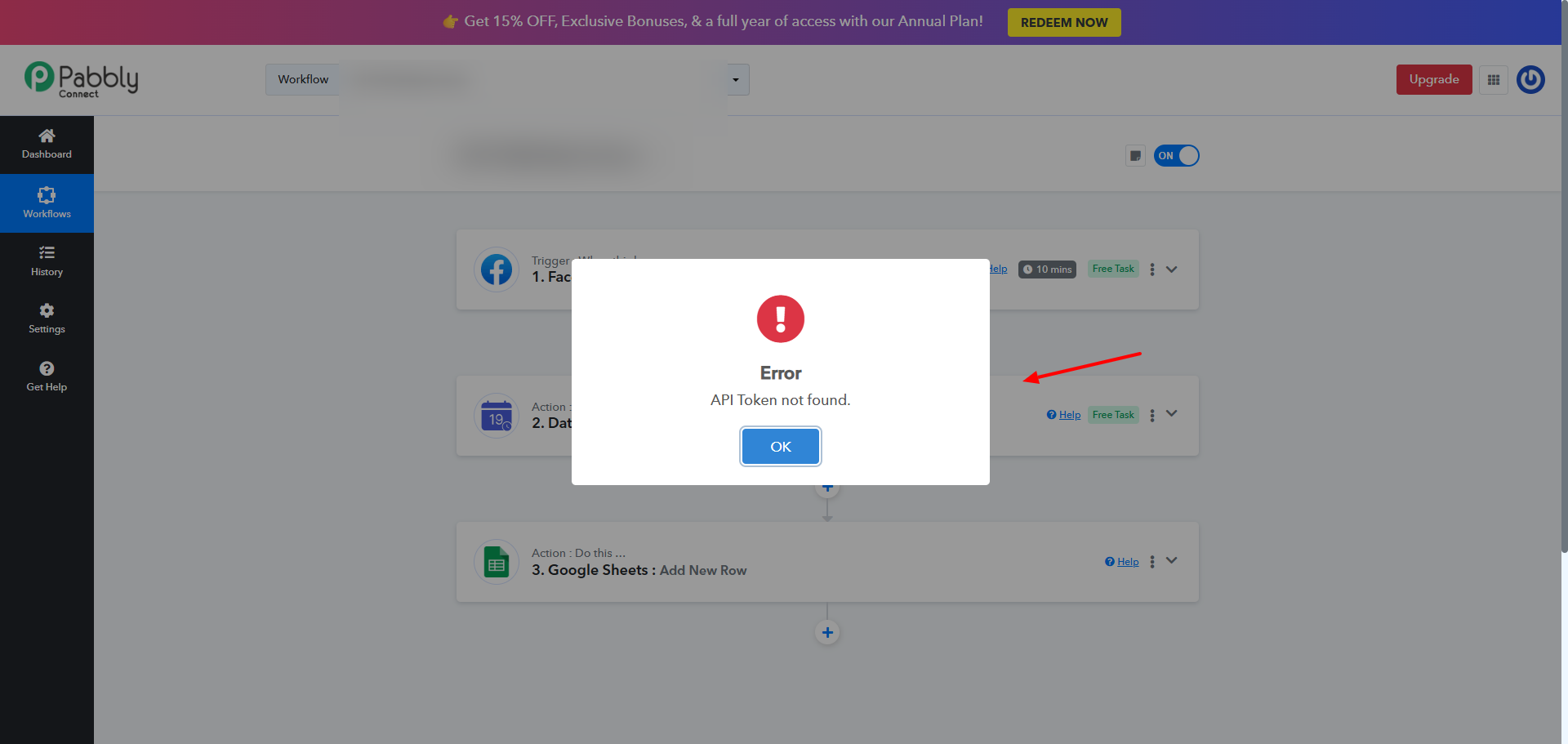
- From the dropdown, select Export API. Please note that you need to create a Pabbly Connect API Token before using the export API feature, else you might face the error.
What Happens After Clicking "Export API"?
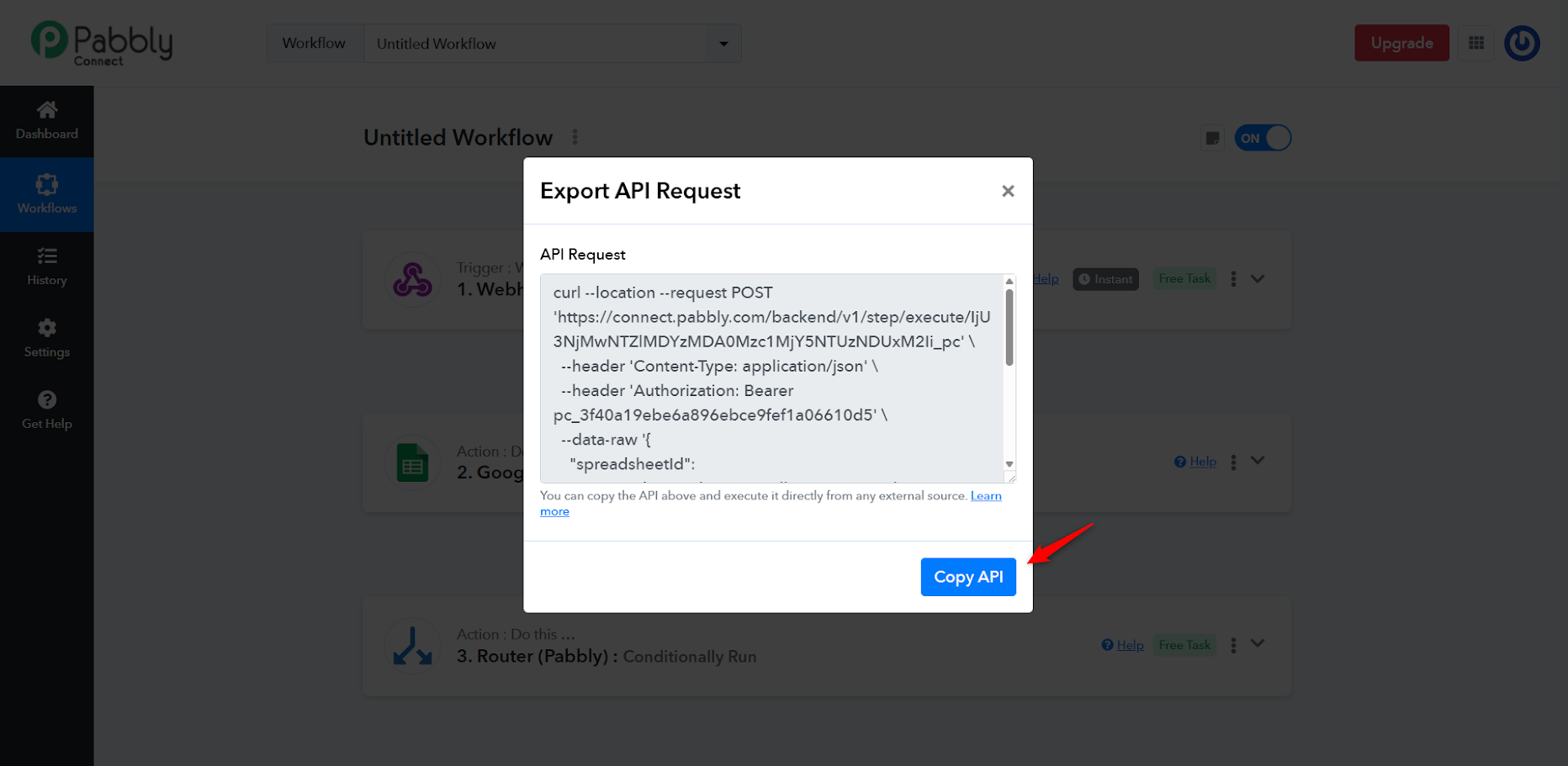
A modal dialog will appear showing a
cURL command prefilled with:
- The API endpoint for the specific action step.
- Required headers like Content-Type and Authorization.
- The raw data payload that contains the action input values.
You can click
Copy API to copy the cURL command to your clipboard.
Example Output
curl --location --request POST '
https://connect.pabbly.com/backend/v1/step/execute/IjU3NjMDUxM2Ii_pc' \
--header 'Content-Type: application/json' \
--header 'Authorization: Bearer pc_3f40a110d5' \
--data-raw '{
"spreadsheetId": "1rzVBn3jadXOJS-_JWovAN4",
"sheetName": "Sheet1",
"pabbly_custom_key_Name": "testdemo",
"pabbly_custom_key_Email": "
[email protected]",
"pabbly_custom_key_School": "testschool"
}'
Use Cases
- 🔄 Integration with external CRMs or databases to send messages or data without executing the full workflow.
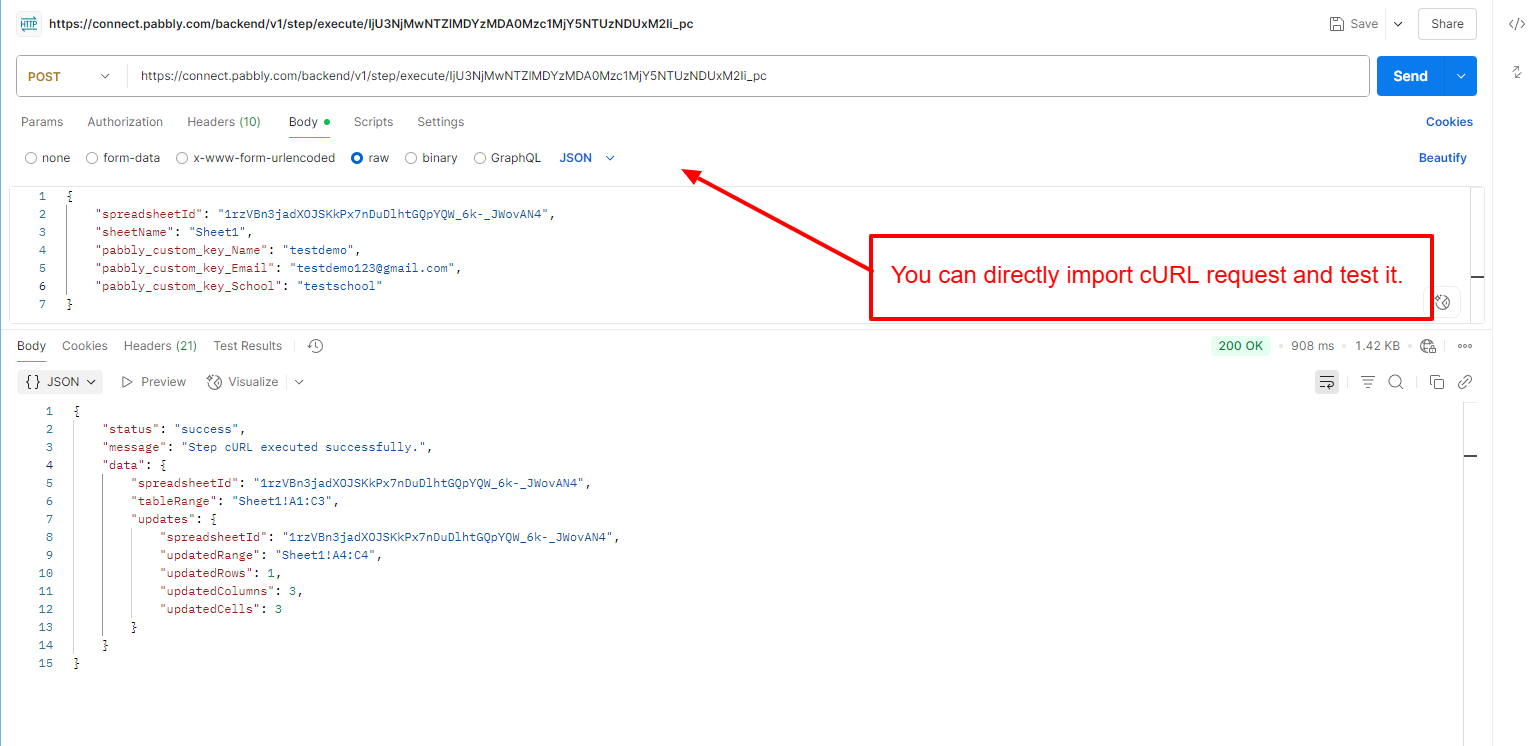
- 🧪 Testing individual steps of your workflow during development like in Postman.
- 🤖 Triggering Pabbly steps programmatically via scripts, cron jobs, or external apps.
Important Notes
- The Export API is available only for Action steps, not triggers.
- You may update the data-raw parameters as needed to send dynamic values.
- The generated cURL request is secure, but always store your Bearer token safely. Please note that you need to create a Pabbly Connect API Token before using the export API feature, else you might face the following error when trying to export API -
 Pabbly Connect Team•Updated Jul 25, 2026•2 min read