Global Settings
In this section we will be covering all the settings available in the Pabbly Subscription Billing account. Most of the options in the settings will impact global changes in your account.
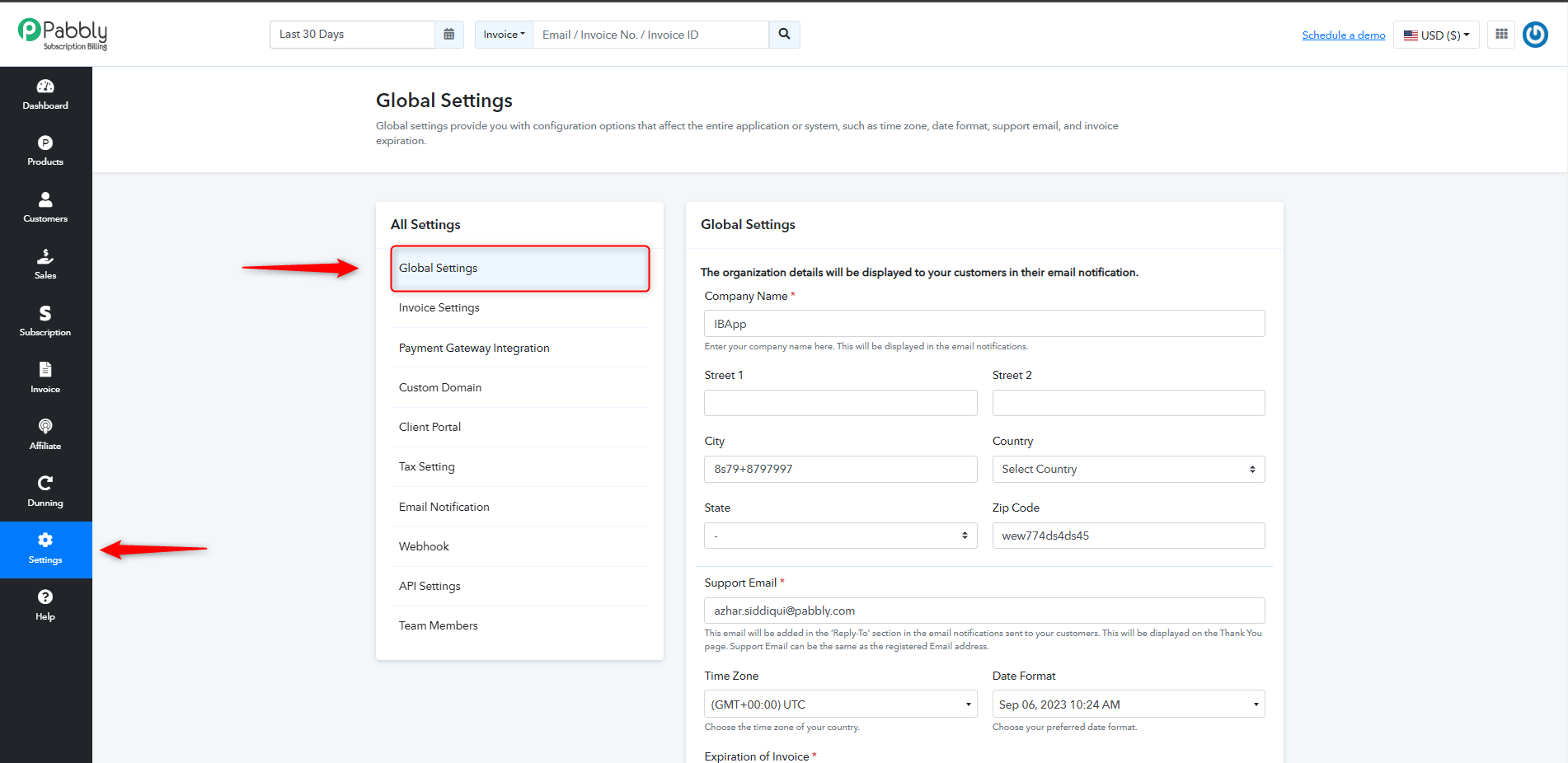
To go to Global Settings
From your account dashboard go to settings > Click on global settings. After this the following page will be displayed.
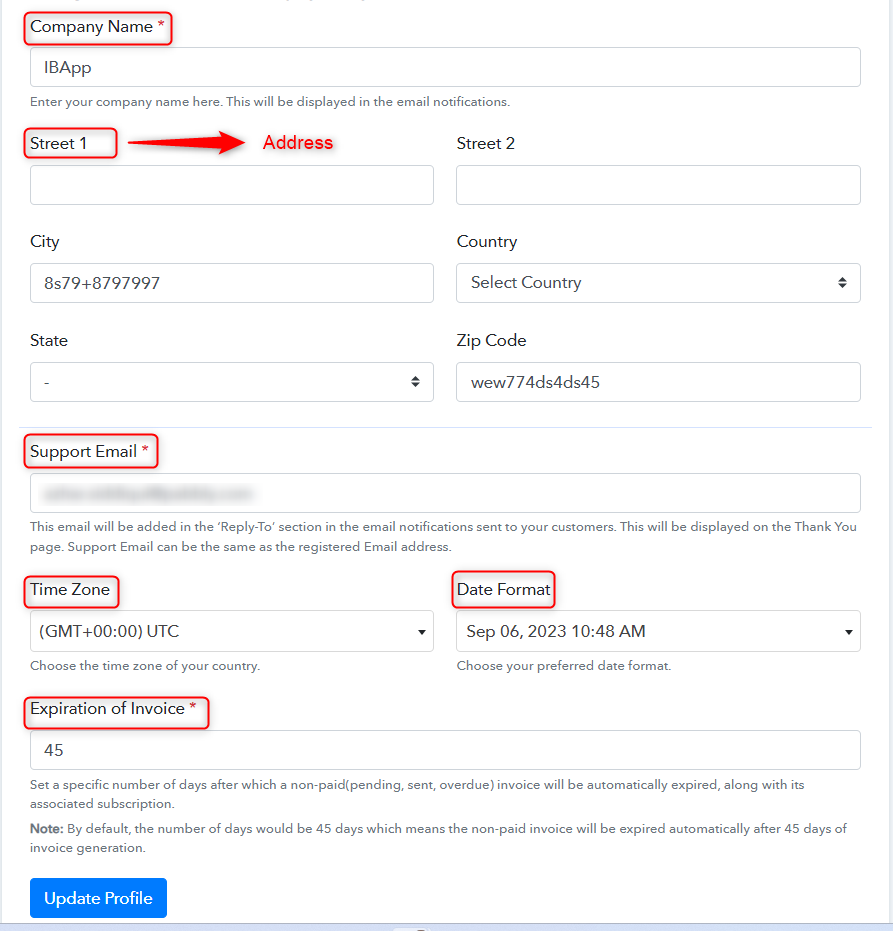
Here you can make changes as per your requirements:
- Company Name: In this you can enter the name of your company.
- Address: Enter the address of your company, this will be displayed on the invoices sent to the customers.
- Support Email: This email will be added in the ‘Reply-To’ section in the email notifications sent to your customers. This will be displayed on the Thank You page. Support Email can be the same as the registered Email address.
- Time Zone: Here you have the option to select the time zone of your country.
- Date Format: Here you have the option to enter your preferred date format.
- Expiration of Invoice: Enter number of days after which a non-paid(pending, sent, overdue) invoice will be automatically expired, along with its associated subscription. Please note the default number of days would be 45 days which means the non-paid invoice will be expired automatically after 45 days of invoice generation.
 Pabbly Subscription Billing Team•Updated Jul 25, 2026•1 min read