Campaign
 Pabbly Email Marketing Team•Updated Oct 23, 2026•2 min read
Opened via Send button from Campaign Page or Email Builder.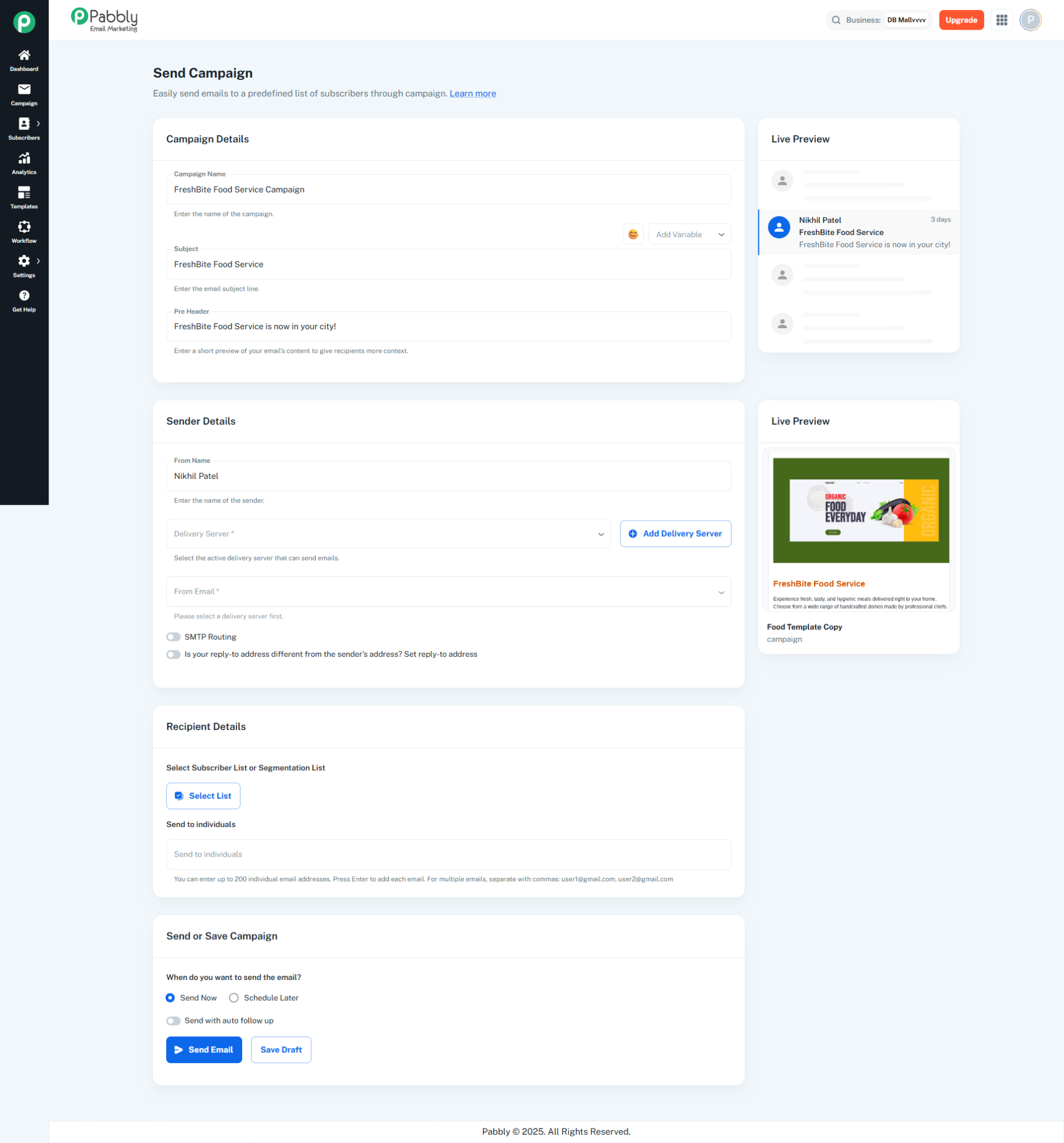
Page for configuring and sending email campaigns. Configure recipients, sender details, and scheduling before sending.
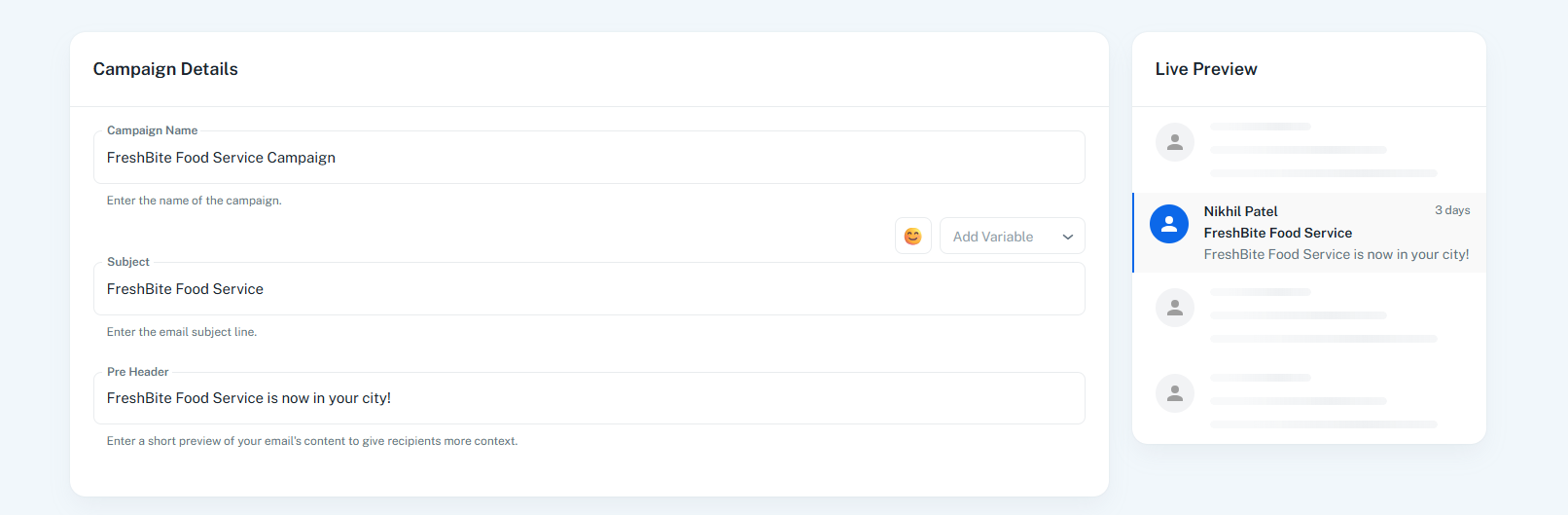
Campaign Name: Name of the campaign
Subject Line: Email subject with emoji picker and variable insertion (custom fields)
Pre Header: Short preview text shown in email clients
Preview Card (Right Side):
Live preview showing sender name, subject, and pre-header as they appear in an inbox
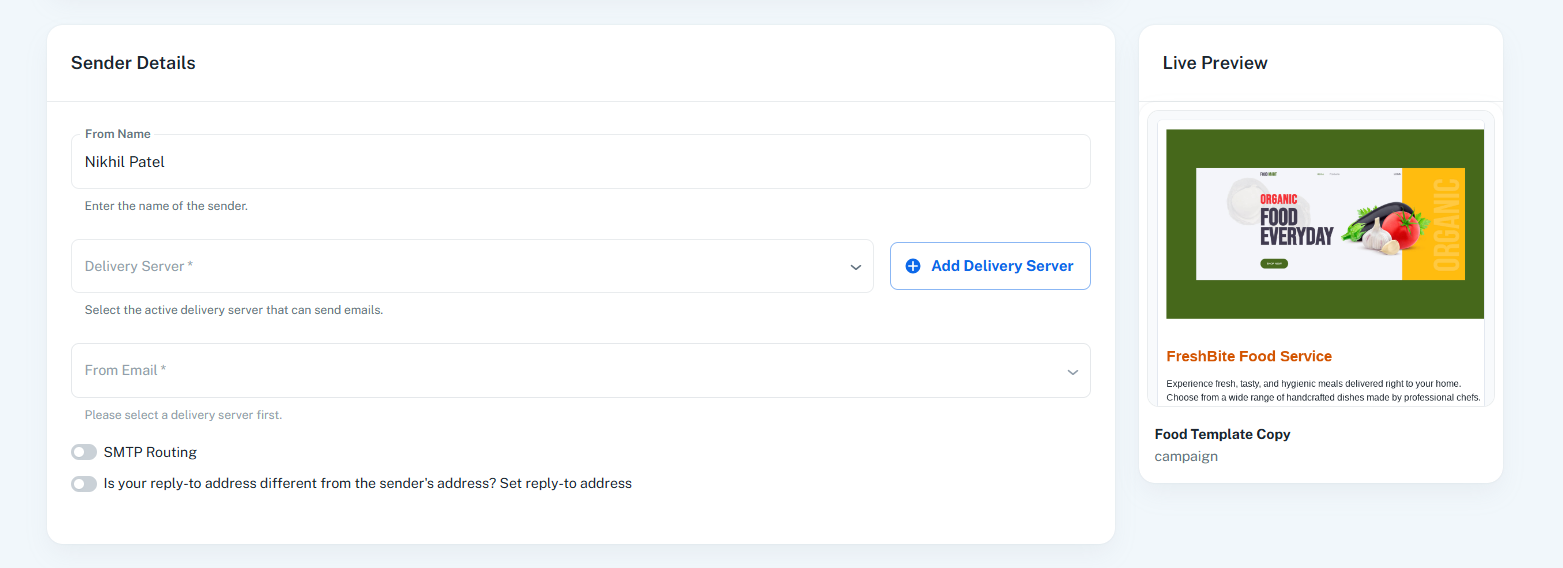
From Name: Sender display name
Delivery Server: Select SMTP server (Send With Us or custom servers)
From Email: Select sender email based on chosen delivery server
SMTP Routing: Toggle to distribute emails across multiple servers by percentage
Reply-To Email: Optional toggle to set a different reply-to address
Live Preview Card (Right Side):
Shows email template thumbnail with campaign name
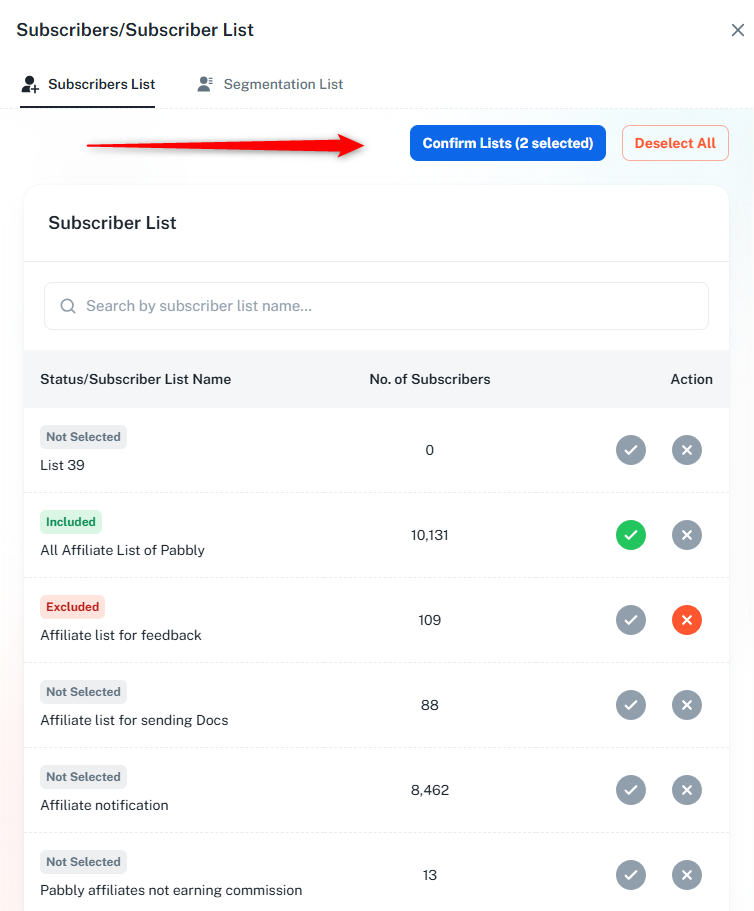
Included Lists: Select subscriber lists or segmentation lists to include
Excluded Lists: Select lists to exclude from sending
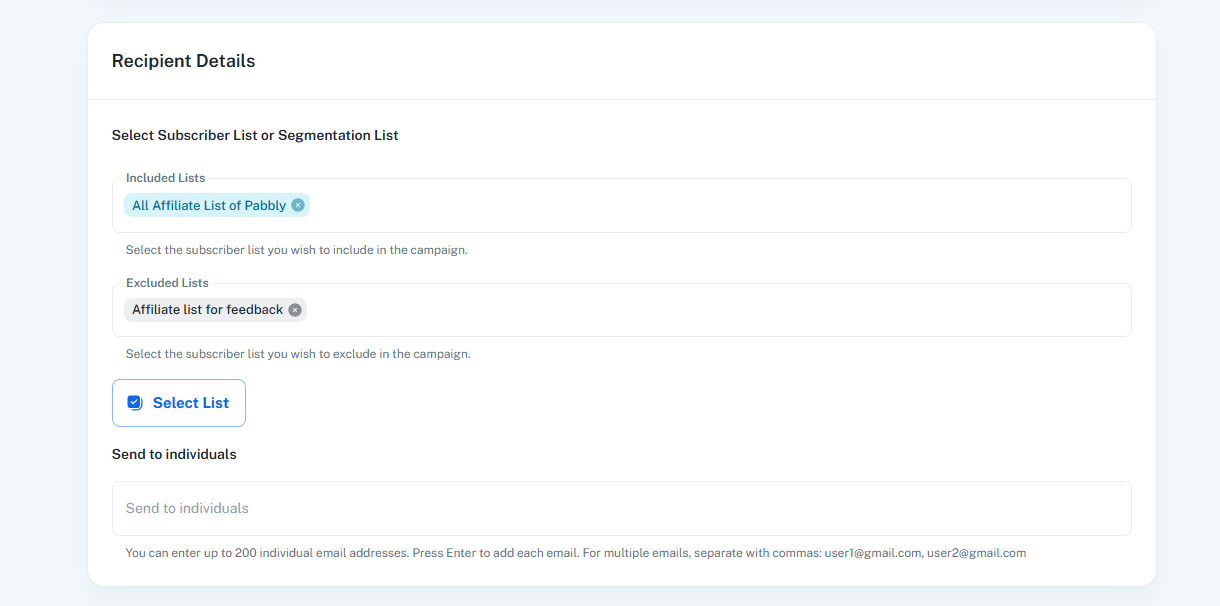
Individual Emails: Add up to 200 individual email addresses (comma-separated)
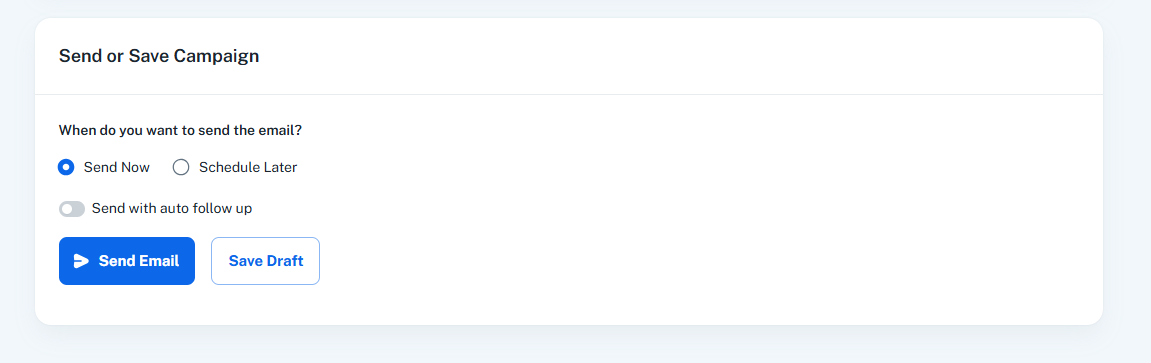
Send Now: Send immediately
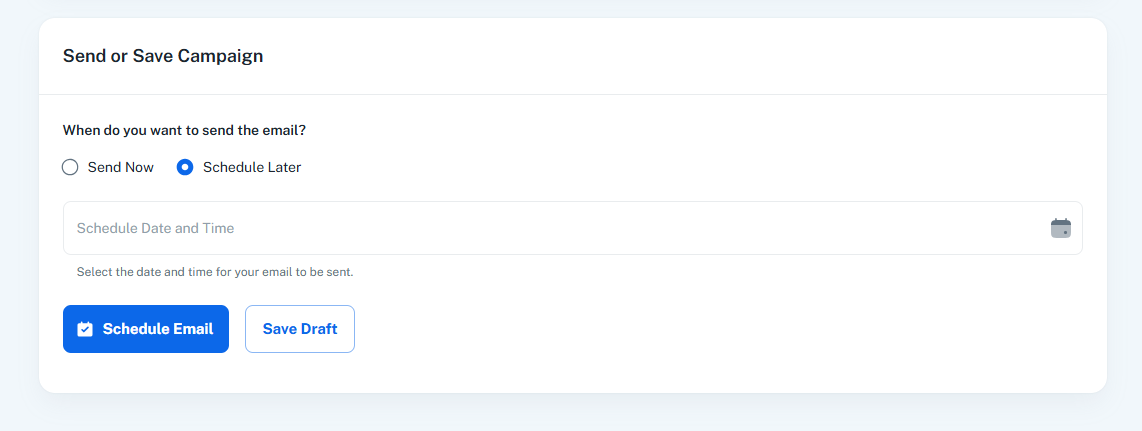
Schedule Later: Set date and time for future sending
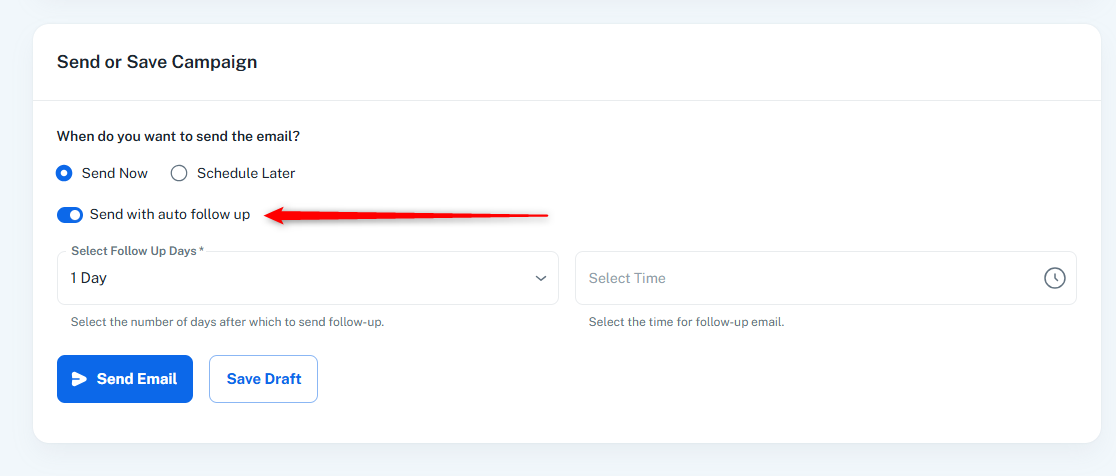
Follow Up: Enable automatic follow-up email after specified days
Save Draft: Save without sending
Variable Insertion: Add custom fields to subject line (e.g., {{first_name}}, {{email}})
Emoji Support: Insert emojis into subject line
SMTP Routing: Distribute emails across multiple delivery servers with percentage allocation
List Management: Include/exclude subscriber lists and segmentation lists
Validation: Validates all required fields before sending
Confirmation Dialog: Shows recipient count before final send
Final step to configure and send email campaigns with recipient selection, sender configuration, and scheduling options.
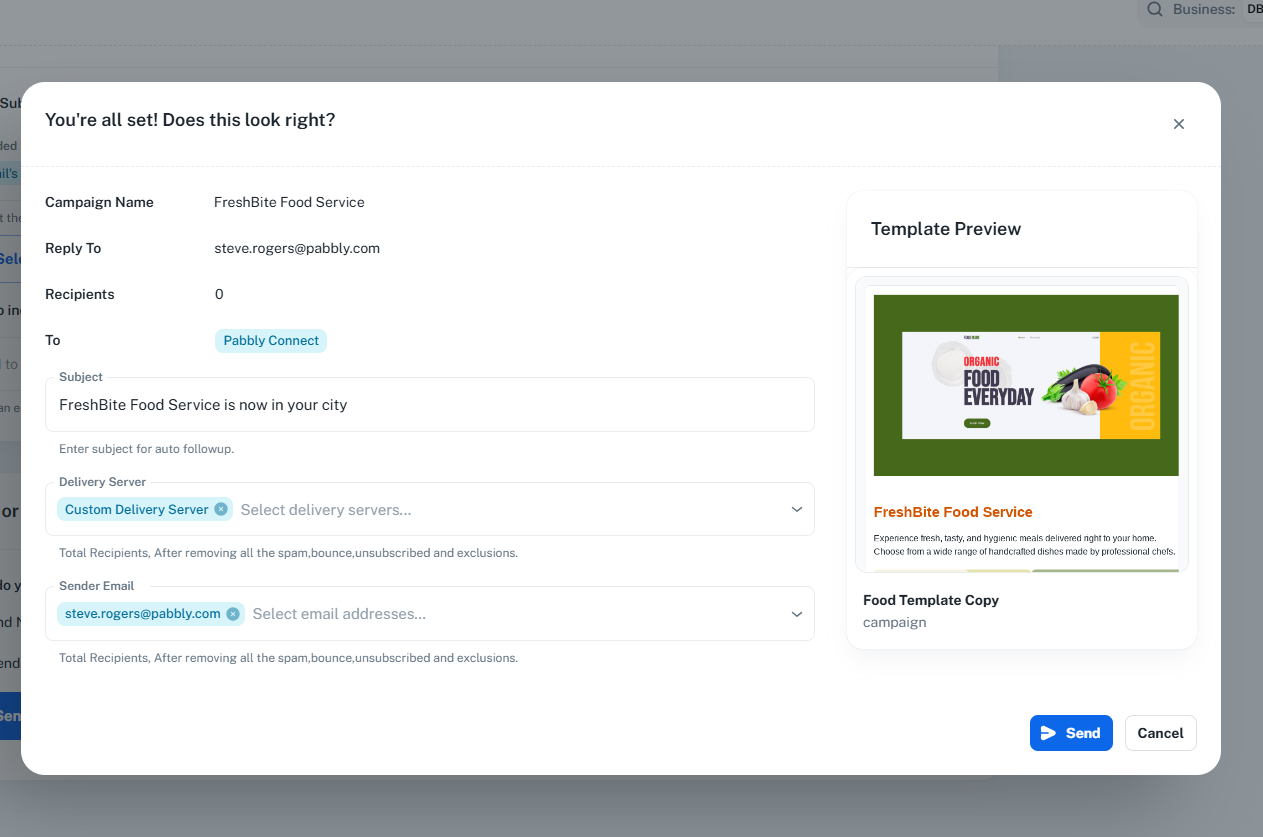
Confirmation dialog shown before sending or scheduling a campaign. Displays a summary of campaign settings for final review.
Campaign Summary (Left):
From, Reply To, Recipients count, Spam Score
To: Chips showing included lists and individual emails
Subject: Editable subject line
Delivery Server: Selected servers and email addresses
Template Preview (Right):
Email template thumbnail with name and category
Final review of all campaign settings
Editable subject line before sending
Shows total recipient count
Template preview for visual confirmation
Action buttons: Send/Schedule (with loading state) and Cancel
