Campaign
Campaign Report Page - User Documentation
A responsive grid displaying key performance metrics at a glance.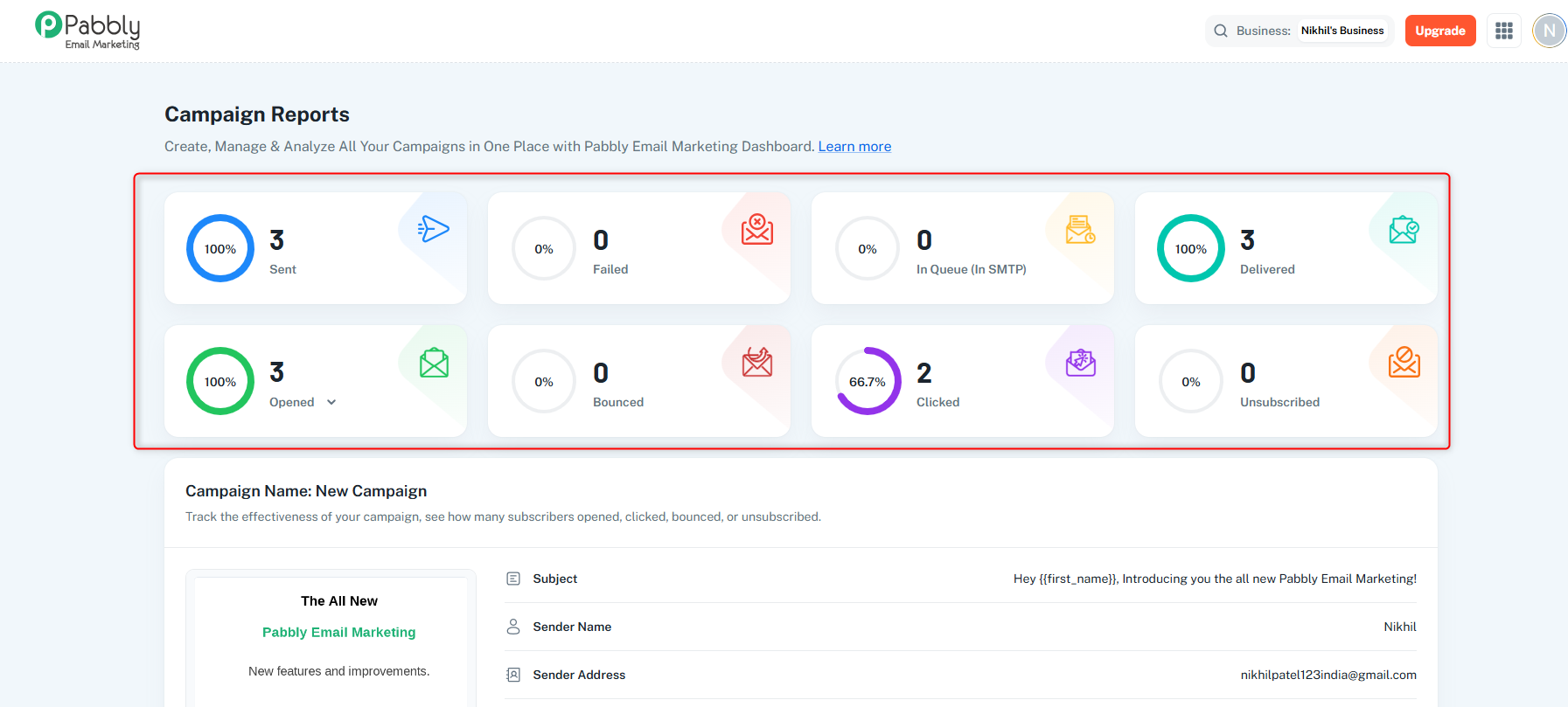
Metrics Displayed:
Sent: Total emails accepted and handed off to delivery servers.
Failed: Total emails that failed to send.
In Queue (In SMTP): Emails currently queued on the SMTP server, awaiting dispatch.
Delivered: Emails successfully delivered to recipients' mailboxes.
Bounced: Emails that were permanently rejected (hard bounces) or temporarily failed (soft bounces).
Opens Analytics (Toggleable): Switch between "Opened" (total opens) and "Unique Opens" (unique recipients).
Clicked: Unique clicks on links within your email.
Unsubscribed: Number of recipients who unsubscribed.
Each card displays the metric value, percentage, and a visual chart indicator.
Why it's helpful: Get a quick overview of campaign performance and identify key metrics at a glance.
A comprehensive card displaying all campaign configuration and metadata.
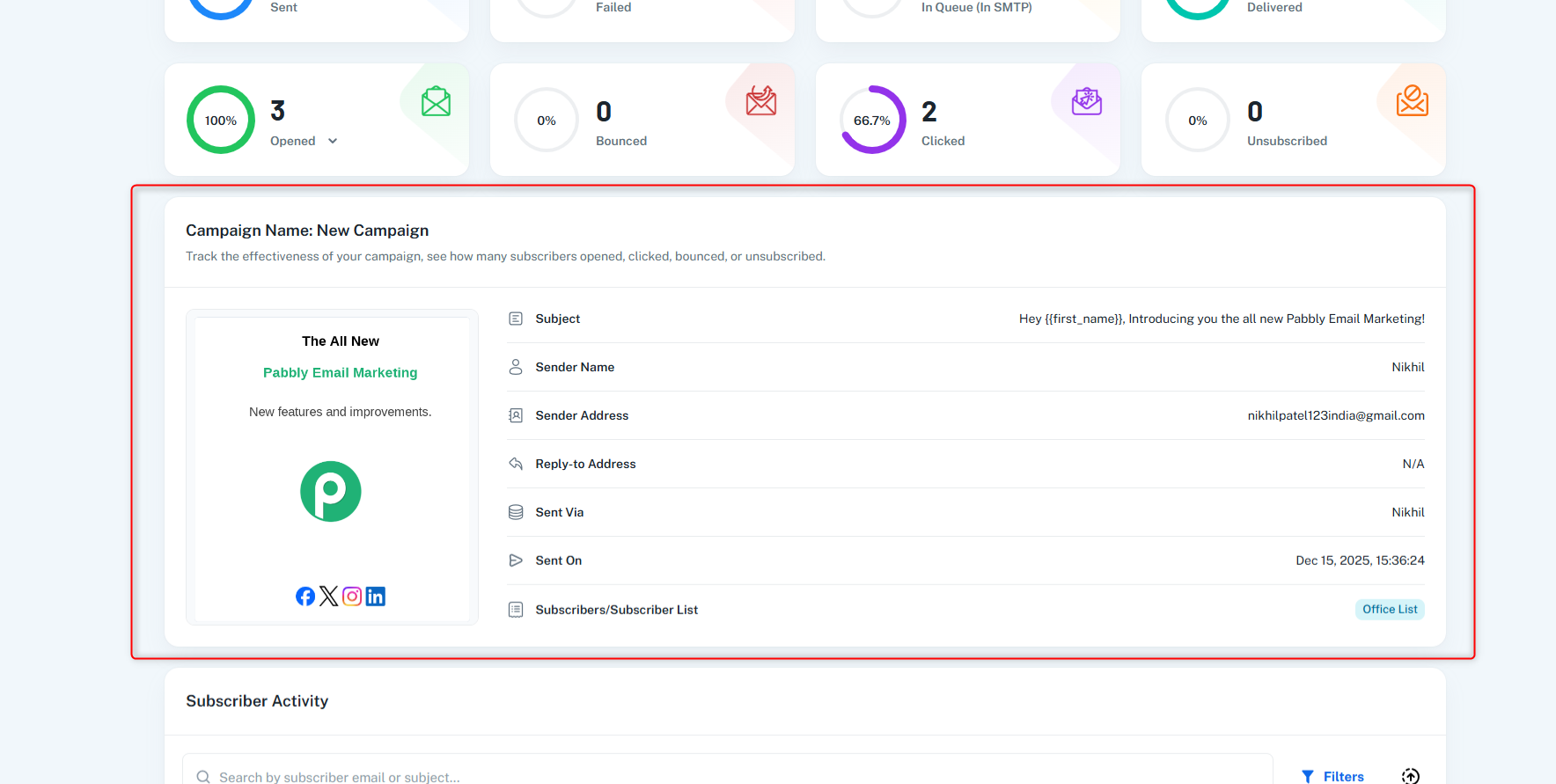
Campaign Name: The name you assigned to this campaign
Subject Line: The email subject that recipients see
Sender Name: The display name of the sender
Sender Address: The "From" email address
Reply-to Address: Where replies will be sent
Sent Via: The delivery server/SMTP used for sending
Sent On: Date and time when the campaign was sent
Lists of subscriber lists included
Individual email addresses (if any)
Displayed as chips with tooltips showing subscriber counts
Template Preview Image:
Shows a screenshot of the email template
Falls back to default images based on builder type if screenshot unavailable
Helps you quickly identify which template was used
Preview Button: Opens the email template preview in a new tab.
Edit Button: Navigates to the appropriate email builder to edit the template.
Purpose: Provides a complete reference of campaign settings and quick access to template management.
A detailed table showing individual subscriber engagement and activity.
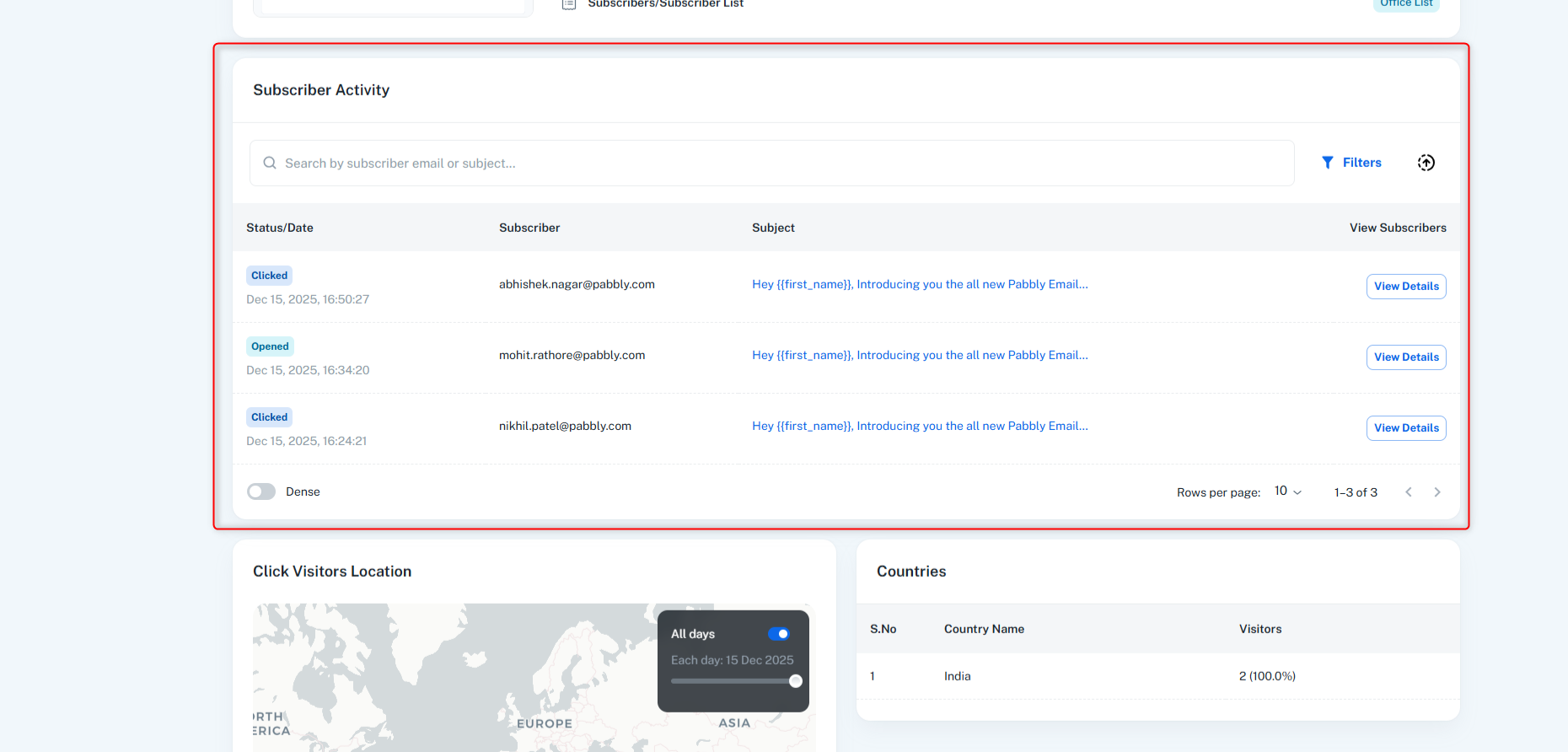
Individual subscriber email addresses
Activity status (sent, delivered, opened, clicked, bounced, etc.)
Timestamps for various activities
Engagement history per subscriber
Identify engaged subscribers: See who opened and clicked
Troubleshoot issues: Find subscribers who bounced or failed
Segment analysis: Understand which subscribers are most active
Follow-up planning: Identify subscribers who need re-engagement
Export capabilities: Export data for further analysis
Purpose: Provides granular, subscriber-level insights for detailed analysis and follow-up actions.
A two-column layout showing geographic distribution of campaign engagement.
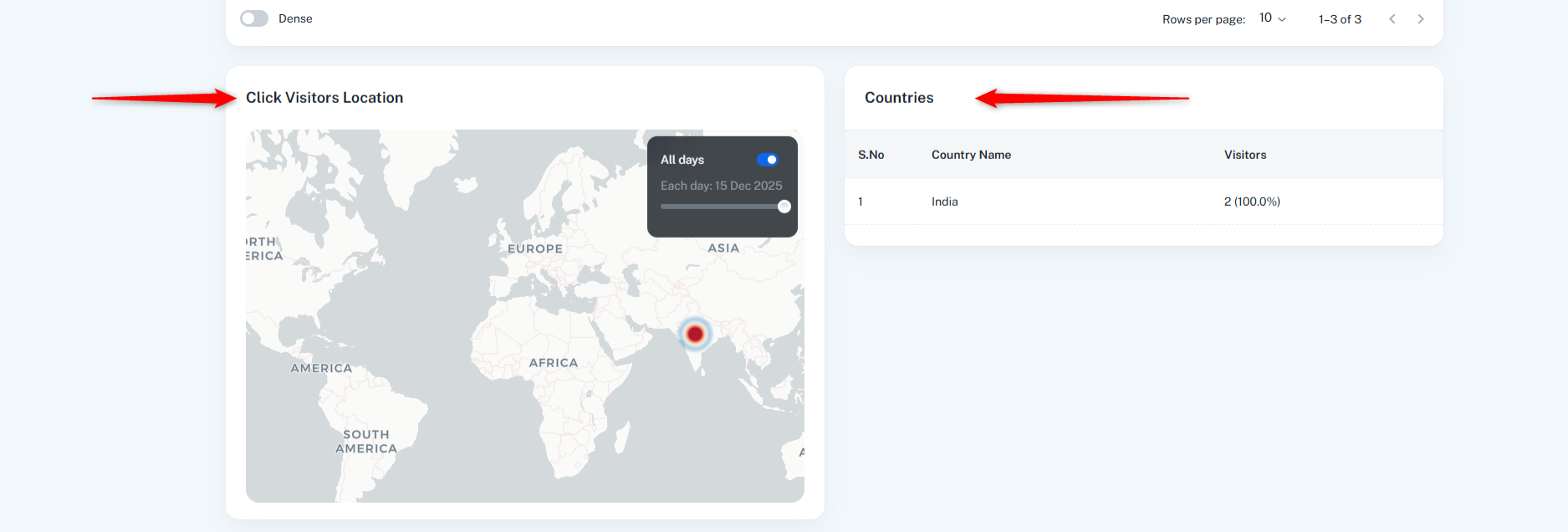
Visualization: Interactive heatmap showing geographic distribution
What it shows: Geographic locations where recipients clicked links in your email
Why it's helpful:
Understand your audience's geographic distribution
Identify regions with high engagement
Plan region-specific campaigns
Optimize send times based on time zones
What it shows:
List of countries with engagement statistics
Click counts, open counts, and other metrics per country
Ranked by engagement level
Why it's helpful:
Quick reference for top-performing countries
Identify international reach
Compare engagement across regions
Plan localization strategies
Purpose: Provides geographic insights to understand your global audience and optimize targeting.
A two-column layout showing device and OS distribution.
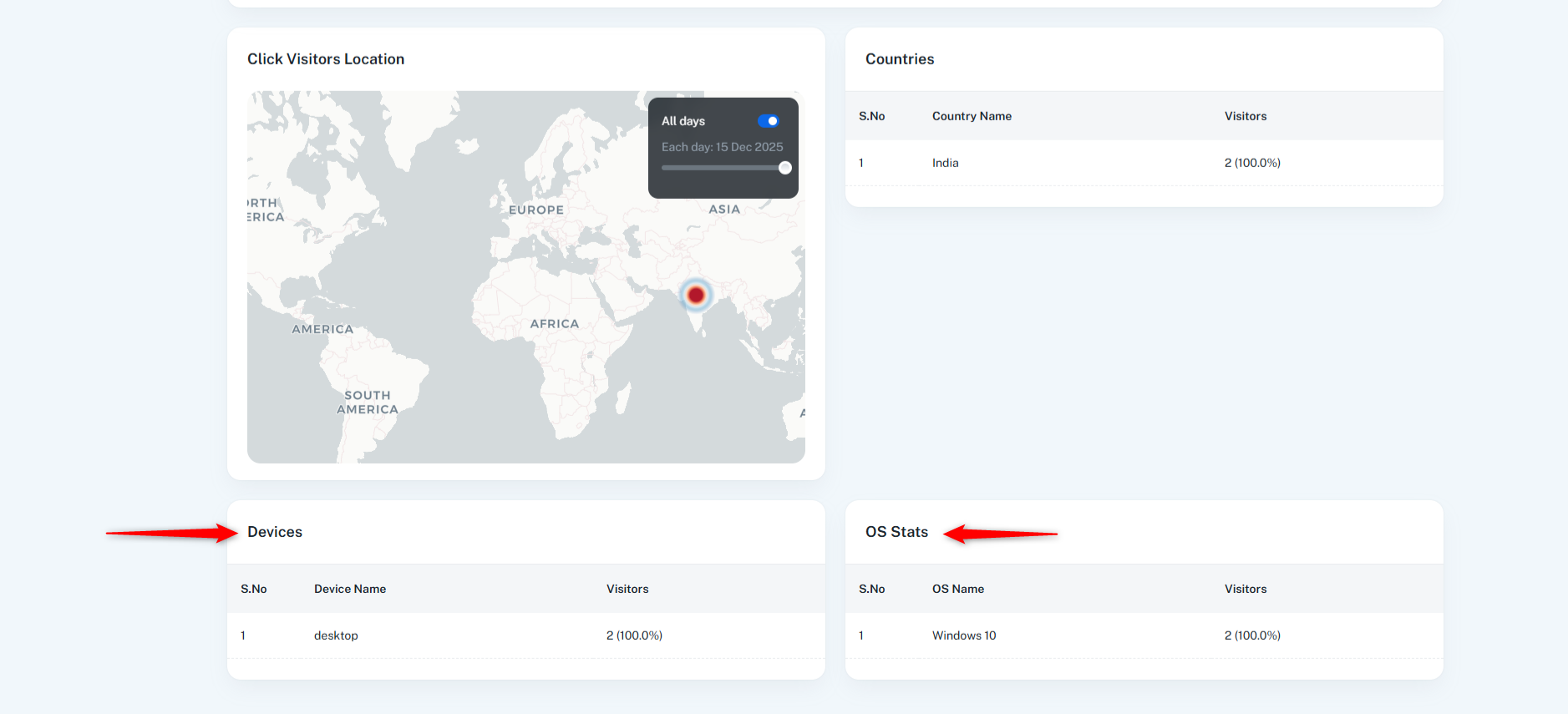
What it shows:
Breakdown of devices used to open/engage with emails
Categories: Desktop, Mobile, Tablet, etc.
Engagement metrics per device type
Why it's helpful:
Understand how recipients access your emails
Optimize email design for most-used devices
Ensure mobile responsiveness
Plan device-specific content strategies
What it shows:
Operating system distribution (Windows, macOS, iOS, Android, etc.)
Engagement metrics per OS
Why it's helpful:
Understand platform preferences
Ensure compatibility across operating systems
Identify platform-specific engagement patterns
Optimize for dominant platforms
Purpose: Provides device and platform insights to optimize email design and ensure compatibility.
