Email Builder Selection
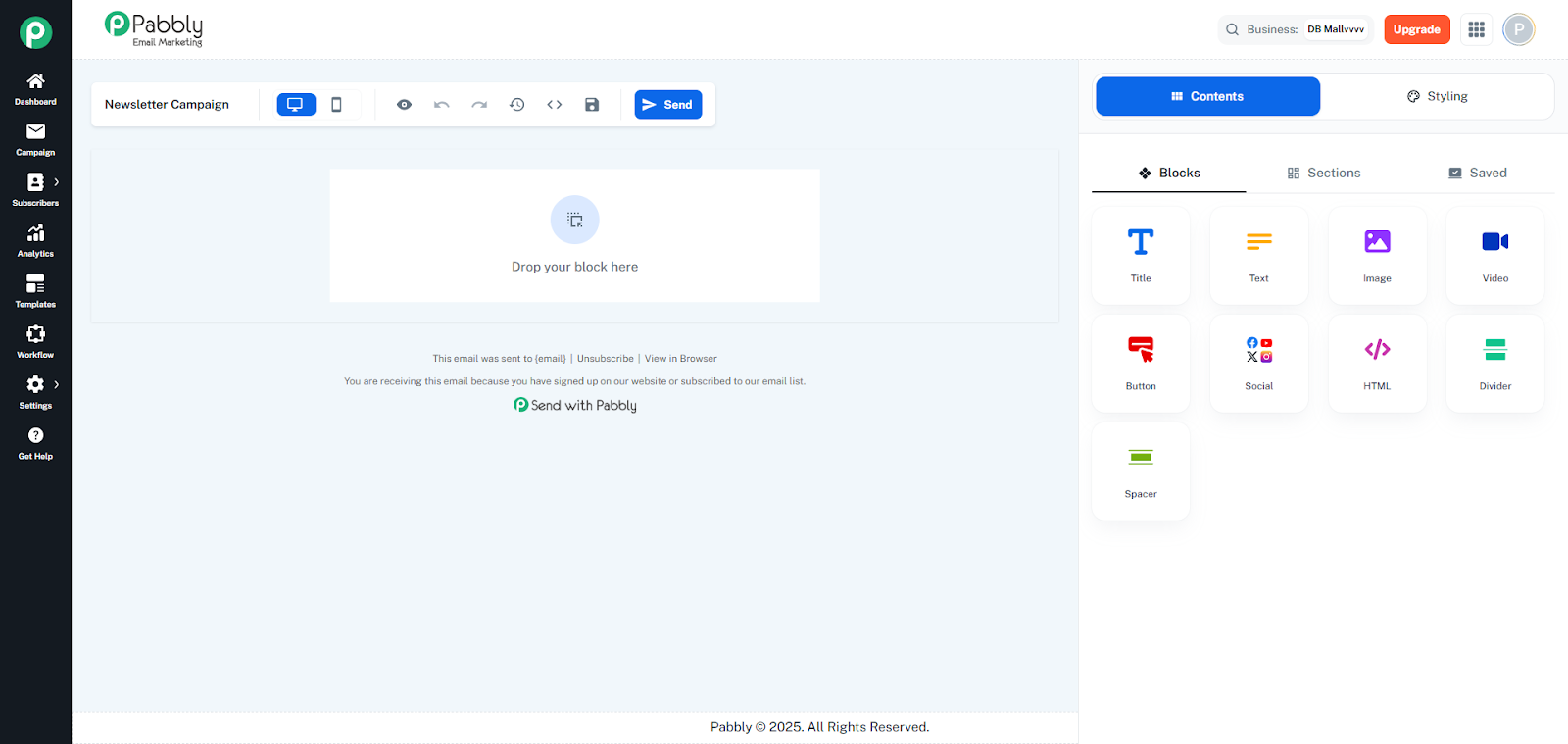
Visual email builder that lets users create emails by dragging and dropping components onto a canvas.
Sidebar Drawer :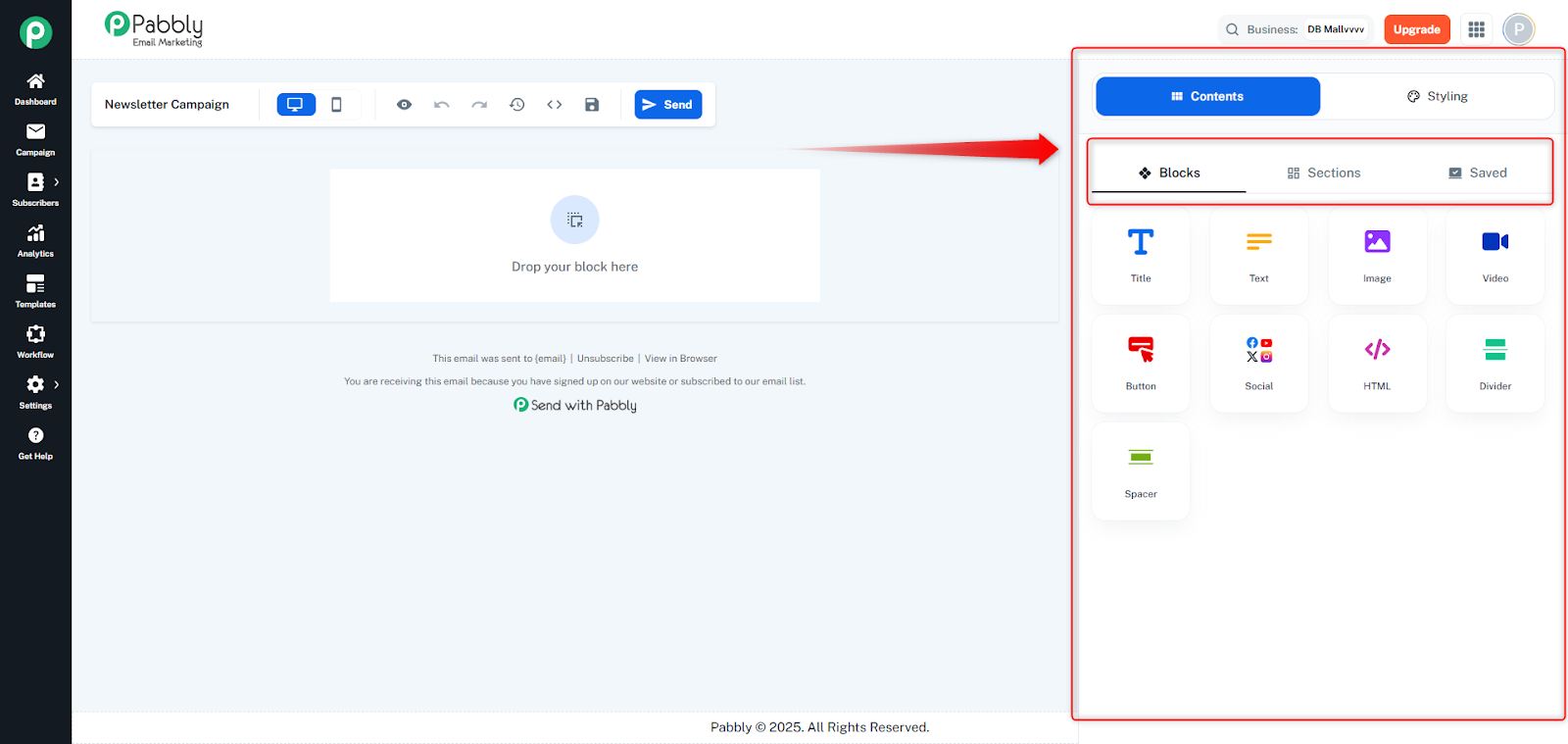
Blocks Tab: Drag-and-drop content blocks (Title, Text, Image, Video, Button, Social, HTML, Divider, Spacer)
Sections Tab: Pre-built section templates with column layouts
Saved Tab: Previously saved custom sections for reuse
Email Canvas (center):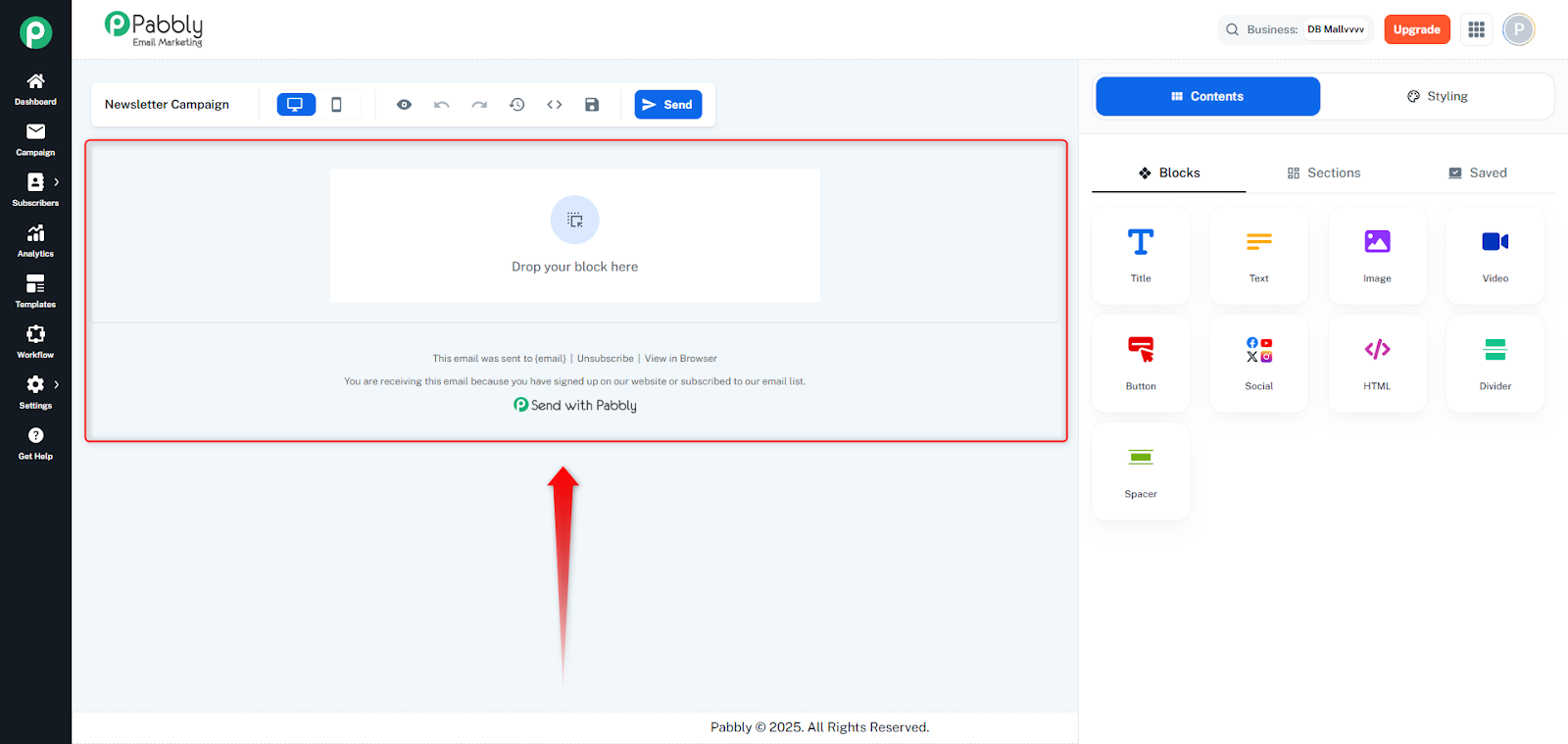
Main editing area where components are dropped and arranged
Shows a live preview of the email design
Supports reordering components via drag and drop
Visual indicators show drop zones when dragging
Configuration Panel (right sidebar):
Opens when a component is selected
Contents Tab: Edit component content (text, images, links, etc.)
Styling Tab: Customize appearance (colors, fonts, spacing, backgrounds, borders)
Drag & Drop: Drag blocks from the sidebar onto the canvas
Component Selection: Click any component to select and edit it
Reordering: Drag components on the canvas to reorder them
Column Layouts: Support for single, two, three, and four-column layouts with customizable widths
Undo/Redo: History management for design changes
Preview Modes: Switch between desktop and mobile preview
Save Sections: Save custom sections for reuse in other emails
Global Settings: Configure global background, content background, and footer settings
Enables users to create professional email designs without coding, using a visual drag-and-drop interface.
