Help and Guide
You will have to follow the following steps: Go to the Delivery Server Click on “Add Delivery Server” Then from the drop-down select “Gmail” as your SMTP Server
In “From Email” write your Gmail email address
In “USERNAME/API Key” write your Gmail email address again
For “Password/Secret Key” you need to generate an App password from your Gmail account.
To get the Password/Secret Key, login to your Gmail account, and go to Manage your Google account:
Then Go to security:
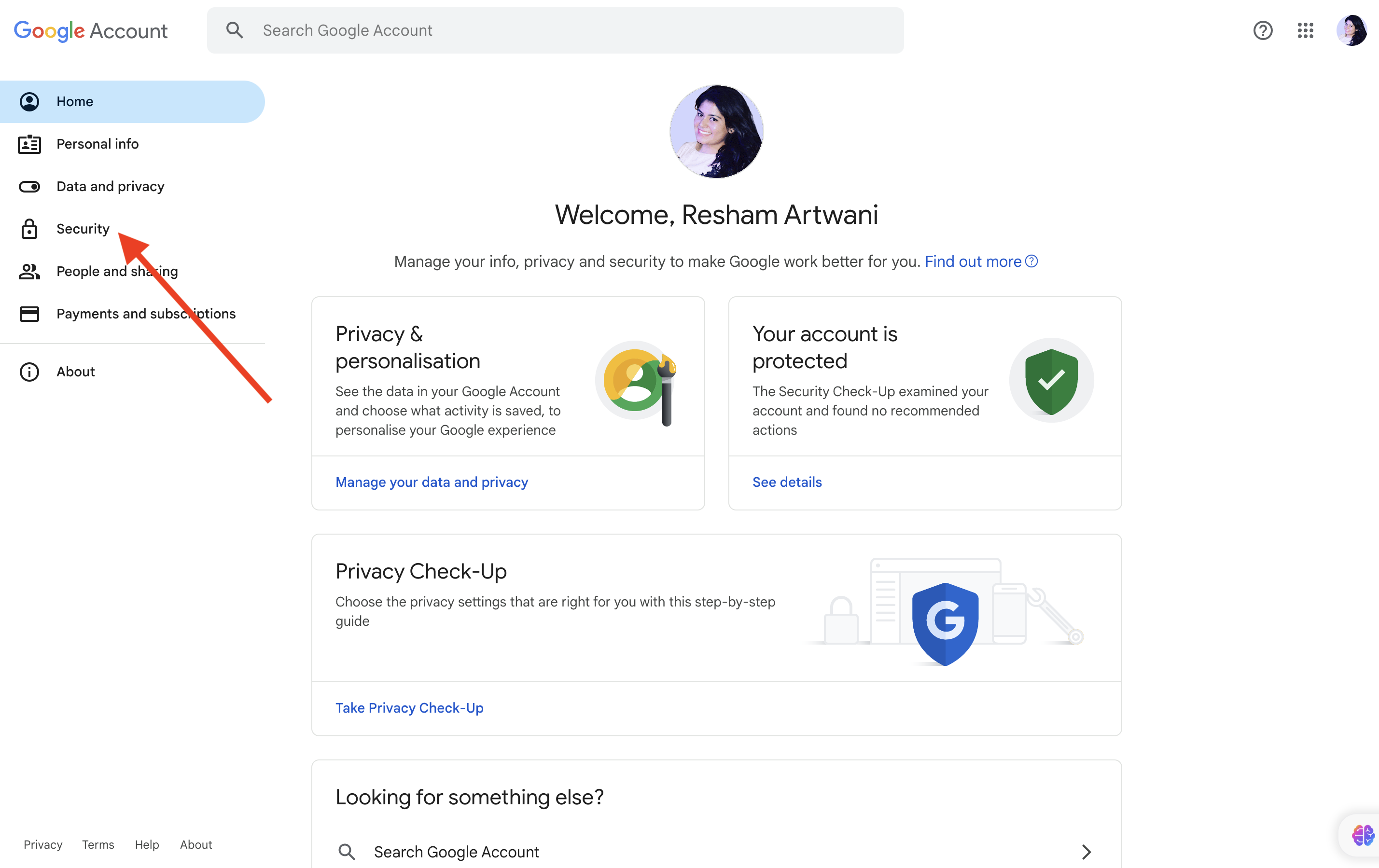
Turn on two-step verification: and on the two step verification page scroll to the buttom of the page:
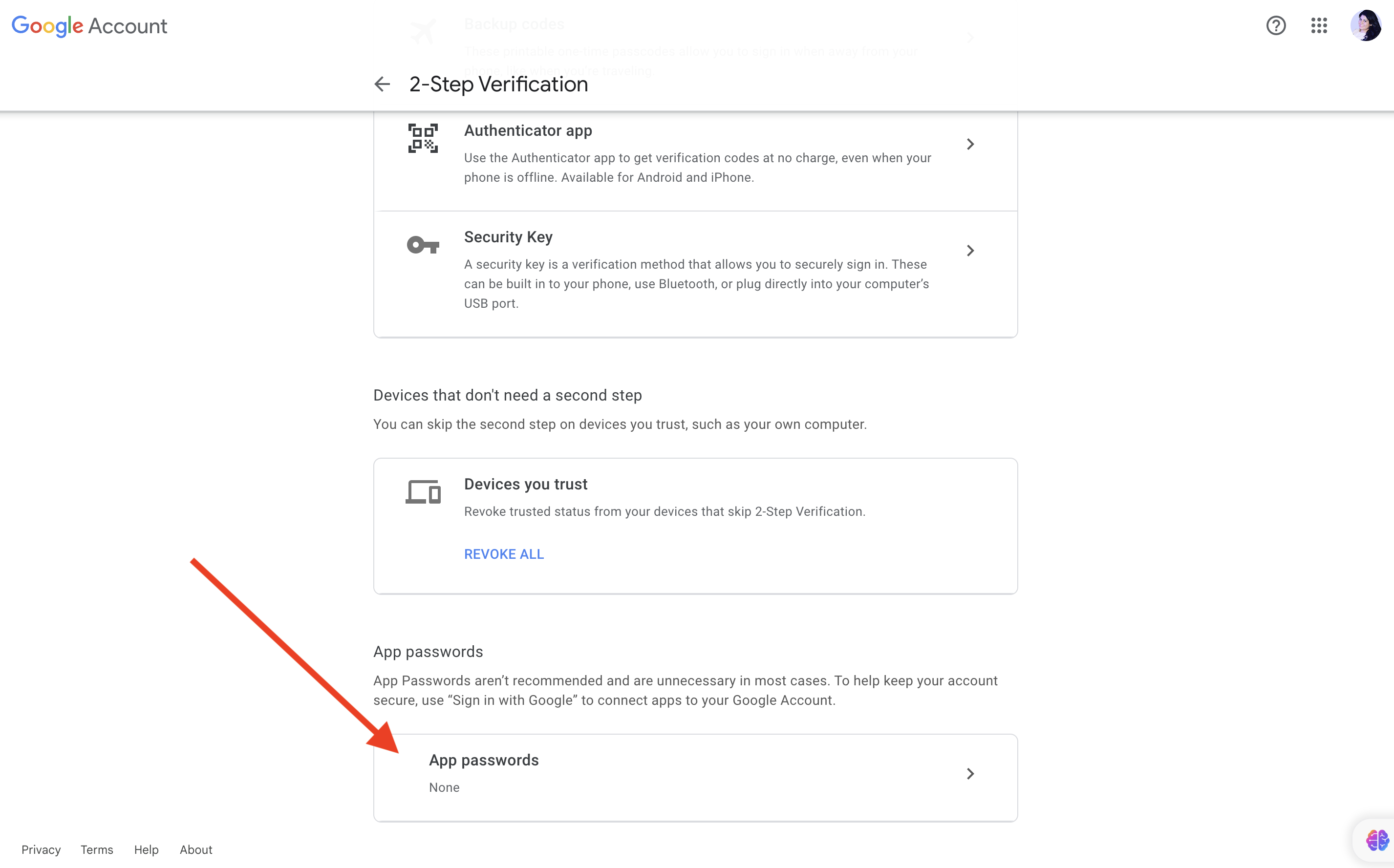
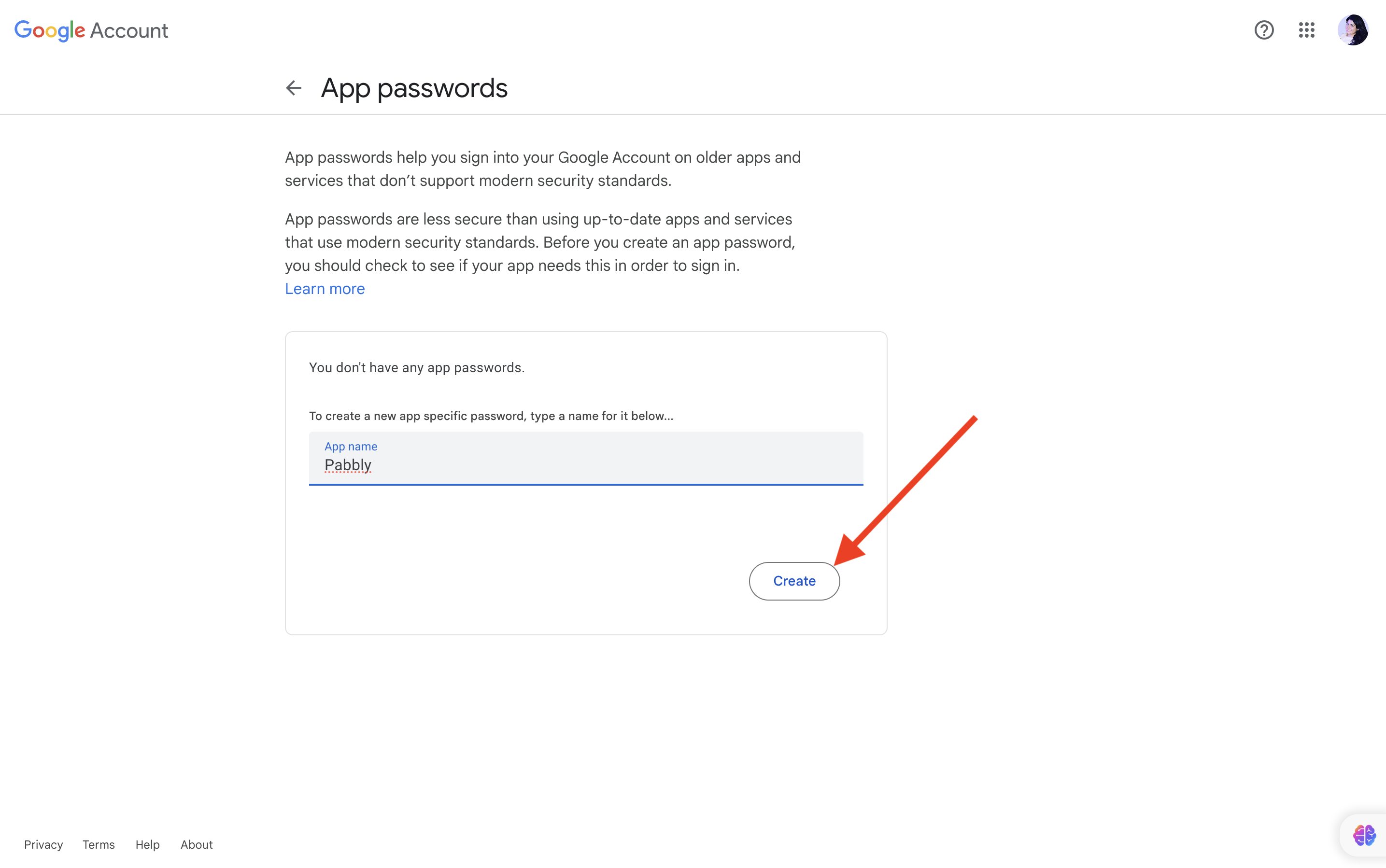
Give a suitable name and click on create:
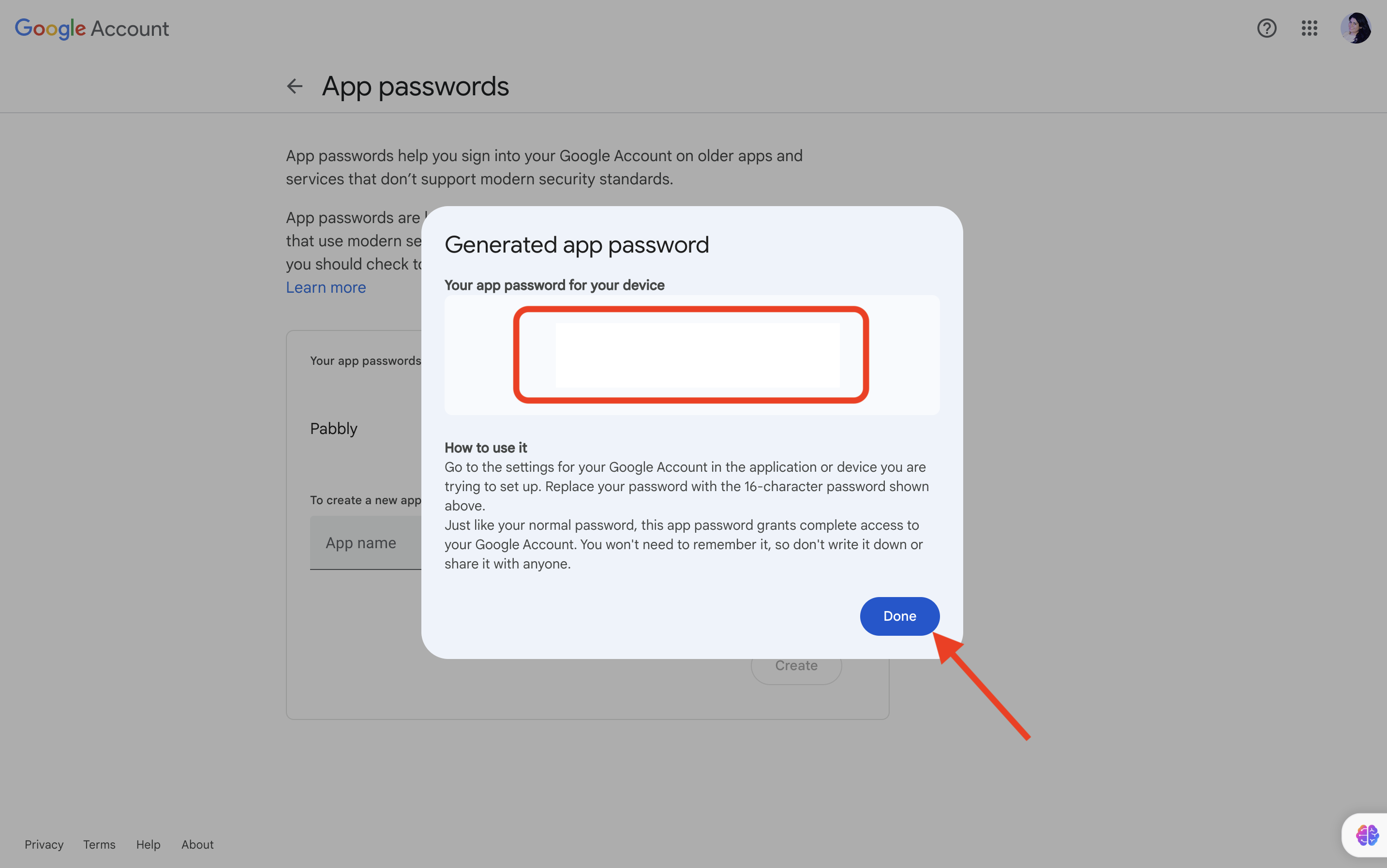
Copy the password and click on done:
Now paste the password in Pabbly Email Marketing > Gmail Delivery server > Under Password/Secret Key
Thank you!!
Originally posted by Resham on 2022-12-08 (forum thread #10196).
