What is Flow History?
Flow History tracks every execution of your chatbot flows in Pabbly Chatflow. It shows you which actions were performed, when they happened, and how many credits were consumed.
Key Points:
- History is available for the last 15 days only
- Each action in your flow consumes credits
- Triggers and delays are NOT counted as credits
How to Access Flow History
-
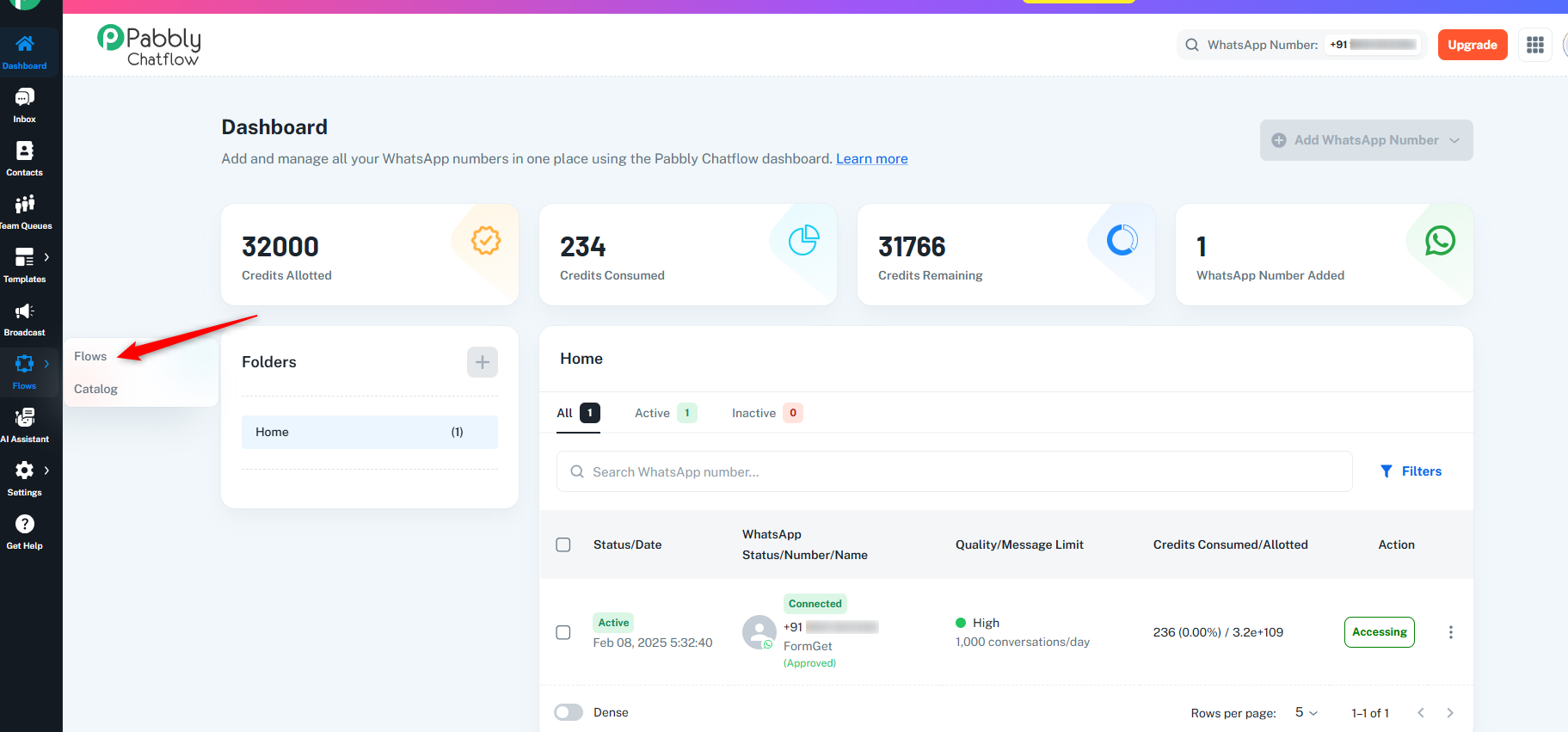
Go to Flows in the left sidebar
-
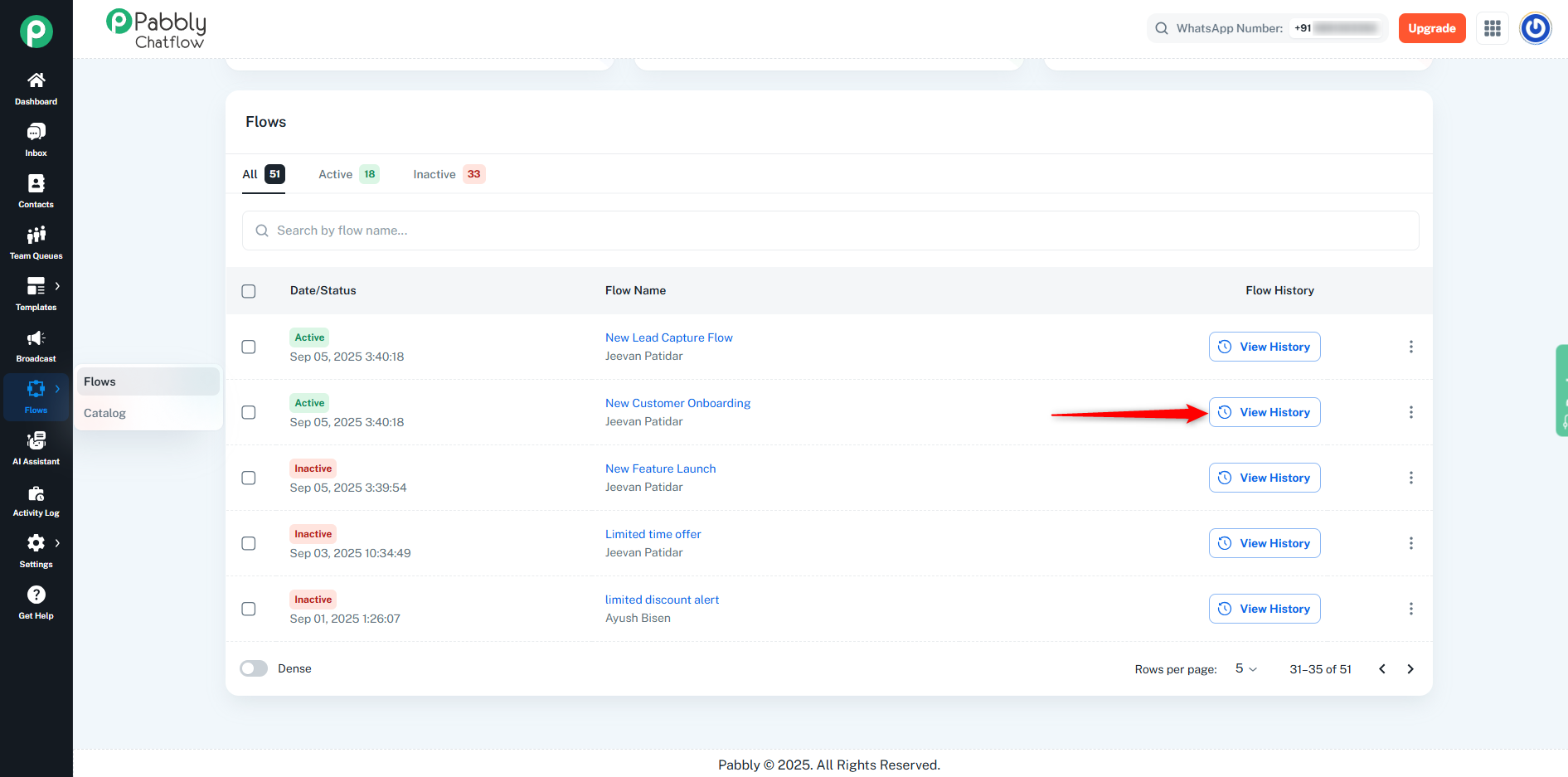
Find your flow in the table
-
Click on "View History" button
Understanding the Flow History Dashboard
Summary Metrics
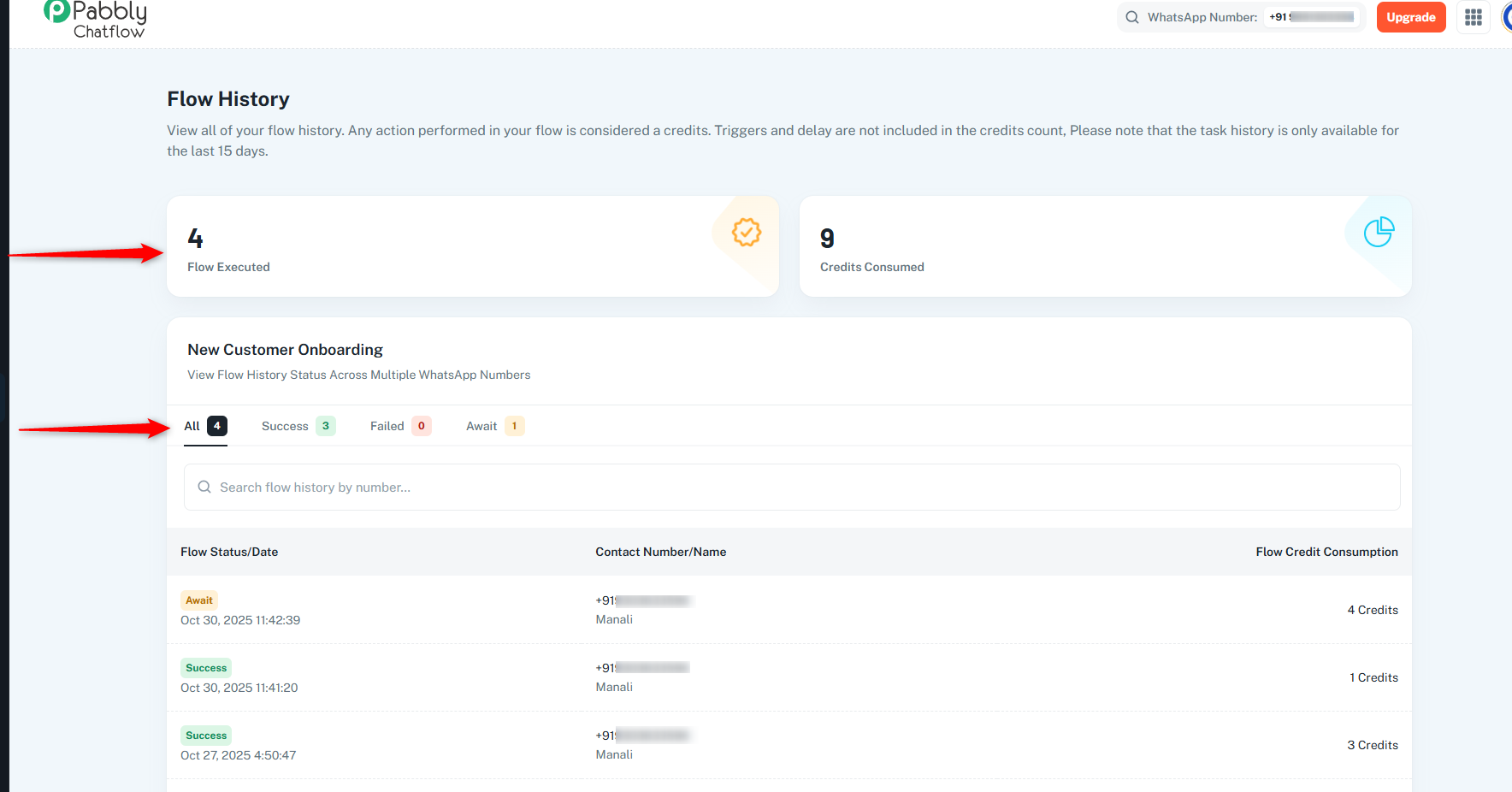
- Flow Executed: Displays the total number of times the flow has been executed.
- Credits Consumed: Shows the total number of credits used by all actions across all executions.
Filter Tabs
Use these tabs to filter executions based on their status:
- All: All executions
- Success: Display only successfully completed flow executions.
- Failed: Show flows that encountered errors or failed to complete.
- Await: View flows that are currently in progress or waiting for user input.
Search
Use the search bar to quickly find specific executions by:
Viewing Execution Details
Click on any flow execution to see:
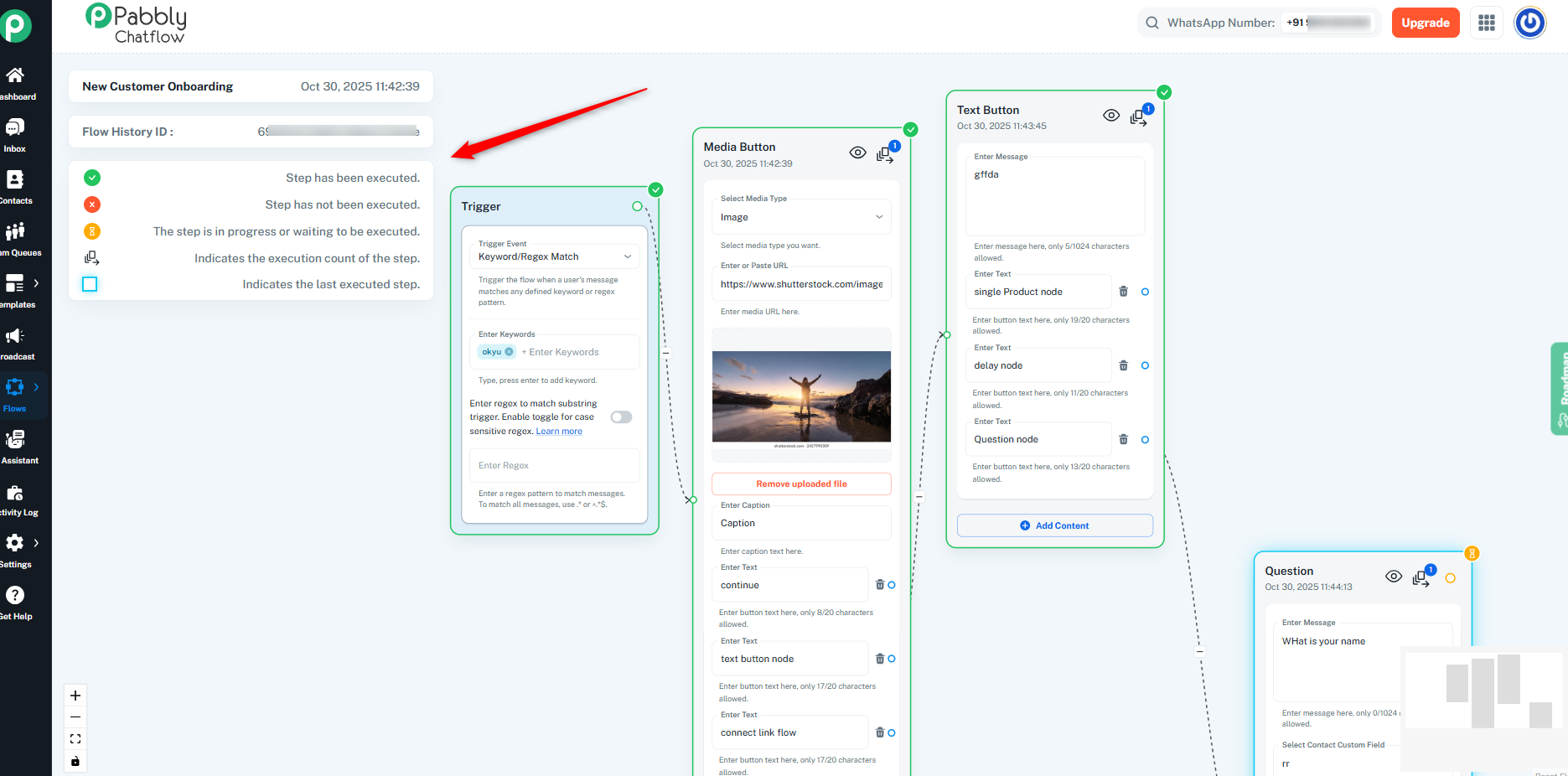
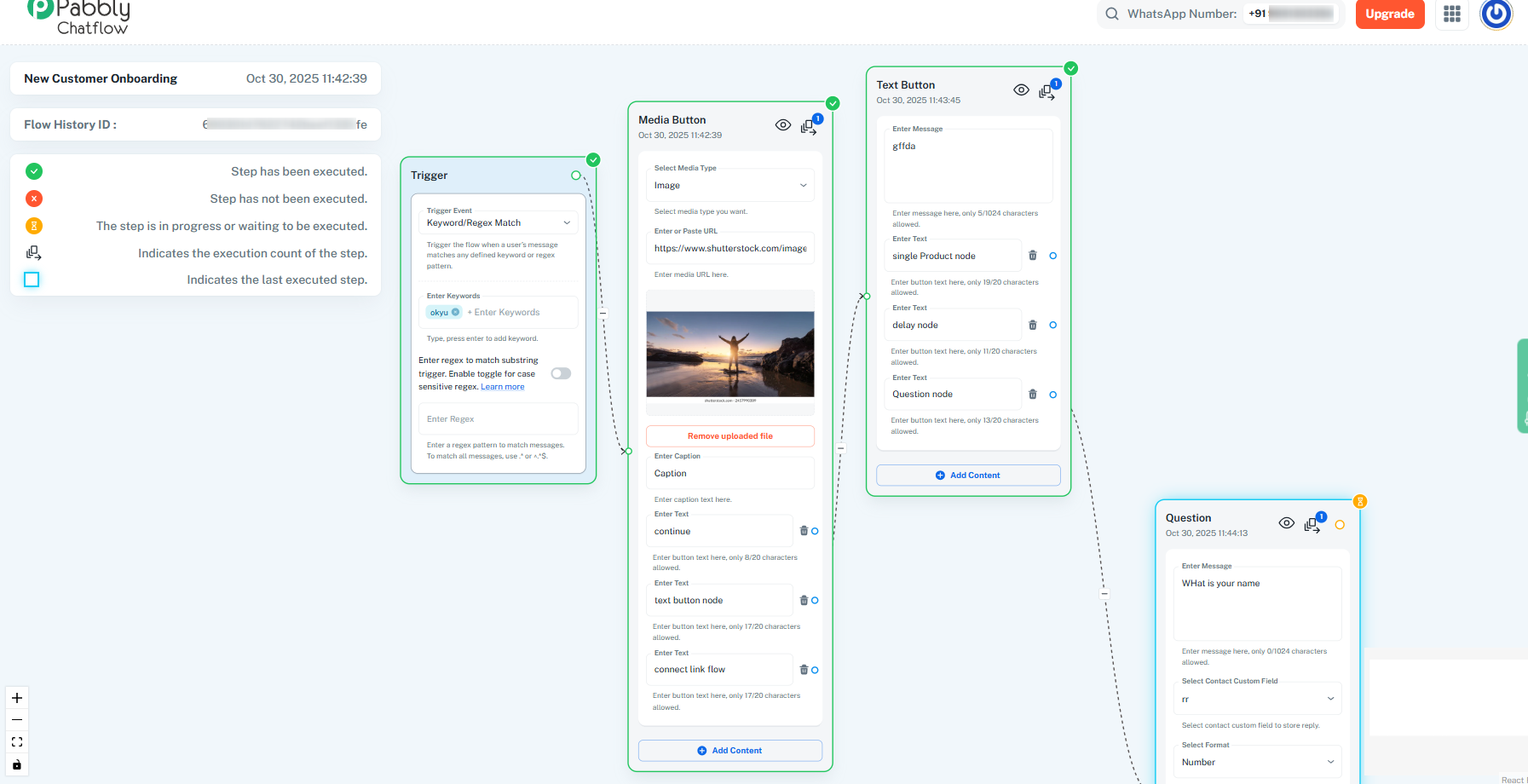
- Flow History ID: Unique identifier for the execution
- Visual Flow Diagram: Shows the path taken with status indicators
- Step-by-Step Breakdown: Details of each action performed
- Execution Time: When each step ran
Flow Status Indicators
- ✅ Green Checkmark: Step executed successfully
- ❌ Red X: Step has not been executed.
- ⏳ Yellow Hourglass: The step is in progress or waiting to be executed.
- 1️⃣ Number Badge: Indicates the execution count of the step.
- 🟦 Blue Square: Indicates the last executed step.
What You Can Track
Each execution shows:
- Which trigger started the flow
- Every message sent
- Buttons displayed
- Questions asked
- User responses
- Conditions evaluated
- Any errors that occurred
Common Use Cases
Monitor Performance: See how often flows run and which are most active.
Troubleshoot Issues: Find where flows fail and fix problems quickly.
Track Customer Journeys: Understand how users interact with your flow.
Manage Credits: Monitor credit usage and optimize your flows.
