1. Overview
The Order History section allows you to view and manage all the orders created from your Inbox and Flows.
This page helps you track the status, payment activity, and details of every order created using your WhatsApp Payment setup.
Pabbly Chatflow stores your order history for the last 90 days.
2. How to Access Order History
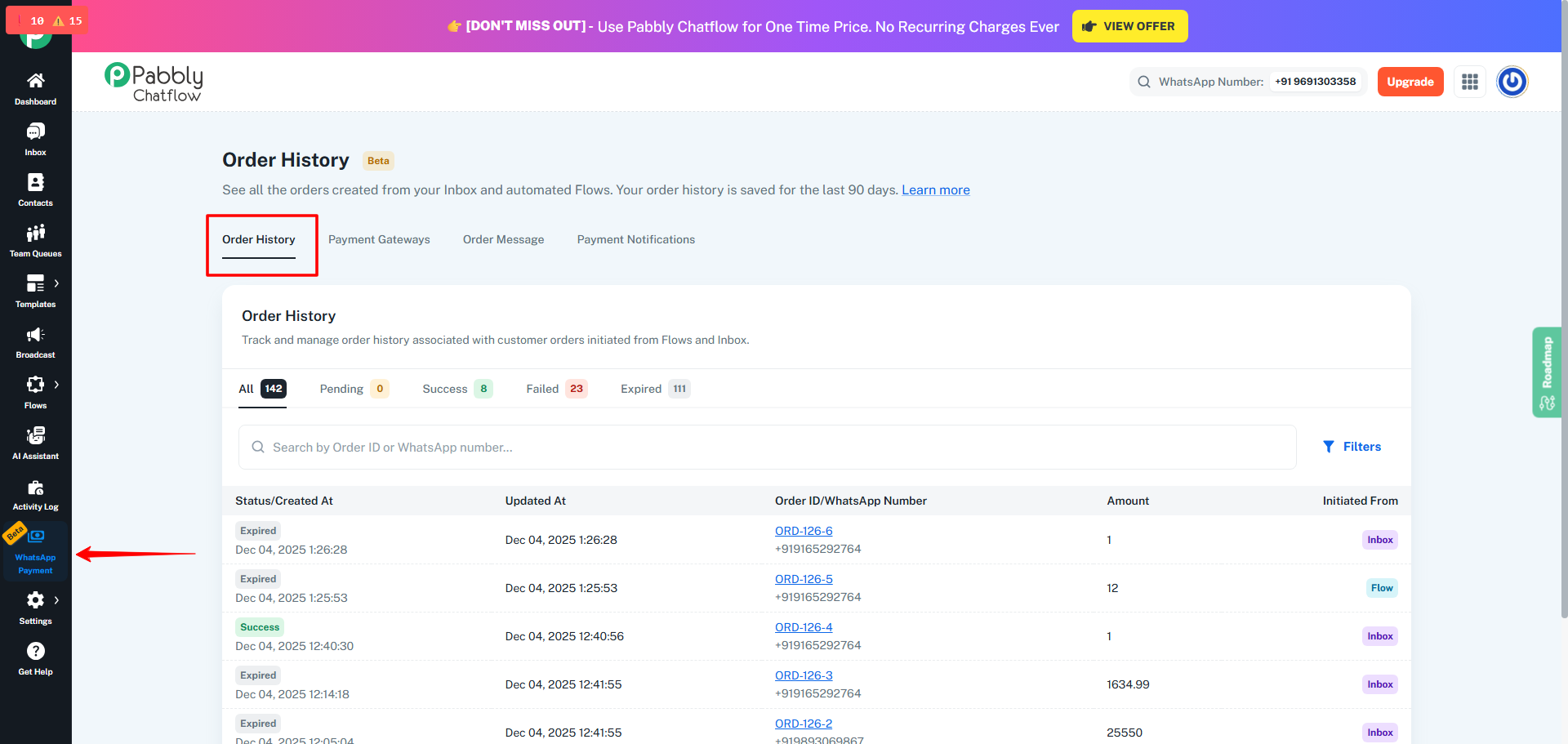
- Login to your Pabbly Chatflow account.
- From the left navigation panel, open WhatsApp Payment.
- Click on the Order History tab.
This will open a detailed list of all the orders created.
3. Understanding the Order Statuses
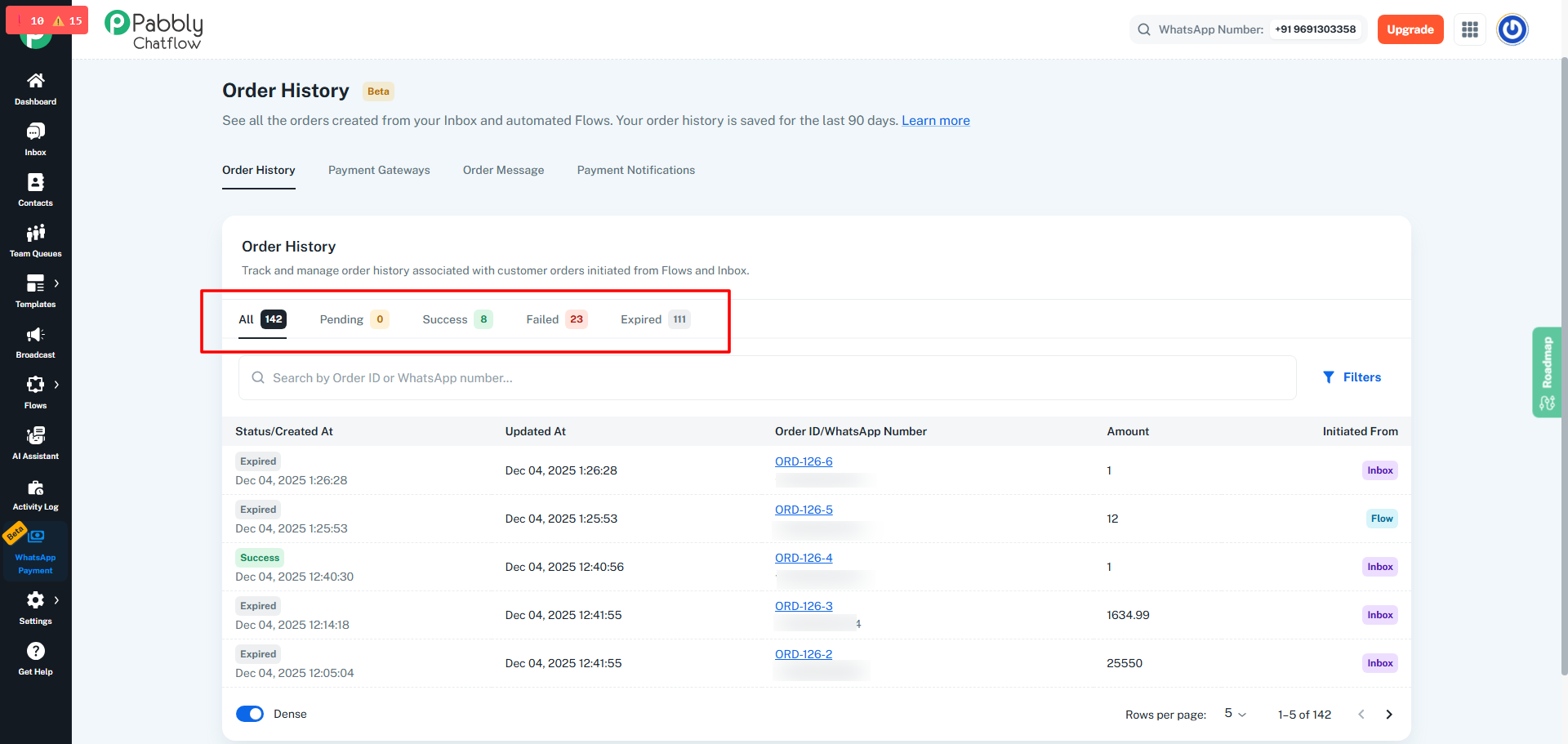
Inside Order History, you will see category tabs such as:
- All
- Pending
- Success
- Failed
- Expired
Each order will fall under one of these statuses:
Pending
- The order was created successfully.
- No payment has been made by the customer yet.
Success
- The customer has completed the payment successfully.
- Payment was captured by the selected payment gateway.
Failed
- A payment attempt was made,
- But the transaction failed due to a gateway or customer-side issue.
Expired
- The payment link has expired because its time validity is over.
- Expiration is calculated from the moment the order message is used to create the order.
Example:
If expiration time is 5 minutes and the order was created at 12:00 PM,
the payment link will expire at 12:05 PM.
4. What You Can Do in Order History
You can:
- View orders created via Flows and Inbox
- Track their current status
- Check order details
- Filter orders
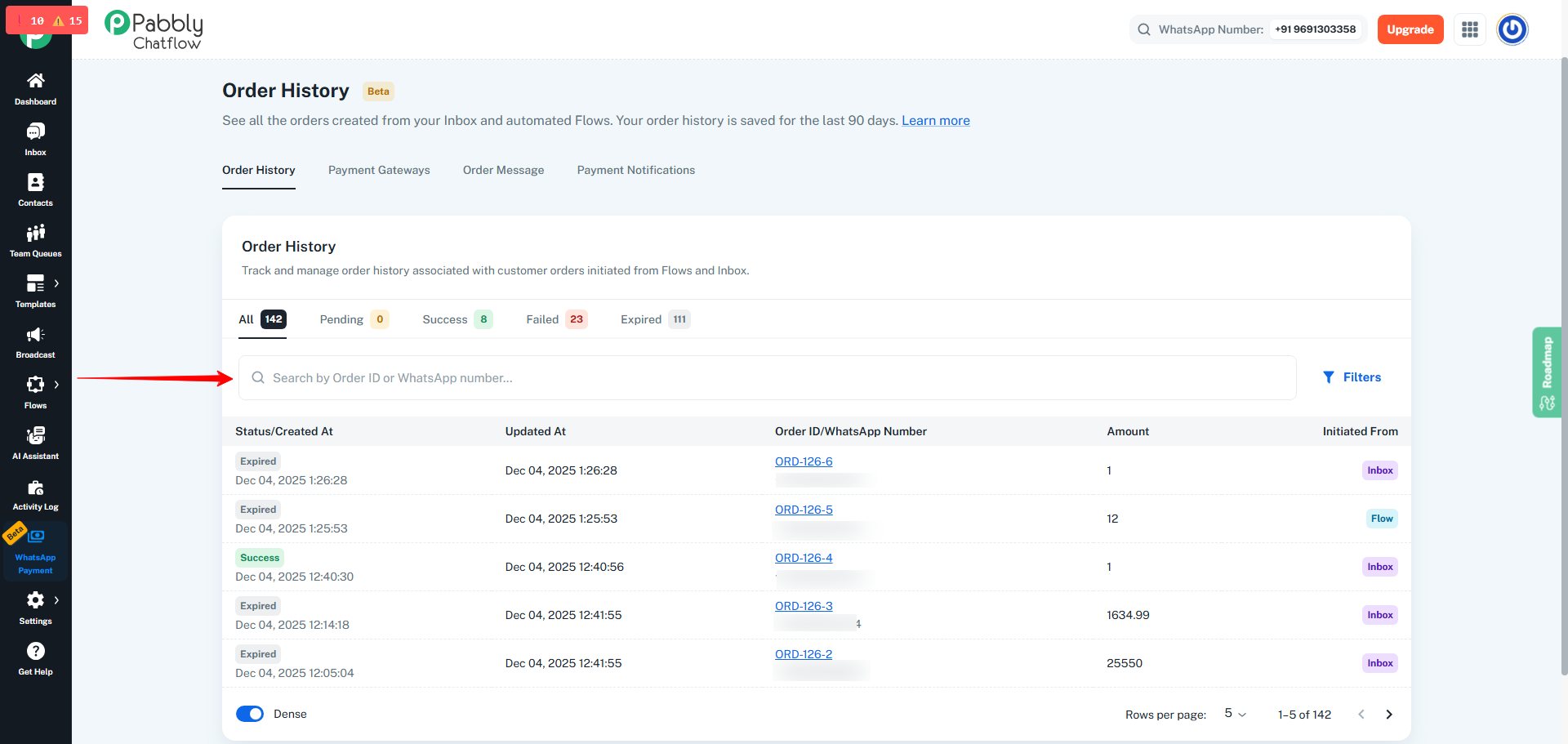
- Search by Order ID or WhatsApp number
- Open receipt or invoice dialogs
5. Searching Orders
Image Placeholder – (Screenshot showing search bar for Order ID / WhatsApp number)
(Insert Image Here)
You can search by:
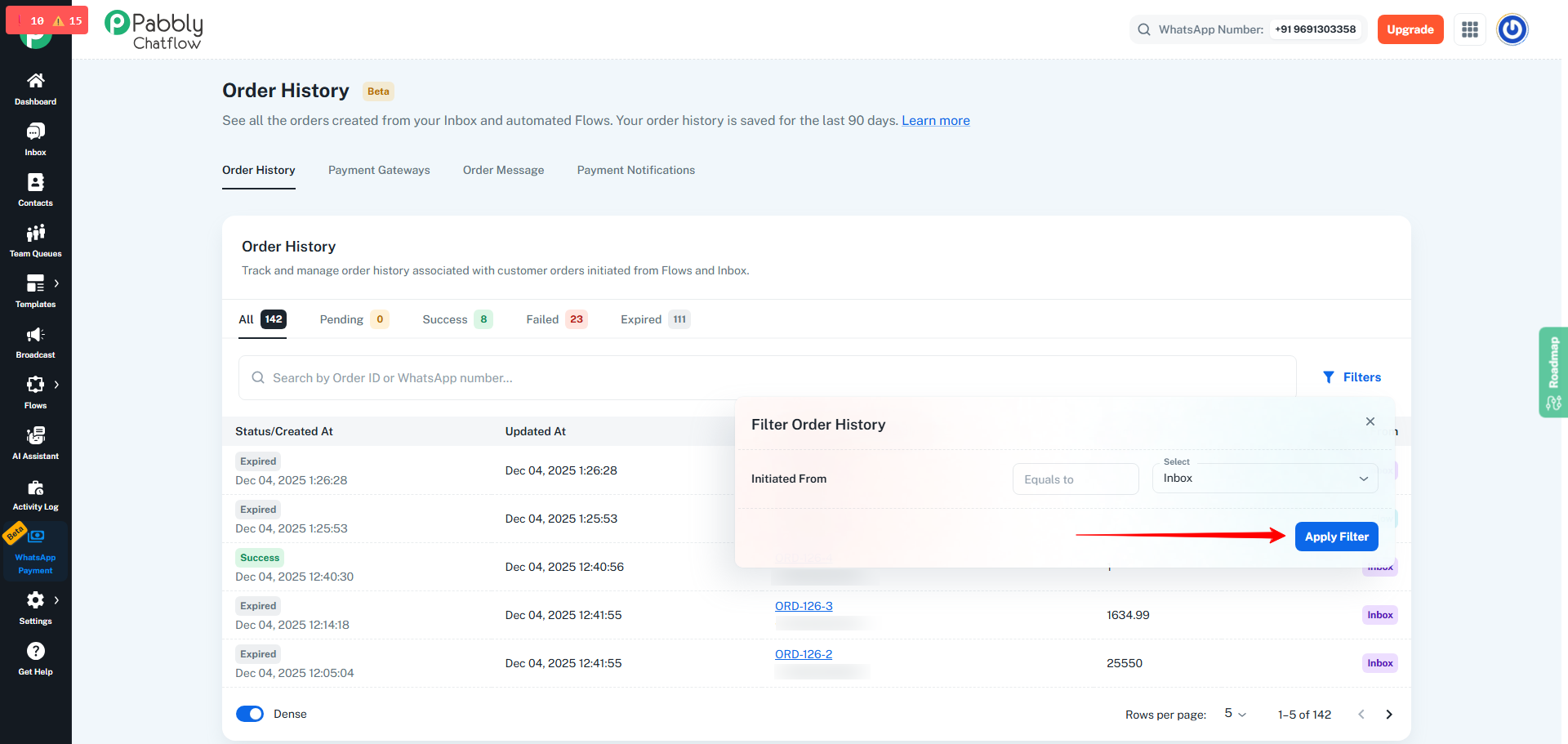
6. Applying Filters
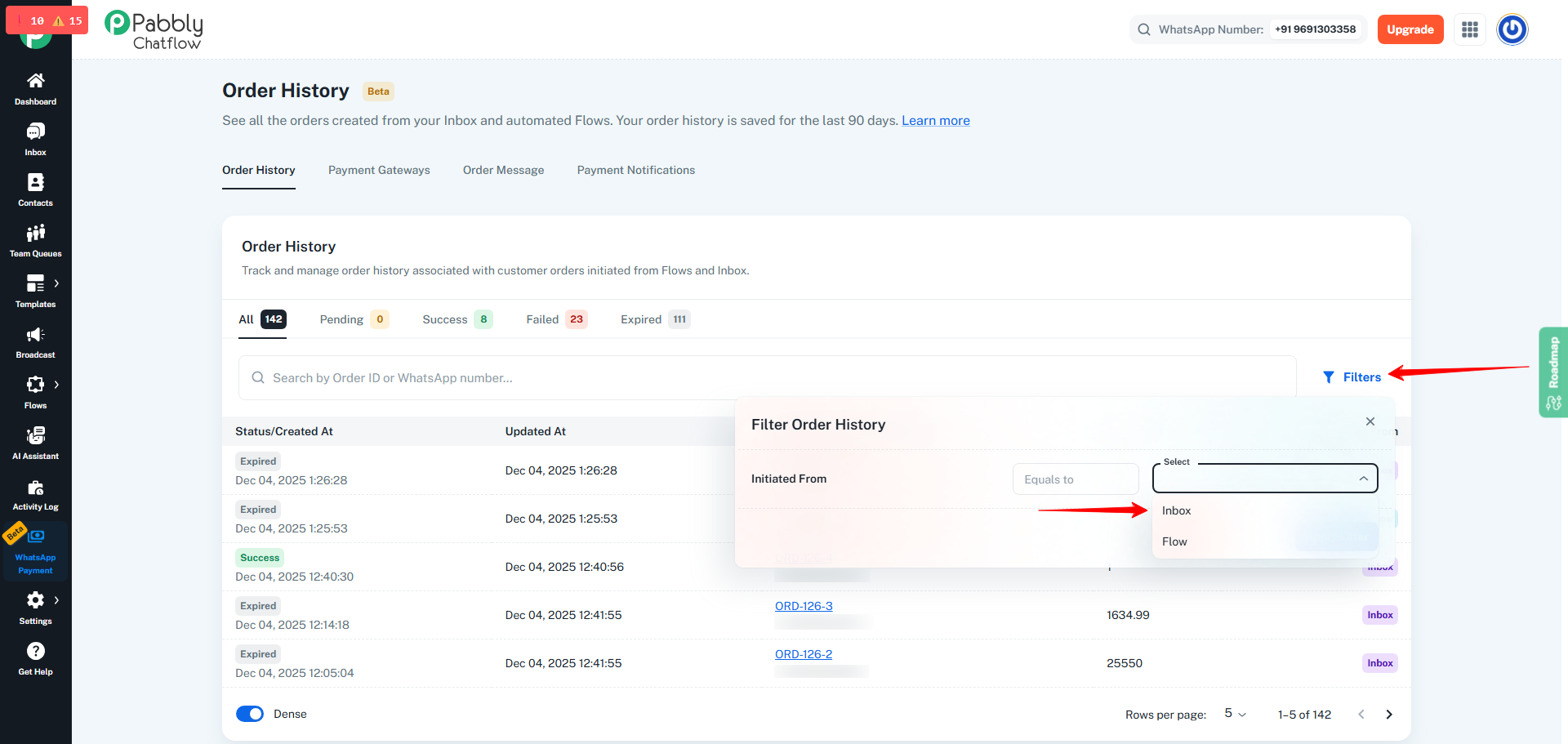
To apply filters:
- Click on the Filters button.
- A popover will open.
- Under Initiated From, choose:
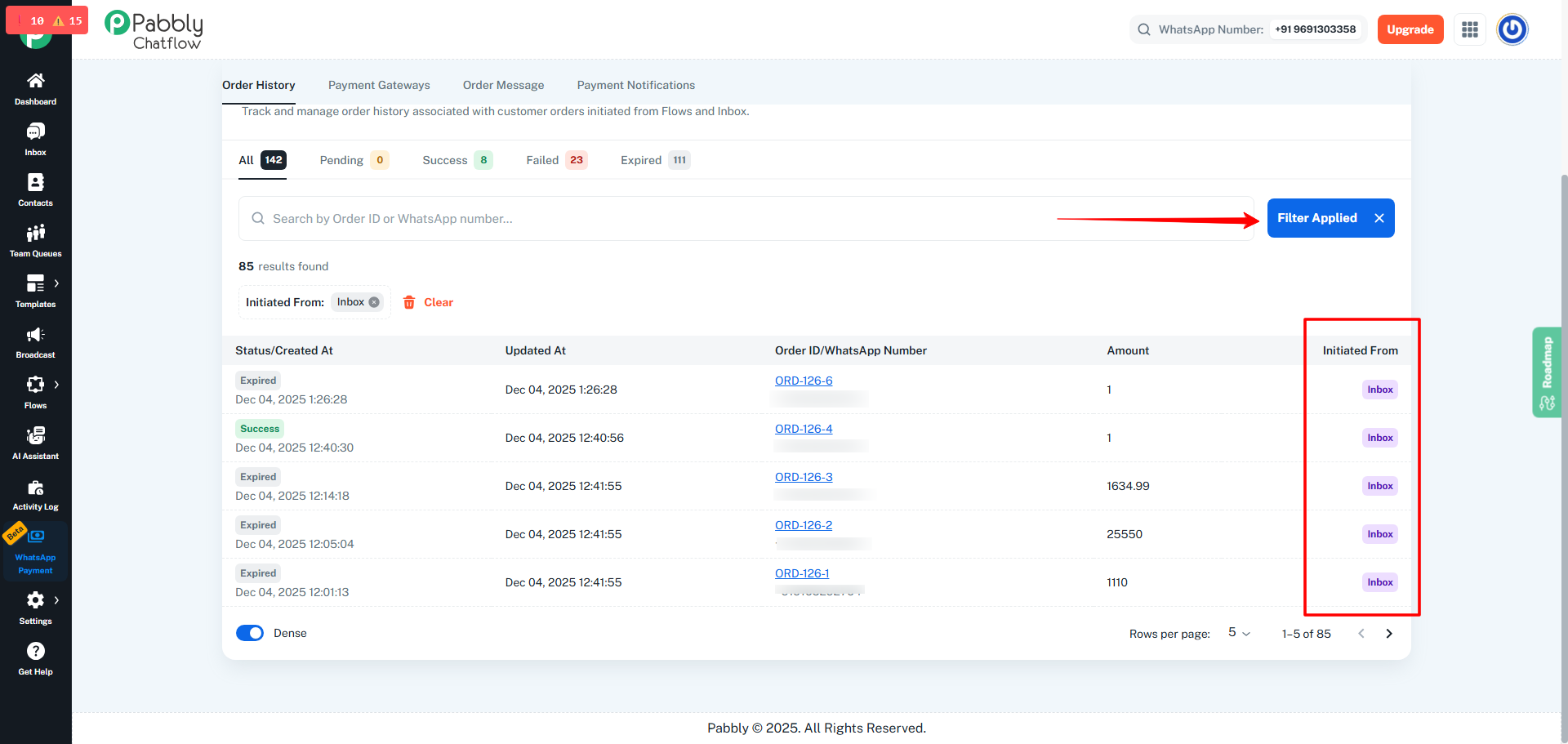
- Apply the filter to view only the specific set of orders.
This helps you separate manually created orders from automated flow orders.
7. Viewing the Order List
In the order table, you will see:
- Status (Pending, Success, Failed, Expired)
- Created At timestamp
- Updated At timestamp
- Order ID / WhatsApp Number
- Amount
- Initiated From (Inbox or Flow)
8. Summary
The Order History tab is your centralized place to:
- Track all orders created via Flows and Inbox
- Monitor payment status
- Identify expired or failed payment attempts
- Search or filter orders quickly
- Review payment history within the last 90 days
This makes it easy to manage your WhatsApp Payments efficiently.