Step 1: Delete the Number from WhatsApp Cloud API
- Go to Meta Business Manager.
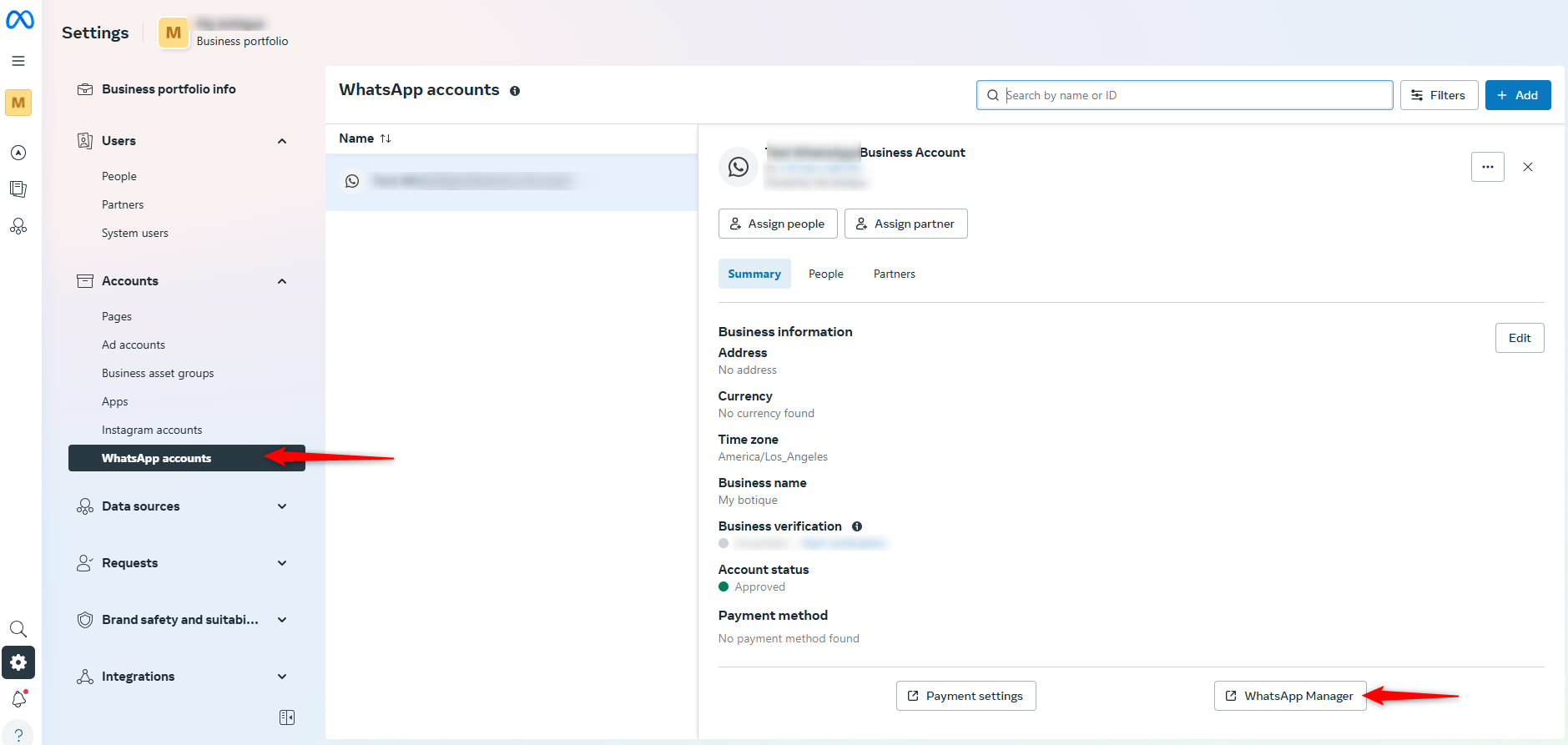
- In the left sidebar, click on WhatsApp Manager.
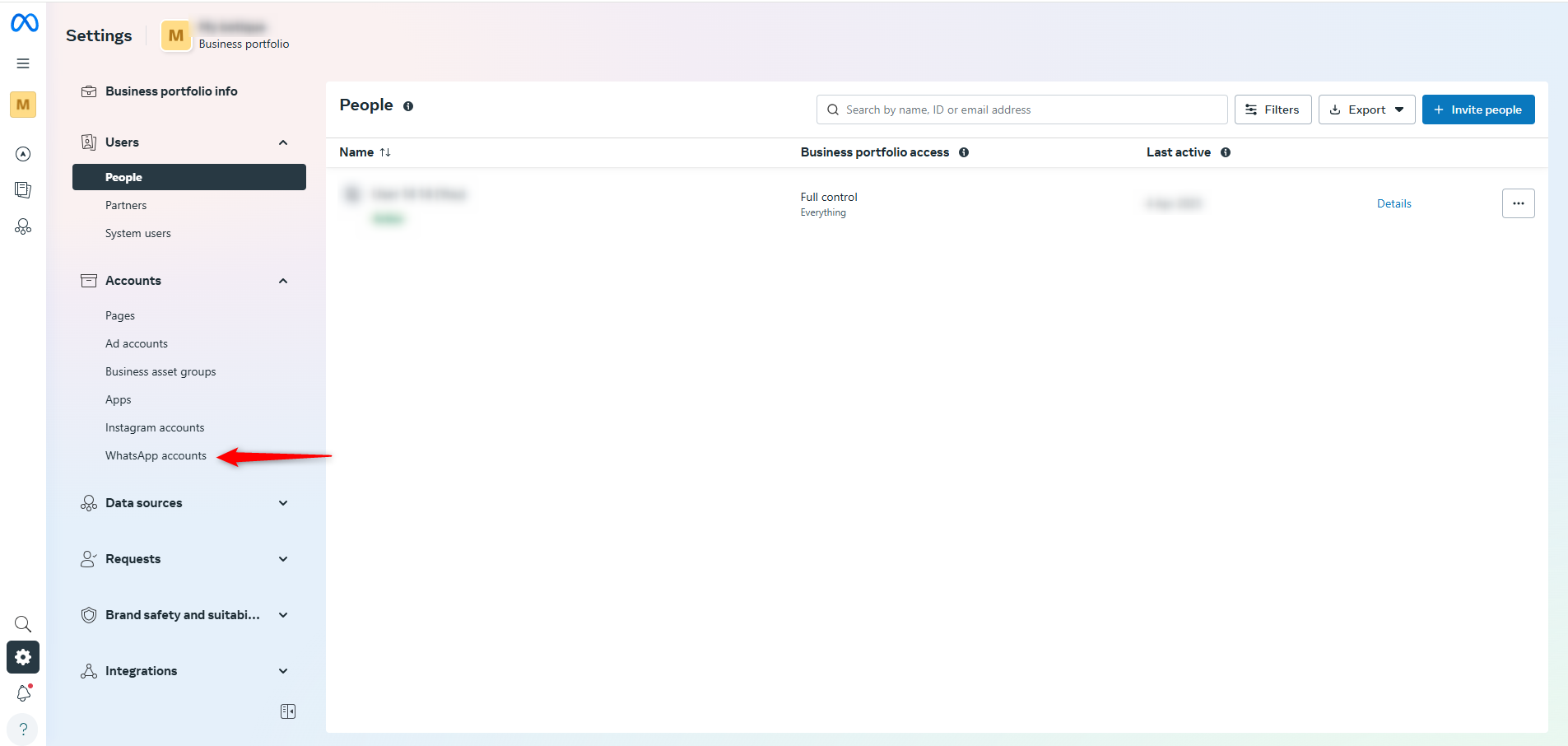
- Scroll to the Phone Numbers section.
4 . Find your number and click the trash icon next to it.
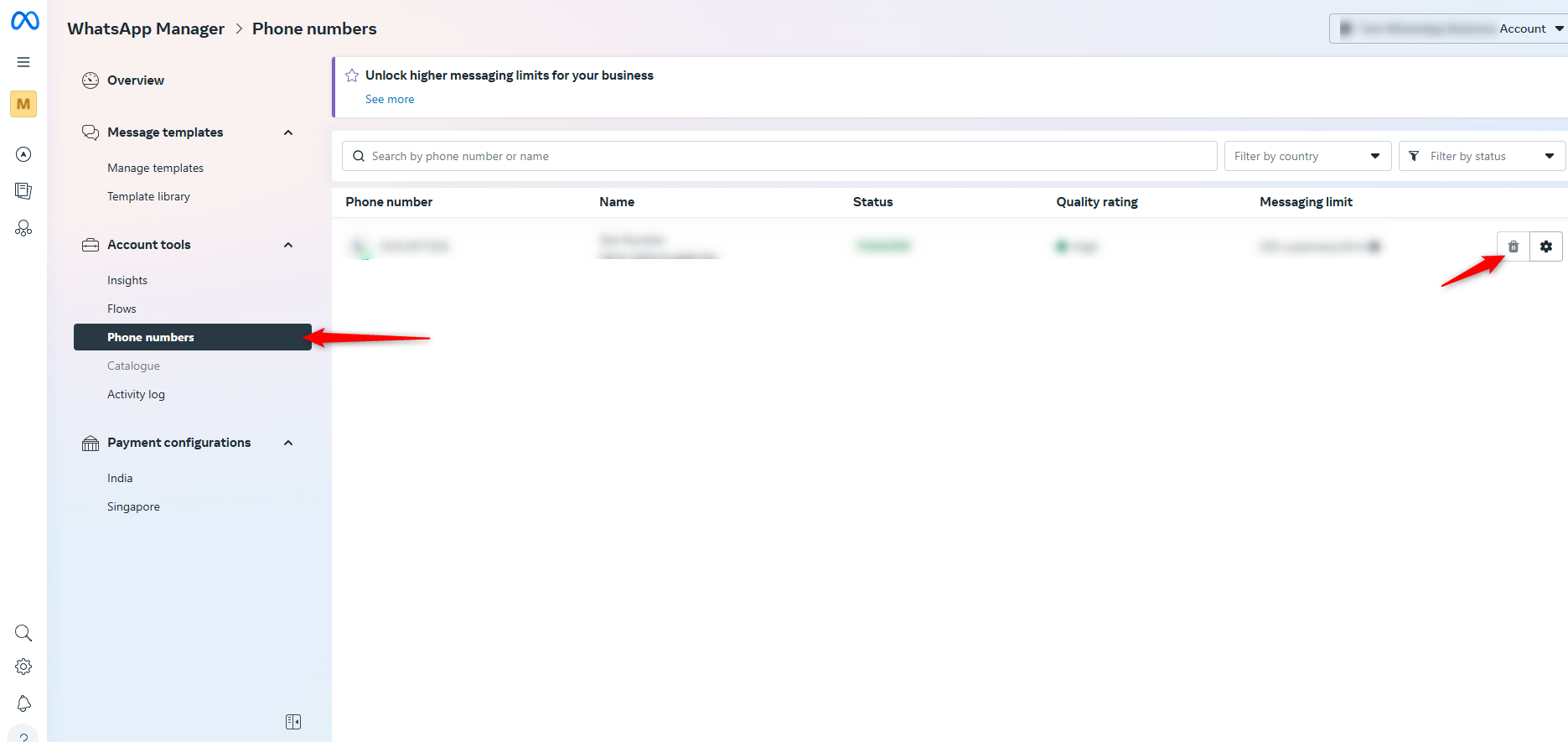
- Confirm the deletion.
⚠️ Important: Ensure no apps or integrations use the number before deleting it.
Step 2: Wait for Deactivation
- After deletion, it might take up to 1 hour for the number to be fully released from Meta’s backend.
- If you get a message like “temporarily unavailable” when trying to register, it’s likely still in the release process.
- Just wait and try again after some time
Step 3: Register on the WhatsApp Personal App
- Open the WhatsApp app (mobile or desktop).
- Enter your phone number.
- Request and enter the verification code.
- Complete the setup as usual.
? Note:
- Removing a number from the Whatsapp Cloud API is now reversible – you can re-add it later.
- However, all data, including messages, contacts, and media, will be permanently lost.
If you want to switch your number from WhatsApp and to WhatsApp Cloud API:
You must first delete your WhatsApp account from the mobile app:
- Open WhatsApp Messenger or WhatsApp Business on your Android or iPhone.
- Go to Settings > Account.
- Tap Delete my account.
- Messages sent to this phone number will be queued in the meantime.
- Follow the instructions to complete account deletion.
? Now, follow this YouTube Tutorial to continue the process: ? YouTube Tutorial – Switch to Cloud API
Originally posted by Neha Bhatia on 2025-04-05 (forum thread #28197).
