Template Management Guide
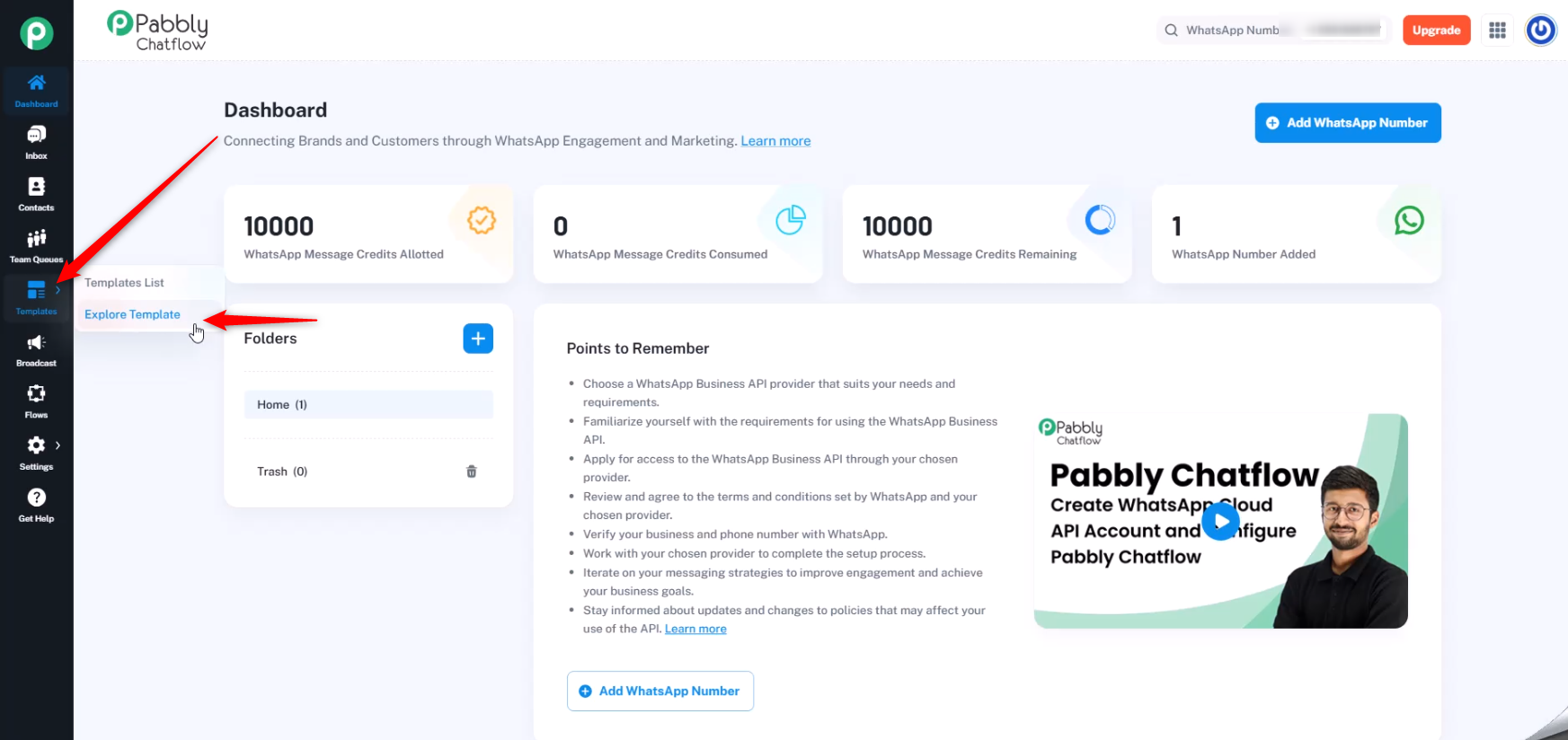
Browse and customize a variety of predefined WhatsApp templates to enhance your communication. This guide shows you how to use and personalize them easily in Pabbly Chatflow.
Access your Chatflow account with your credentials.
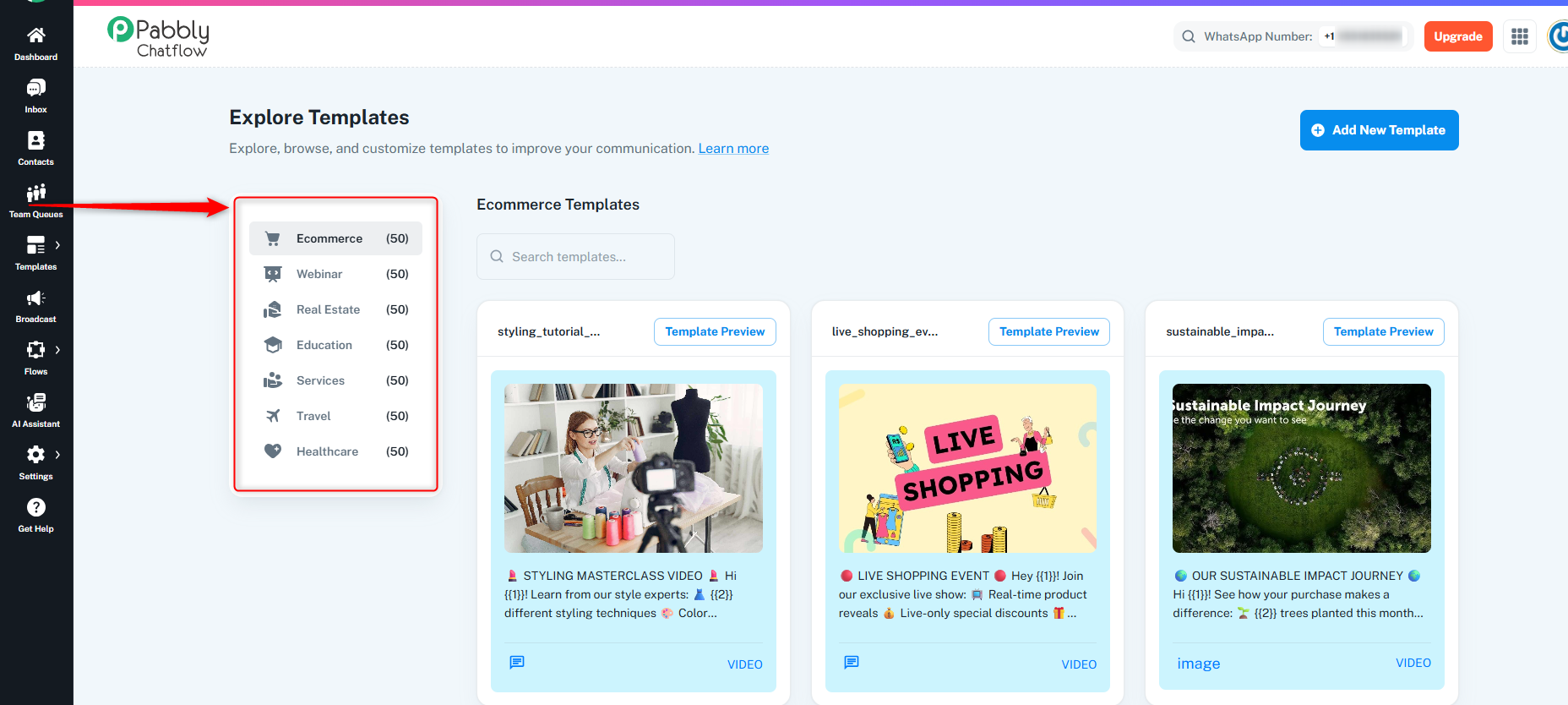
Pabbly Chatflow offers predefined templates across multiple business categories. Each category contains 50 ready-to-use templates:
You can select a category from the left panel to explore relevant templates.
Ecommerce (50 templates)
Templates tailored for e-commerce businesses, including promotional offers, product announcements, order updates, and customer support.
Webinar (50 templates)
Templates designed for webinars, including invitation messages, reminders, and follow-up content to engage participants.
Real Estate (50 templates)
Templates for real estate businesses, such as property listings, new property alerts, open house invitations, and client follow-ups.
Education (50 templates)
Templates for educational institutions, covering course promotions, registration reminders, class schedules, and exam updates.
Services (50 templates)
Templates for service-based businesses, including appointment bookings, service reminders, feedback requests, and promotions.
Travel (50 templates)
Templates for travel agencies, including flight bookings, itinerary confirmations, promotional offers, and travel tips.
Healthcare (50 templates)
Templates for healthcare providers, such as appointment reminders, health tips, patient follow-ups, and medical alerts.
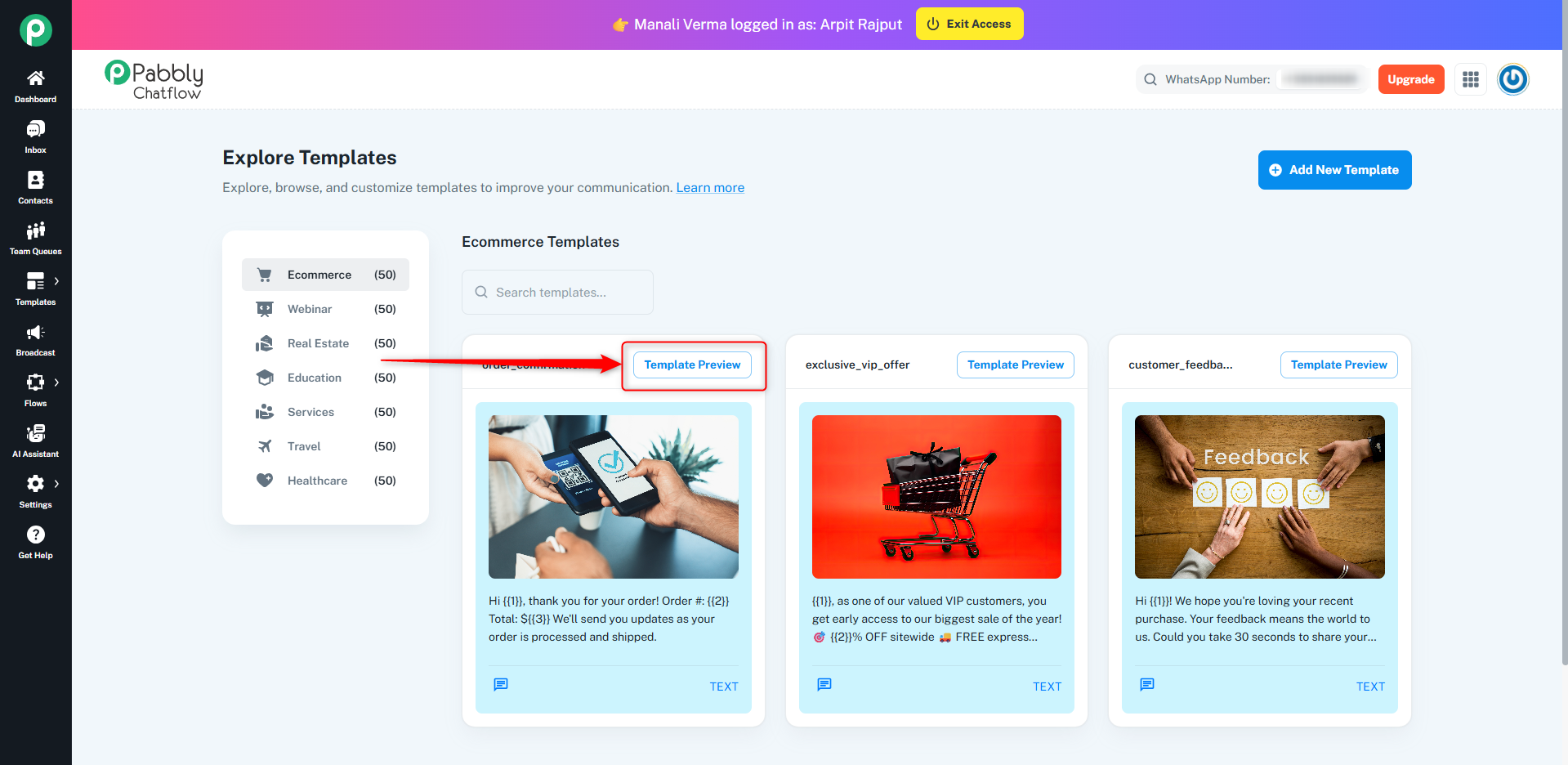
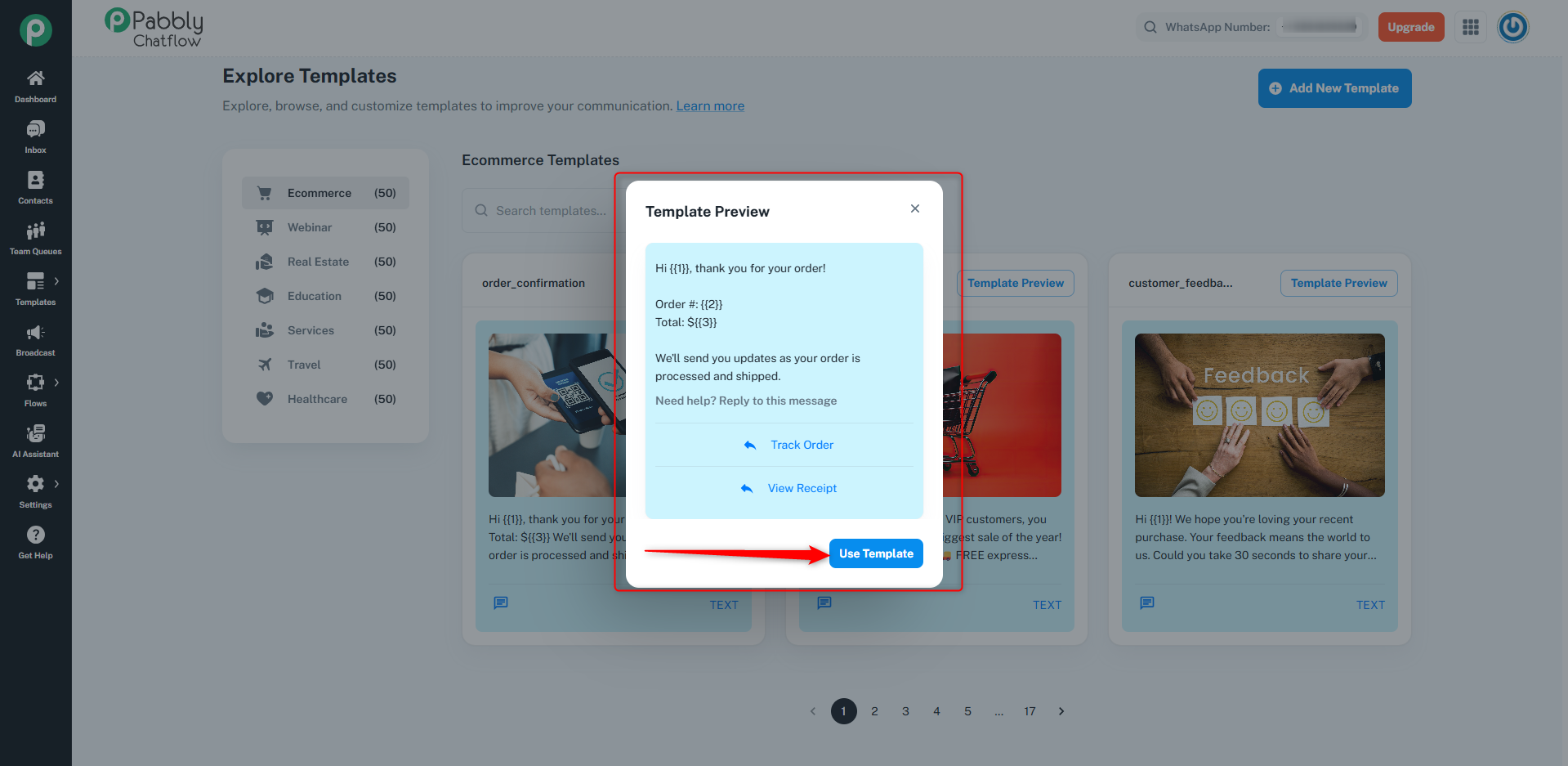
In the Preview Section, click on the Use Template button.
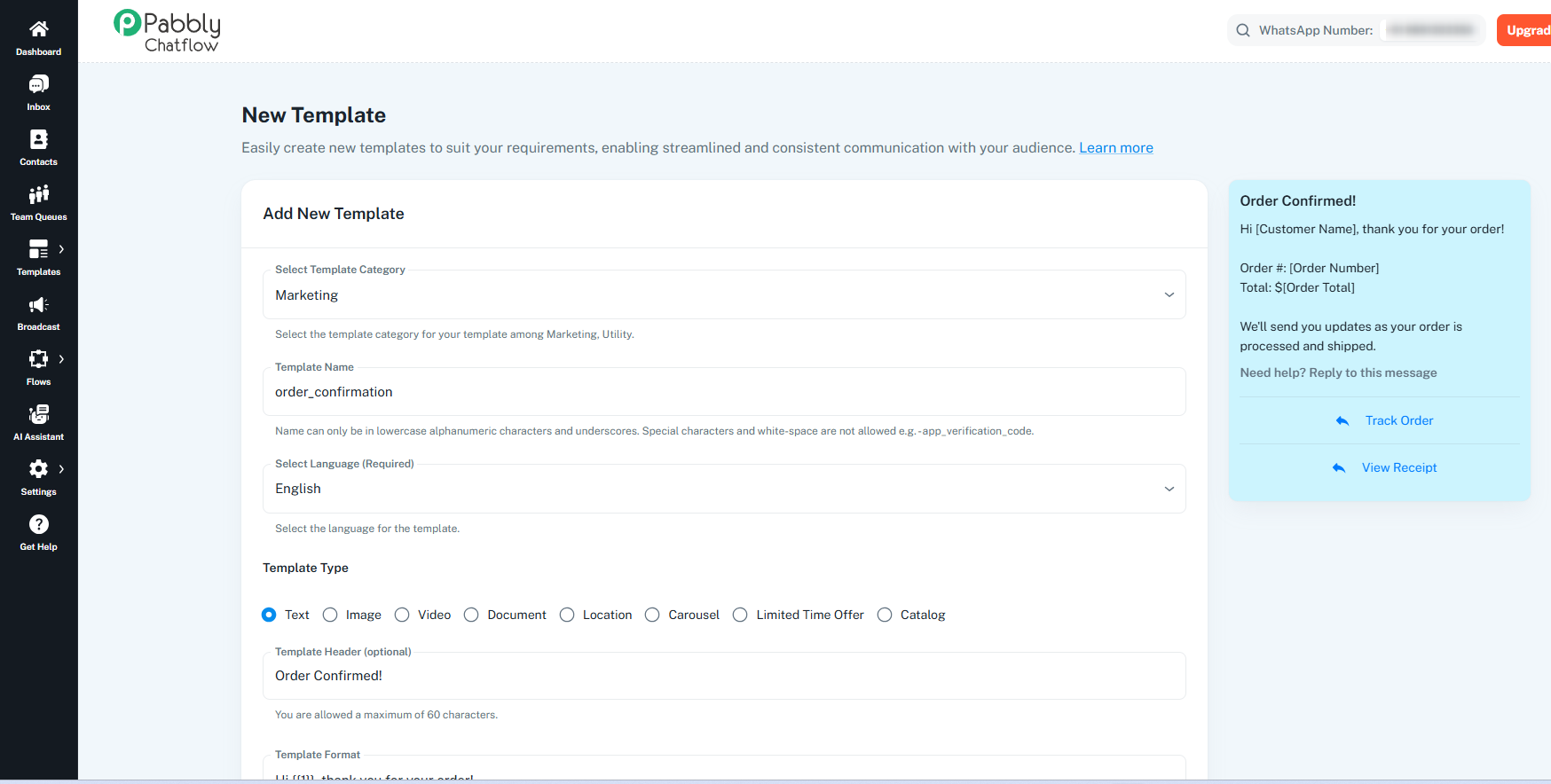
This action will redirect you to the Add Template section with pre-filled details.
Customize the template as needed before submission.
By following these steps, you can streamline your workflow and improve communication efficiency within your Chatflow account.
