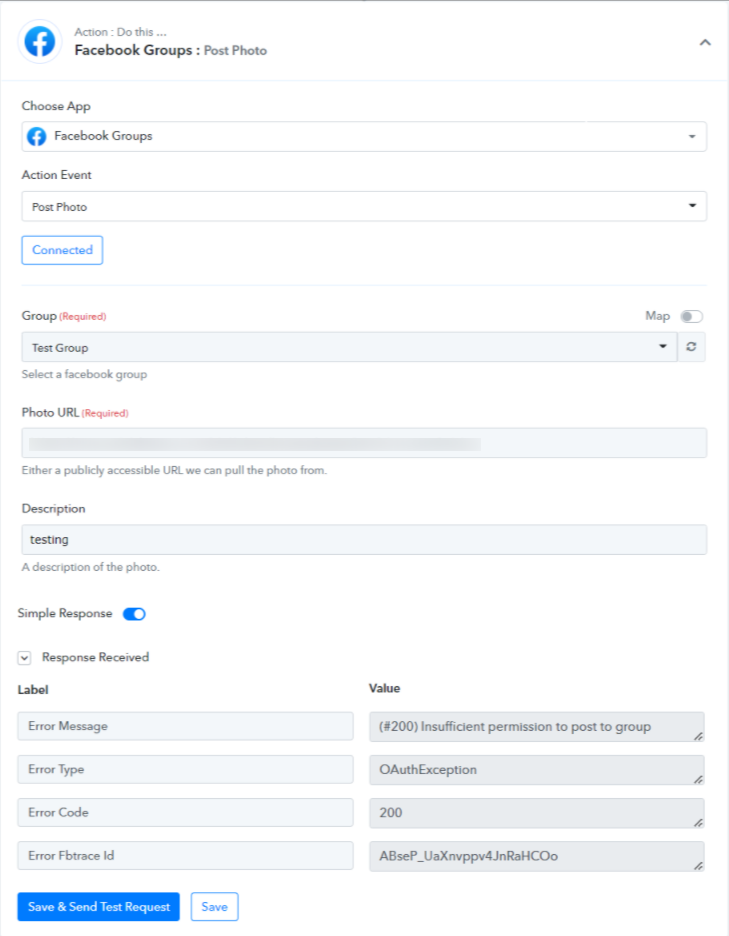
The below mentioned error comes during setting the "Facebook Group" step in your workflow is because of Pabbly Connect app not installed in your Facebook Group-
To resolve this concern, you need to install the Pabbly Connect application in your Facebook Group.
You can follow the below-mentioned detailed steps to resolve the issue-
- Go to your Facebook Group in your Facebook account, for which you need the automation to work for.
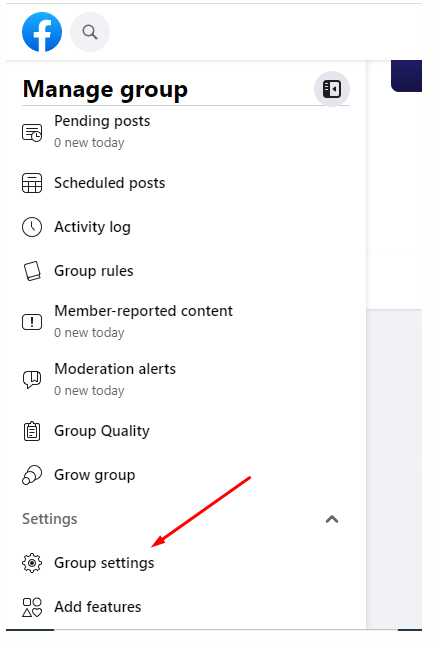
- Then on the left-hand side you need to choose "Group Settings"-
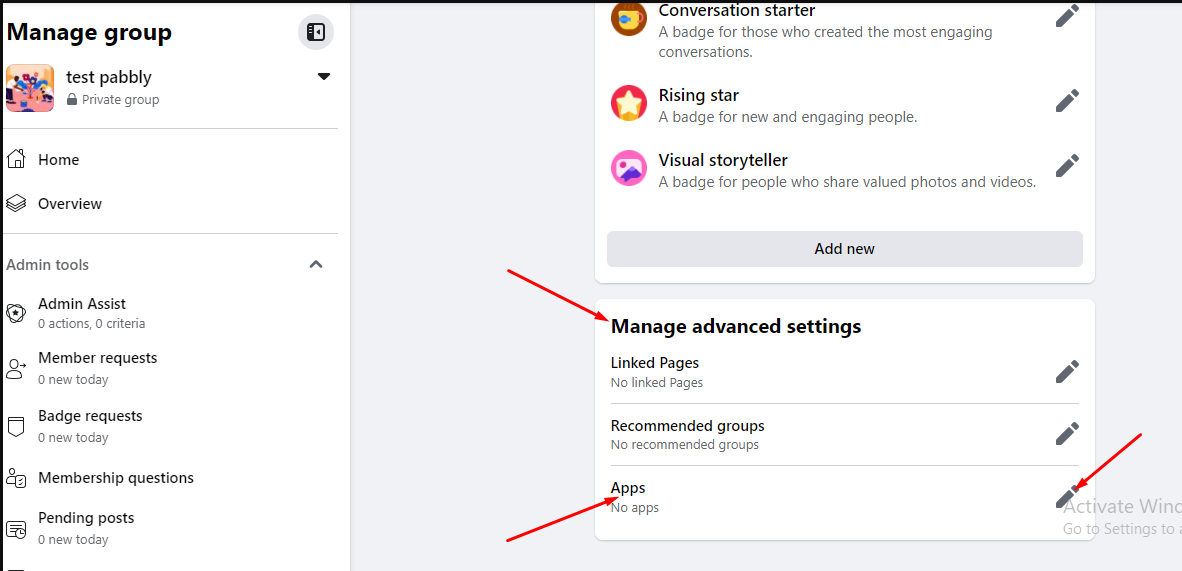
- Now in the "Manage advanced settings", you need to choose "Apps" option and click on the "edit" button-
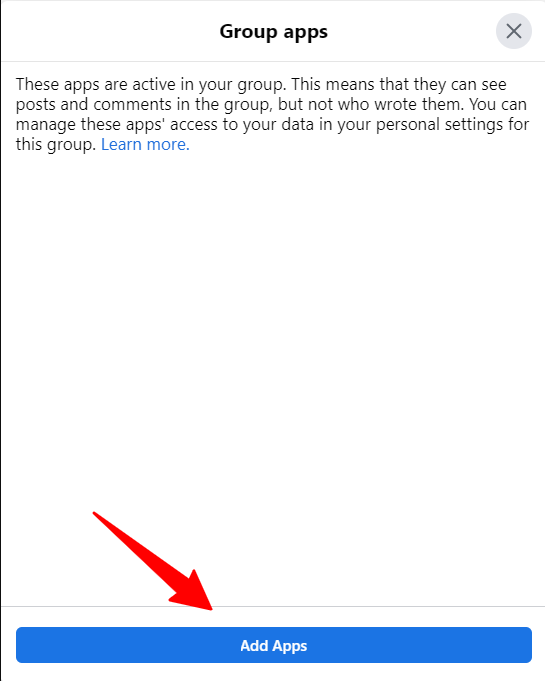
- Now a new pop-up will open for the "Group Apps" and then you need to scroll down to "Add Apps"-
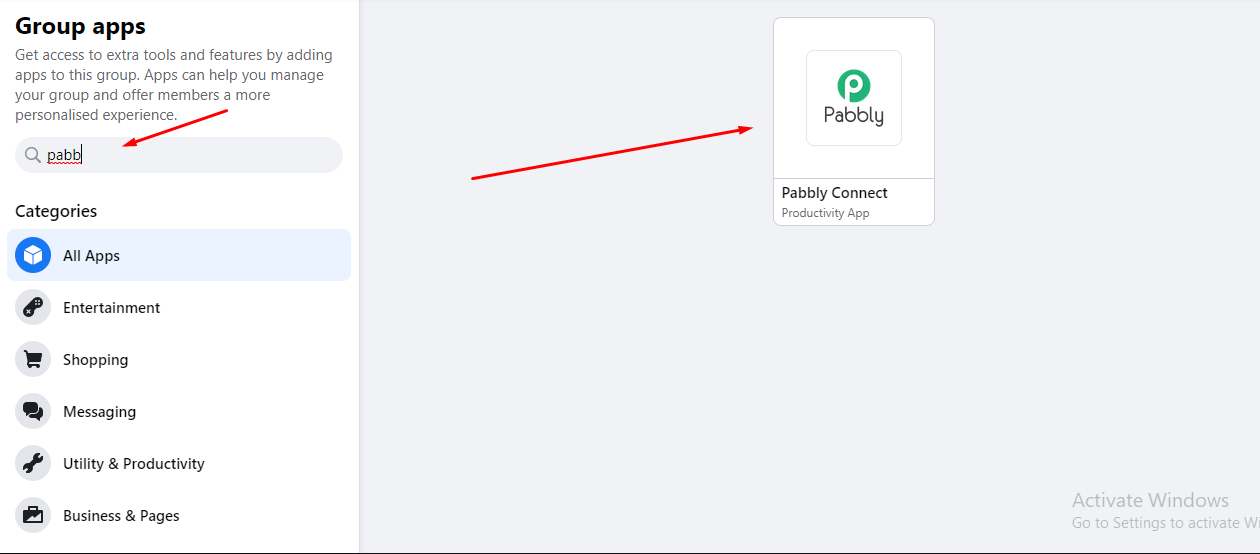
- Click on it and on the left side you will get a search option, in which you need to search for "Pabbly Connect"-
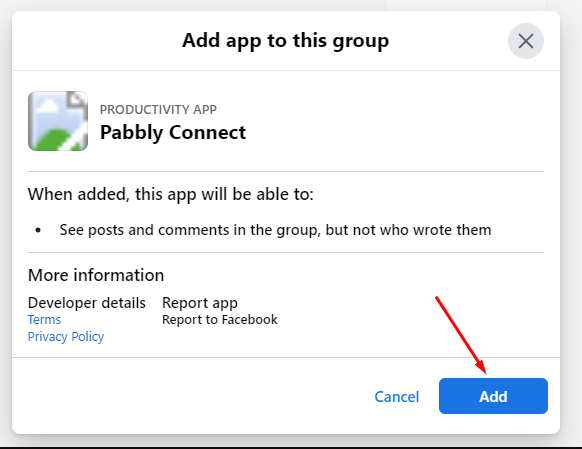
- Click on the "Pabbly Connect" Icon, and then you will get a pop-up asking you for installing it-
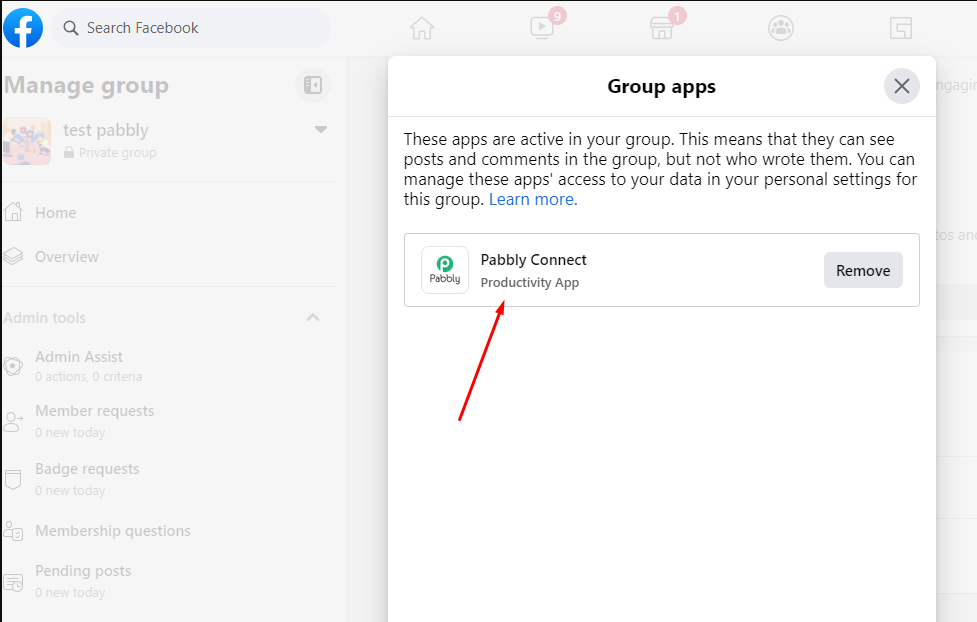
- Click on the "Add" option and it will be installed in your Facebook Group -
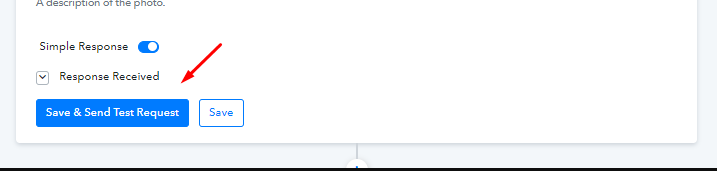
- Now, go back to your Pabbly Connect account, and inside the workflow just click on "Save & Send Test Request" for the Facebook step, it will start to work for you-
Kindly follow the mentioned step and let us know if it works for you now.
Thank you.
 Pabbly Connect Team•Updated Jul 25, 2026•1 min read