Pabbly Email Marketing
 Pabbly Email Marketing Team•Updated Oct 24, 2026•1 min read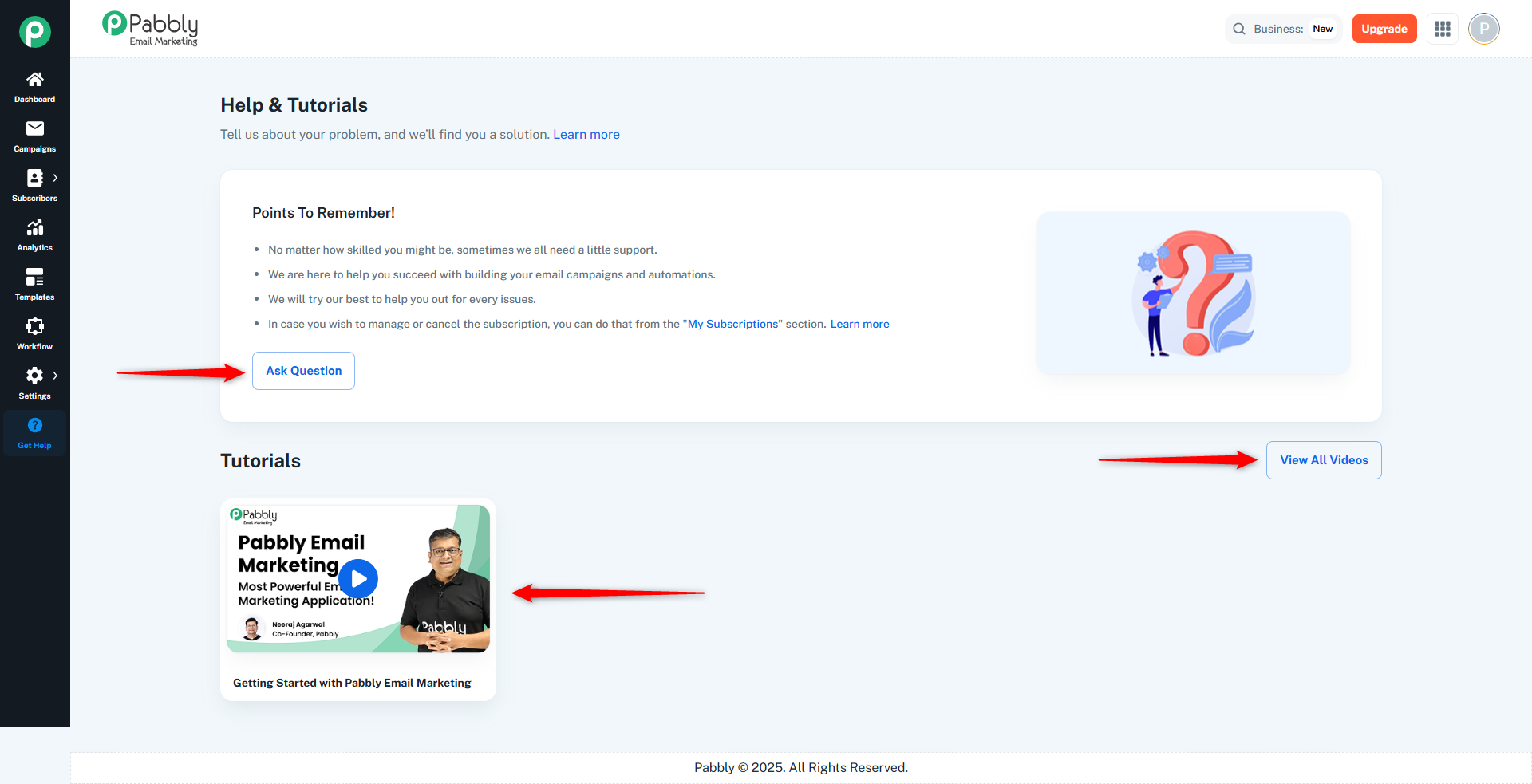
The Get Help page is the central resource for support, tutorials, and answers about Pabbly Email Marketing. It provides multiple ways to get assistance and learn about the platform.
Title: "Help & Tutorials"
Subheading: "Tell us about your problem, and we'll find you a solution."
Includes a link to the Pabbly forum.
Displays important information and reminders.
Contains key points about support, managing subscriptions, and getting help.
"Ask Question" Button: Opens the Pabbly Help & Guide forum in a new tab.
Access to video tutorials.
"View All Videos" Button: Links to the Pabbly YouTube channel (10,000+ tutorials).
Video Playlist: Shows tutorial videos in a responsive grid:
Click any thumbnail to play the video in a modal.
Example: "Getting Started with Pabbly Email Marketing"
Get Answers:
Click "Ask Question" to post on the forum.
Browse existing forum discussions.
Watch Tutorials:
Click video thumbnails to watch on the page.
Click "View All Videos" to access the full YouTube channel.
Manage Subscription:
Use the "My Subscriptions" link mentioned in the Points To Remember card.
This page helps you:
✅ Get answers to your questions
✅ Learn through video tutorials
✅ Access community support
✅ Find important platform information
All external links open in new tabs to preserve your current session.
