Deleting a Specific Number
If you want to delete data associated with a specific number, follow these steps:
Step 1: Navigate to the Dashboard
- Log in to your Chatflow account.
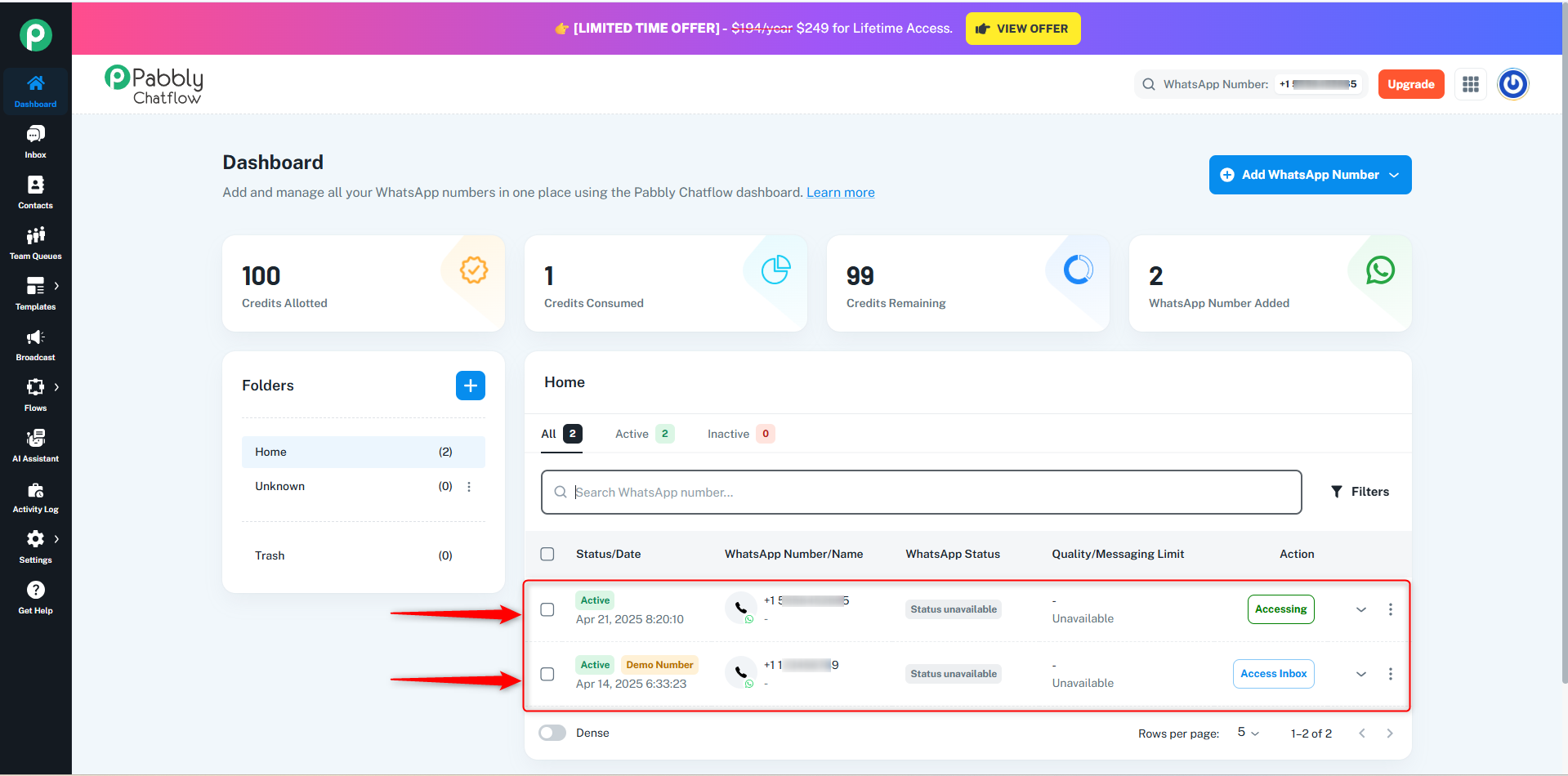
- Go to the Dashboard, where all the connected numbers are listed.
- Select the number you want to delete.
Step 2: Delete the Selected Number
- Click on the Delete option next to the selected number.
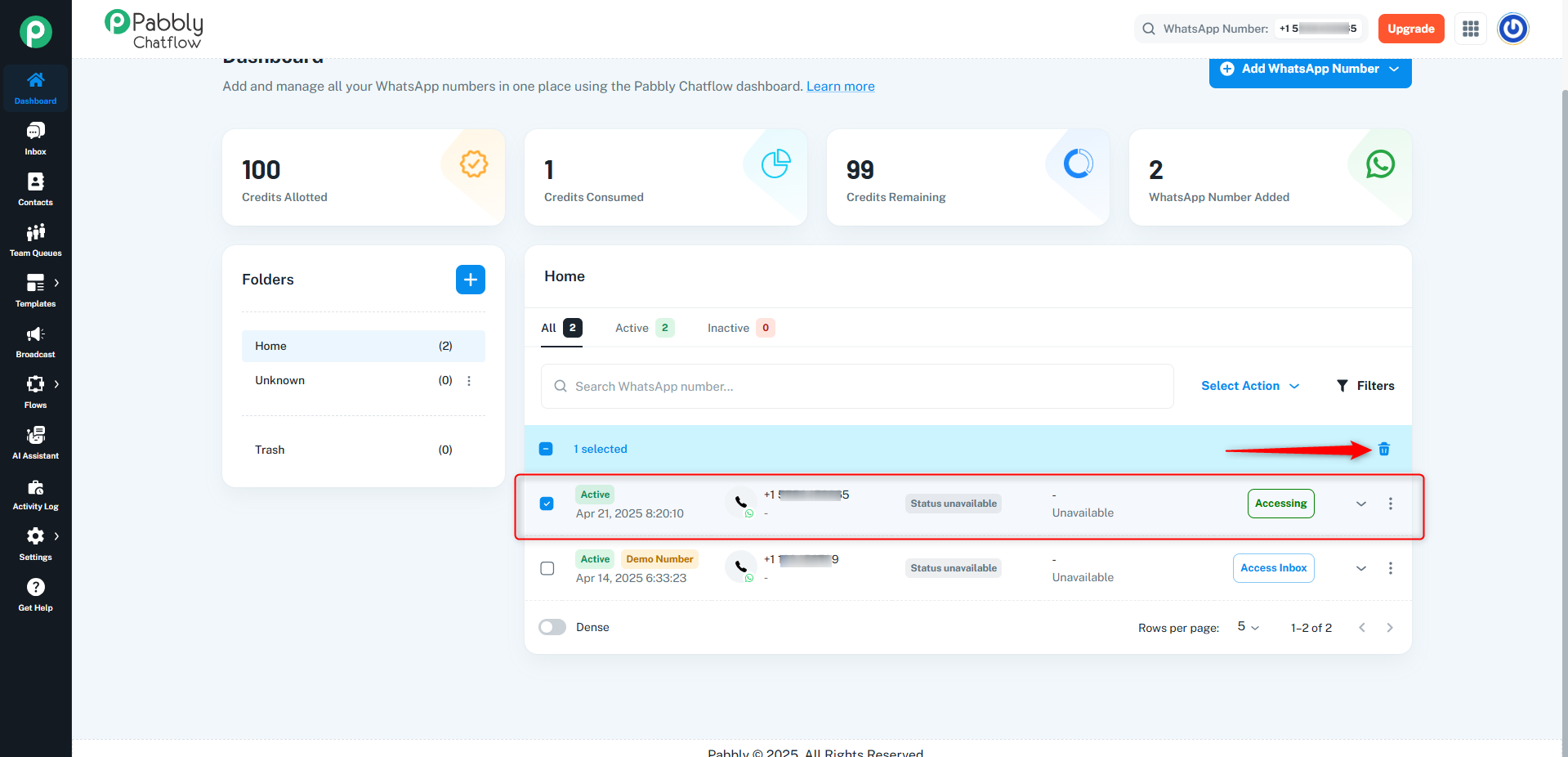
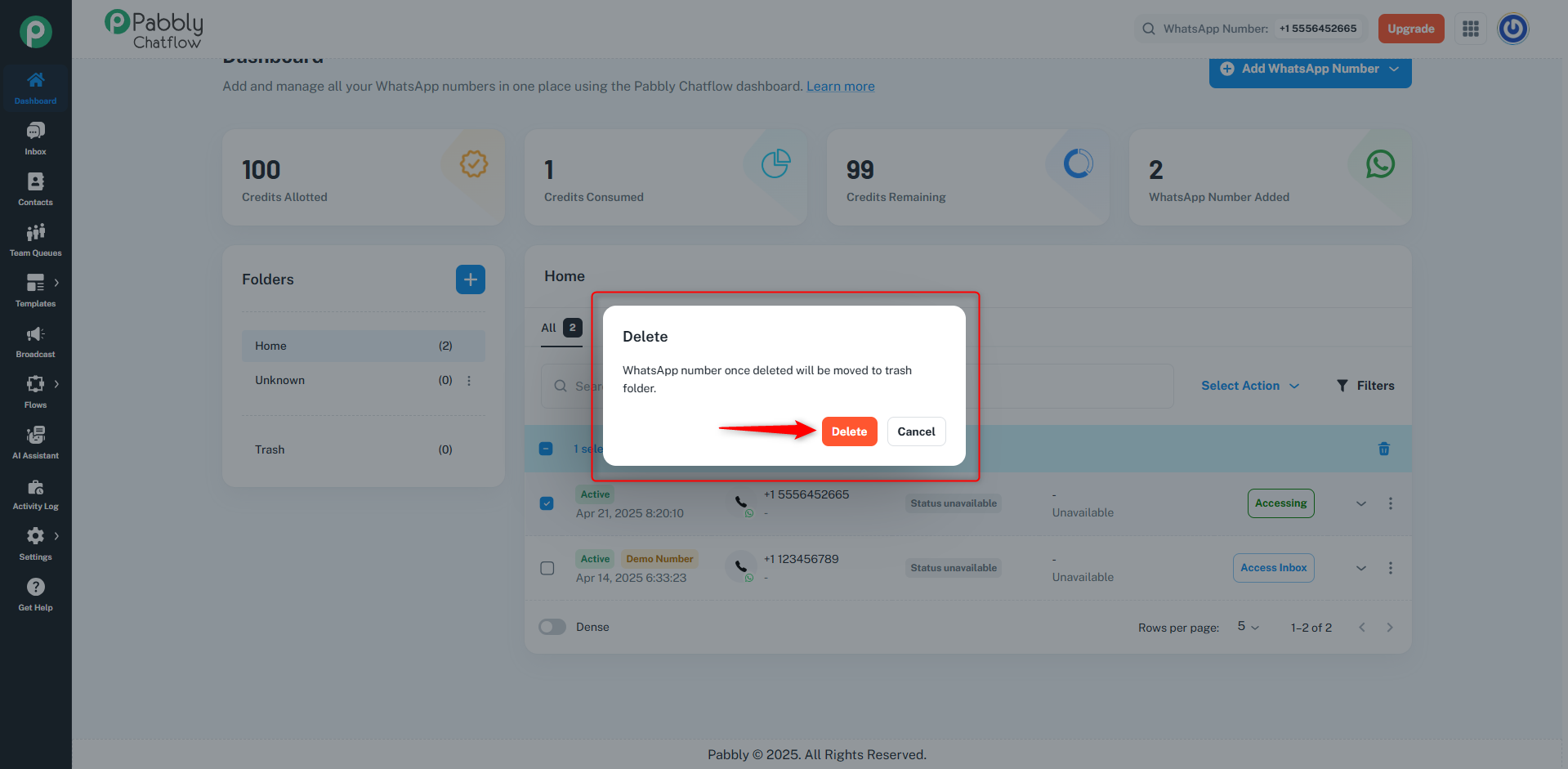
- Confirm the deletion when prompted.
Step 3: Remove the Number from the Trash
- Once the number is deleted, navigate to the Trash section.
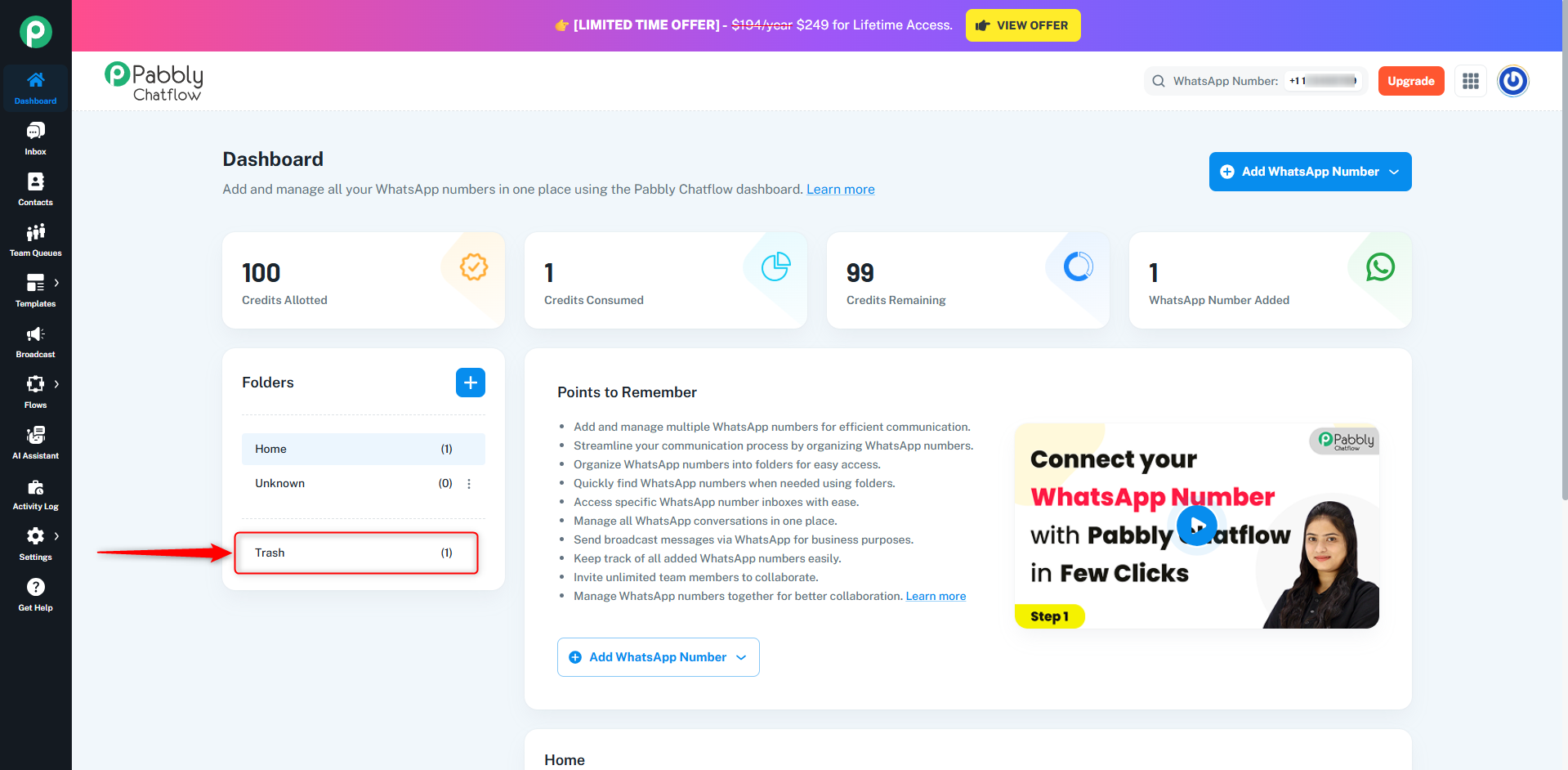
- Locate the deleted number and permanently remove it from the trash.
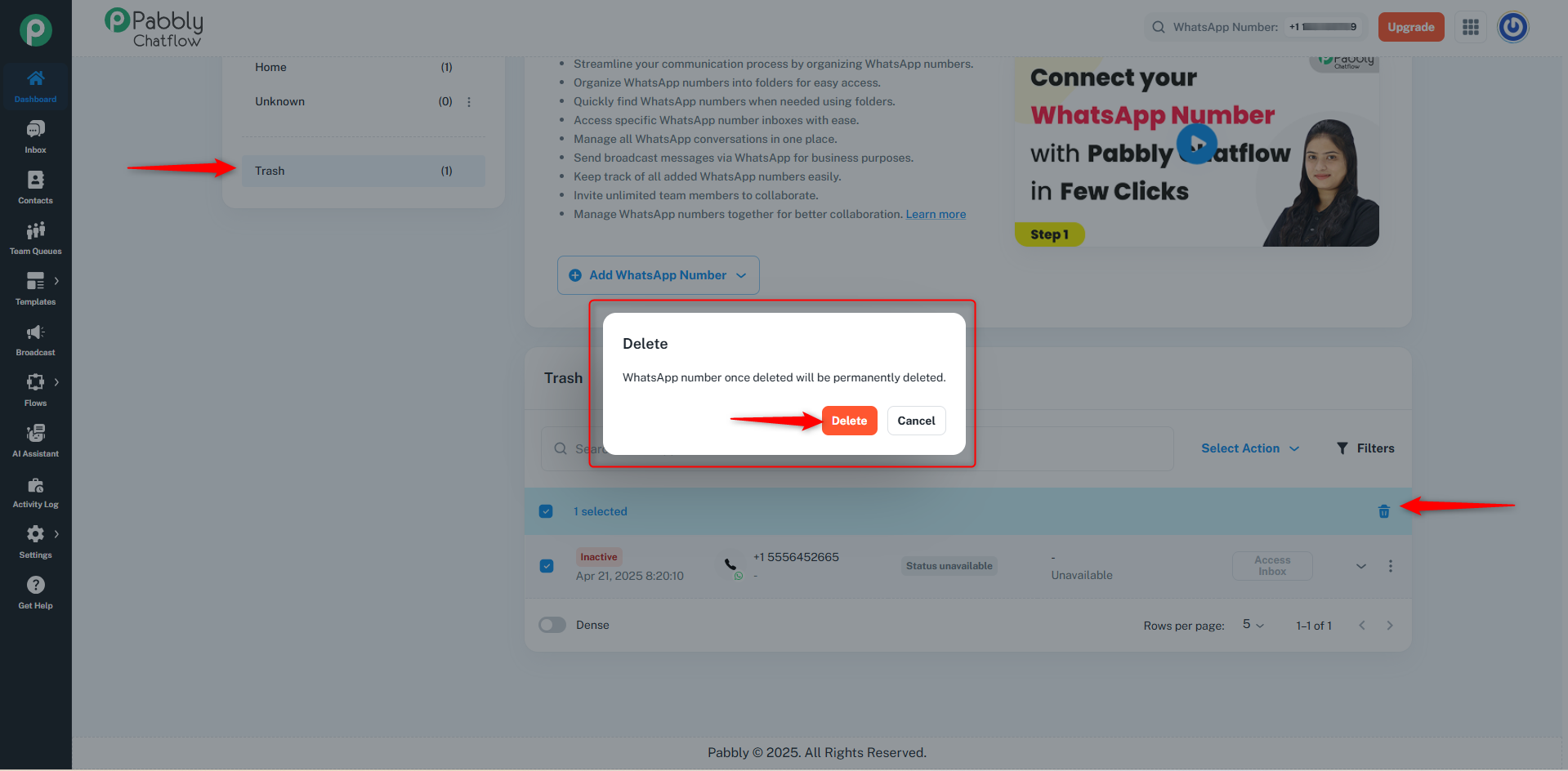
By following these steps, all data associated with the deleted number will be removed from your Chatflow account.
Deleting Your Entire Chatflow Account
If you want to completely delete your Chatflow account and all associated data, follow these steps:
- Go to your Profile section.
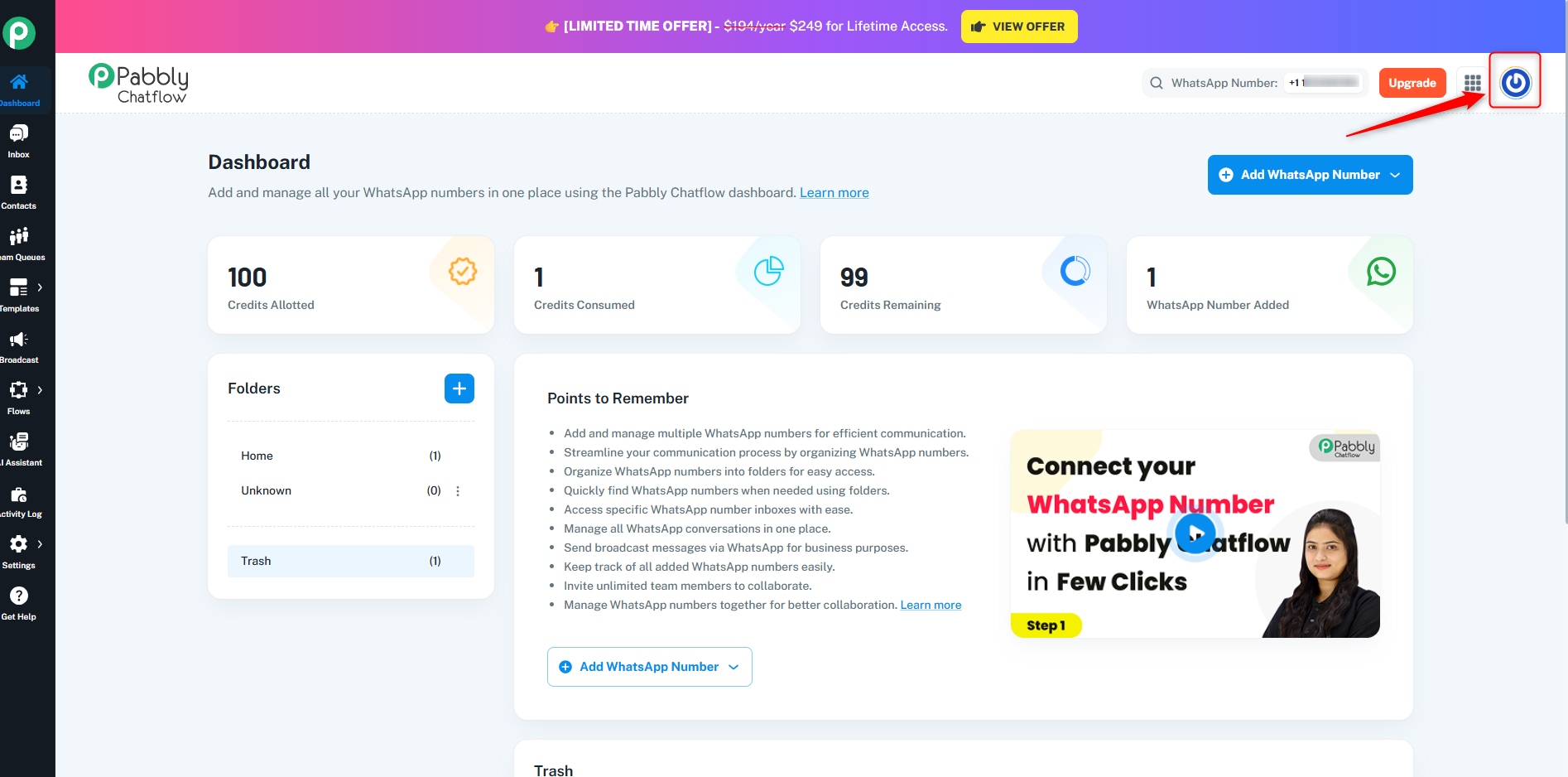 2. Click on Account.
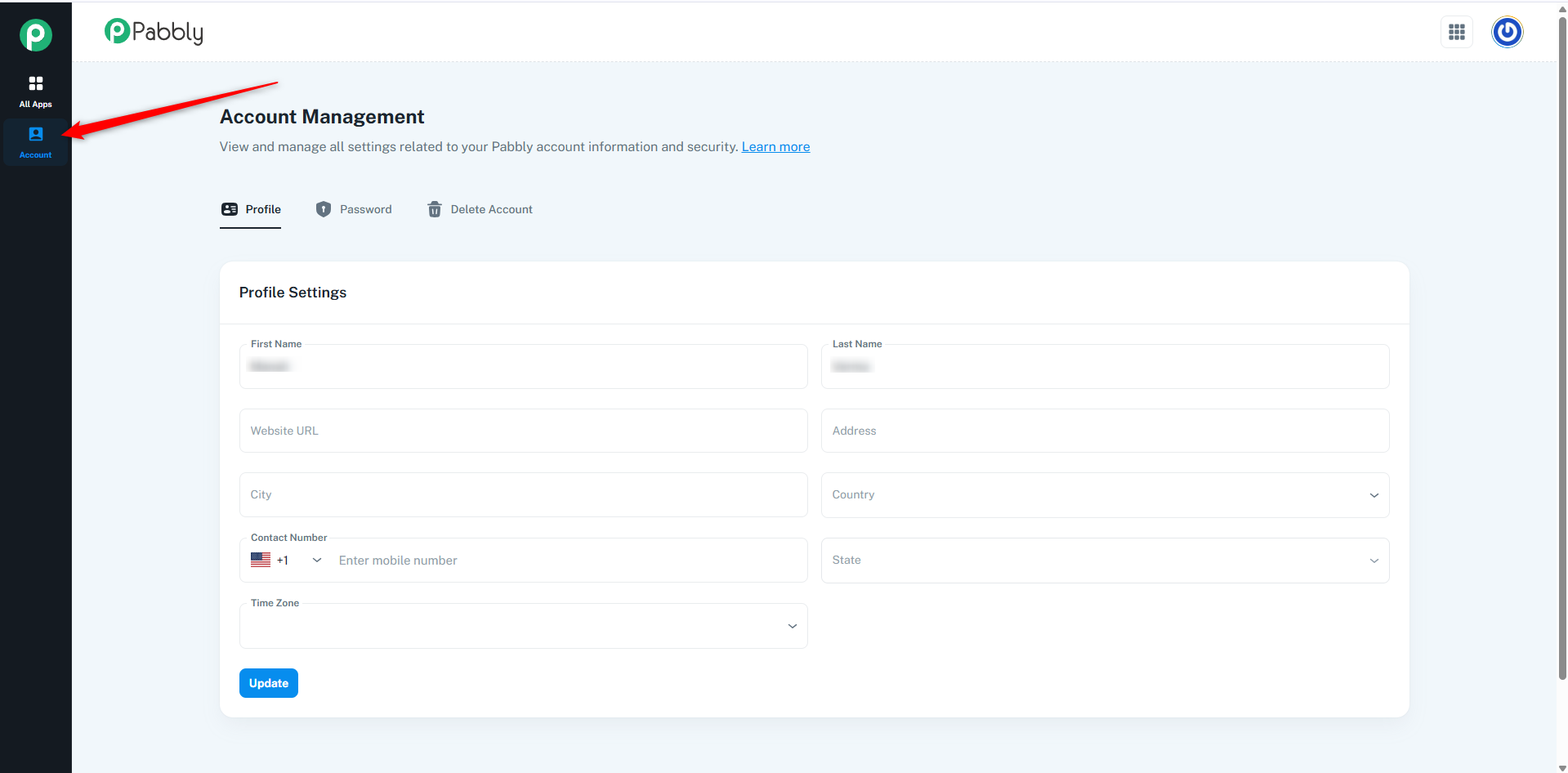
- Navigate to the Delete Account option.
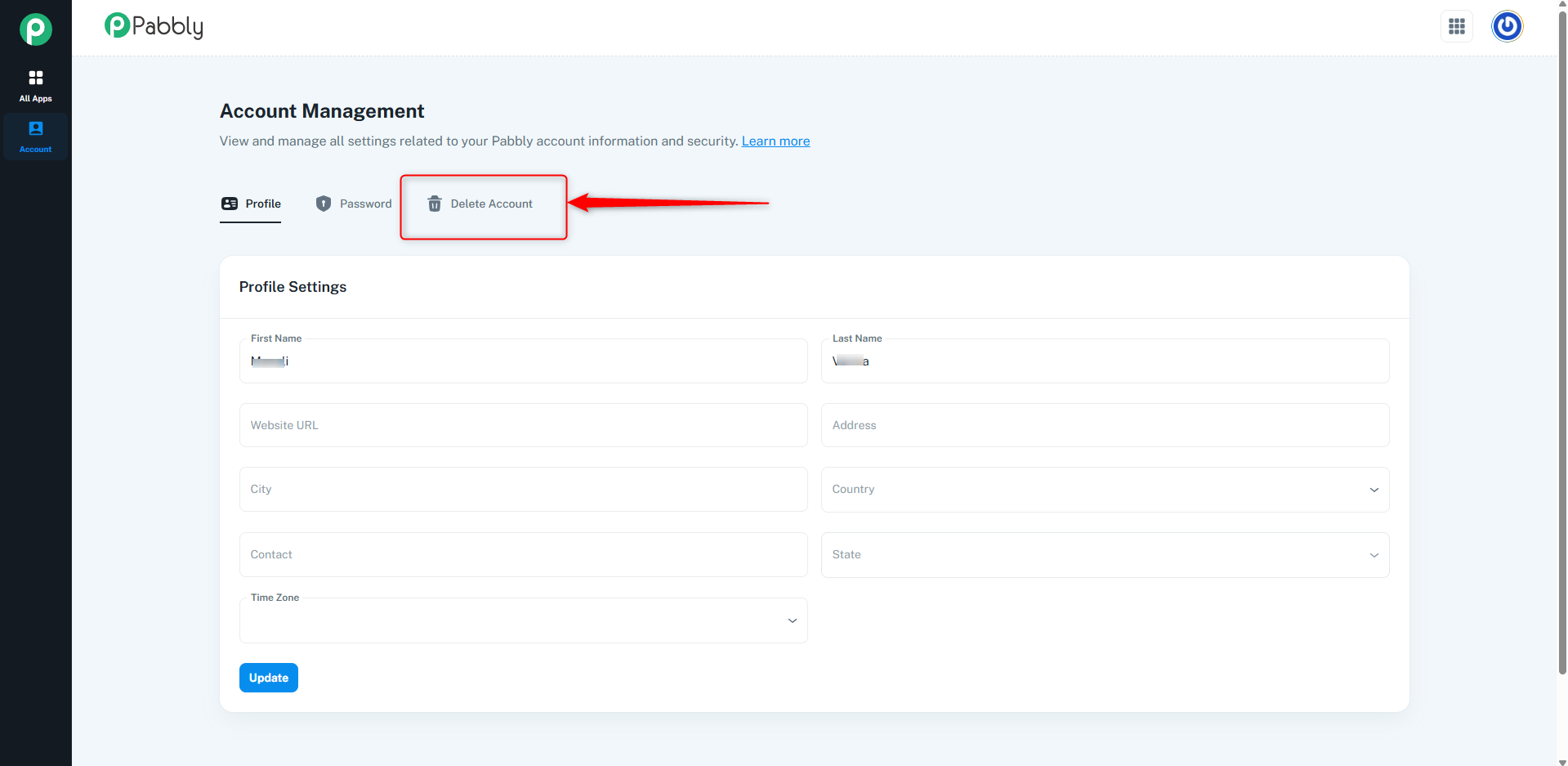 4. Enter your Chatflow account password when prompted.
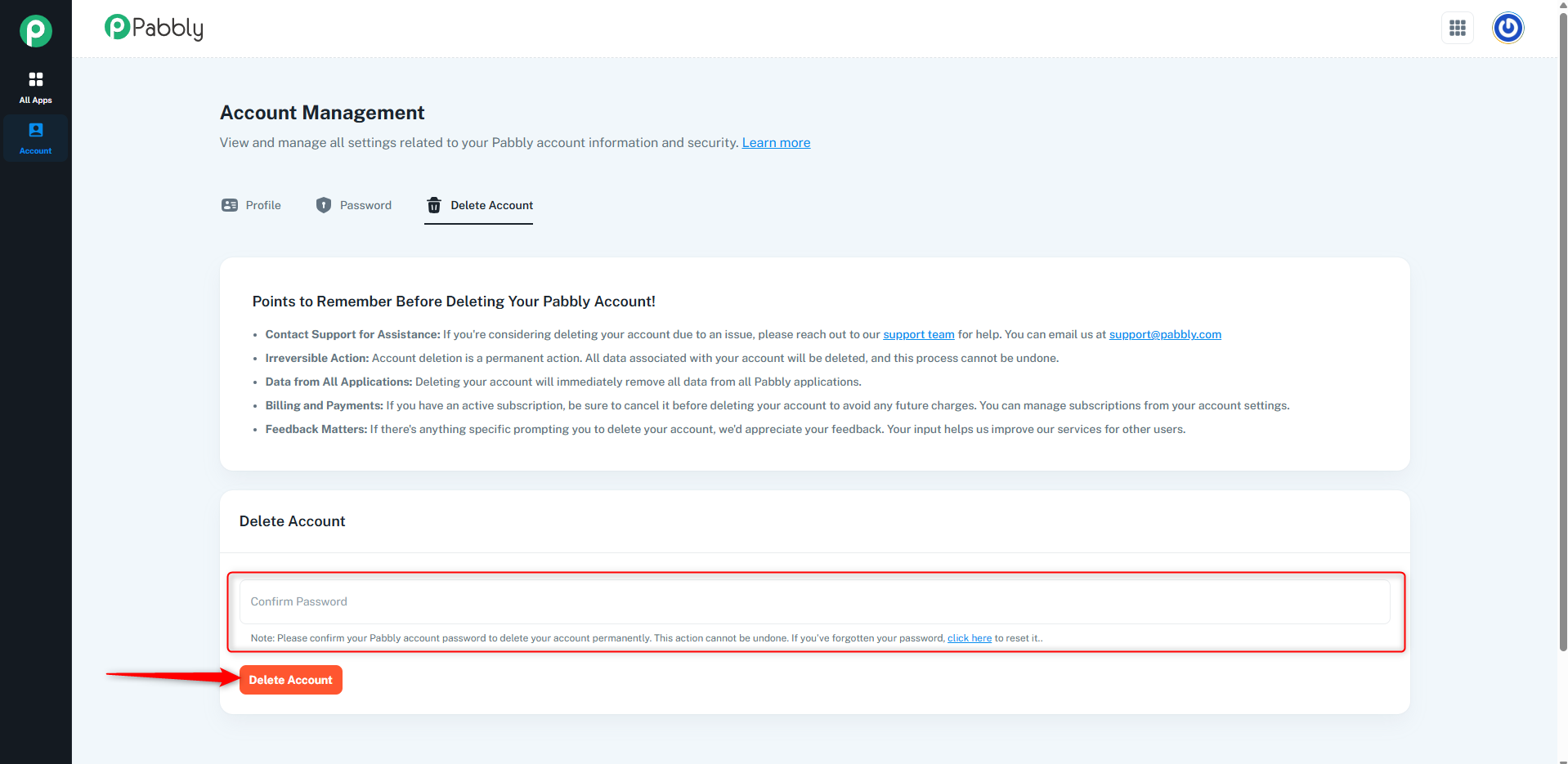
- Confirm the deletion to permanently remove your account and all related data.
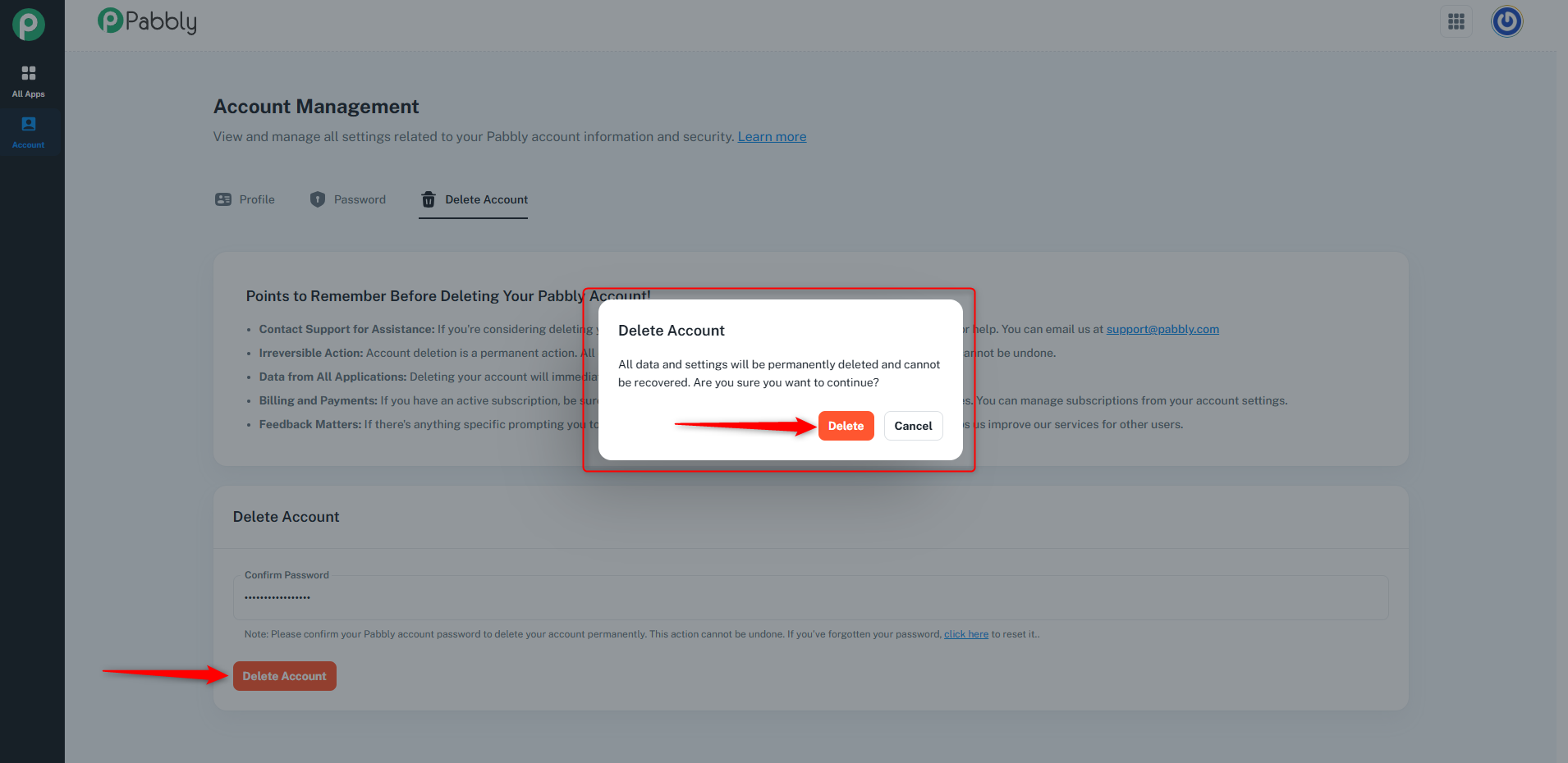
Once the account is deleted, all associated data, including numbers and conversation history, will be erased from Chatflow.
 Pabbly Chatflow Team•Updated Oct 24, 2026•1 min read