WhatsApp Business API Number Management Guide: Sync, Register, and Subscribe Actions. Each serves a distinct purpose in maintaining proper connectivity and functionality between your Meta Business account and Pabbly Chatflow.
Important Warning
Don't click these buttons too many times quickly!
If you keep clicking Sync, Register, or Subscribe over and over, your WhatsApp API will stop working for a few minutes.
- Wait 2-5 minutes between clicks
- Don't click the same button multiple times
- If things stop working, just wait 10-15 minutes
1. SYNC - Updates Your Status
What Does It Do?
Sync makes sure the information on Meta Business Manager matches the information on Pabbly Chatflow.
When Should You Click Sync?
Use Sync when:
- WABA status shows as "Pending" on Pabbly Chatflow but "Approved" on Meta
- Display name status doesn't match between platforms
- After making changes in Meta Business Manager (business verification, payment method, GST details)
- After reconnecting your WABA
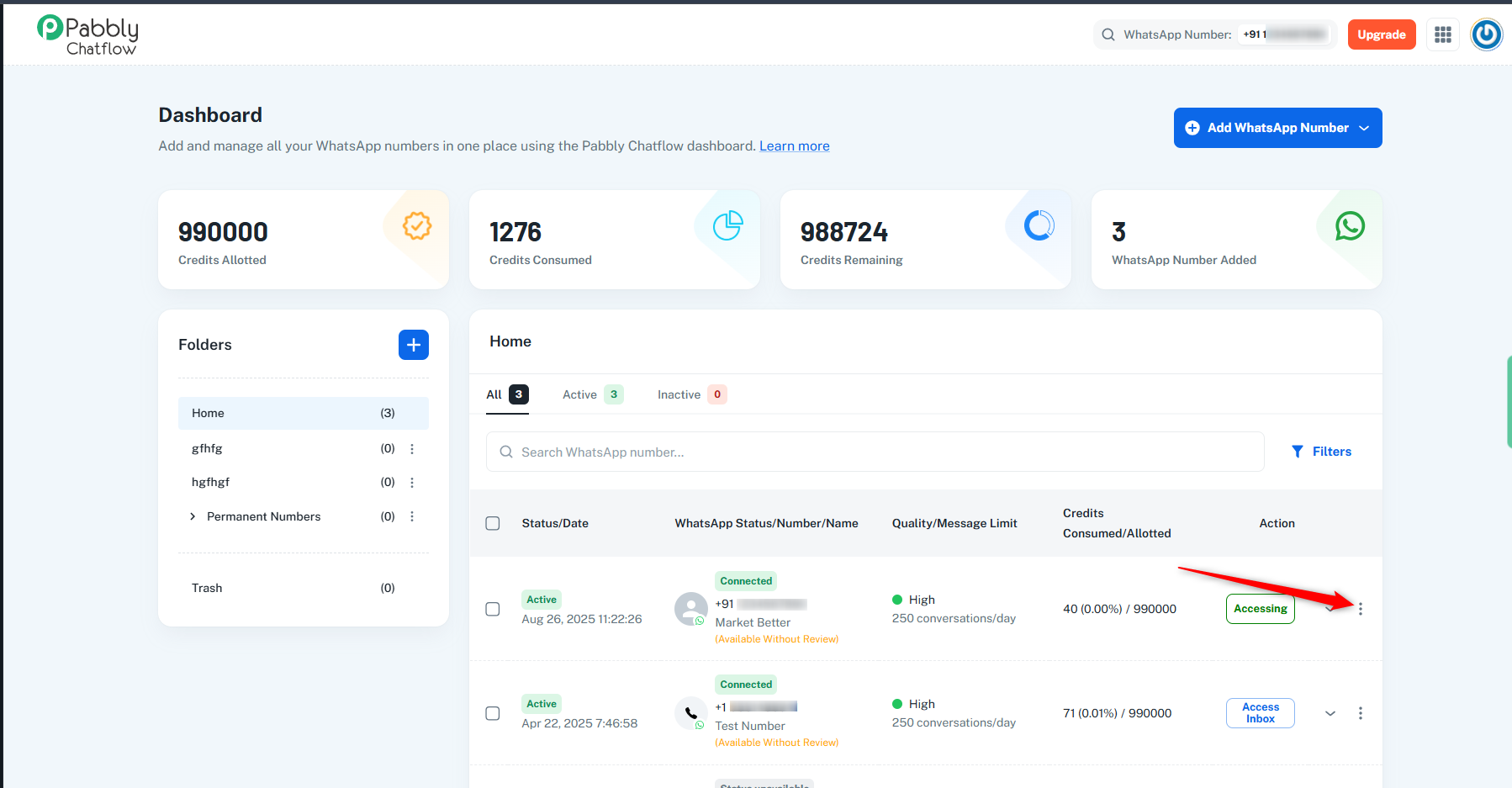
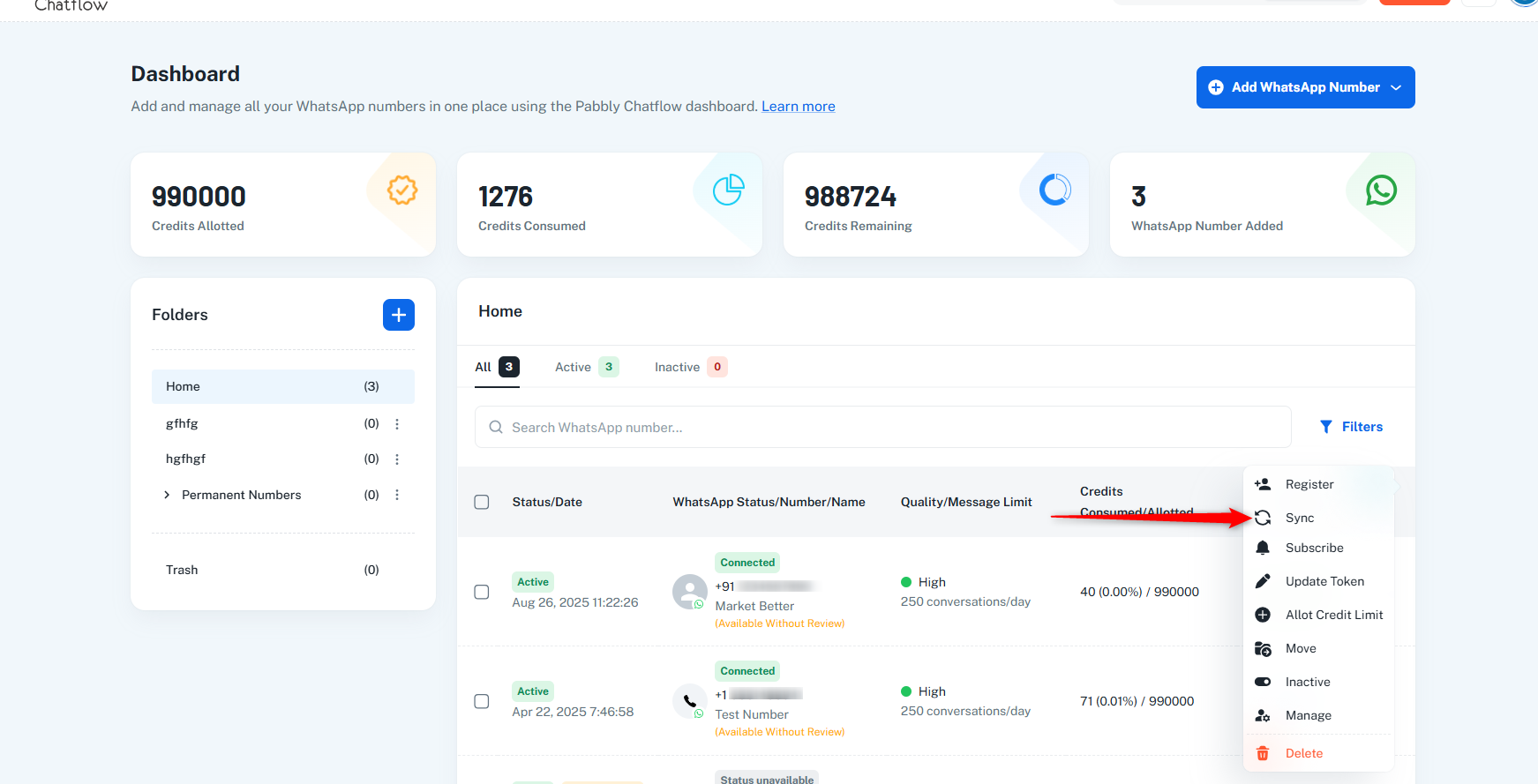
How to Use Sync
- Find your WhatsApp number on Pabbly chatflow dashboard
- Click the Sync button
- Wait 1 minute
- Refresh your page
- Check if the status updated
Common Problems & How to Fix Them
Status = "Pending" on Meta AND Pabbly Chatflow
Complete these on Meta Business Manager first:
- ✅ Add display name
- ✅ Verify business
- ✅ Add payment method
- ✅ Add GST (if needed)
Then: Wait 5-10 minutes → Click Sync → Wait 2 minutes → Refresh
Status = "Approved" on Meta ✅ BUT "Pending" on Pabbly Chatflow❌
Click Sync → Wait 2 minutes → Refresh
2. REGISTER - Activates Your Phone Number for Messaging
What Does It Do?
Register officially activates your business phone number with WhatsApp's Cloud API so you can send and receive messages. It also displays your message limits on the dashboard.
When Should You Click Register?
Use Register when:
New Account Setup:
- You just created your WhatsApp Business account
- You're setting up Cloud API for the first time
- You need to enable your business phone number for sending messages
- You want to activate two-step verification (recommended for security)
Message Limit Issues:
- You can't see message limits on Pabbly chatflow dashboard
- Everything is connected but no limit shows up
- You've completed all requirements but still can't send messages
Display Name Change:
- You changed your display name in WhatsApp Manager
- The name change was approved by Meta
- You need to re-register the number with the new name
Before Clicking Register
Make sure ALL of these are complete:
For New Setup:
- ✅ Business phone number ownership is verified
- ✅ Two-step verification is enabled (recommended)
- ✅ Phone number is ready to use with Cloud API
For Existing Numbers:
- ✅ WABA Status: Connected
- ✅ Display Name: Approved
- ✅ Business: Verified
- ✅ Payment: Added
- ✅ GST: Added (if applicable)
- ❌ Message Limit: Missing (this is what we're fixing!)
For Name Changes:
- ✅ New display name request filed in WhatsApp Manager
- ✅ Name change approved by Meta
- ✅ Ready to re-register with new name
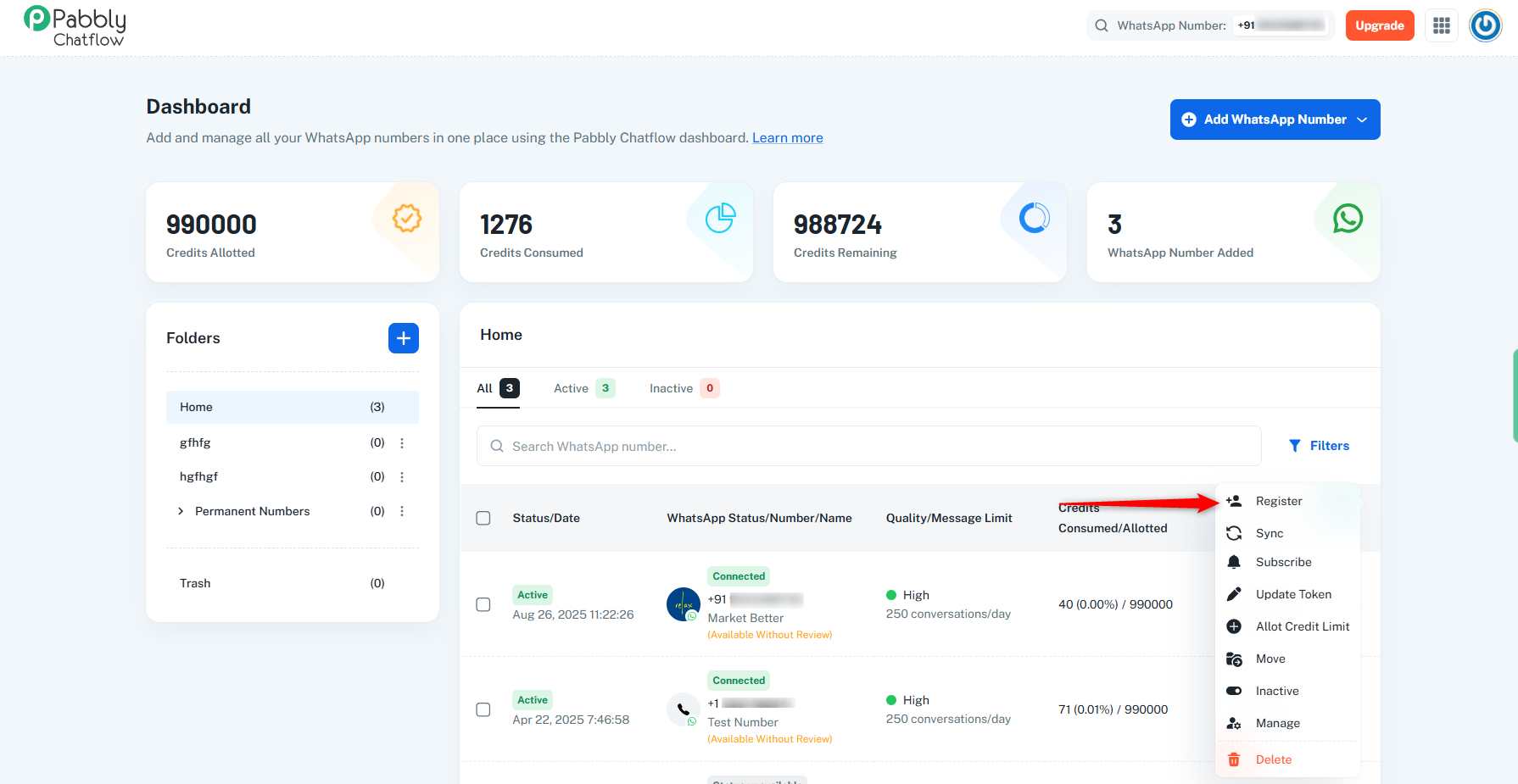
How to Use Register
- Click Register API button
- Wait 2-3 minutes
- Refresh page
- Send ONE test message to your number (to activate limits)
- Verify limits appear
Why send a test message? Sending a message "wakes up" the system and makes Meta show your limits.
3. SUBSCRIBE
What Does It Do?
Connects your number to receive real-time notifications:
- Incoming messages
- Delivery status (sent, delivered, read)
- Read receipts
- Customer interactions
When to Use Subscribe
Message Reception Issues:
- Messages sent to you don't appear in Pabbly chatflow
- Incoming messages stopped working
Status Update Problems:
- Messages send but no "delivered" status
- Read receipts don't show
After Setup/Changes:
- Just registered your number
- Reconnected your WABA
- Setting up for first time
Before Clicking Subscribe
- ✅ Number is registered
- ✅ WABA status: "CONNECTED"
- ✅ Can send messages
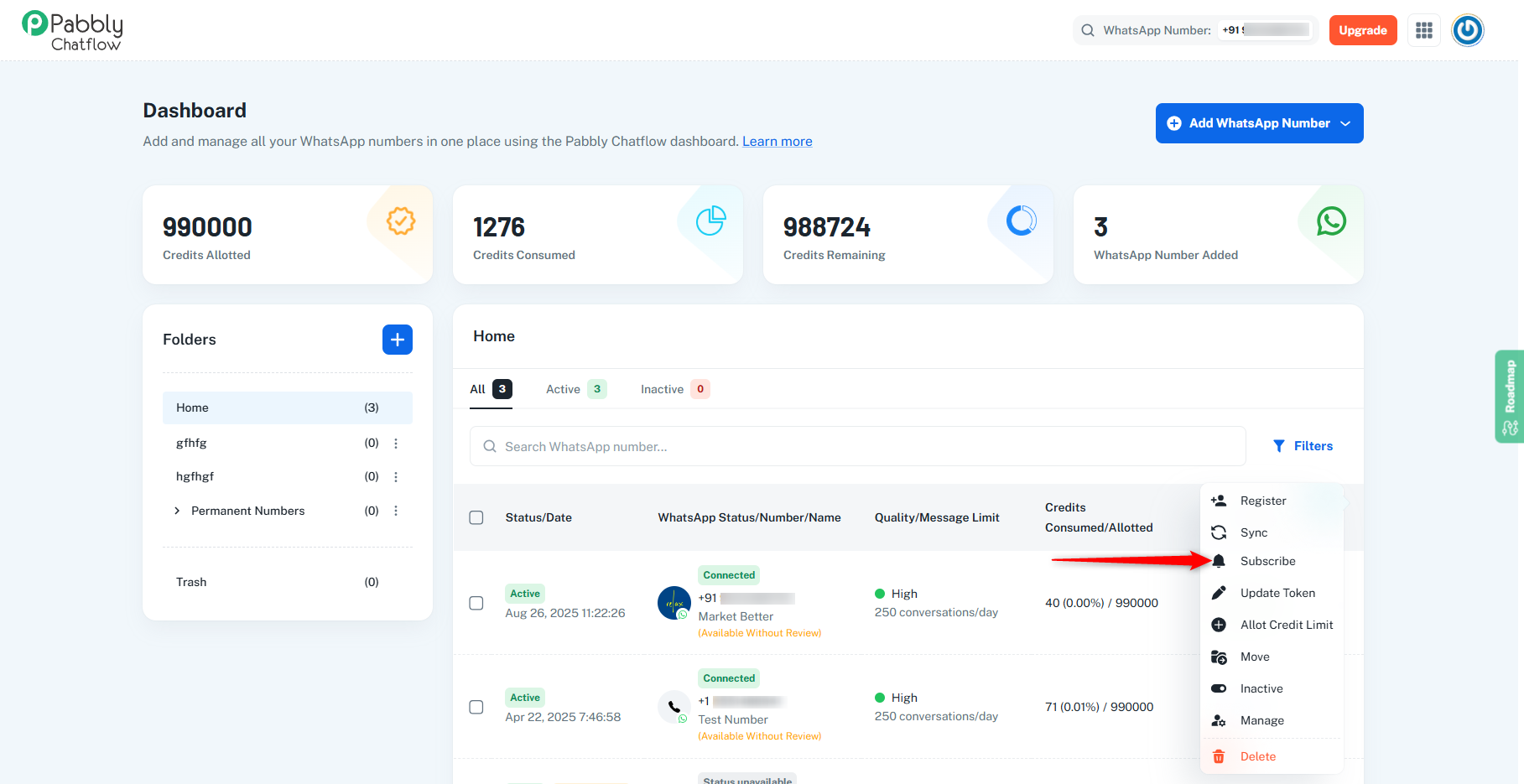
How to Use Subscribe
- Click three dots (⋮) → Subscribe
- Wait 1-2 minutes
- Send a test message (from yourself or personal WhatsApp)
- Verify it appears in Pabbly Chatflow inbox with status updates (sent → delivered → read)
⚠️ Webhook Auto-Unsubscription for Free Accounts
What Happens?
- Webhook subscriptions for free accounts that are more than 30 days old are automatically paused.
- Once paused, incoming message webhook events will no longer be delivered.
How to Restore Webhooks
- Webhook subscriptions are automatically restored when a paid Pabbly Chatflow plan is purchased.
- No manual reconfiguration is required after upgrading.
- If you would like to re-subscribe your webhook on a free account, please contact [email protected] for assistan
 Pabbly Chatflow Team•Updated Oct 24, 2026•4 min read