Subscribers
Custom Fields are additional fields that allow you to store extra information about your subscribers apart from the default fields like Name and Email.
They help you collect more personalized and meaningful data such as:
City
Age
Company Name
Gender
Product Interest
Date of Birth, etc.
These fields act like extra columns in your subscriber database where you can save specific information according to your needs.
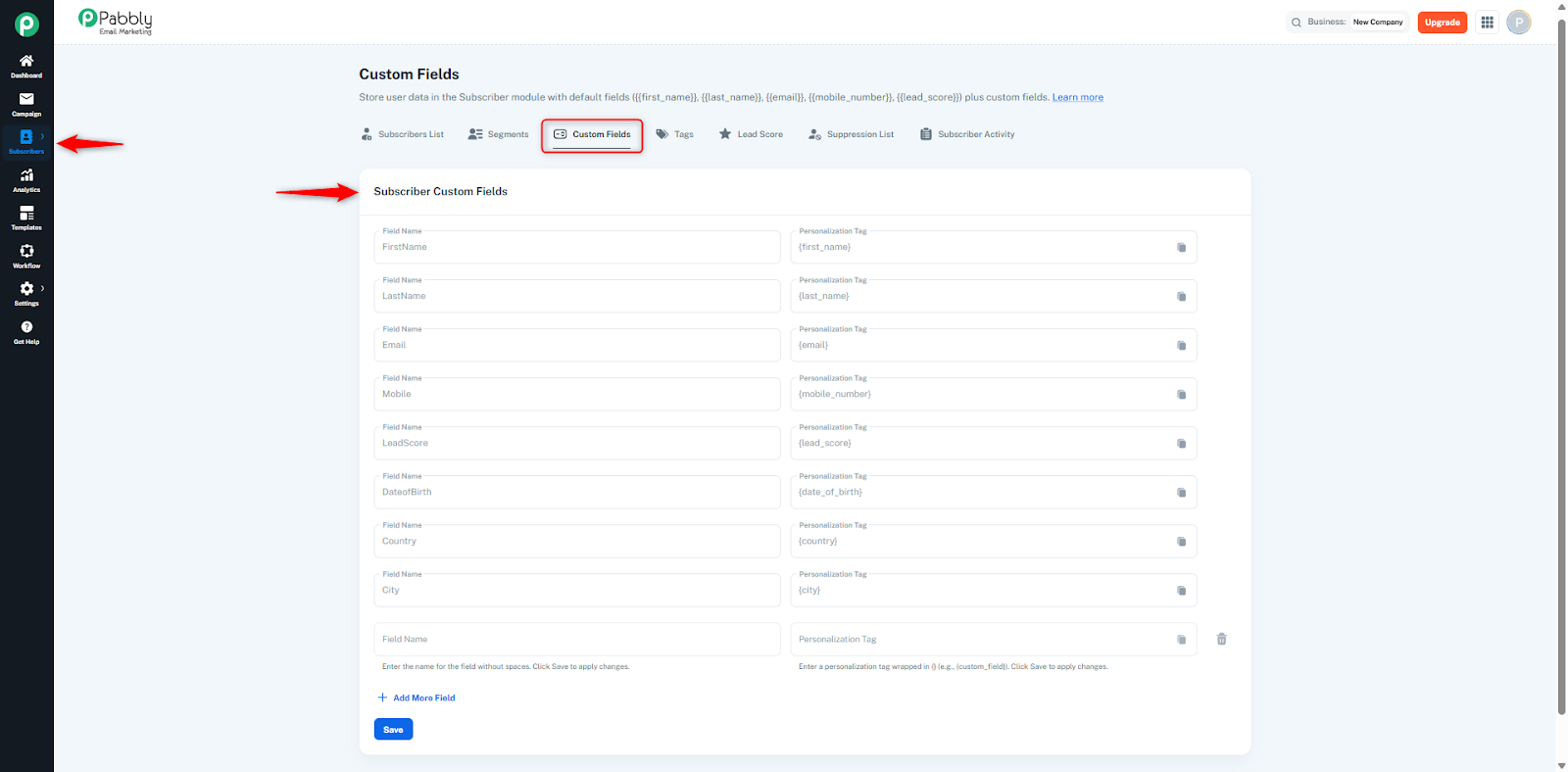
Custom fields are mainly used for:
Personalized Email Campaigns
You can personalize your emails by inserting custom fields into your content.
Example:
Hello {{City}} user,
Subscriber Segmentation
You can create segments based on custom field values, such as:
City = Indore
Interest = Marketing
Filtering and Targeting
You can filter subscribers using their custom field data and send targeted campaigns to them.
Automation Rules
Custom fields help in setting conditions for automation workflows.
Example:
If User Interest = SEO, send a specific campaign.
To create a custom field:
Go to the Custom Fields section in your list.
You will see a blank field input box at the bottom.
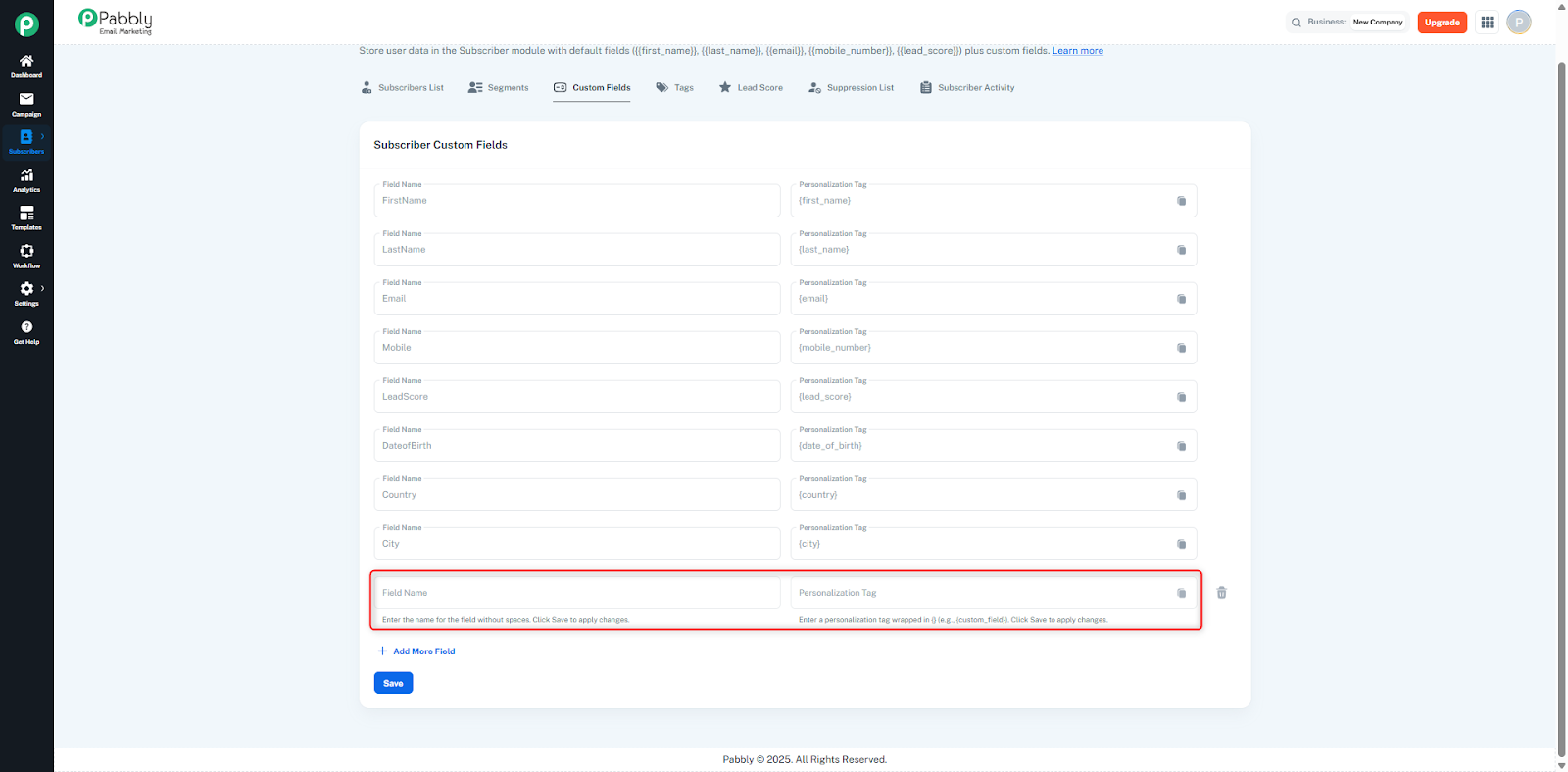
Enter your desired field name in that blank field
Example: City, Age, Interest.
Once added, this field becomes available for use in your subscriber form, segments, and campaigns.
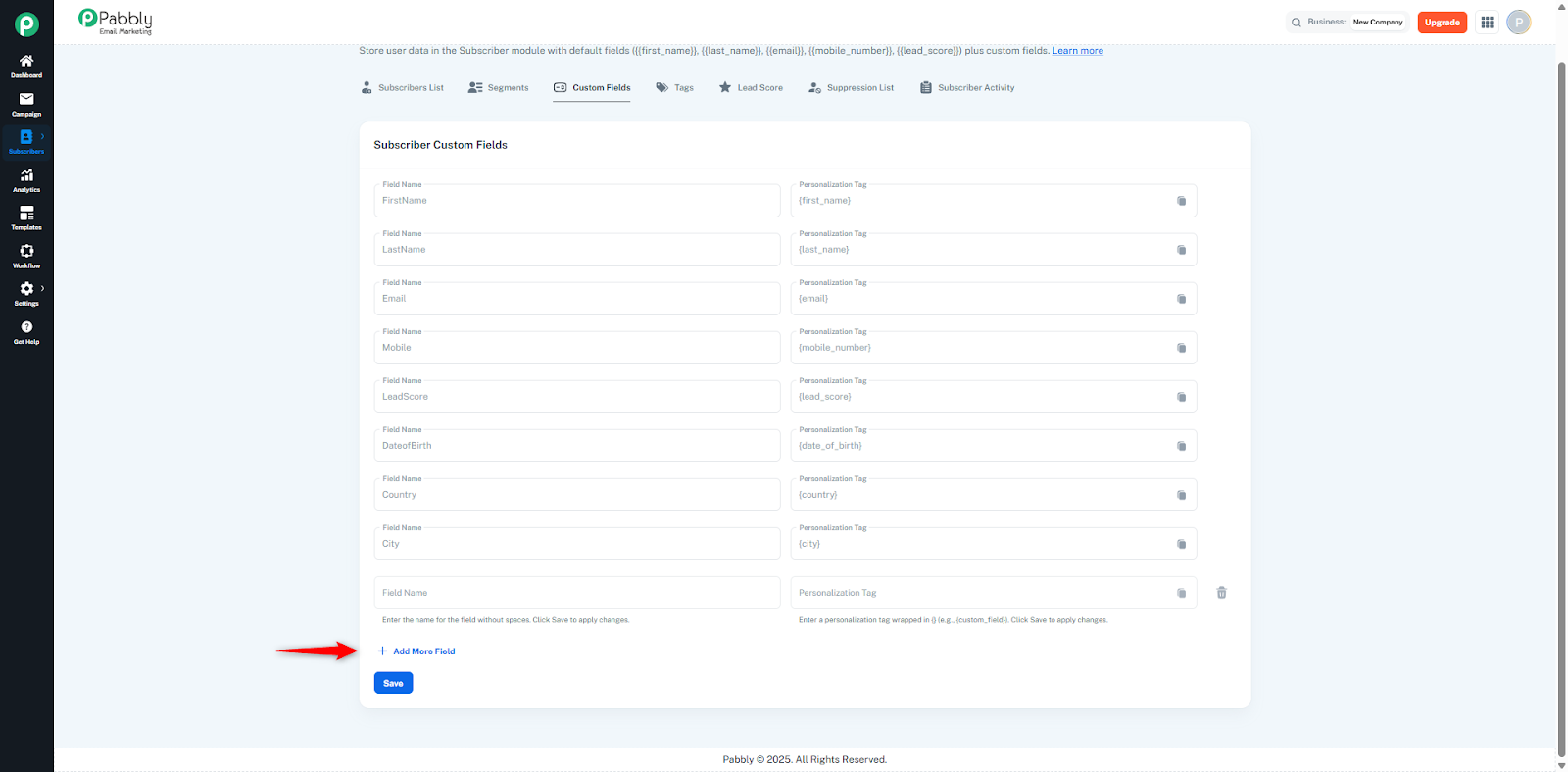
📌 If you need to add more fields, simply click on the “+ Add More Fields” icon and you can add as many custom fields as required.
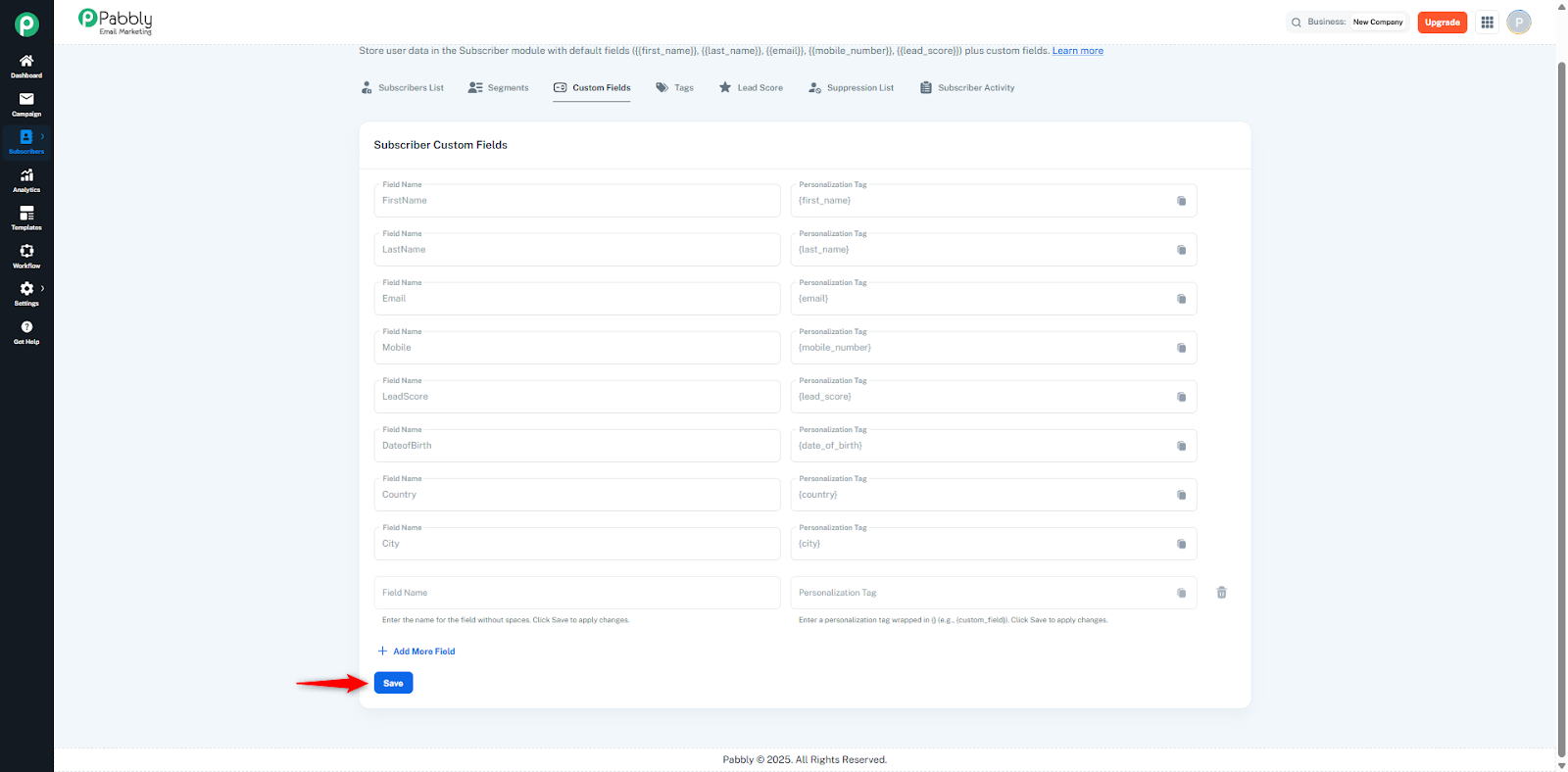
After adding the field(s), click on the “Save” button. The custom fields will only be saved after you click the Save button.