Help and Guide
What are Tags ?
A "tag" is a customizable label or identifier assigned to a contact or conversation to help categorize, filter, and segment your audience based on specific contact custom fields, activities, or statuses.
Tags help you manage contacts efficiently by grouping them under relevant labels like "Qualified Lead," "Webinar Attendee," "High Priority," etc. This makes it easier to run targeted broadcasts, track engagement, and personalize communication.
Follow these steps to add a tag to your Pabbly Chatflow account:
Step 1. Log in to Pabbly Chatflow
Access your Pabbly Chatflow account.
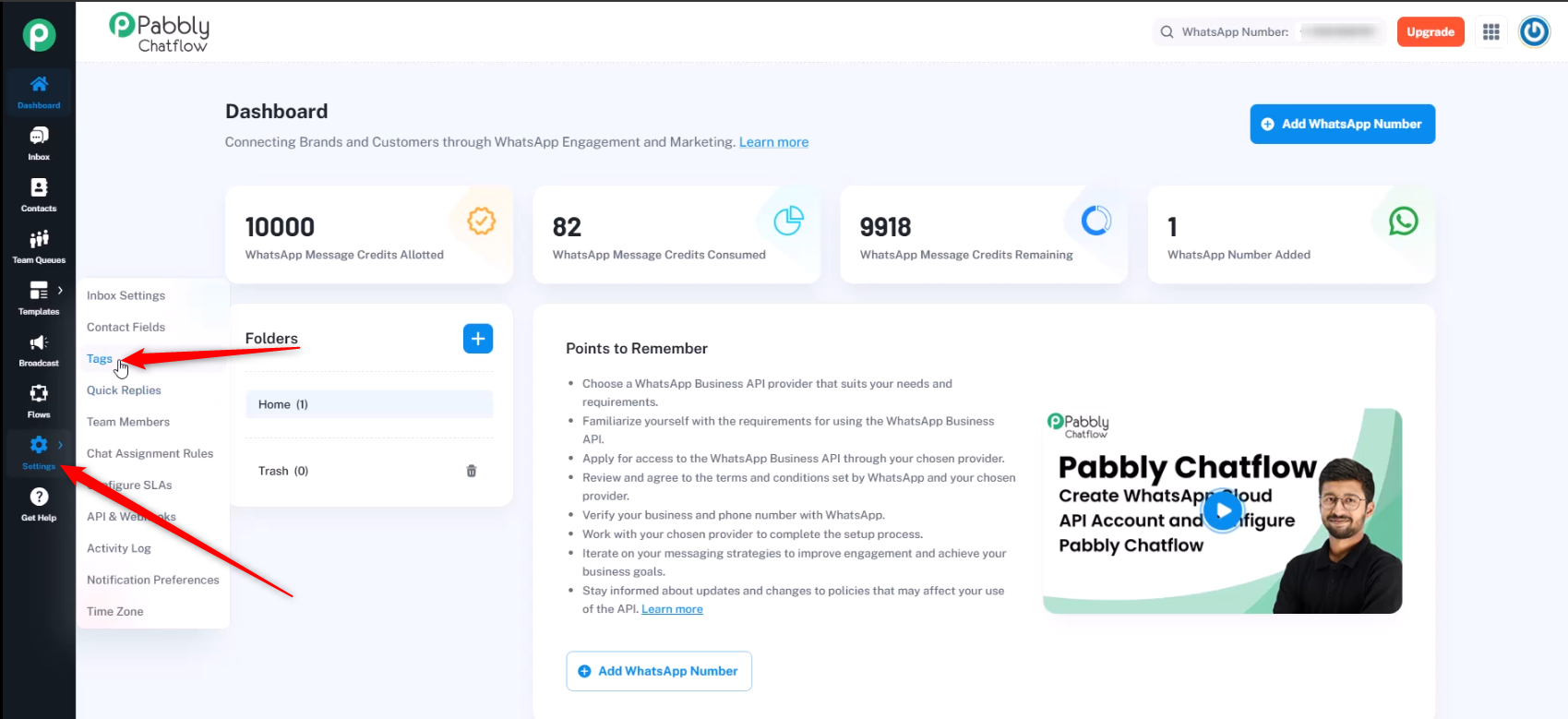
Step 2. Navigate to Tags Settings
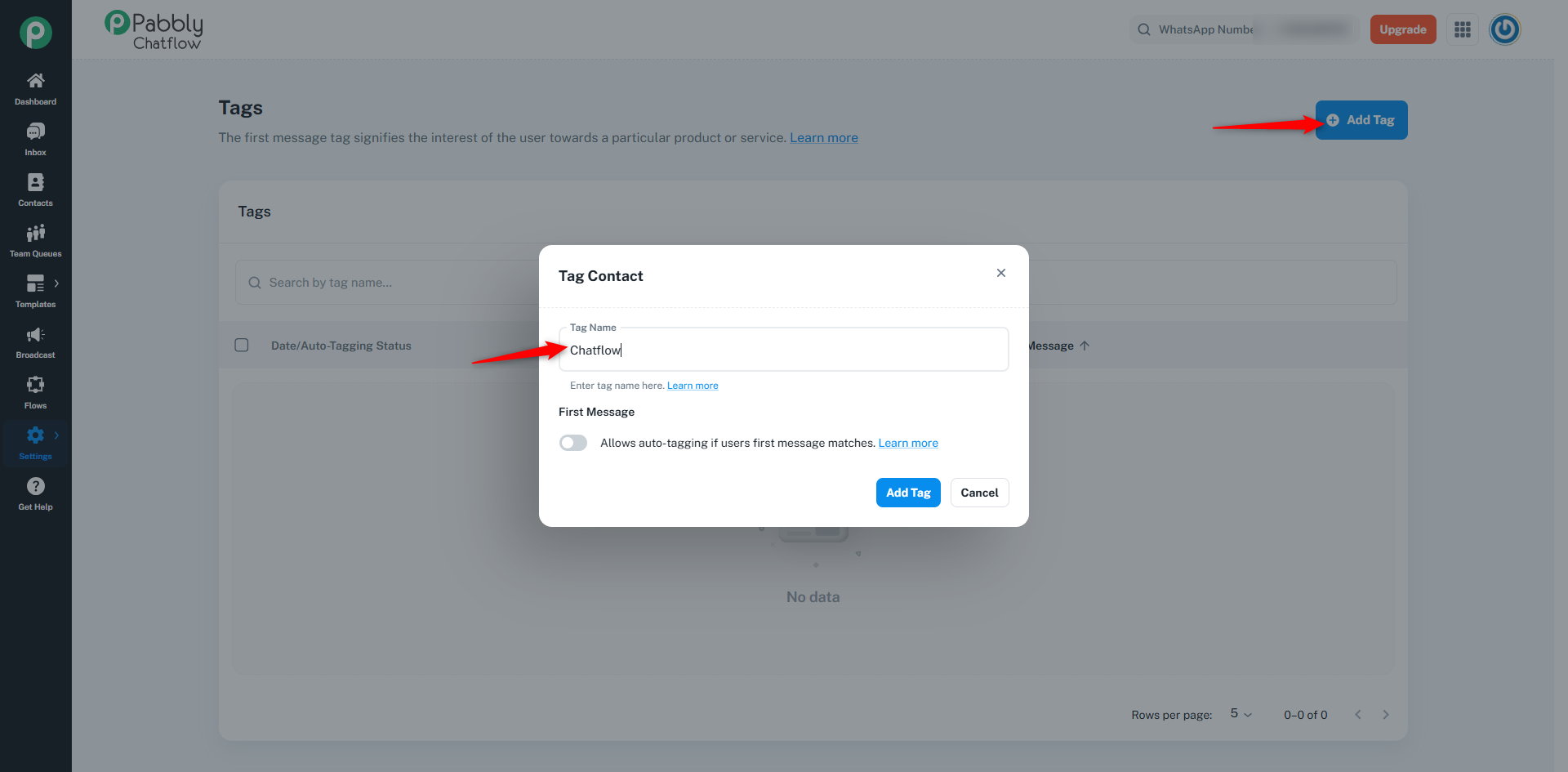
Step 3. Add a New Tag
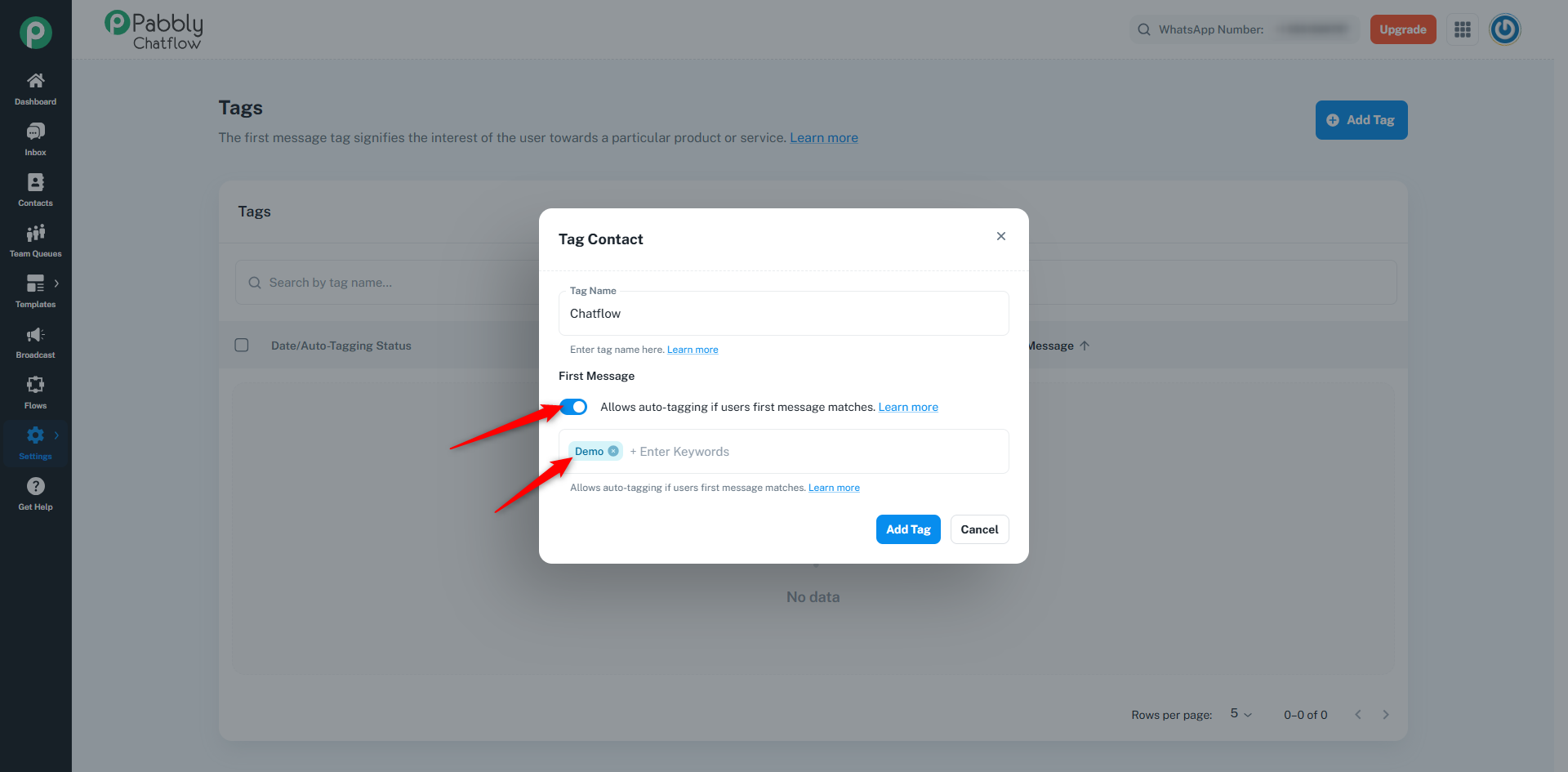
Step 4. Enable Auto-Tagging (Optional)
Step 5. Save the Tag
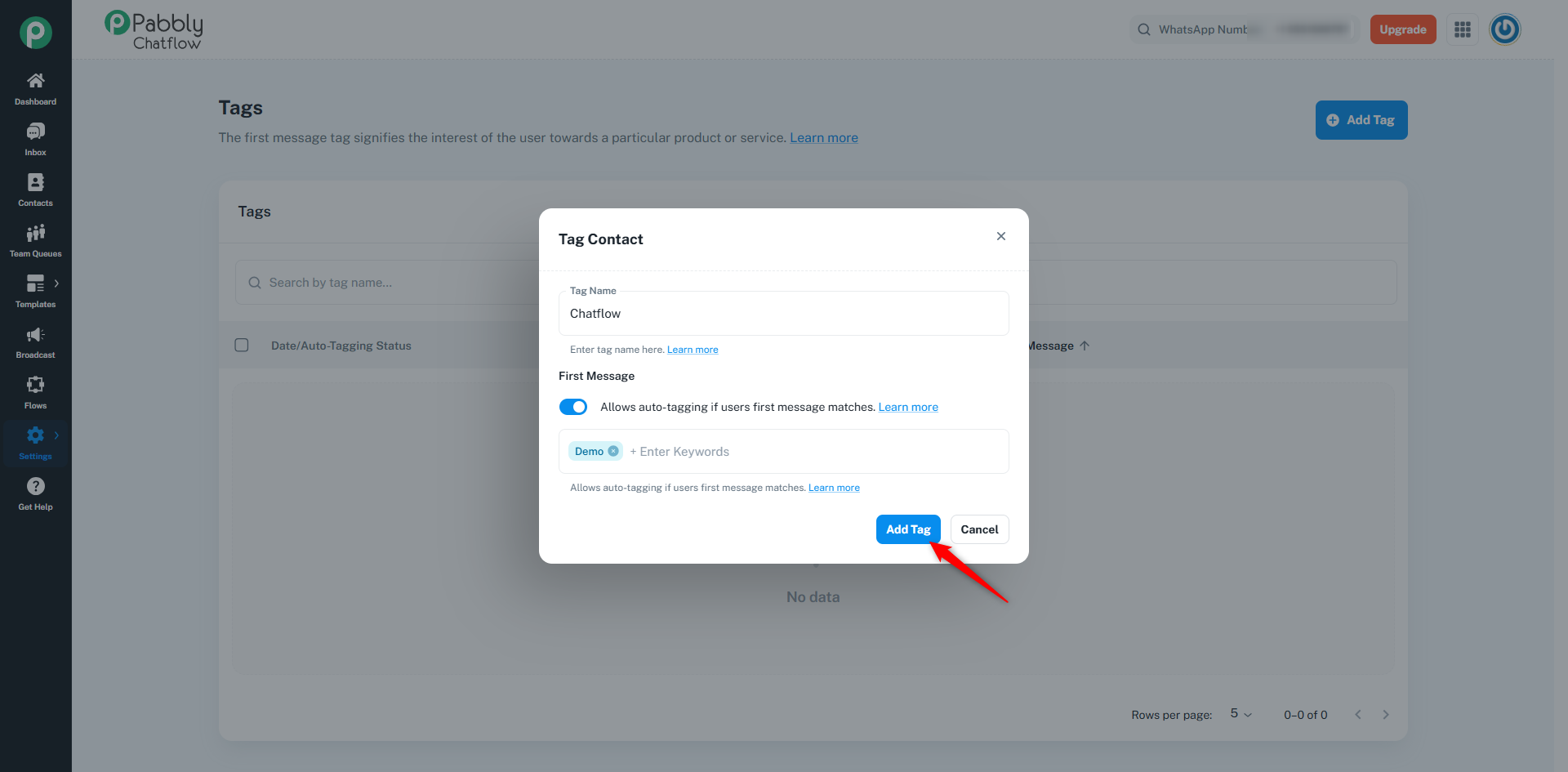
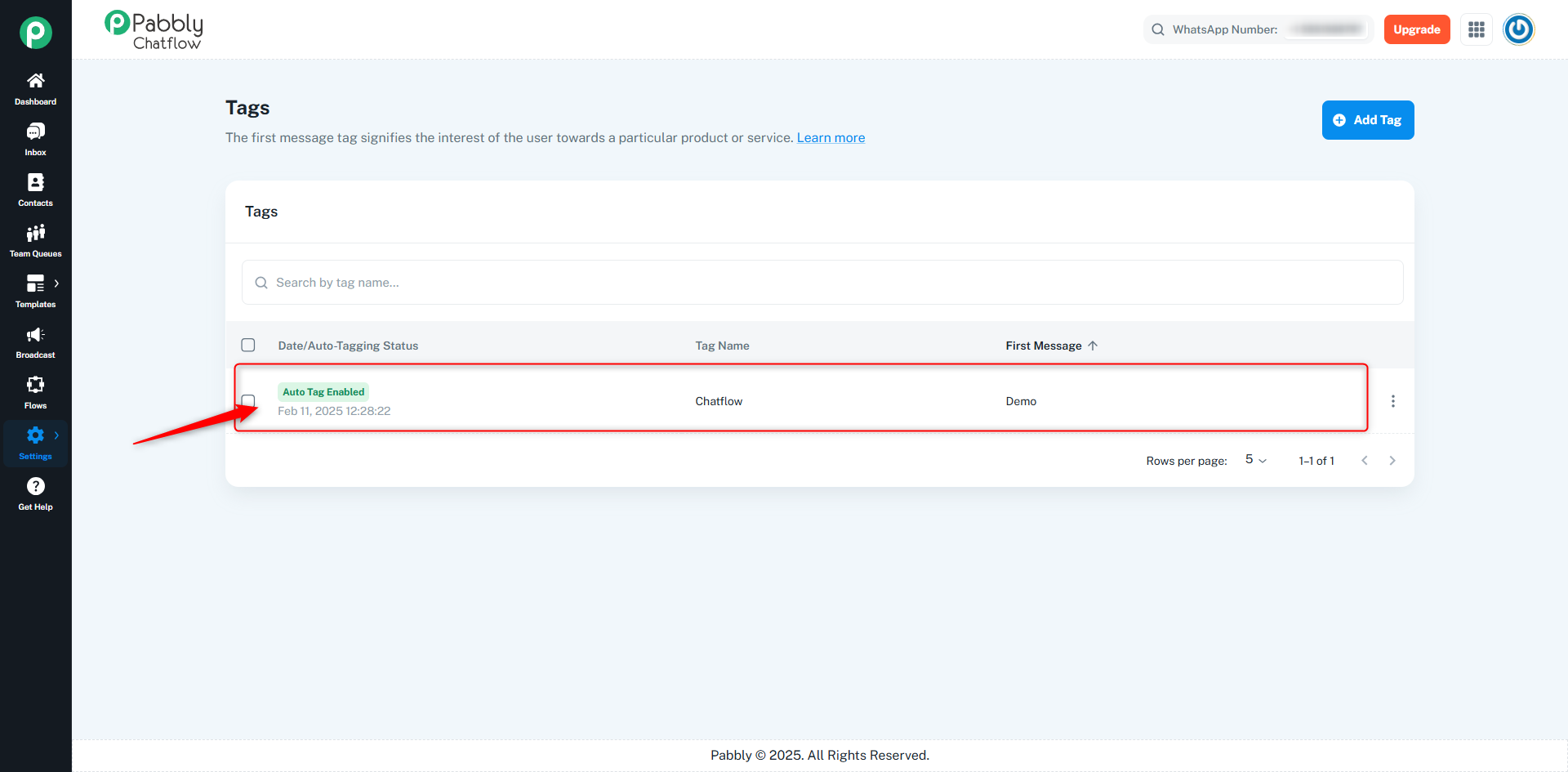
Your tag has now been successfully added to Pabbly Chatflow.
Originally posted by Neha Bhatia on 2025-02-11 (forum thread #26923).
