Help and Guide
A broadcast in Chatflow allows you to send messages to a predefined contact list. Follow the steps below to create and manage your broadcast efficiently.
Choose how you want to send your WhatsApp messages:
1️) Broadcast Campaign Send template-based messages in bulk to a predefined contact list. Ideal for promotions, announcements, and scheduled updates.
2️) API Campaign Trigger WhatsApp messages programmatically via API requests to one or multiple contacts. This method is best suited for transactional alerts or event-driven messages.
Log in to your Chatflow account using your credentials.
On the left-side menu, click on the Broadcast module to access the broadcast campaign section. 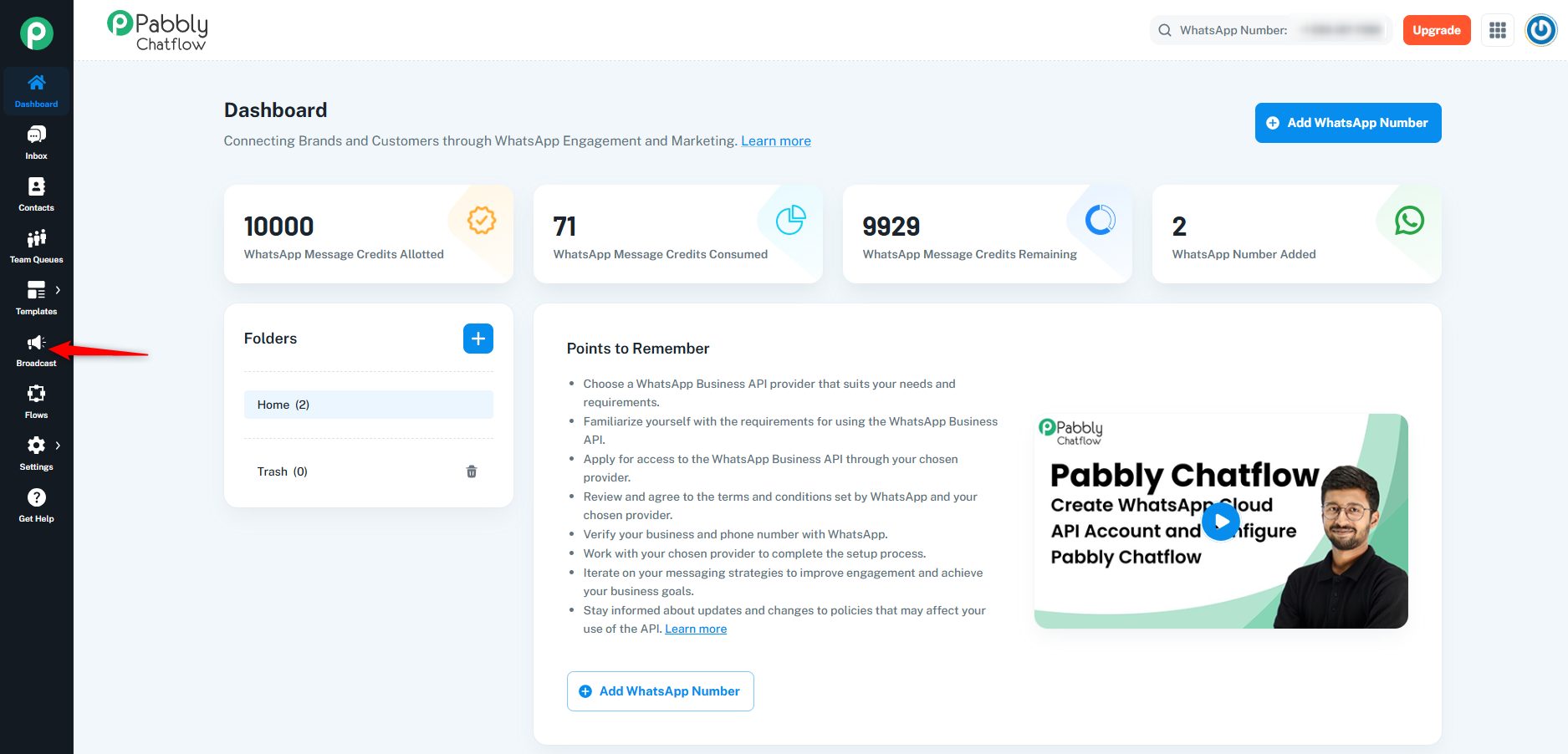
Click on the Add Broadcast button to initiate a new broadcast campaign.
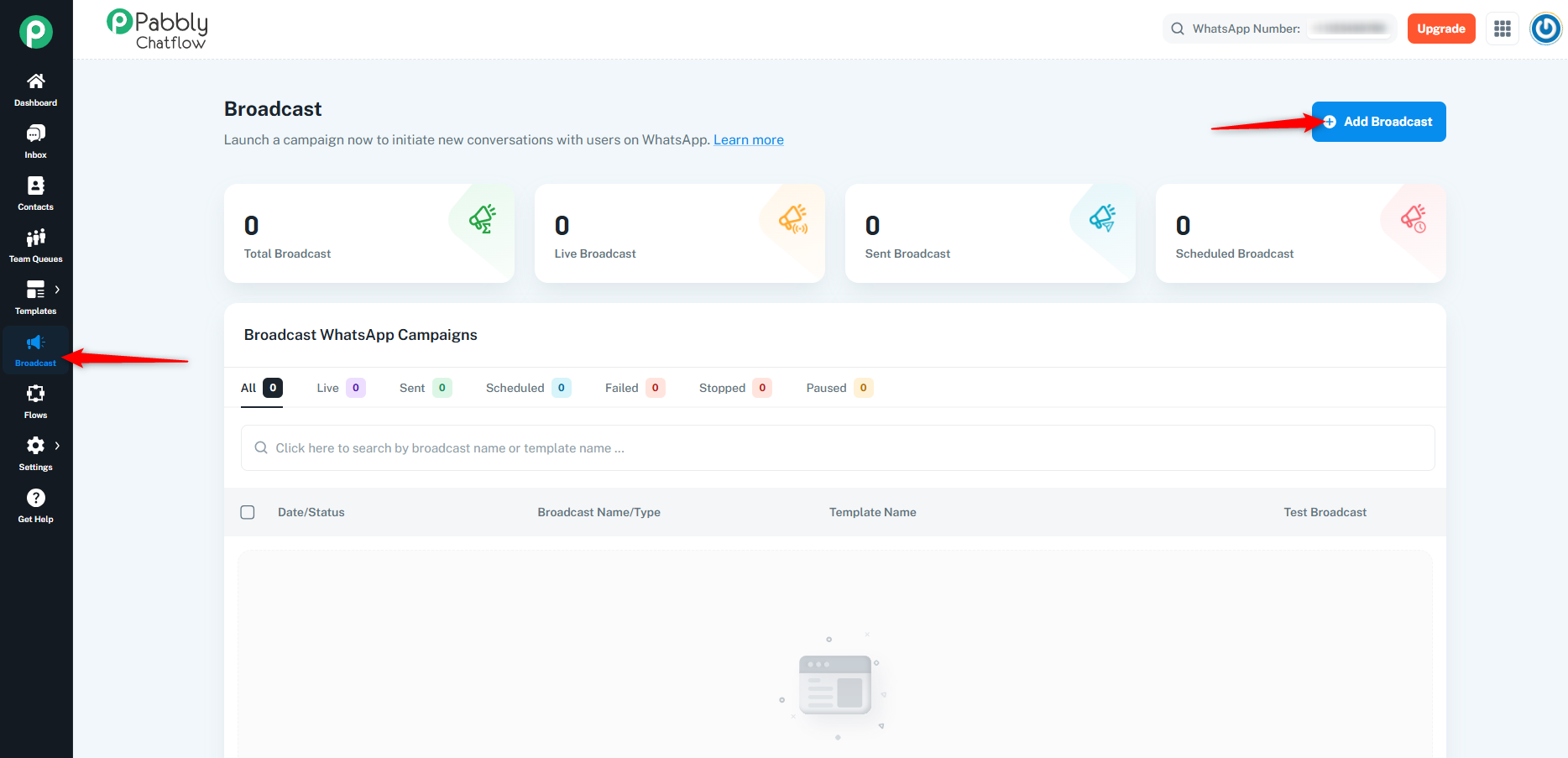
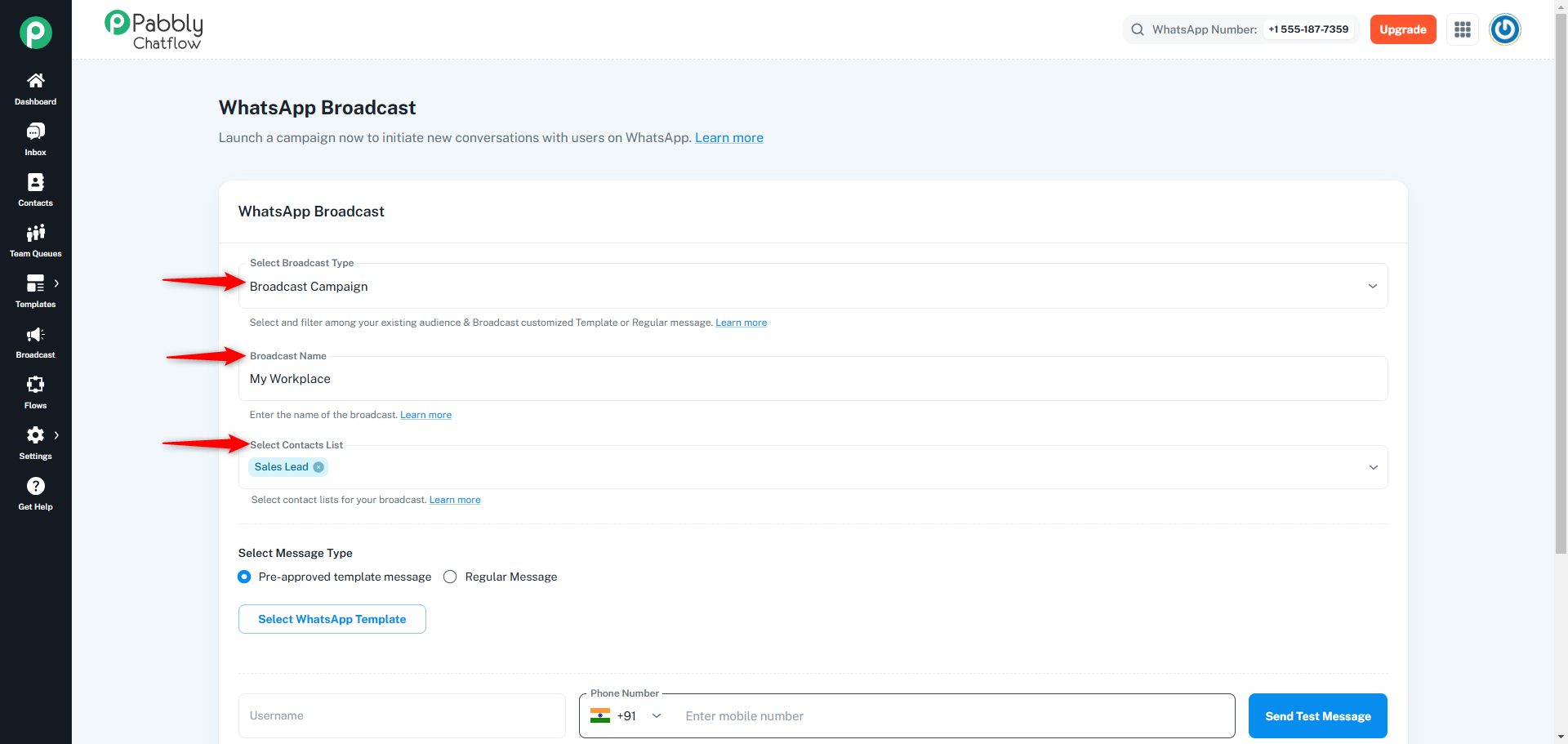
Fill in the required details based on your campaign needs:
Choose the type of message you want to send:
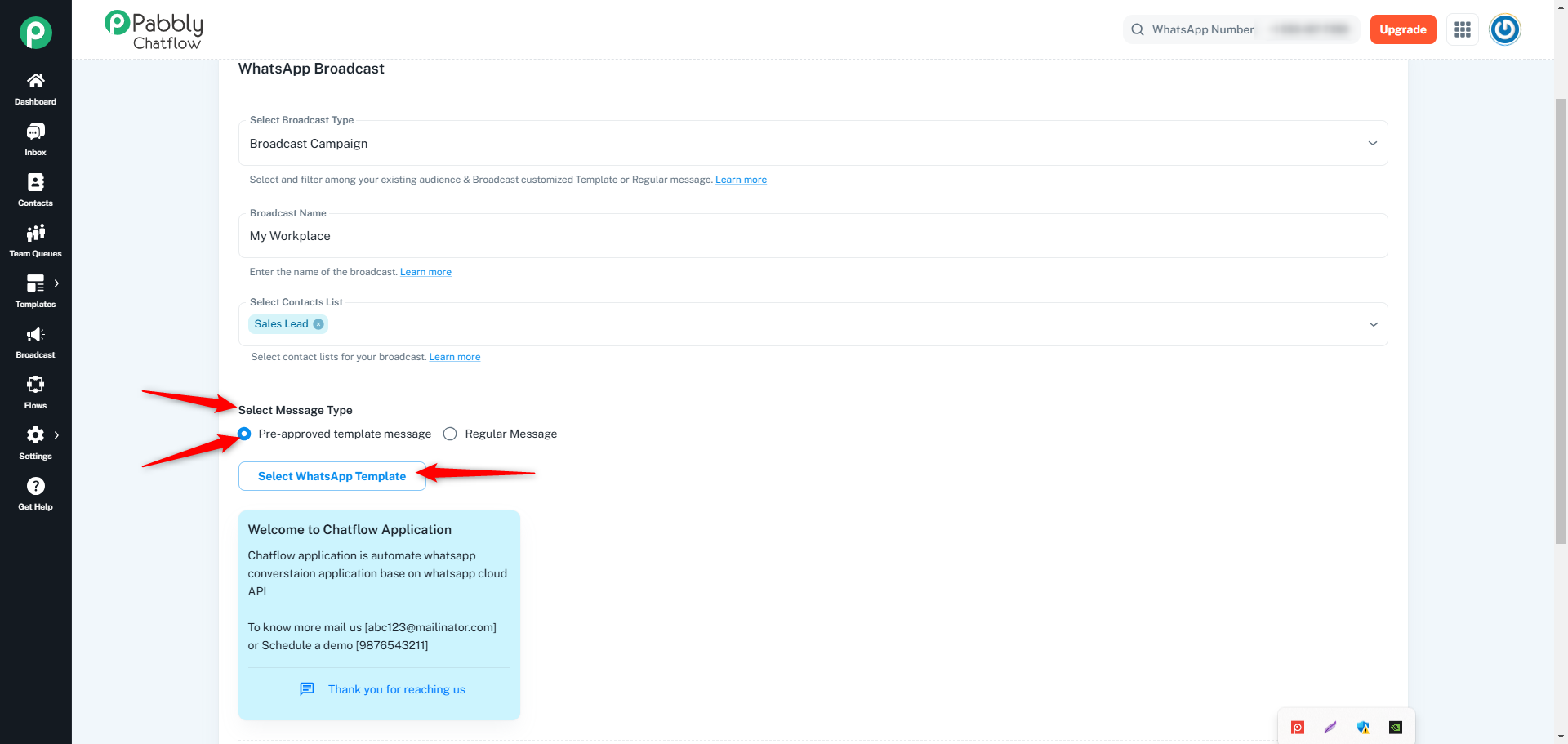
You can send various types of messages, including text, audio, video, image, or file. Below are the mandatory requirements based on the message type:
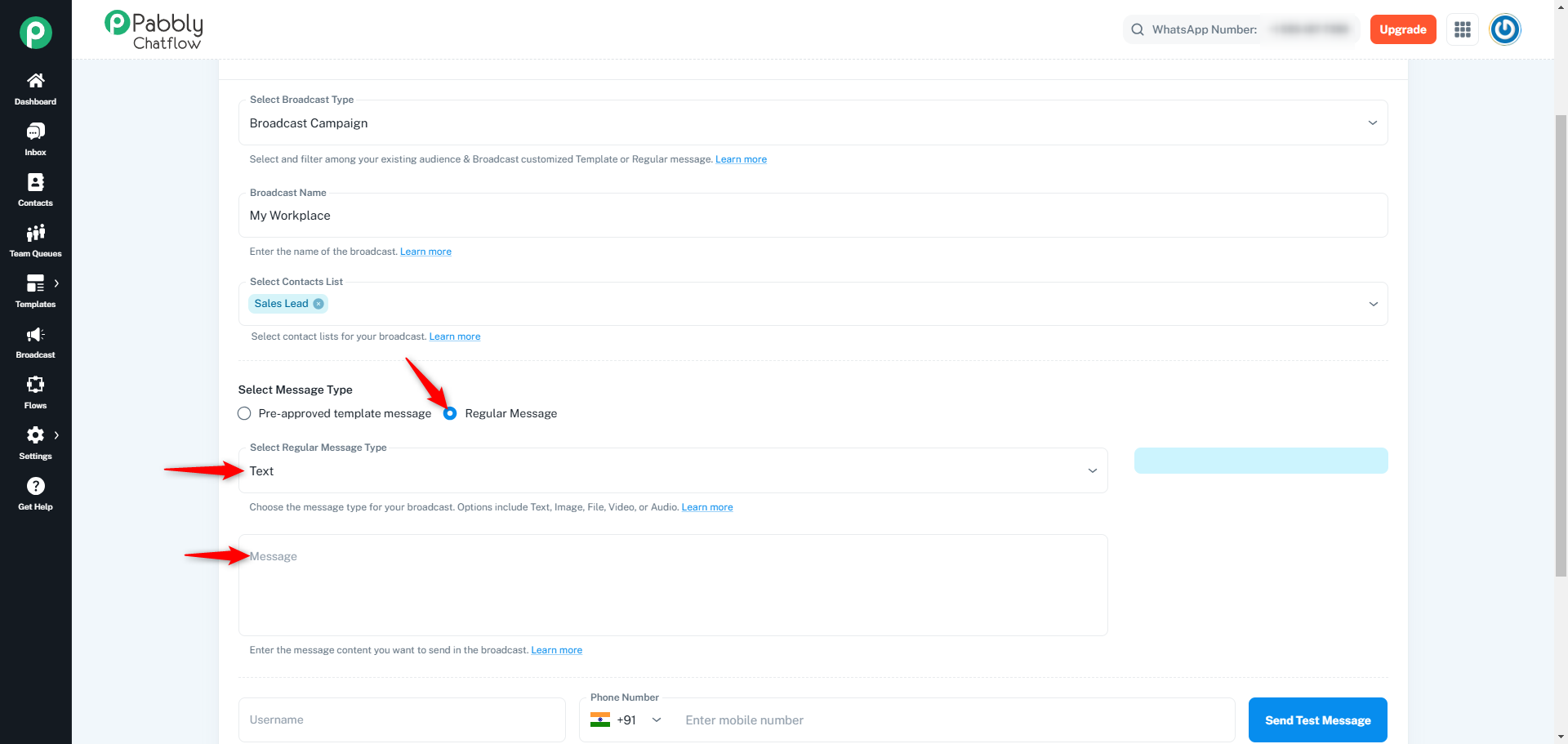
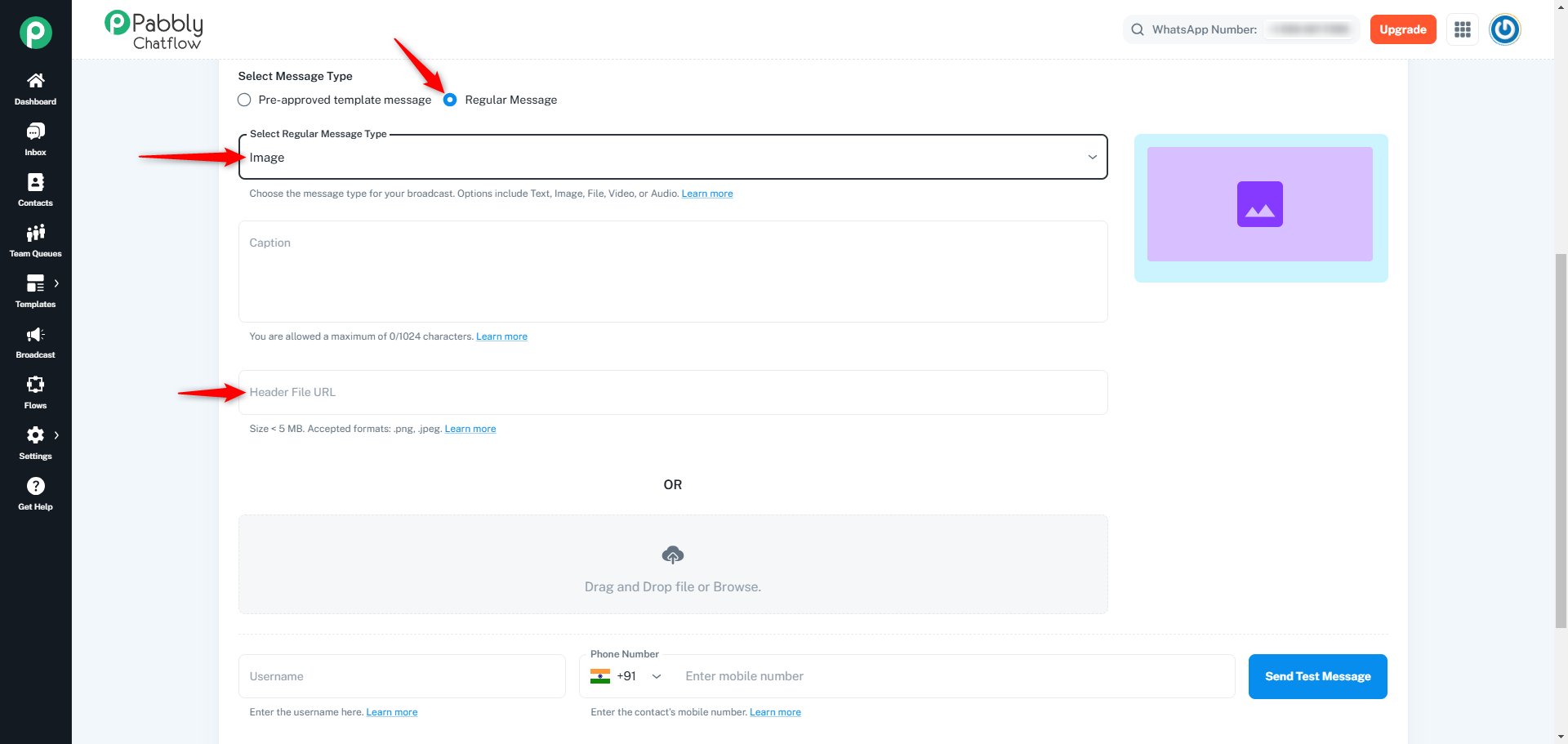
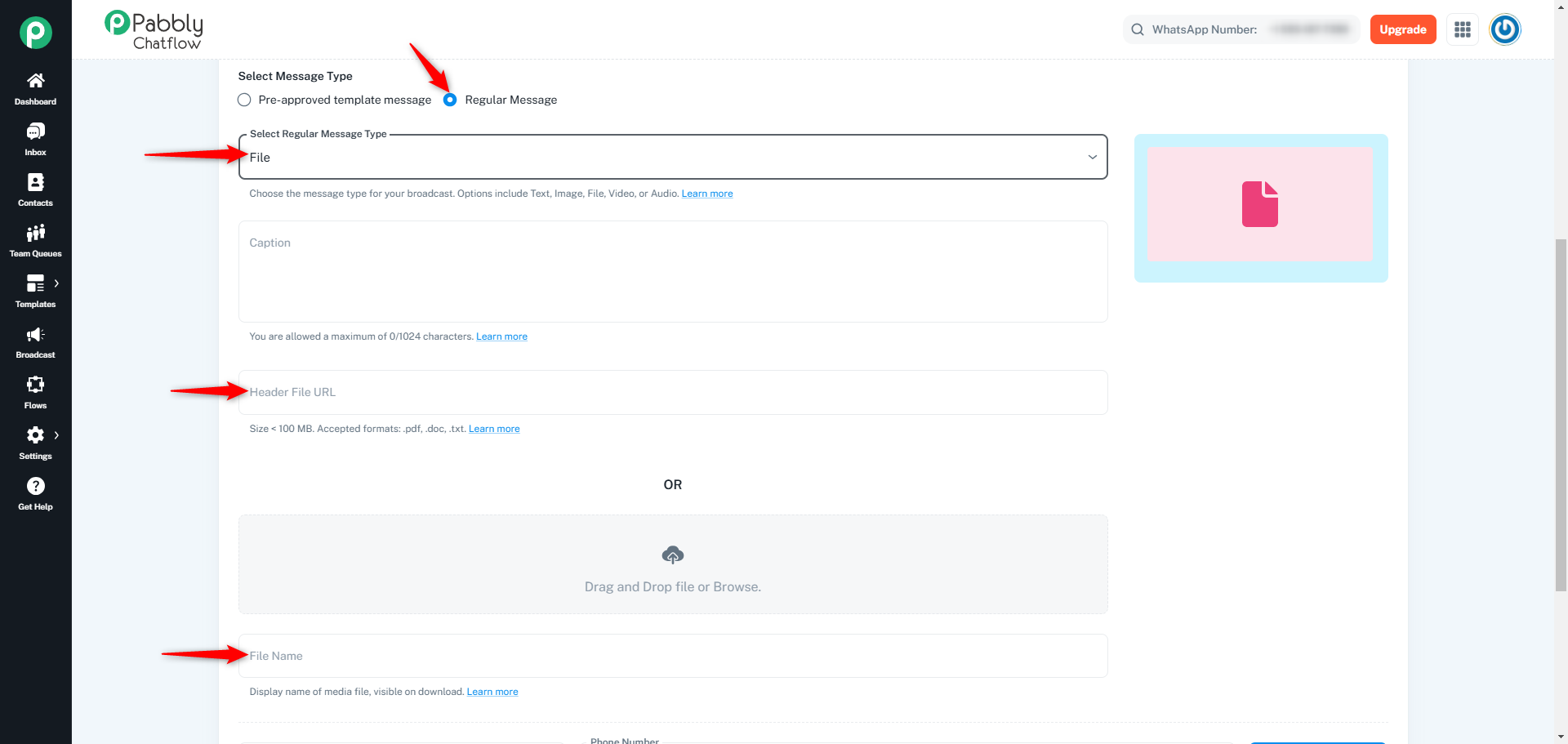
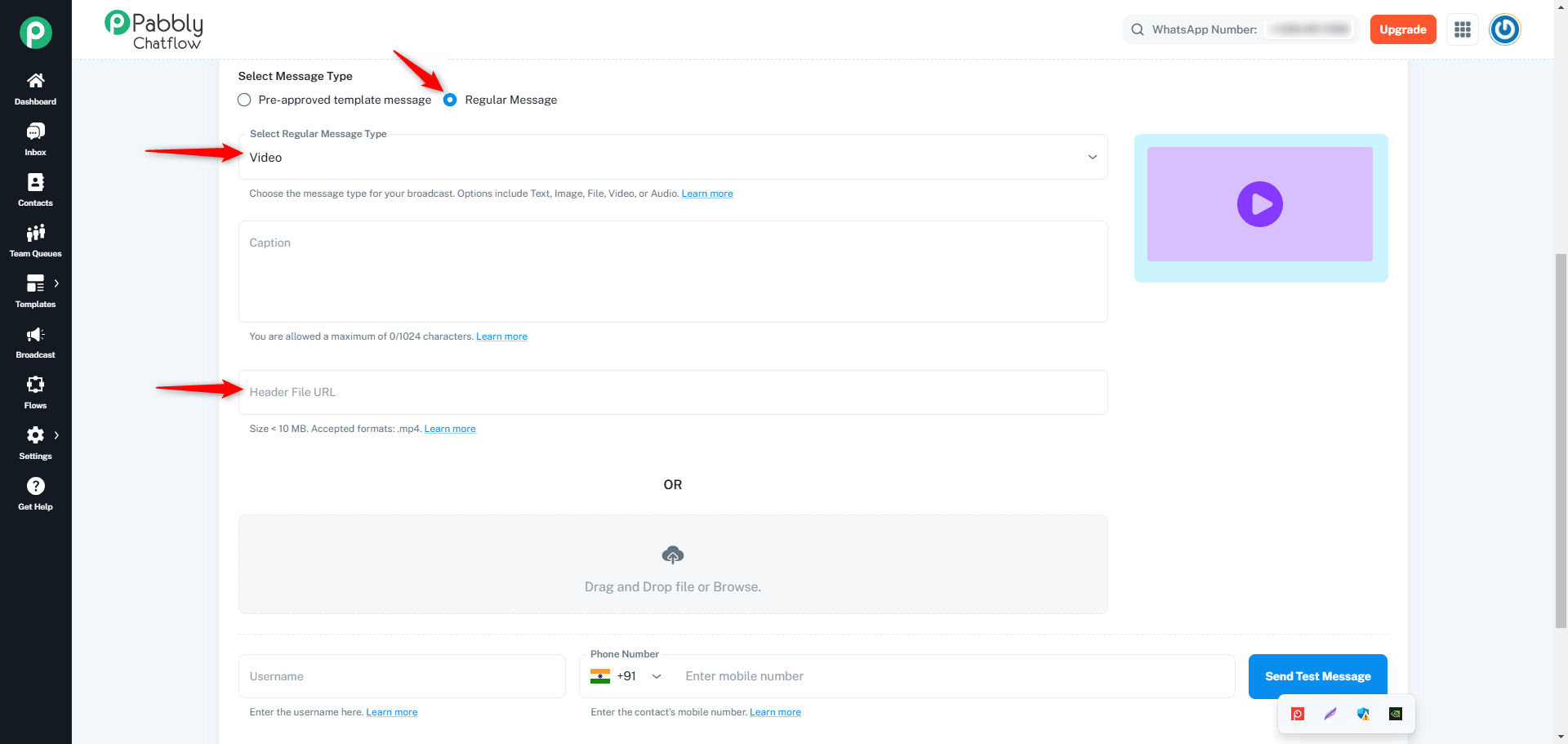
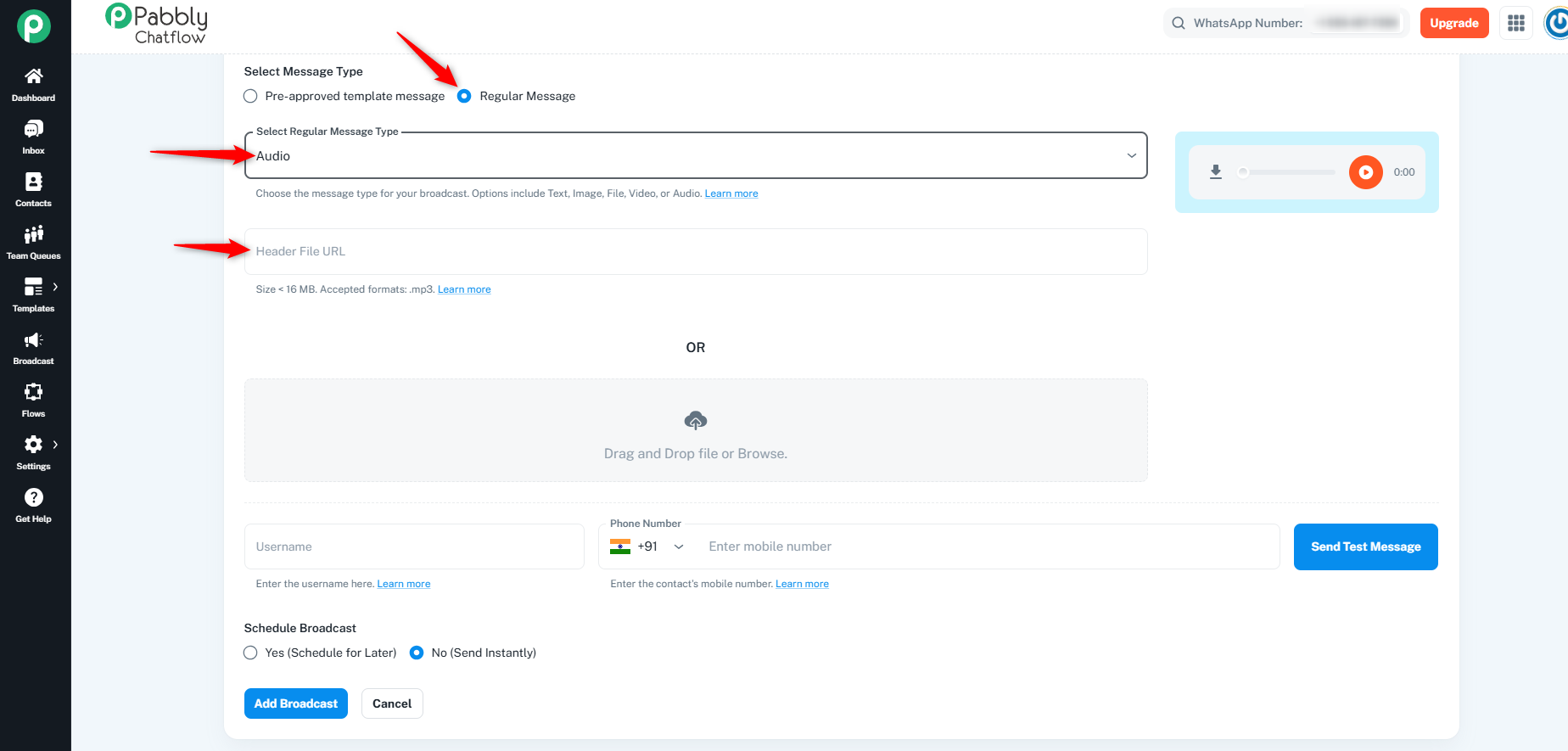
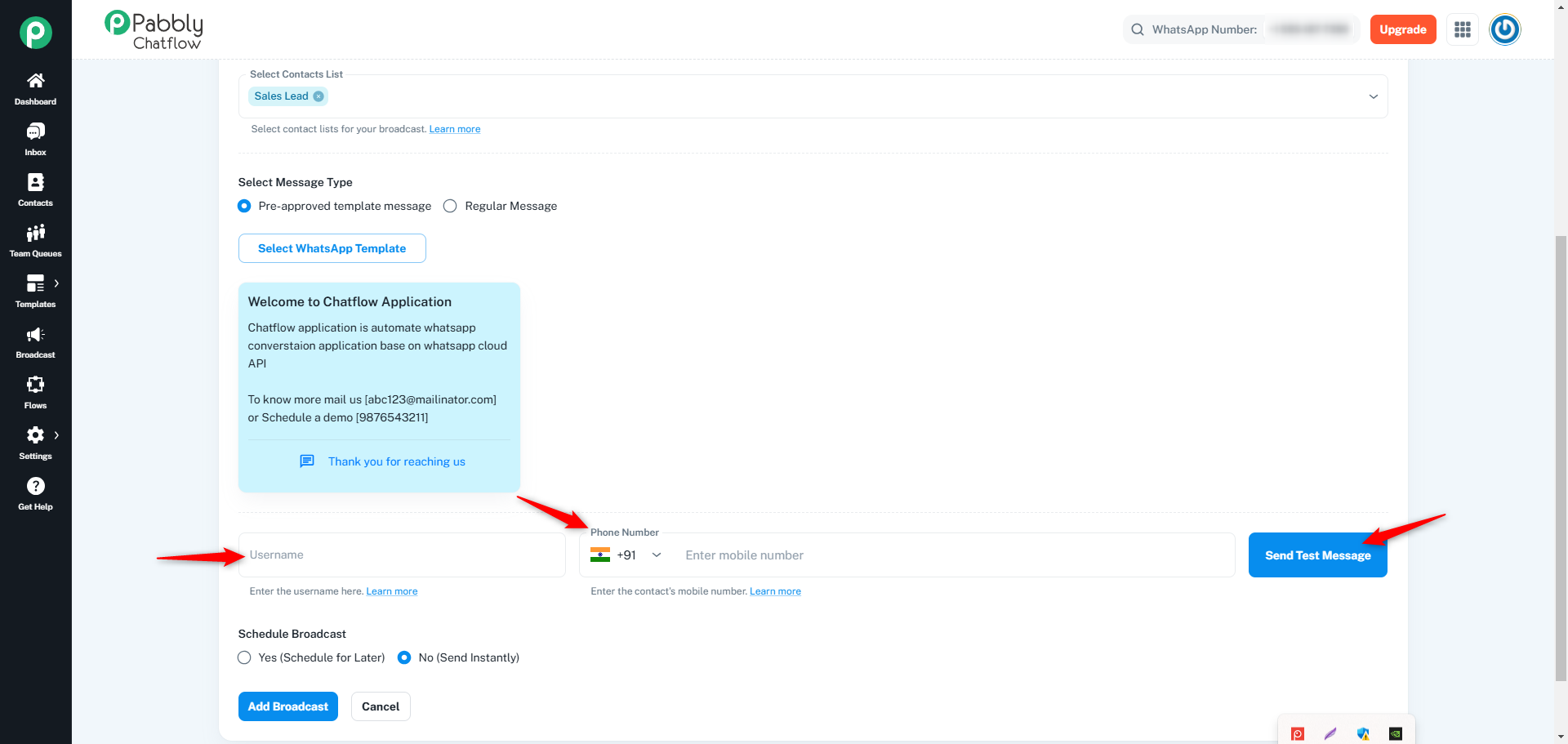
You can test your broadcast by sending a test message before finalizing the campaign. Ensure that you enter a valid username and phone number (with country code).
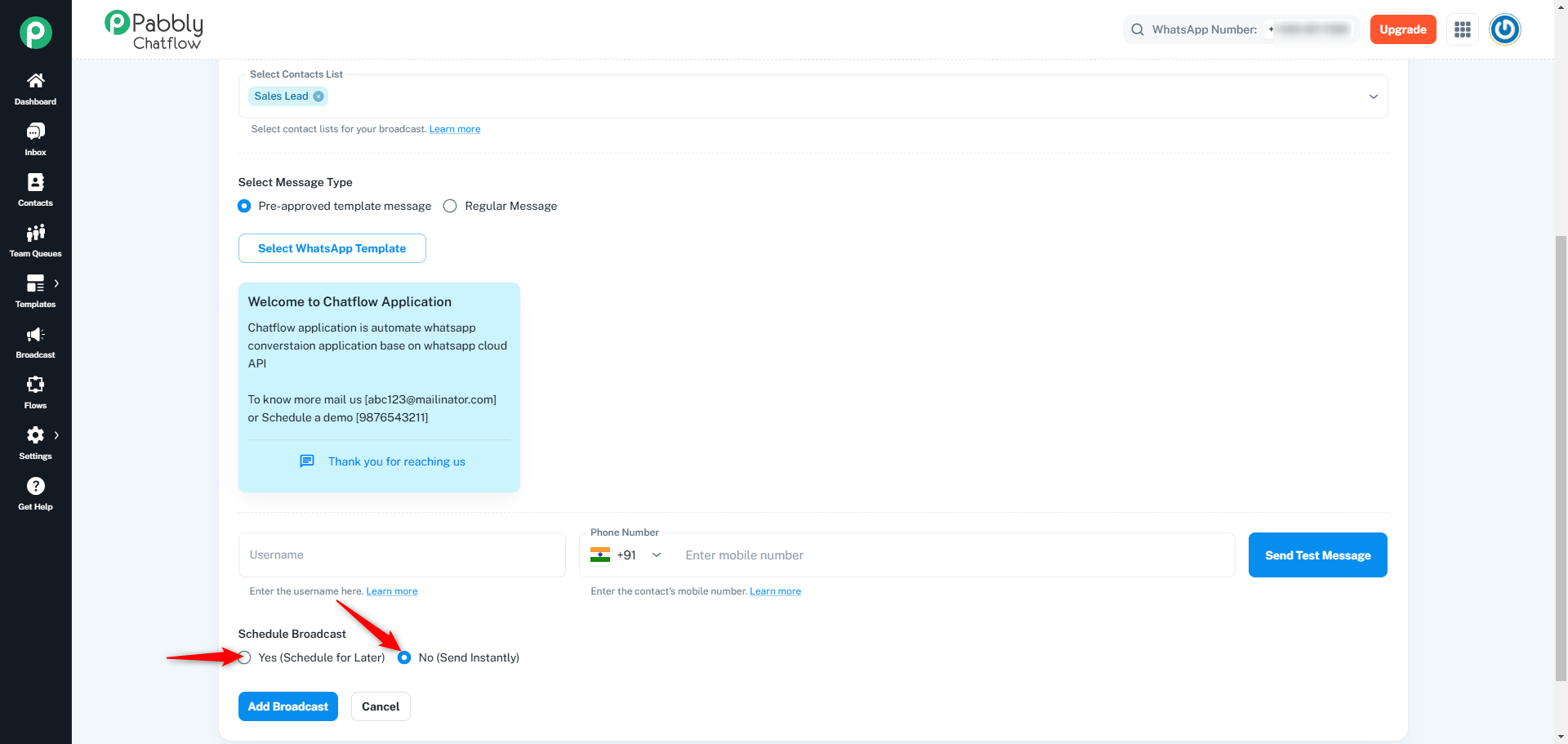
You have the option to schedule the broadcast or send it instantly:
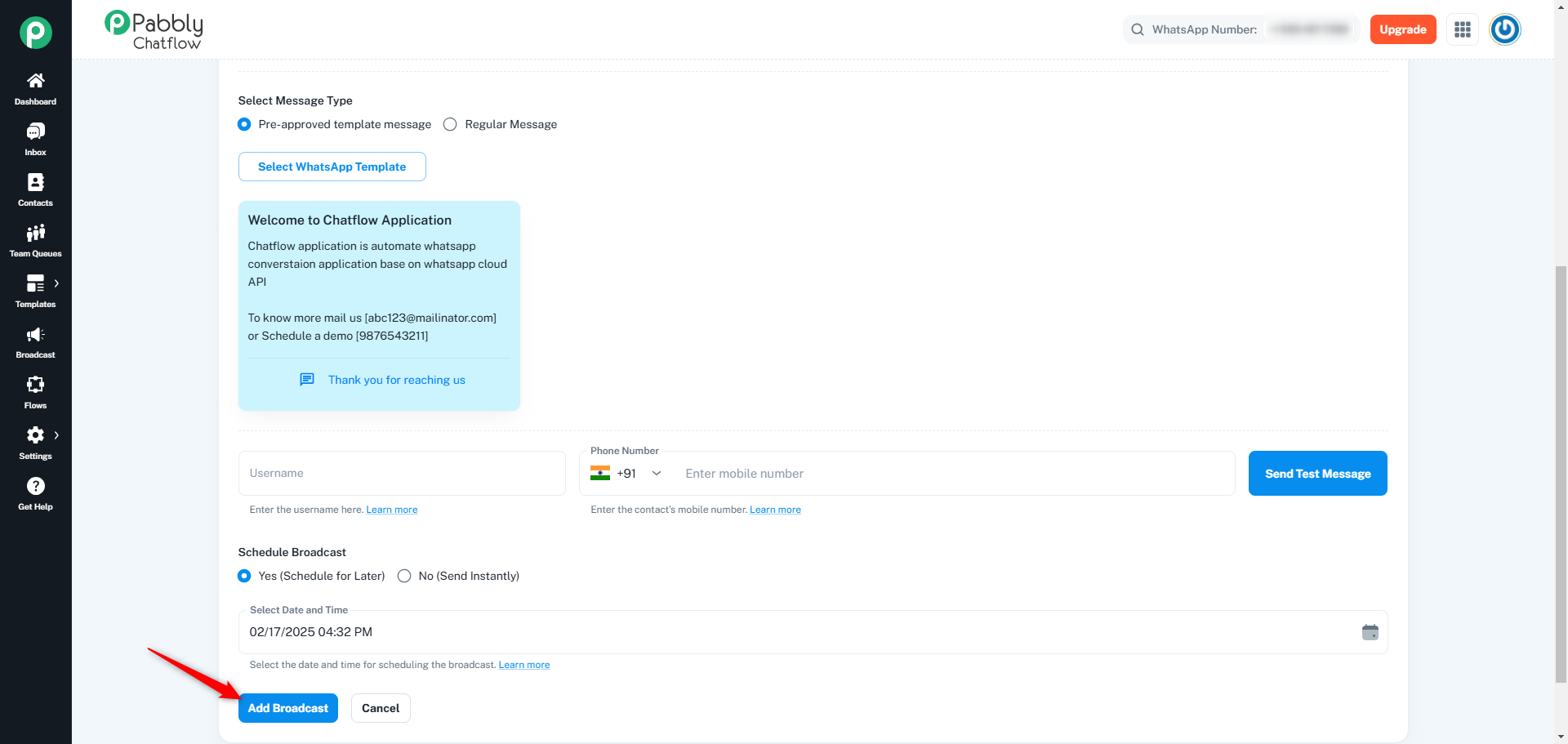
Once all the required details are filled, click on the Add Broadcast button to create the campaign.
Log in to your Chatflow account using your credentials.
On the left-side menu, click on the Broadcast module to access the API campaign section.
Click on the Add Broadcast button to initiate a new API campaign.
Click the Select Broadcast Type dropdown, then choose API Campaign from the available options.
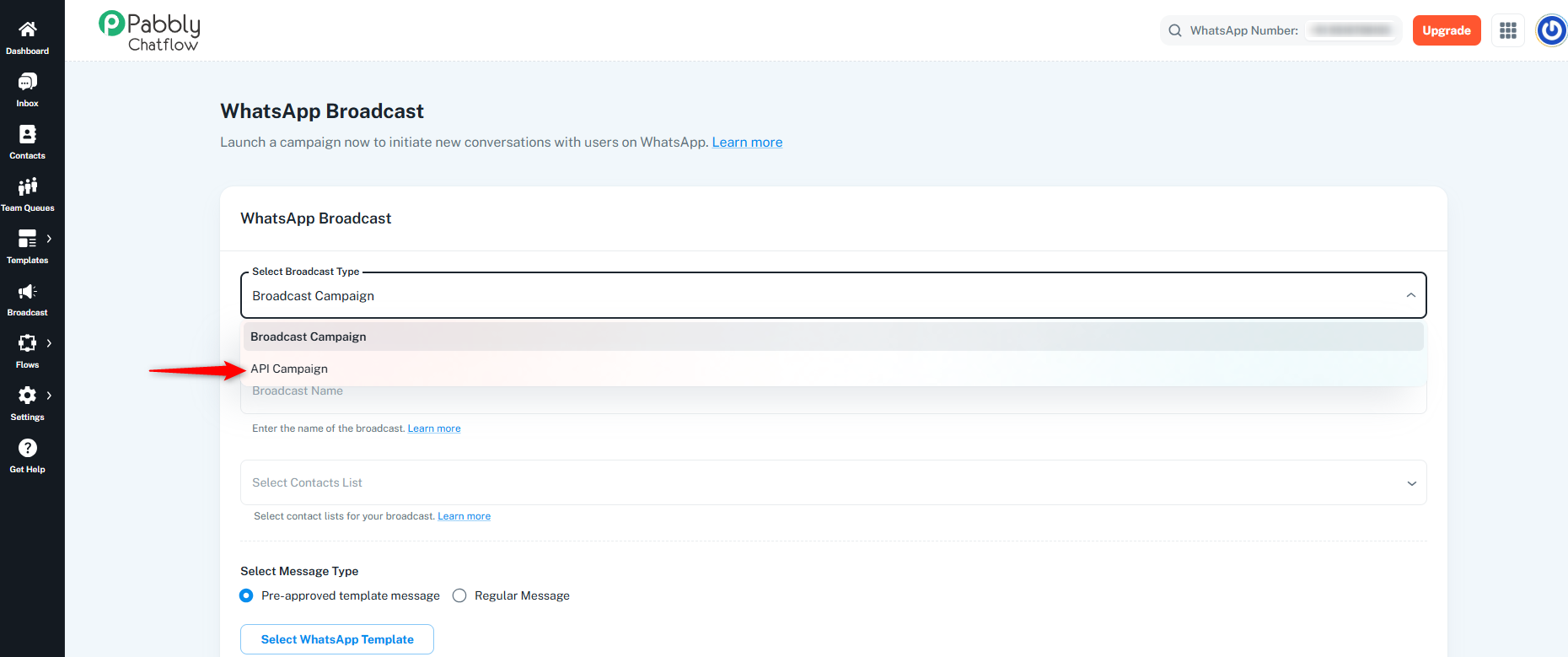
Fill in the required details based on your campaign needs:
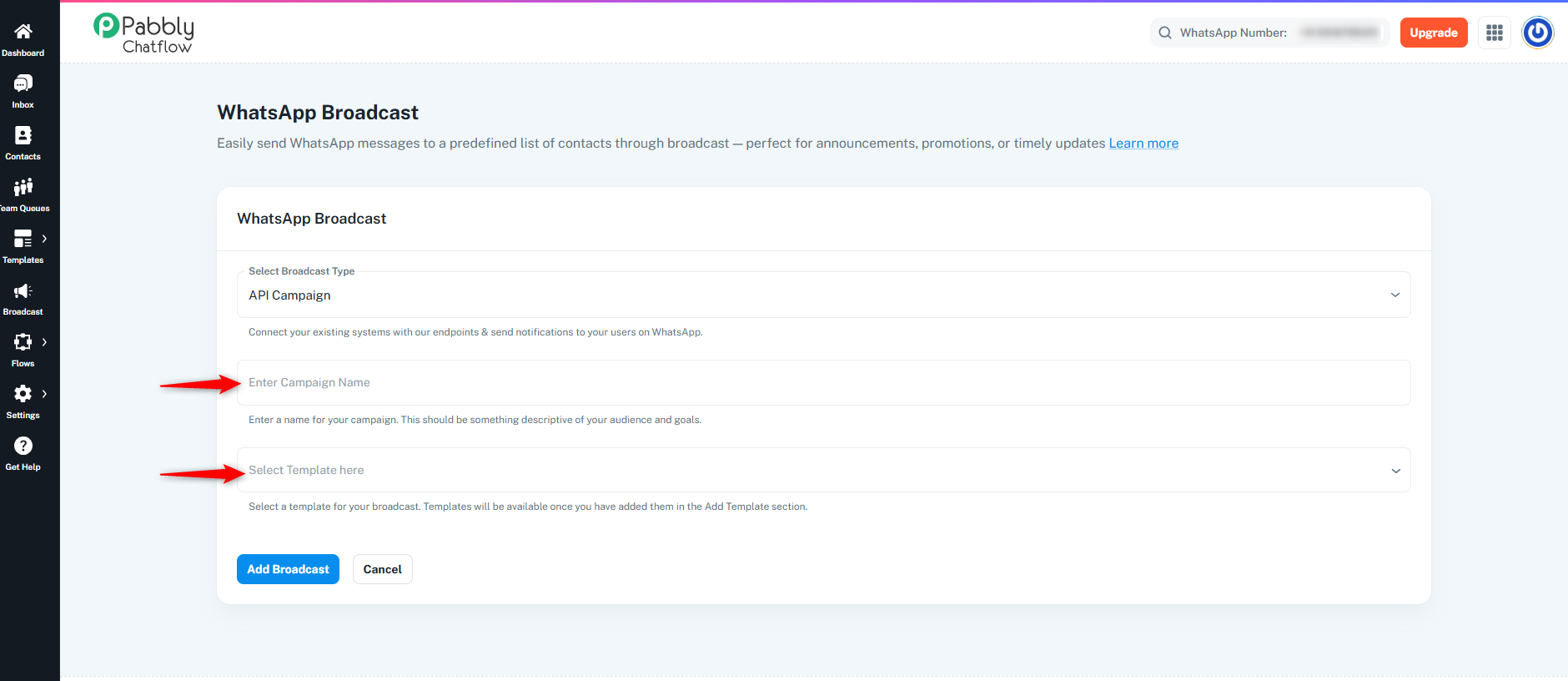
Once all the required details are filled in, click on the Add Broadcast button to create the API campaign.
Once the Broadcast is added, it will appear with a LIVE status in the broadcast table. You can click on the Test Broadcast button to view the JSON, cURL, or to test the broadcast.
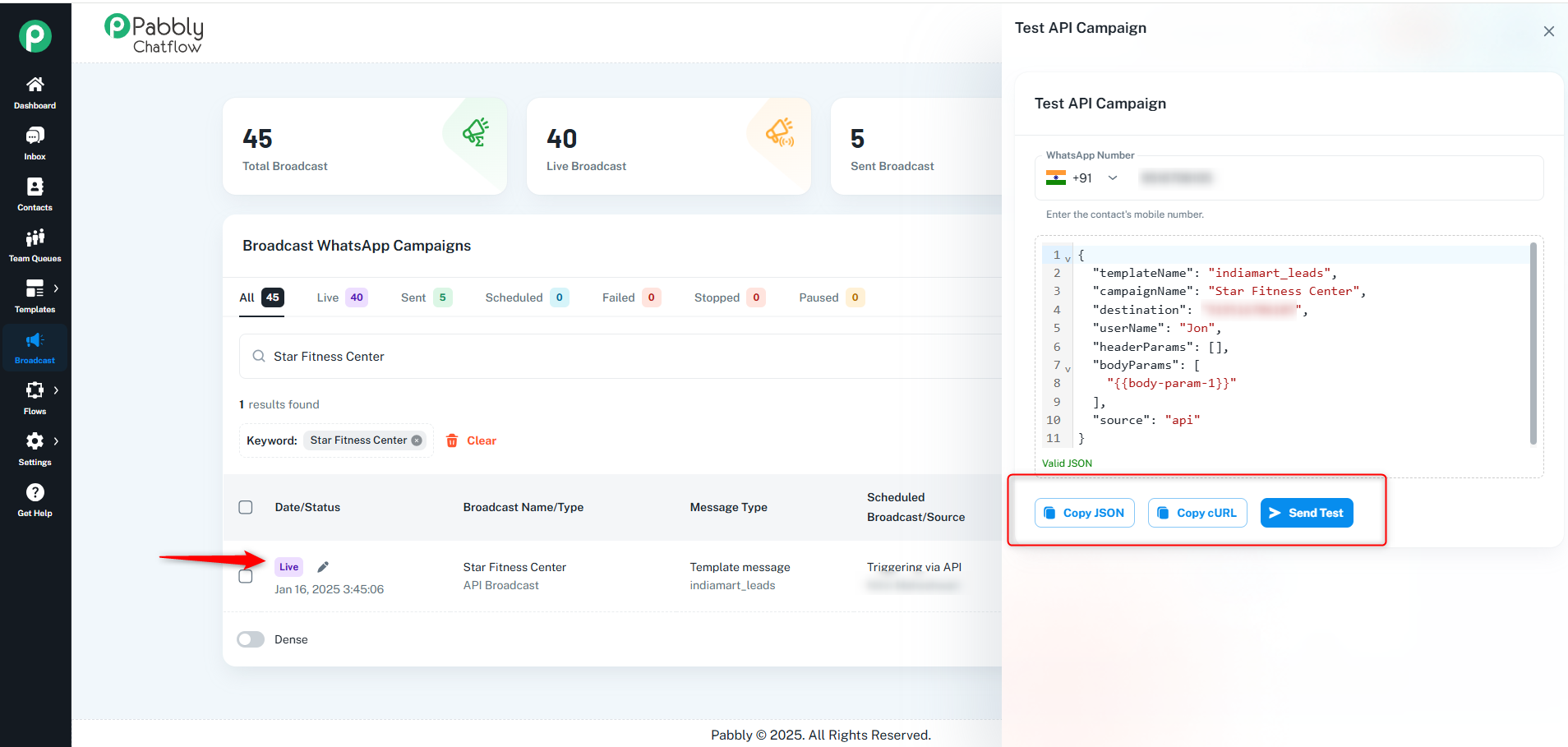
By following these steps, you can successfully create and manage a broadcast campaign & API campaign in Chatflow. Ensure that all required fields are correctly filled for a smooth broadcasting experience.
Originally posted by Neha Bhatia on 2025-02-17 (forum thread #27043).
