Features & Capabilities
Contact custom fields let you add extra information about your contacts in Pabbly Chatflow. Besides the usual details like name and phone number, you can create your own fields to store things like “Lead Source” or “Favorite Product.” This helps you organize and use contact info better.
Follow these steps to define and manage custom contact fields for storing contact values inside your Pabbly Chatflow account.
Access your Pabbly Chatflow dashboard by signing in with your credentials.
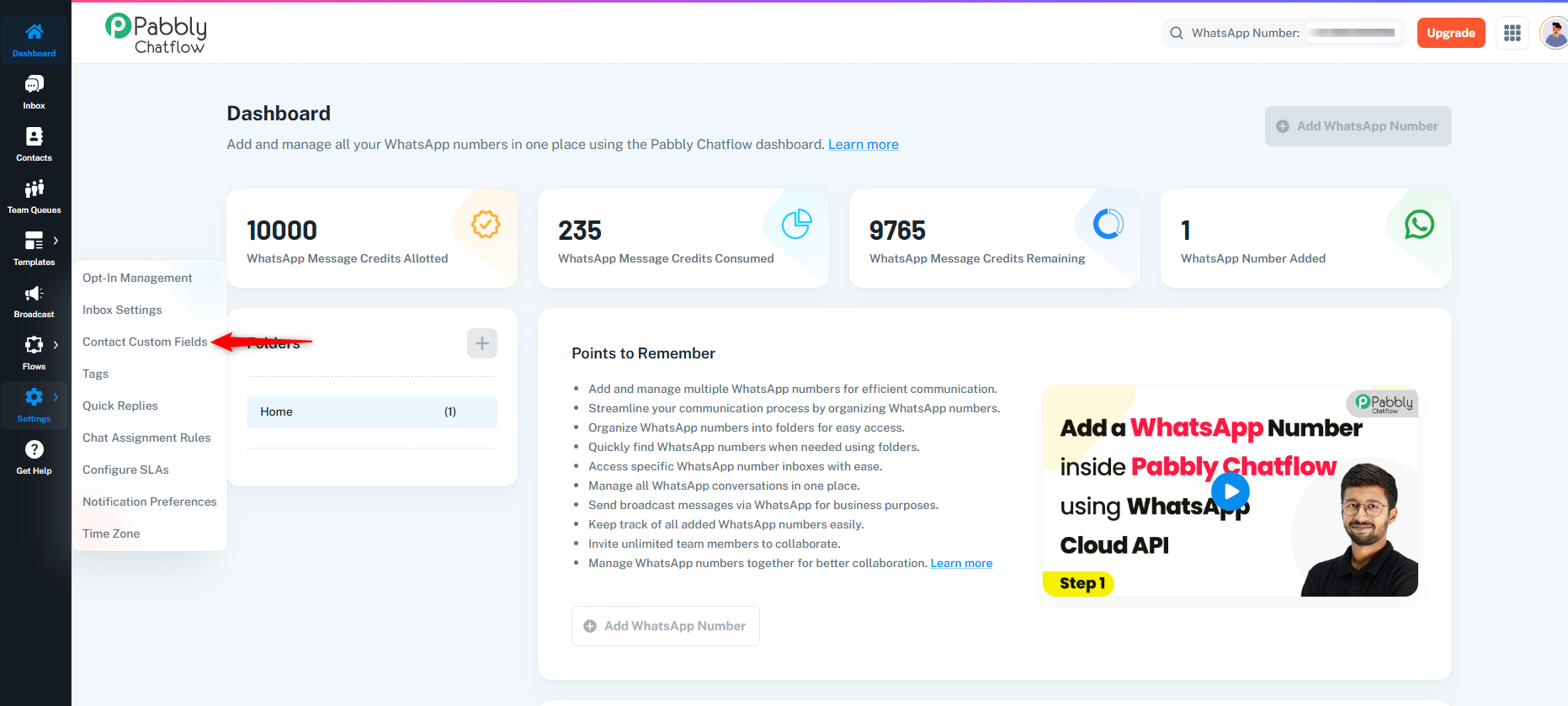
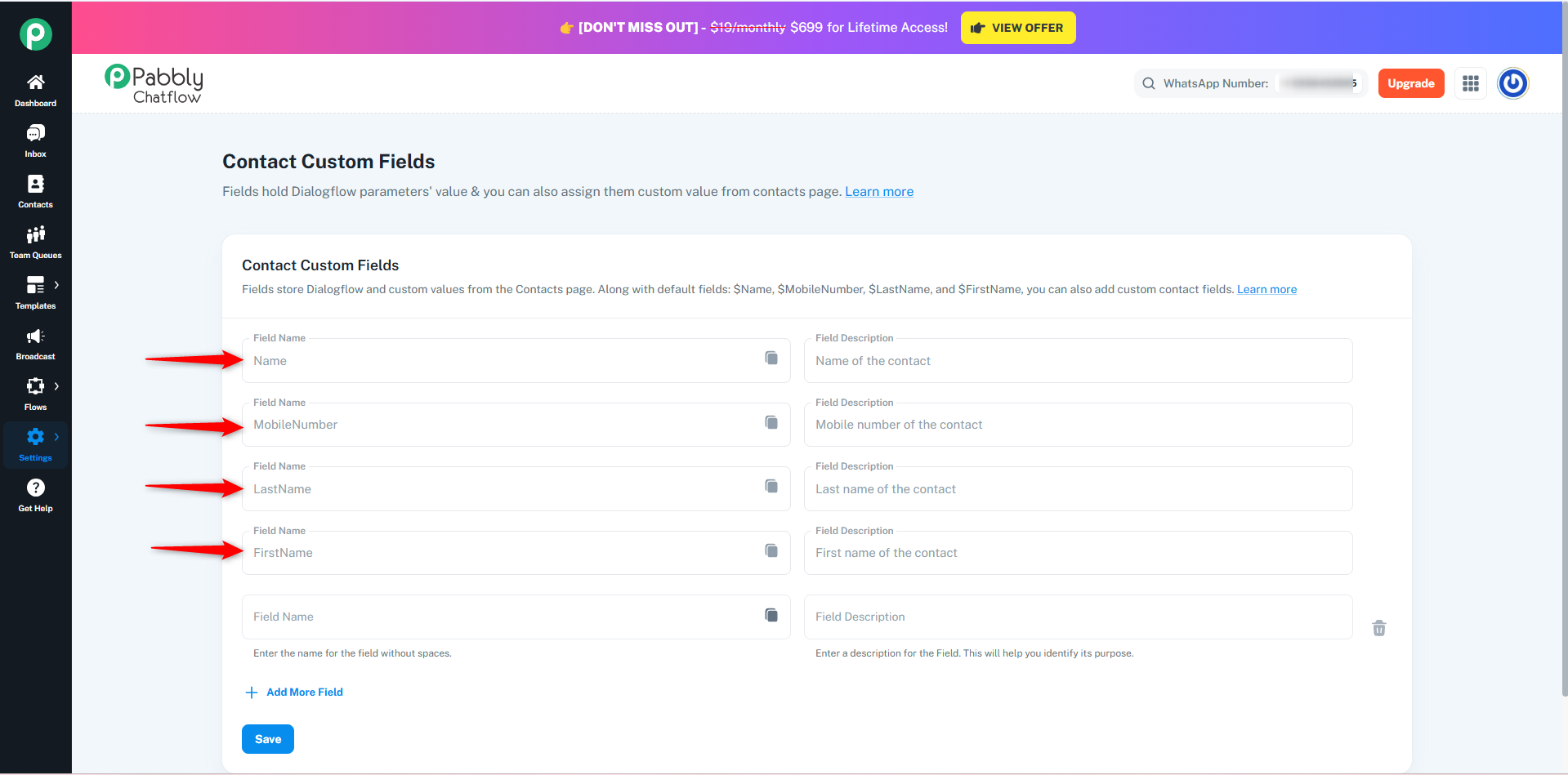
You will see default fields such as:
These default fields are usable on the Contacts page and in template messages.
Note: These default fields are used internally in contacts and messages, but they are not accessible inside Flows. In Flows, only newly created custom contact fields will be available for dynamic mapping and automation logic.
Click on the + Add More Field link to create a new field.
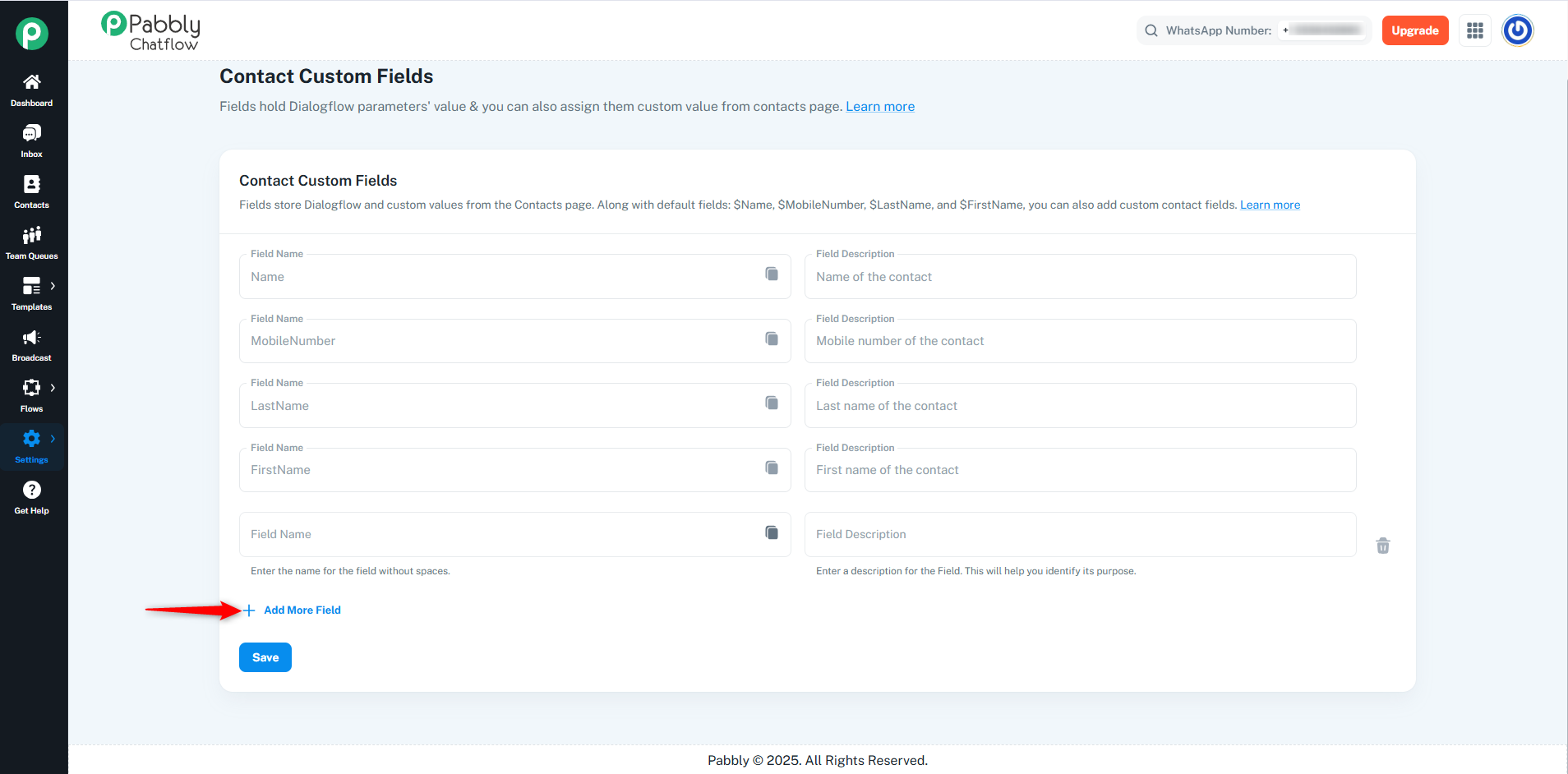
A trash icon will appear for any newly added custom field, allowing you to delete it if needed.
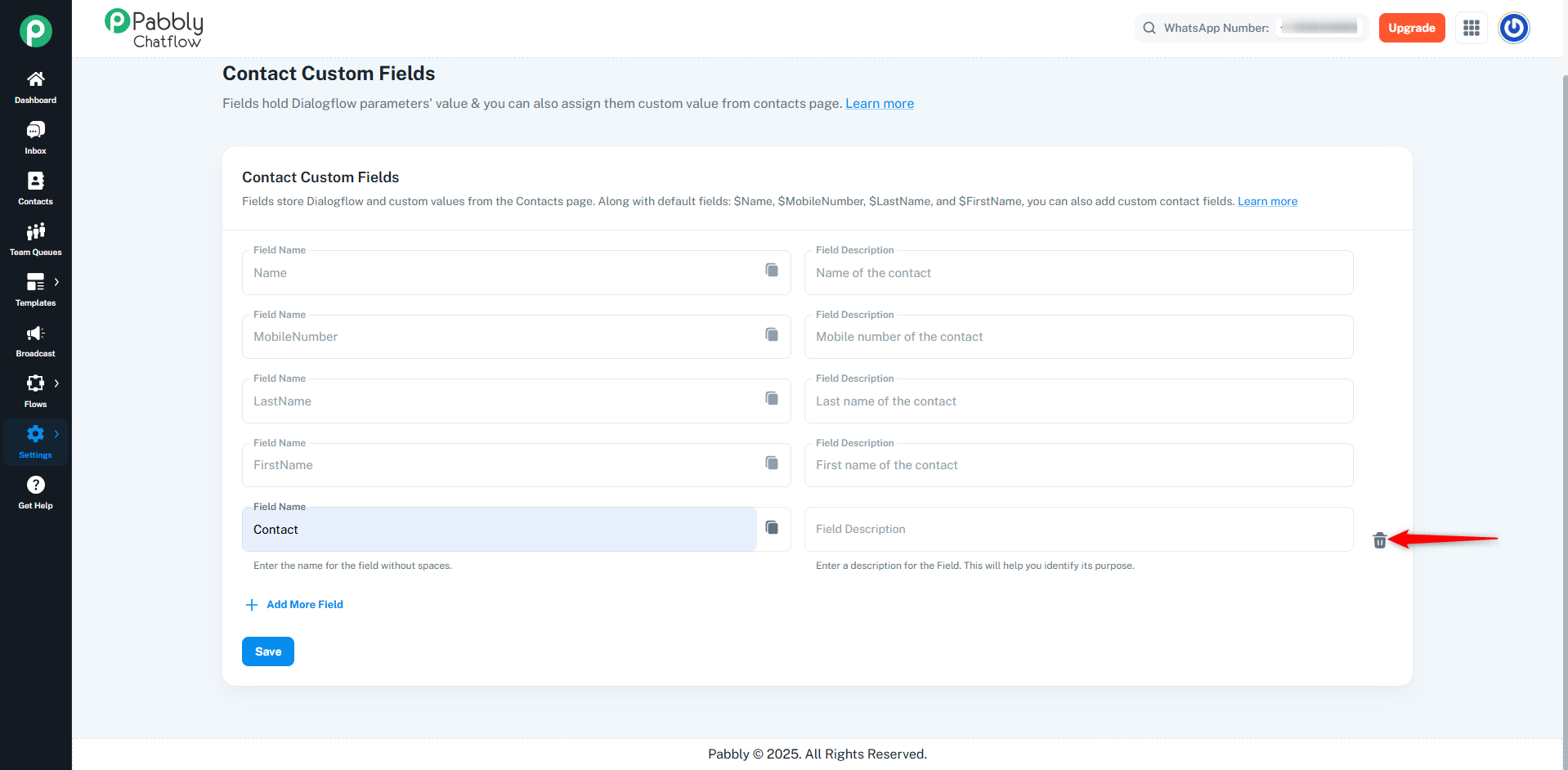
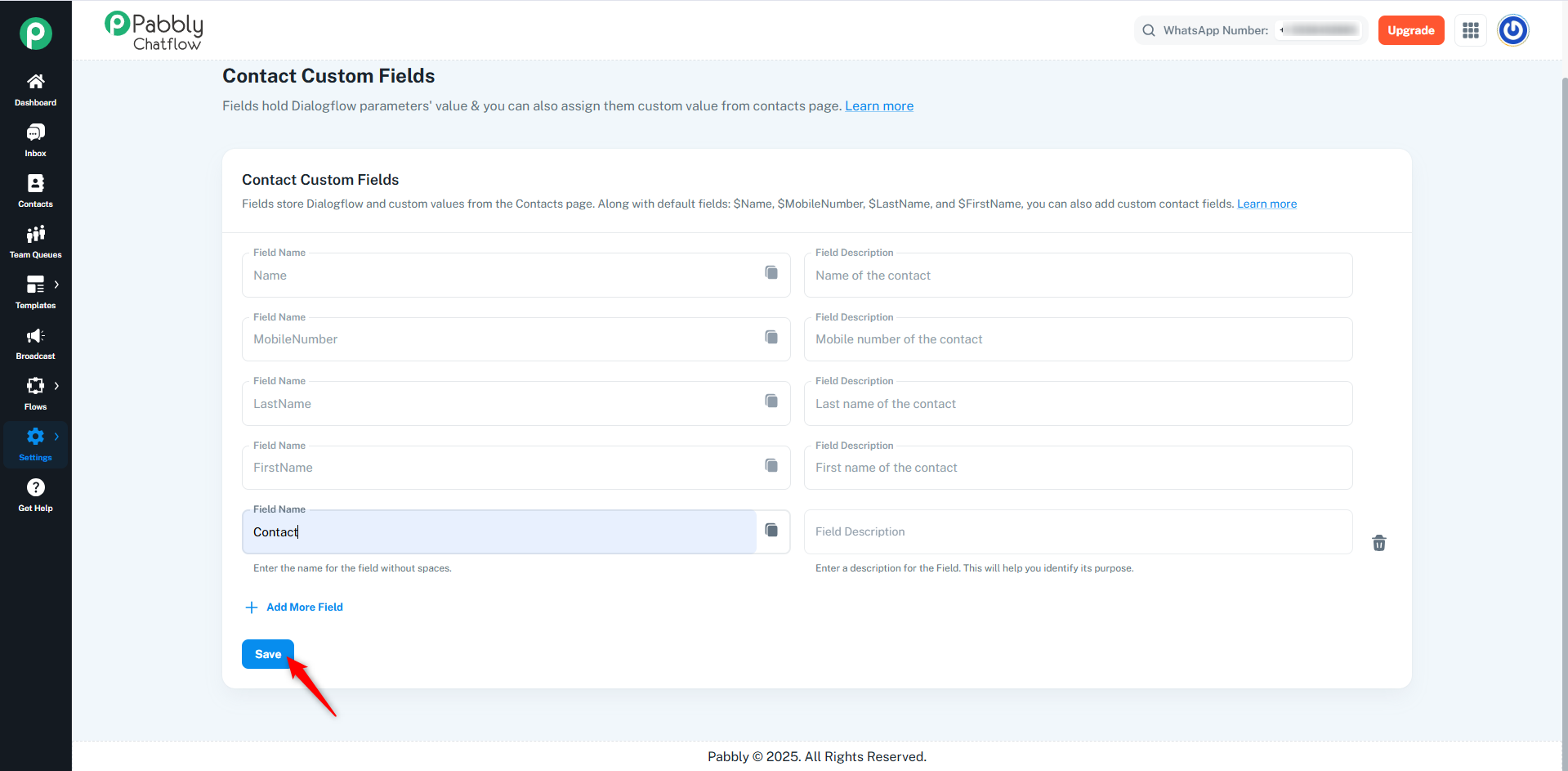
After adding or editing fields, click the Save button to apply your changes.