Help and Guide
Configure SLA refers to setting up Service Level Agreements within Pabbly Chatflow. An SLA is a commitment that defines the maximum time your team has to respond to and resolve customer messages or issues. Configuring SLA helps you:
In Pabbly Chatflow, Configure SLA allows you to specify these time limits (like hours and minutes) for your support team to reply to WhatsApp messages and fully resolve conversations. If the team misses the SLA time, it will be marked as exceeded, helping you track delays and manage support performance effectively.
Follow these steps to define and manage SLA (Service Level Agreement) rules inside your Pabbly Chatflow account to improve customer response times and support quality.
Access your Pabbly Chatflow dashboard by signing in with your credentials.
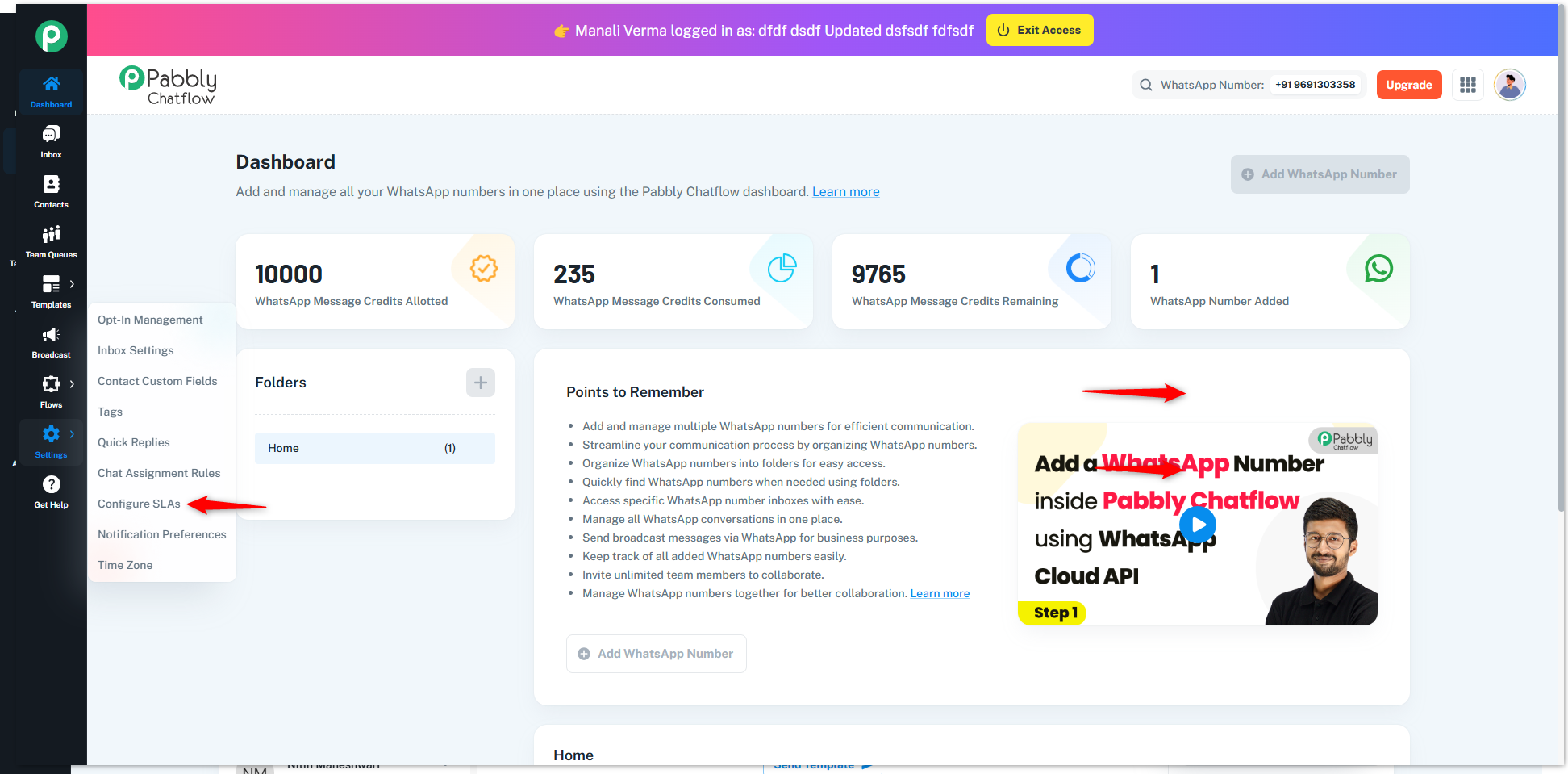
Once you enter the SLA time:
Note: The SLA duration will be calculated based on the hours and minutes entered. For example, if you configure 12 hours and 30 minutes, the due time for responding to each WhatsApp message will be set 12 hours and 30 minutes after the message is received. 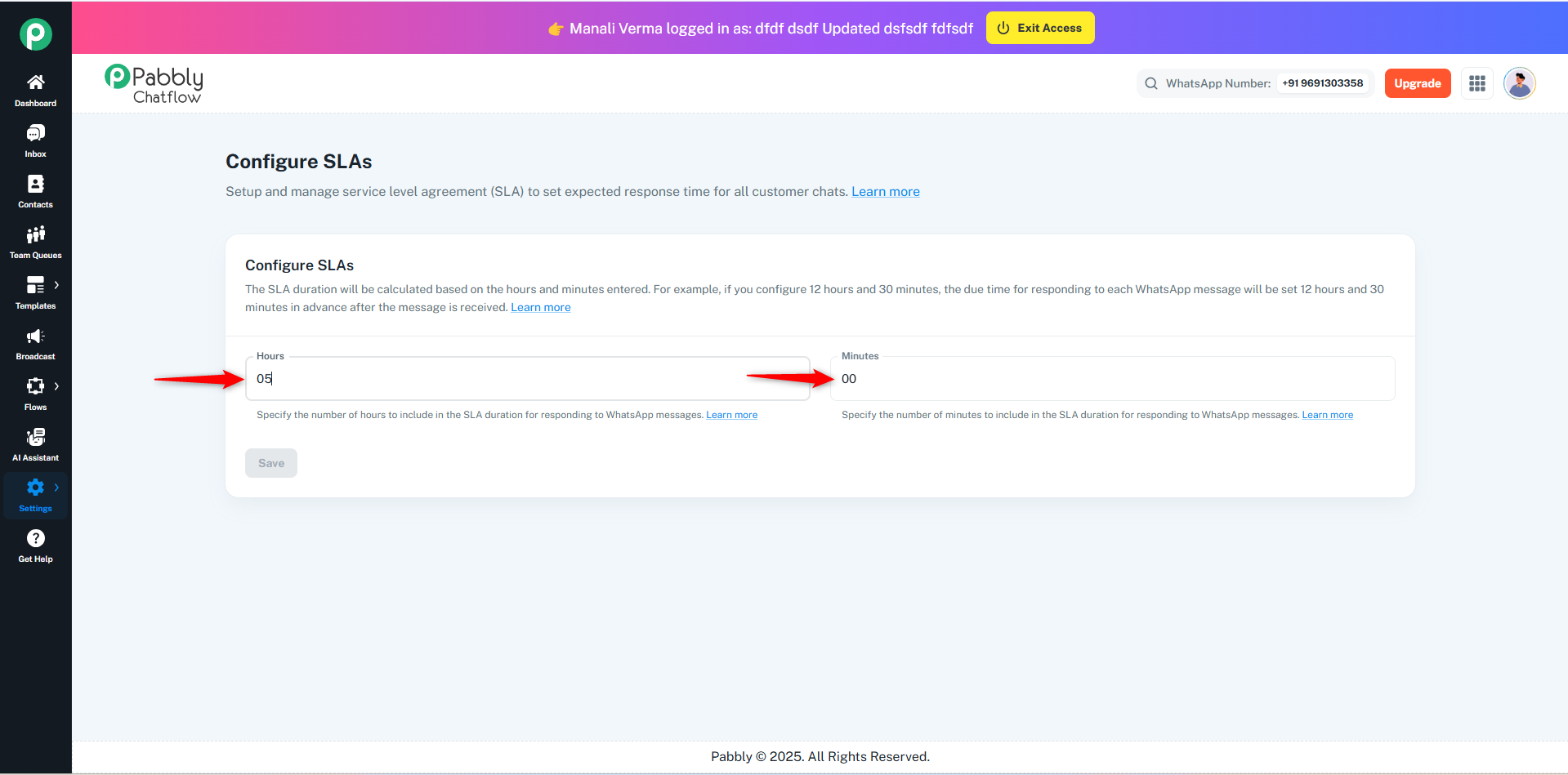
After entering the SLA durations:
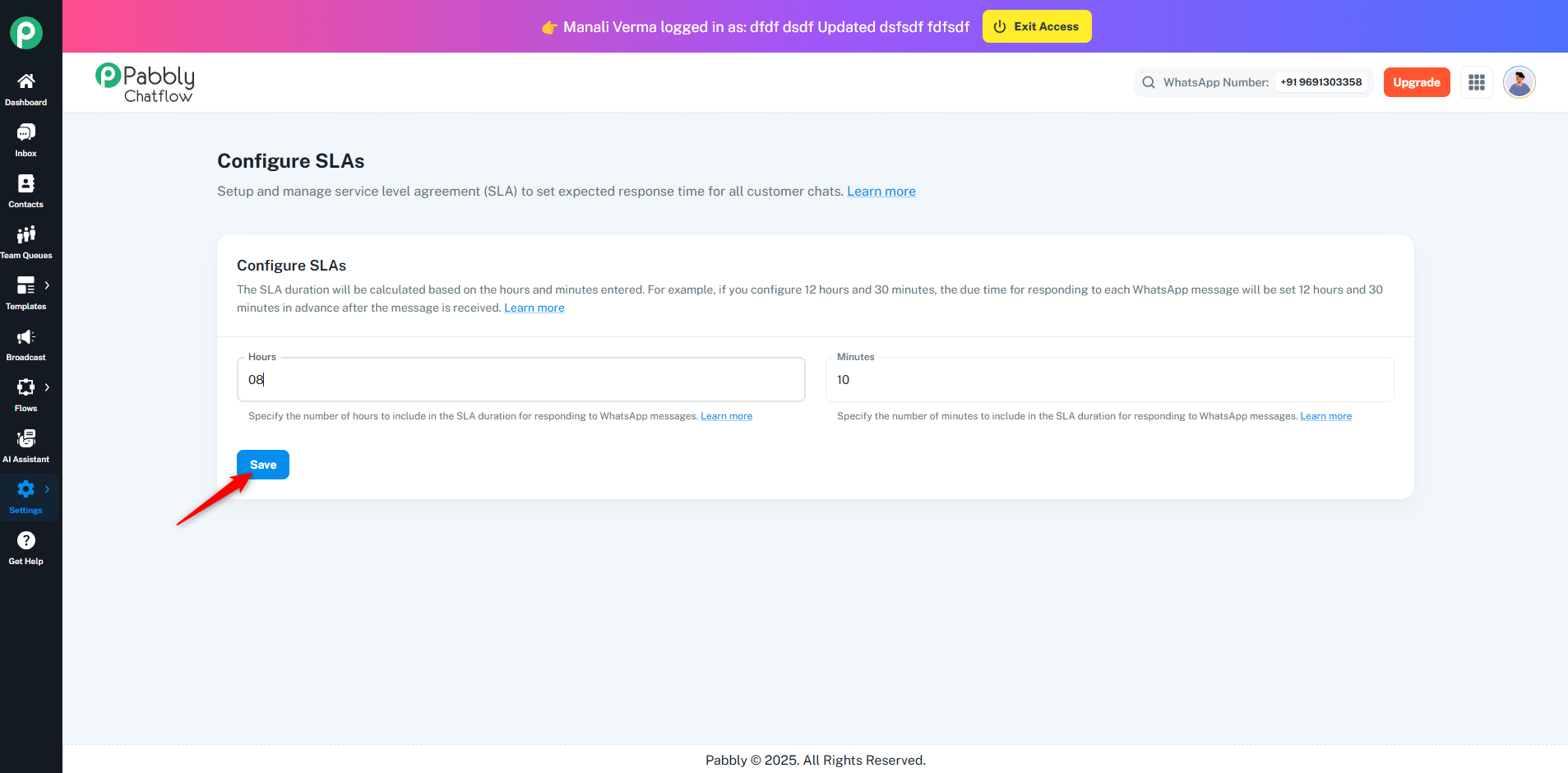
Note: Setting up SLAs ensures that your team responds within an agreed timeframe, improving customer satisfaction and maintaining service standards.
Originally posted by Manali Verma on 2025-04-28 (forum thread #28684).
