Features & Capabilities
Quick Replies in Pabbly Chatflow allow agents to save predefined responses and send them instantly with a single click. These responses help streamline communication by enabling agents to quickly address common queries such as product pricing, descriptions, welcome messages, and more.
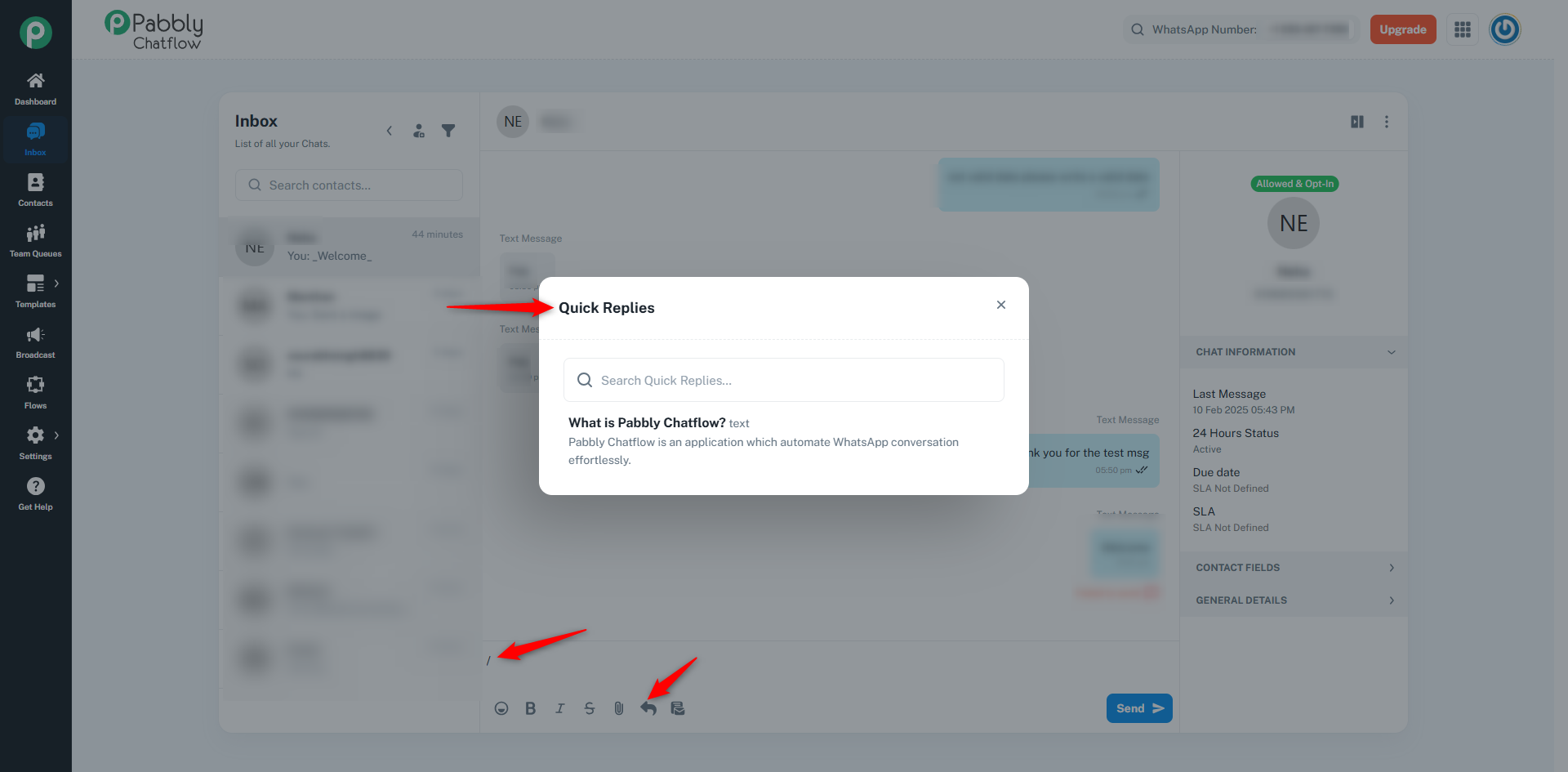
Quick Replies can be triggered effortlessly using a '/' in the live chatbox, ensuring a seamless and efficient customer support experience.
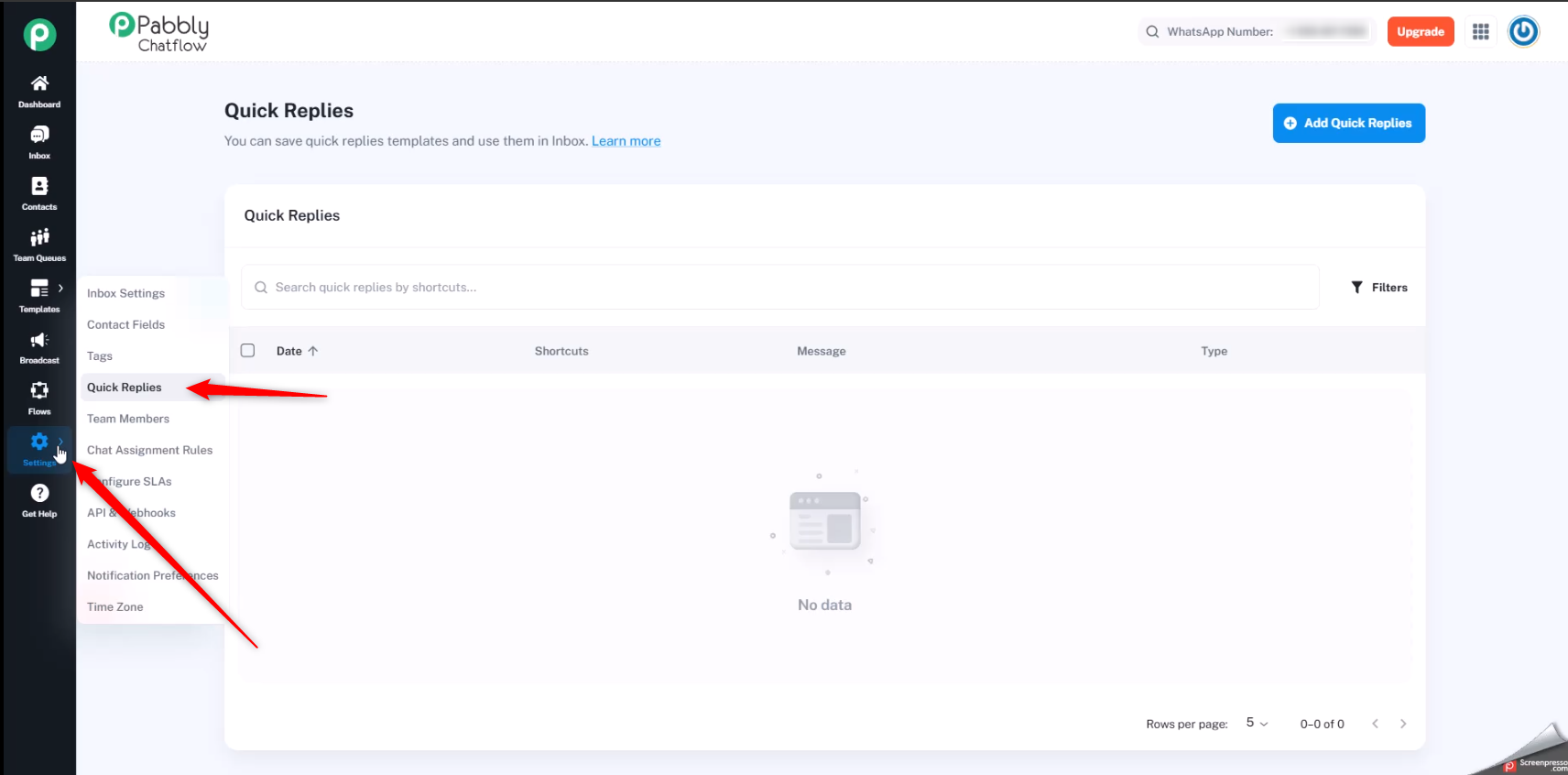
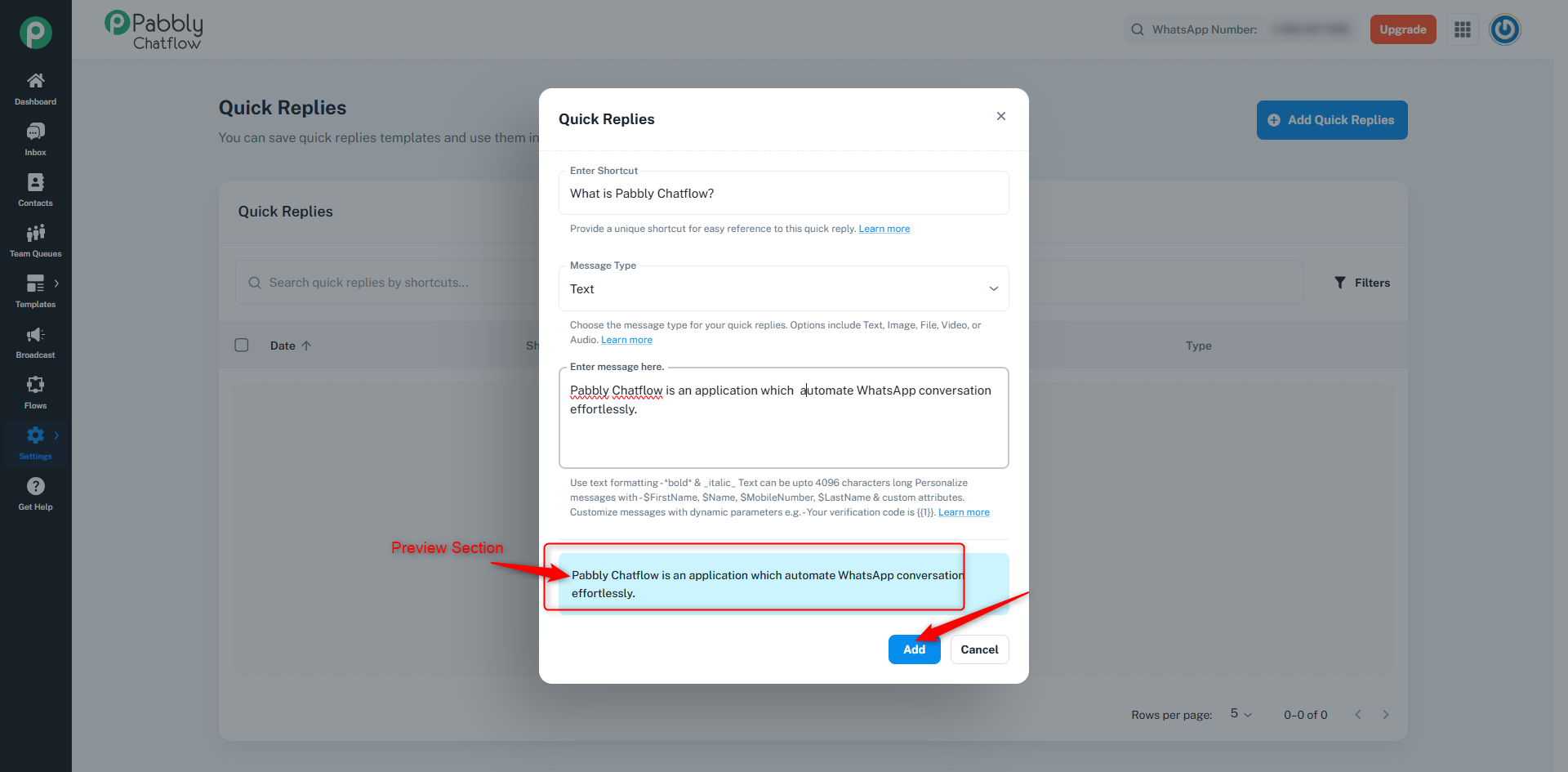
To create Quick Replies, navigate to the Settings section in the Pabbly Chatflow application and locate the Quick Replies option.
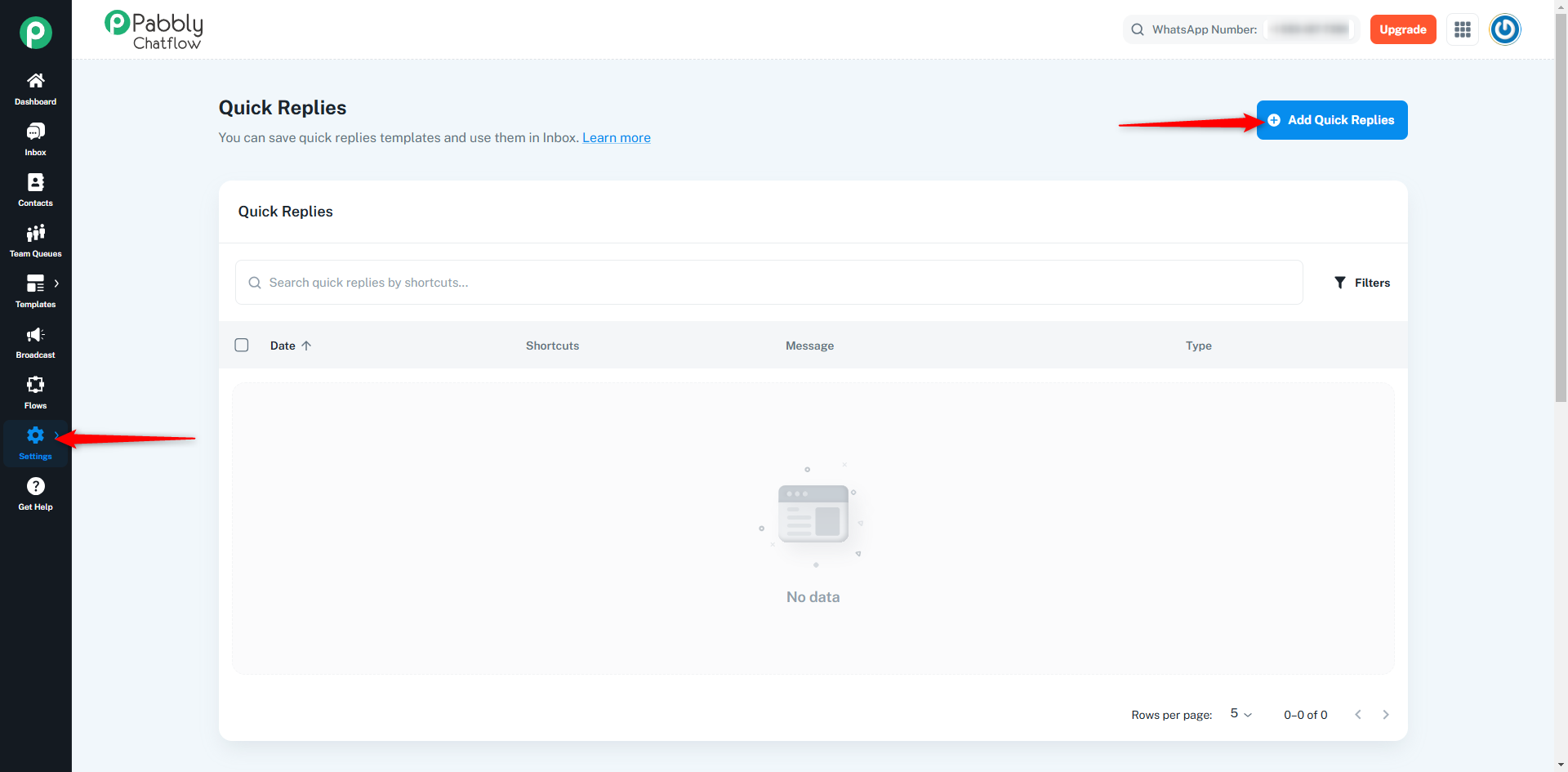
Click on the “Add Quick Reply” button. A dialog box will appear where you need to fill in the required details
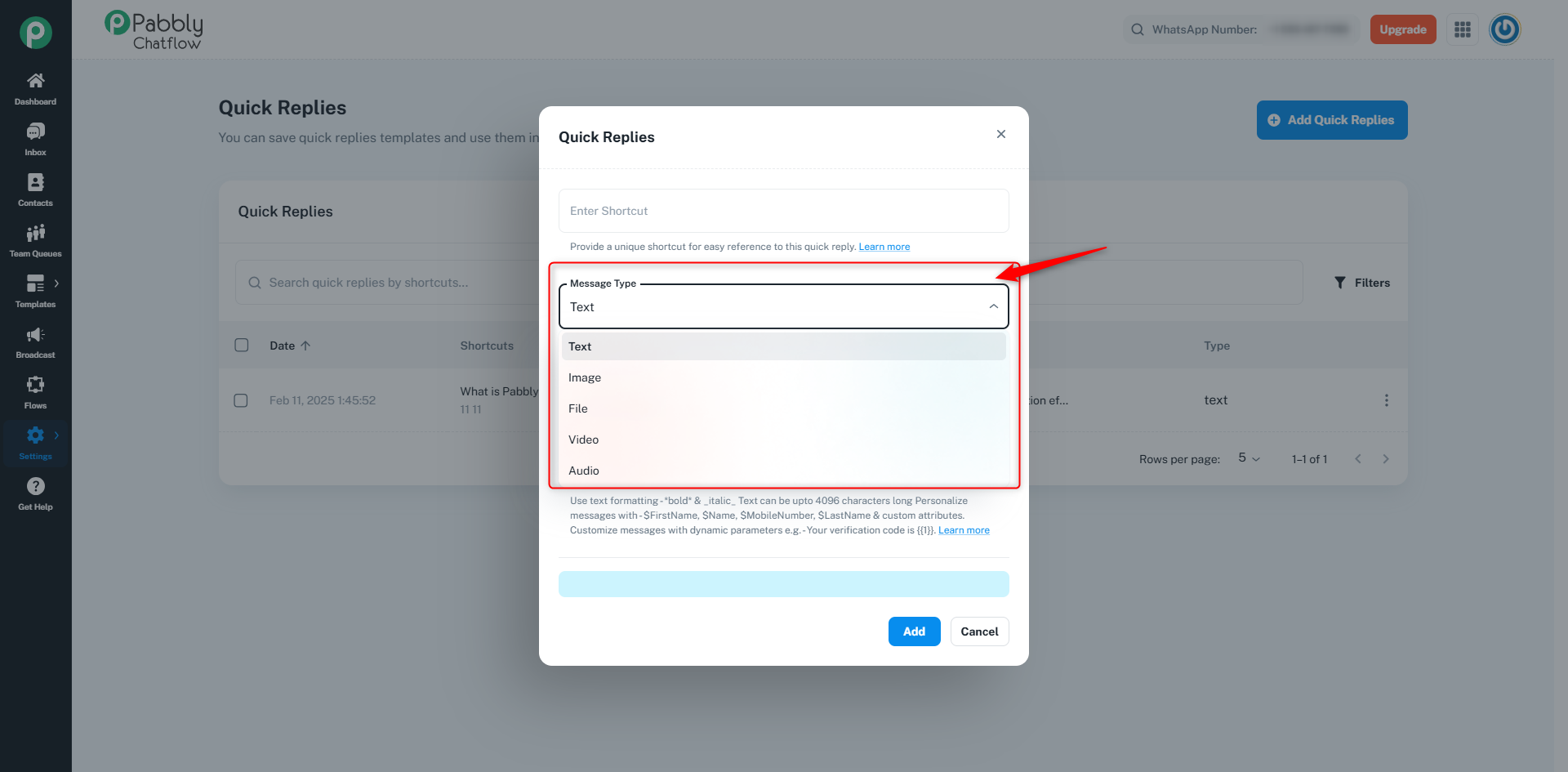
Assign a unique name to the Quick Reply for easy identification.
Choose between:
You can personalize text messages using dynamic parameters such as:
For example:
“Hello $FirstName, your verification code is {{1}}.”
Includes the descriptive message.
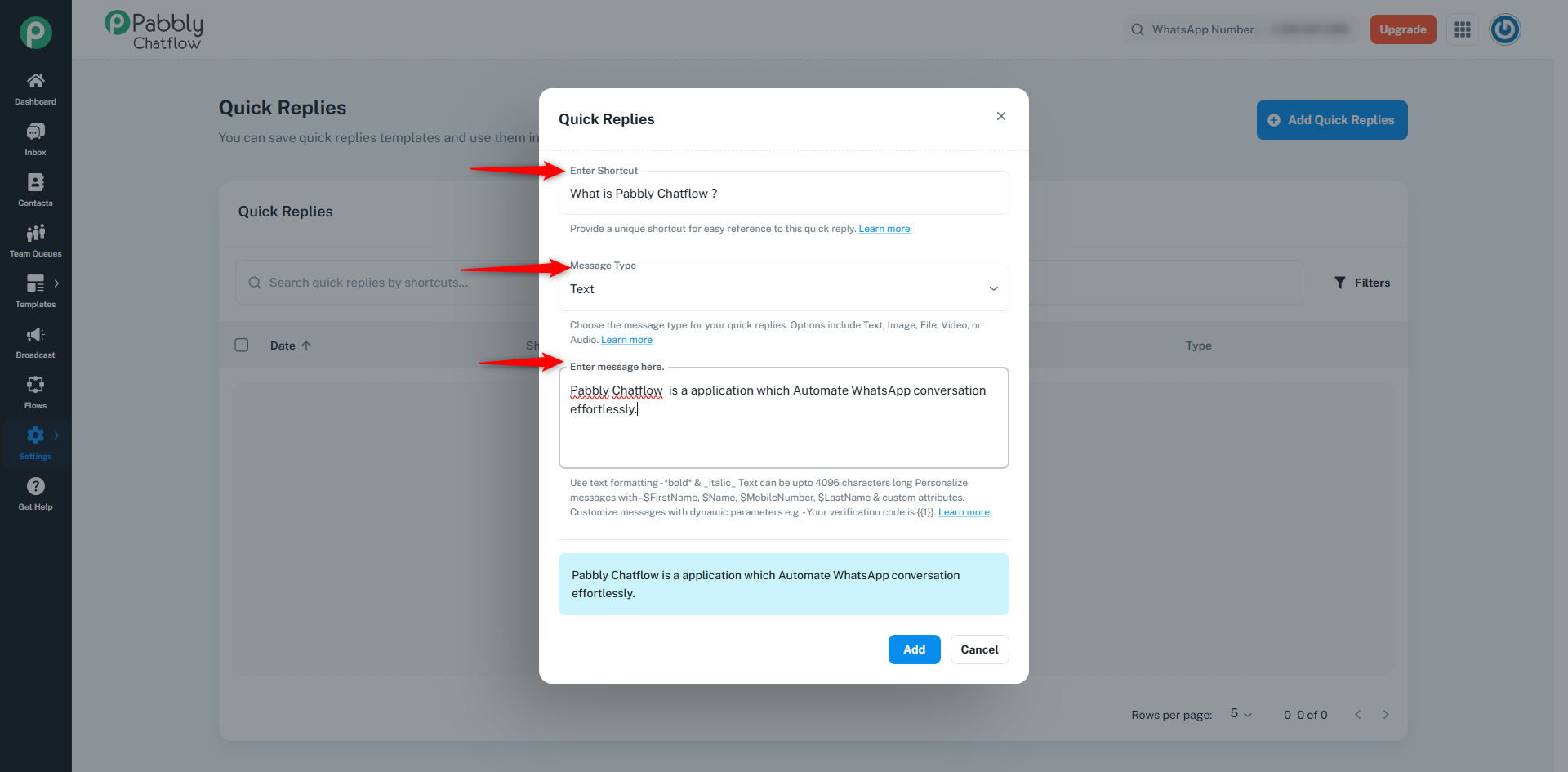
After entering the necessary details, click “Add” to save the Quick Reply. You can preview the message before submission to ensure accuracy.
Navigate to the Inbox section and open the chat where you want to use a Quick Reply.
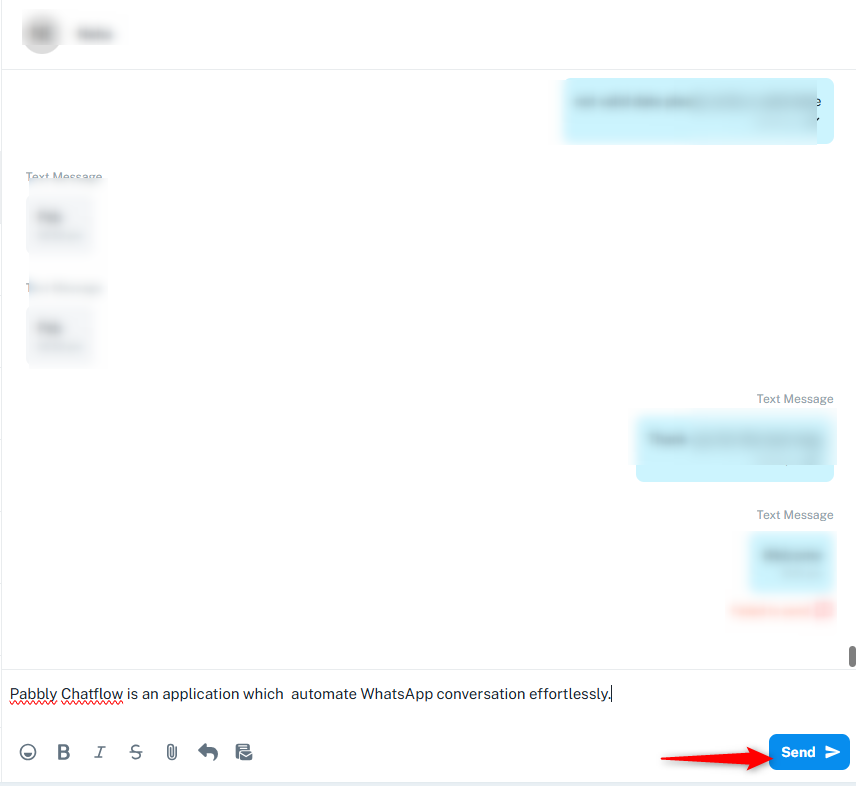
Press the Send button. The message will be delivered in the exact format as shown in the preview.
Quick Replies in Pabbly Chatflow enhance efficiency and consistency in customer interactions by allowing agents to send predefined responses instantly. With support for both text and multimedia, Quick Replies provides a flexible solution for managing repetitive queries effectively.
