Campaign
 Pabbly Email Marketing Team•Updated Oct 25, 2026•1 min read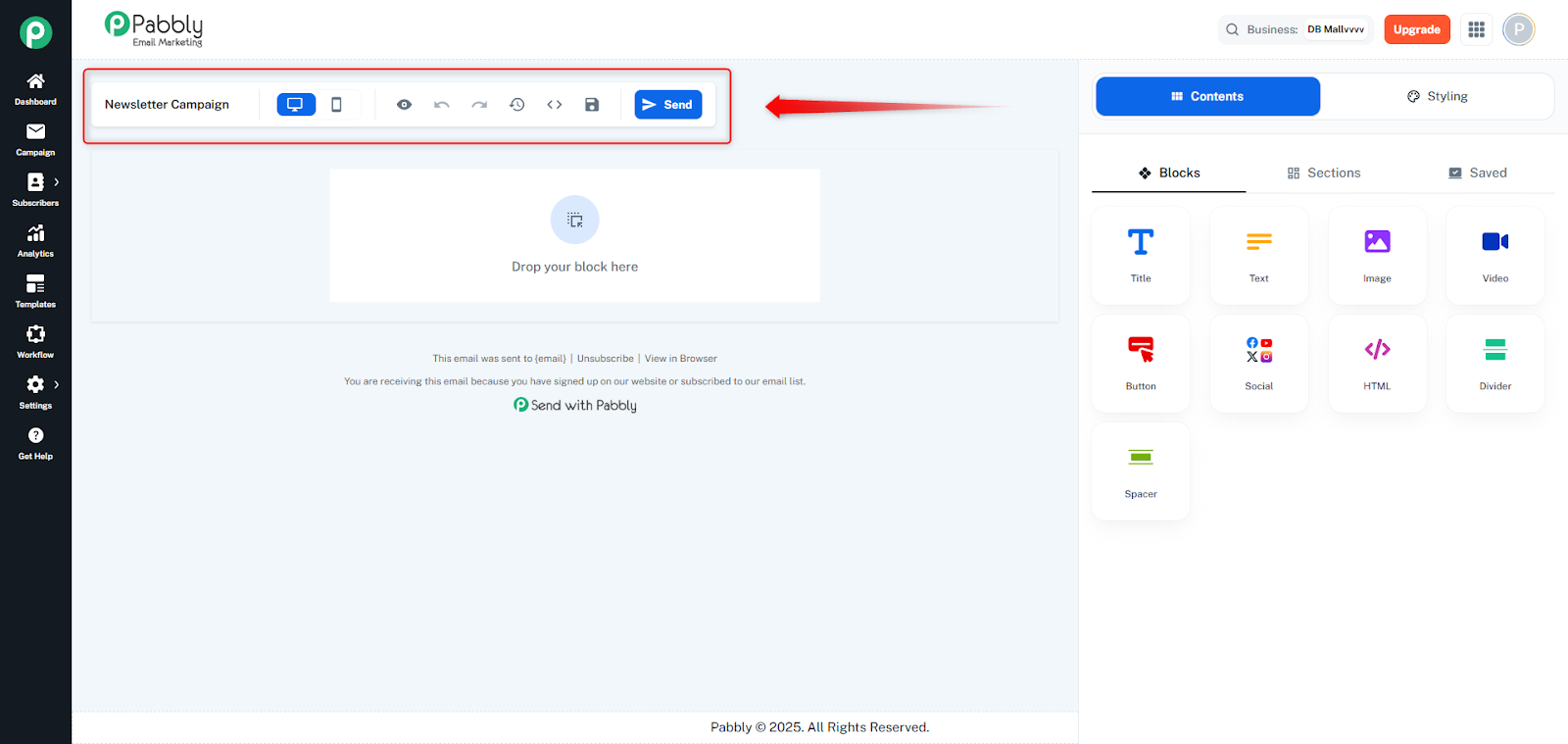
Top toolbar in all email builders with controls for managing and exporting emails.
Email Title: Editable field to name the email template or campaign
Preview Button: Opens email preview in a new tab
Preview Mode Toggle: Switch between desktop and mobile views (Drag & Drop builder)
Undo/Redo: Revert or reapply changes (Drag & Drop builder)
History: View email version history
HTML Export: Copy HTML to clipboard or download as HTML file
For templates: Saves directly
For campaigns: Opens popover with "Save Campaign" and "Save as New Template" options
Visible when editing a campaign; navigates to the send page after saving
Provides quick access to save, preview, export, and send actions, with different options based on whether you're editing a template or campaign.
