Campaign
 Pabbly Email Marketing Team•Updated Oct 24, 2026•1 min read
Two paths: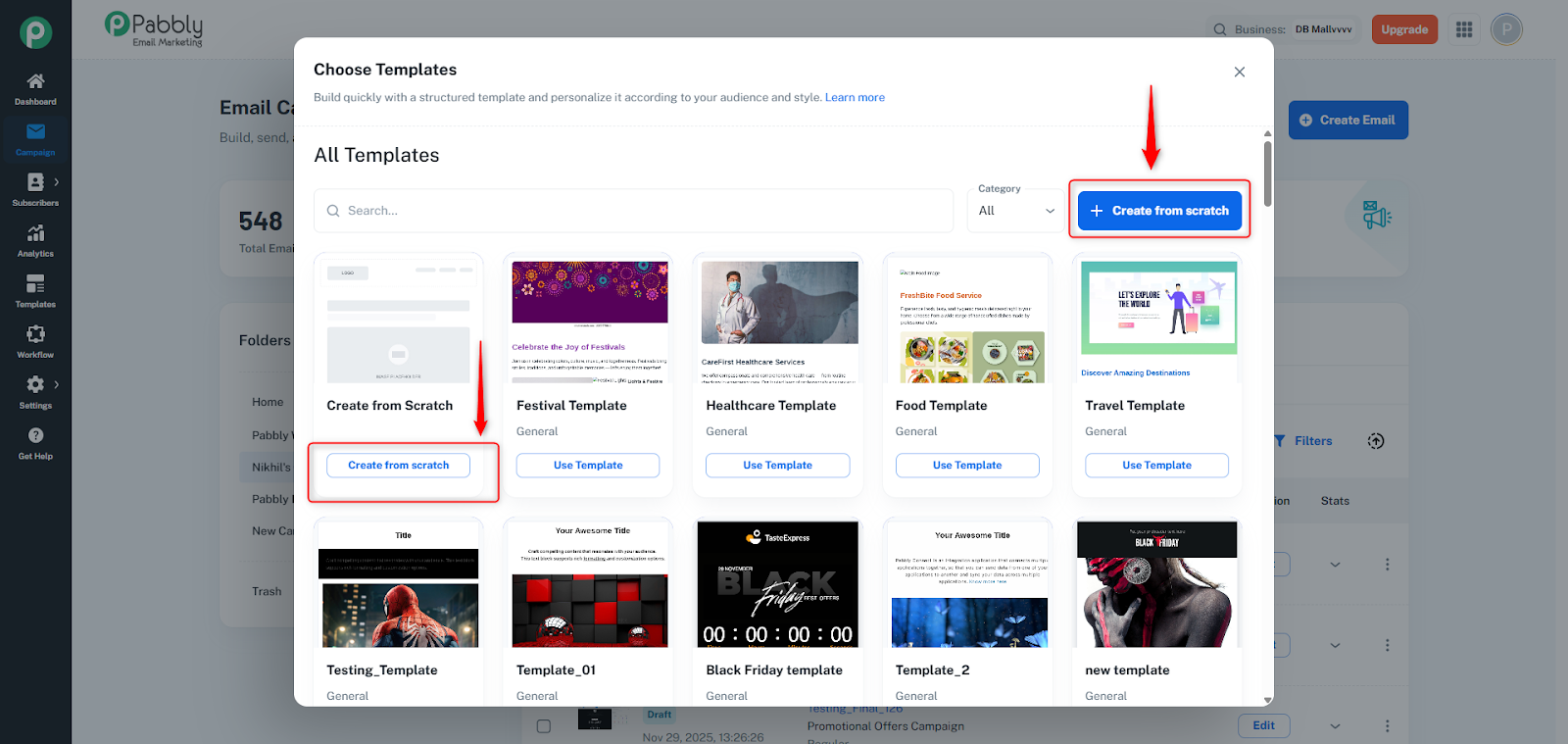
Search / filter by name or category
Template grid with thumbnails
Use Template → Creates campaign with cloned template
“Create from Scratch” card → Builder Selection
Choose between three builders:
Drag & Drop Builder — Visual drag-and-drop editor
Rich-Text Editor — Simple text-only
Custom HTML Editor — Full HTML/CSS code editor
Select → Creates campaign with a new blank template
No templates found
Loading failure
Template selection failure (returns to Create Email dialog)
Three Builders Selection Dialog: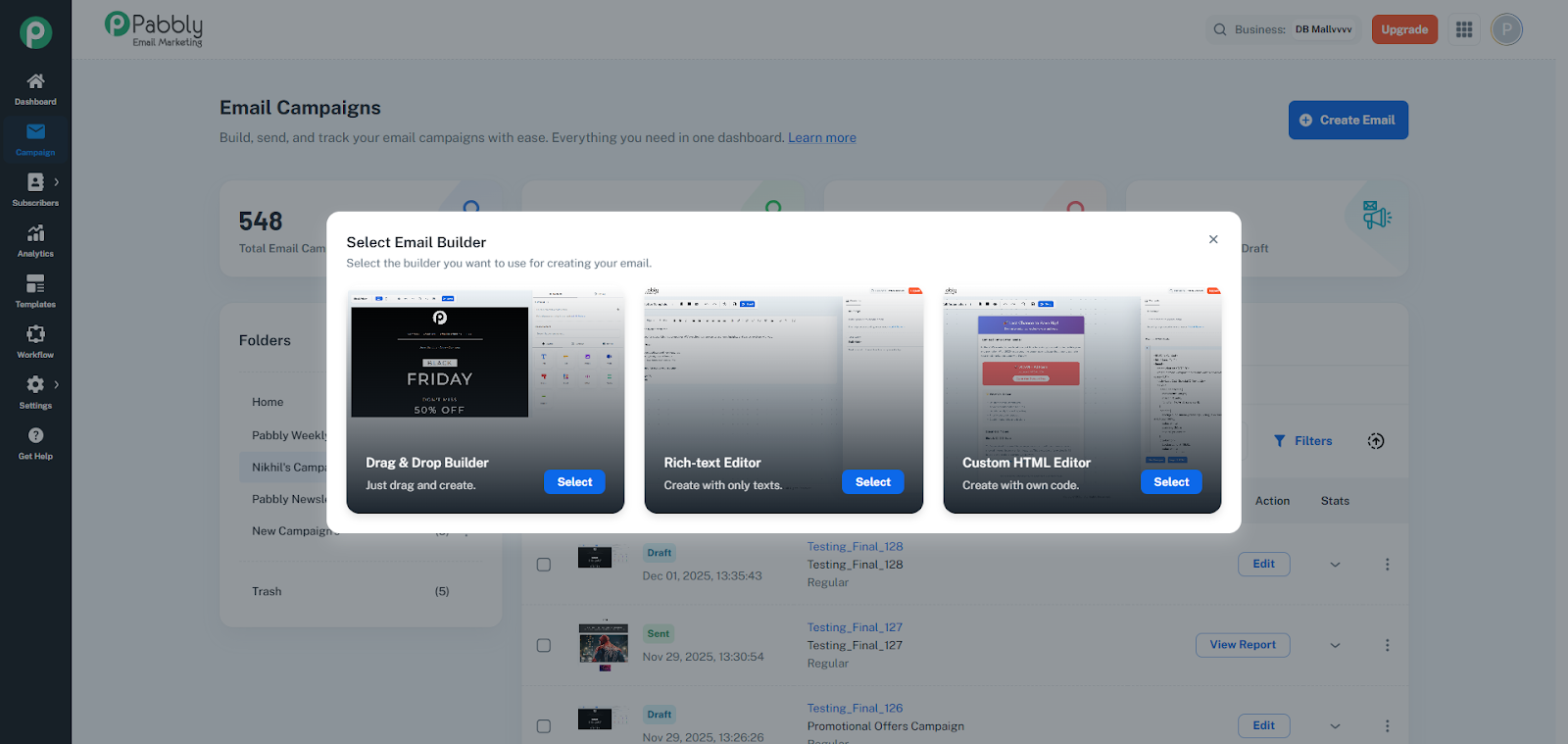
Modal dialog that appears when creating a new email campaign or template, allowing users to choose one of three email builders.
Description: "Just drag and create."
Navigates to: Email Builder page
Description: "Create with only texts."
Navigates to: Rich Text Editor page
Description: "Create with your own code."
Navigates to: HTML Email Builder page
Each card displays builder name and description at the bottom.
Clicking the card or "Select" button navigates to the chosen builder.
Provides a visual selection interface for choosing the email creation method based on user preference and technical skill level.
