Campaign
 Pabbly Email Marketing Team•Updated Oct 23, 2026•3 min read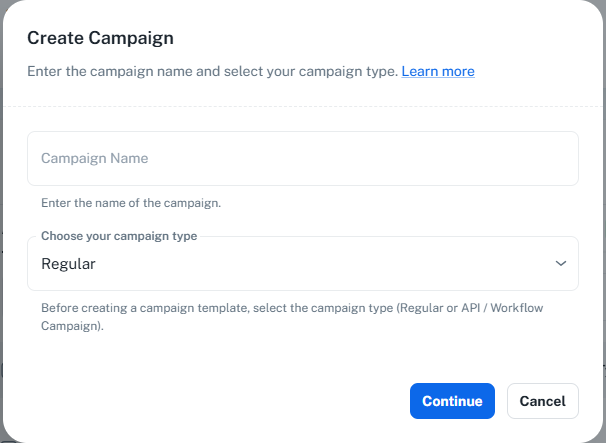
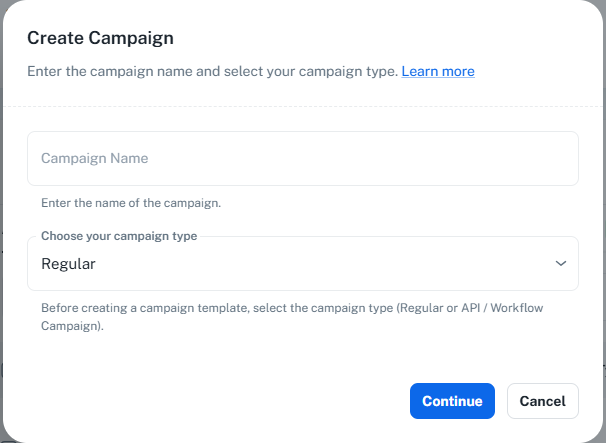
Determines campaign behavior:
“Regular” — Standard campaigns
“API / Workflow Campaign” — Automated workflows
Required to set correct processing rules.
Internal identifier used for organizing and finding campaigns. Must be unique.
Preview text shown next to subject in email clients. Recommended but optional.
Validates fields and proceeds to template selection.
Closes dialog and discards information.
When creating a campaign, the first thing you choose is the Campaign Type. This decides how your email is sent and who receives it. Pick the type before selecting your template — it cannot be changed later without recreating the campaign.
A standard one-time campaign that you send to an audience you choose.
How it works:
You control the sending — choose your recipients (subscriber lists, segments, or individual emails), select the delivery server and sender email, then send immediately or schedule it for a specific date and time.
Recipients are fixed at send time based on the lists or contacts you select.
Subject and Pre-header are added later, inside the email builder.
Works with any builder — Drag-&-Drop, HTML, or Rich-Text.
Runs once. After sending, the campaign moves to Sent and is complete.
Best for: Newsletters, announcements, promotions, and one-time email blasts to a known list.
Fields & Controls
Determines campaign behavior:
“Regular” — Standard campaigns
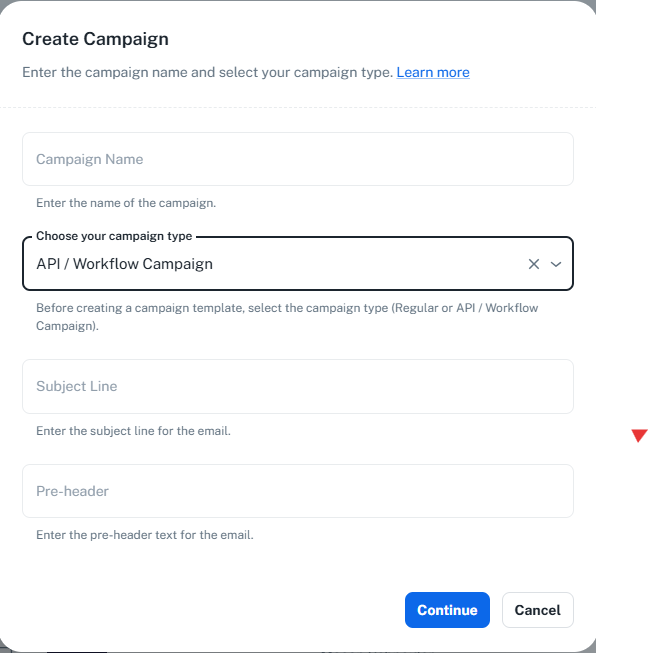
“API / Workflow Campaign” — Automated workflows
Required to set correct processing rules.
Internal identifier used for organizing and finding campaigns. Must be unique.
Closes dialog and discards information.
A reusable email that is sent automatically, triggered by an automation workflow or the public API — not sent manually by you.
How it works:
Triggered automatically — each time a workflow step runs (or an API call is made), the email is sent to the contact in that trigger. One trigger sends one email.
No fixed recipient list — recipients are decided for each trigger by the workflow or API, not chosen on the campaign itself.
Delivery server and sender email come from the workflow — each automation step provides its own delivery server and sender email.
Subject and Pre-header are required here in the create dialog (these fields appear when you select this type), since there is no manual send step to enter them later.
Built with HTML / Rich-Text.
Stays Live and keeps sending every time the workflow or API triggers it.
Best for: Automated, transactional, and event-driven emails such as welcome series, drip steps, and order or confirmation messages.
Determines campaign behavior:
“Regular” — Standard campaigns
“API / Workflow Campaign” — Automated workflows
Required to set correct processing rules.
Internal identifier used for organizing and finding campaigns. Must be unique.
Visible in the recipient’s inbox
Supports merge variables:{{first_name}}, {{last_name}}, {{company_name}}, {{mobile}}, {{email}}
Emoji picker
AI suggestions
Required because the subject affects open rates.
Preview text shown next to subject in email clients. Recommended but optional.
Closes dialog and discards information.
Regular | API / Workflow Campaign | |
|---|---|---|
How it's sent | You send or schedule it manually | Sent automatically by a workflow step or API call |
Recipients | Lists / segments / emails you choose | Decided per trigger by the workflow or API |
Delivery server & sender | You set them at send time | Pulled from each workflow step |
Subject & Pre-header | Entered later in the builder | Required in the create dialog |
Runs | Once, then marked Sent | Repeatedly; stays Live |
Use it for | Newsletters, promotions, blasts | Automated / triggered emails |