Subscribers
 Pabbly Email Marketing Team•Updated Oct 24, 2026•3 min read
Lead Scoring in Pabbly Email Marketing helps you measure and evaluate subscriber engagement based on their actions, such as opening emails, clicking links, bouncing emails, or unsubscribing.
Each subscriber is automatically assigned a lead score, which increases or decreases based on predefined rules. This allows you to:
Identify highly engaged subscribers
Filter cold or inactive leads
Prioritize hot leads for campaigns
Improve targeting and conversion rates
Lead scoring is a system that assigns numerical values (points) to subscribers based on their behavior.
Positive actions → Score increases
Negative actions → Score decreases
The higher the score, the more engaged the subscriber is.
Log in to Pabbly Email Marketing
Go to Subscribers from the left sidebar
Click on the Lead Score tab
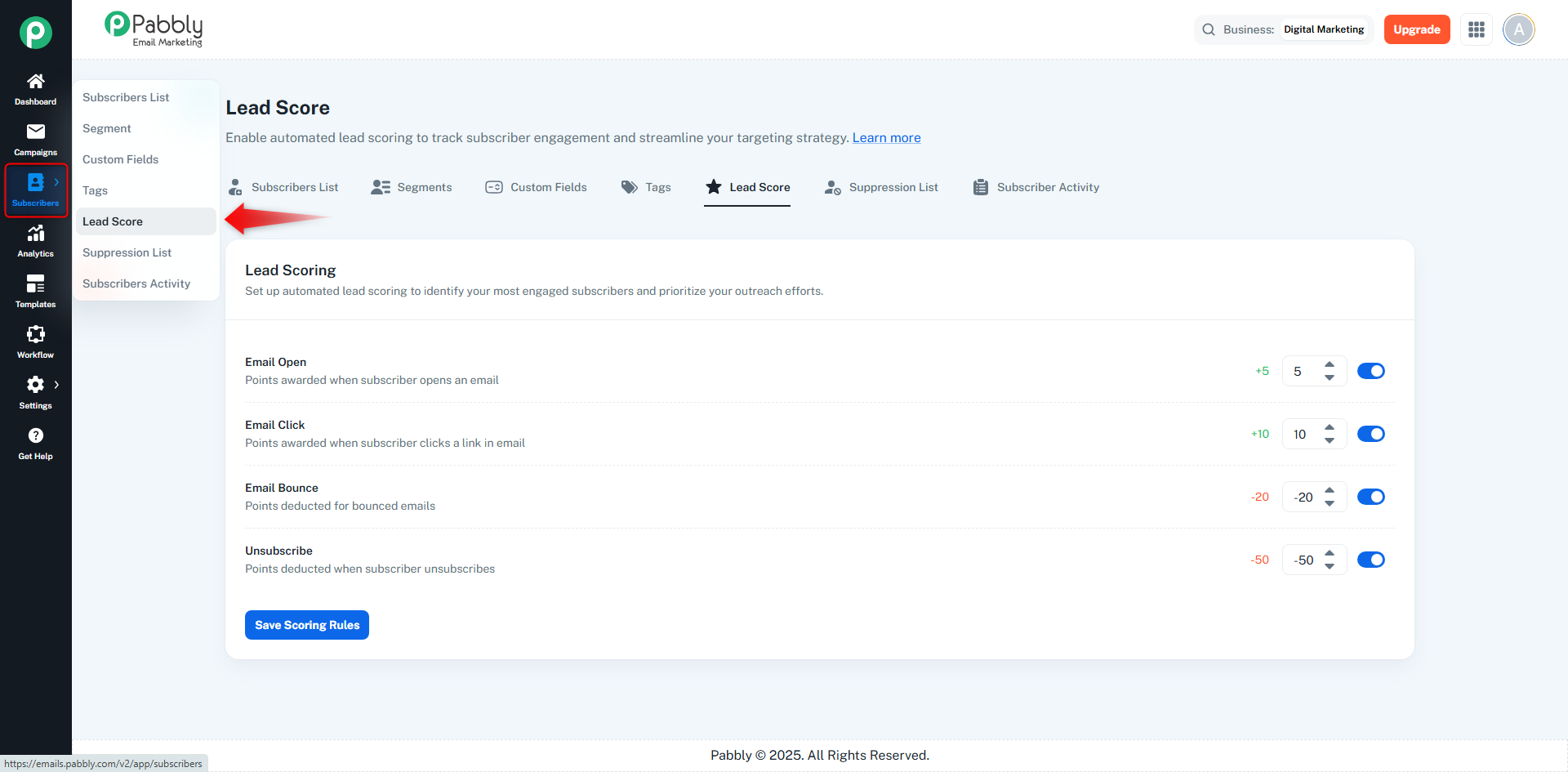
You can define how many points should be added or deducted for specific subscriber actions.
Action | Description | Score Impact |
|---|---|---|
Email Open | Subscriber opens an email | Positive (+) |
Email Click | Subscriber clicks a link in an email | Positive (+) |
Email Bounce | Email delivery fails | Negative (–) |
Unsubscribe | Subscriber unsubscribes | Negative (–) |
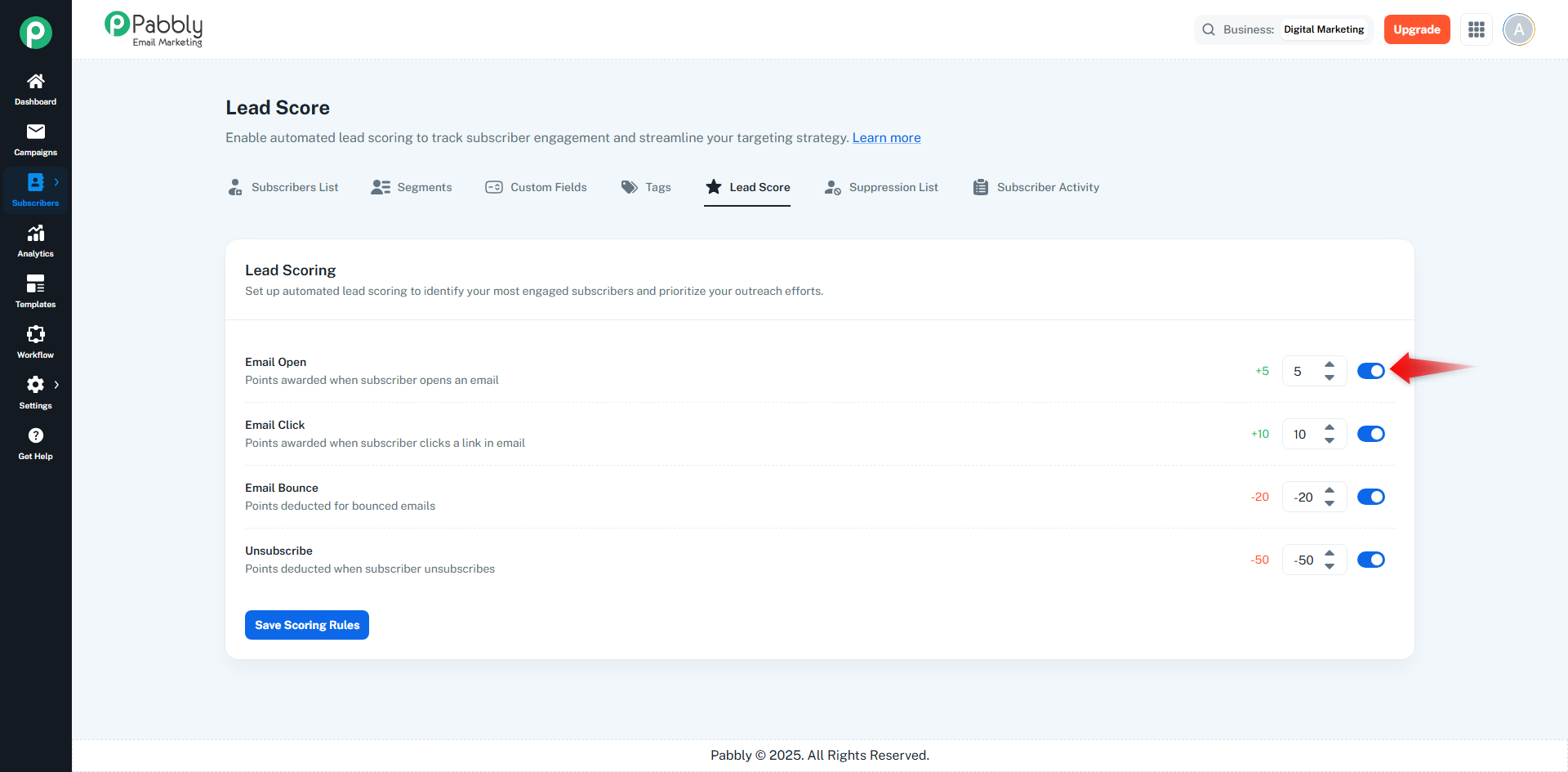
Navigate to Subscribers → Lead Score
Make sure the toggle switch for each action is enabled
For each action, set the score value using the number input:
Email Open → e.g. +5
Email Click → e.g. +10
Email Bounce → e.g. -20
Unsubscribe → e.g. -50
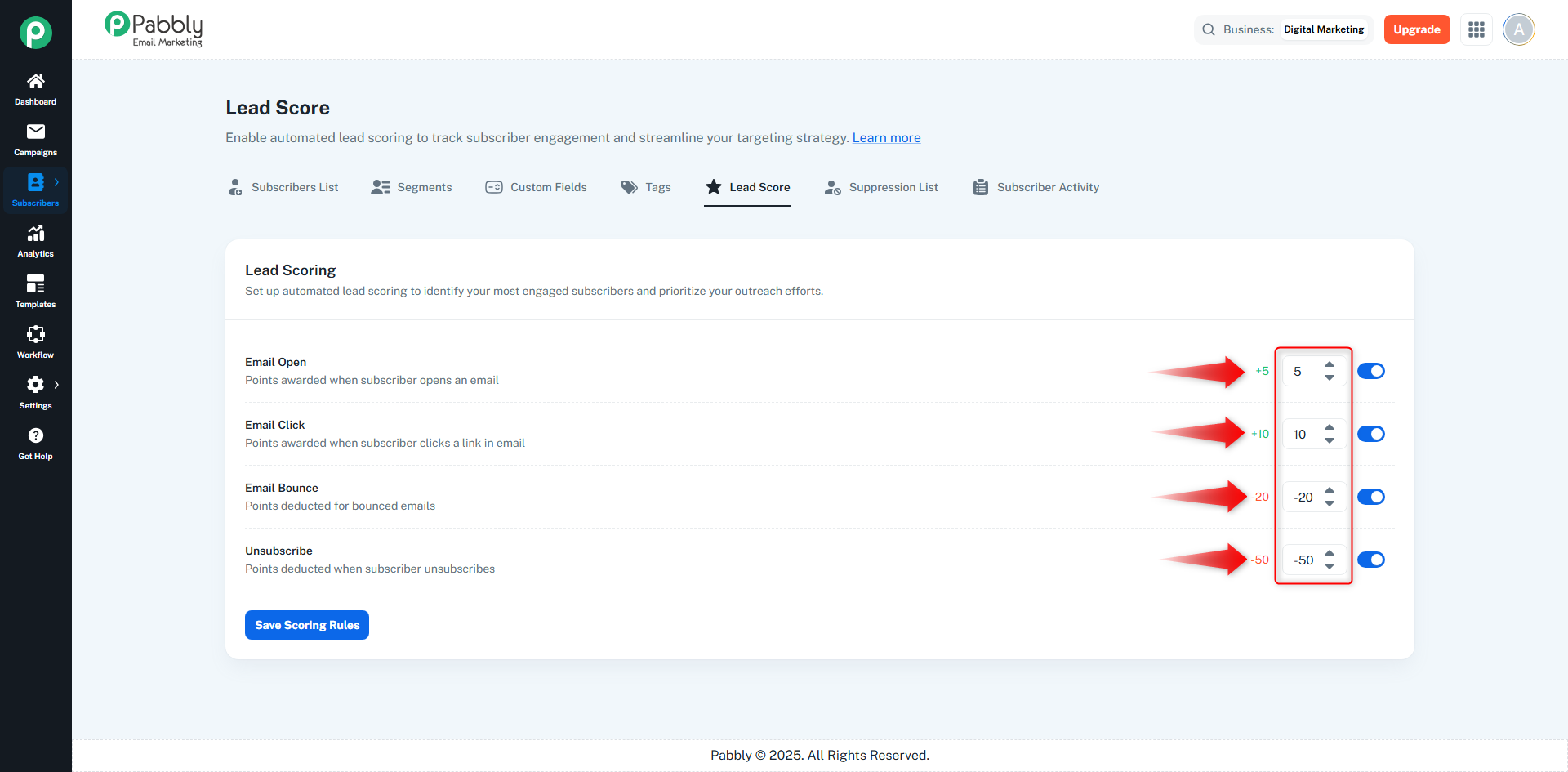
Tip: Clicks usually indicate stronger intent than opens, so assign higher points to clicks.
After setting values, click Save Scoring Rules
The system will now start calculating lead scores automatically
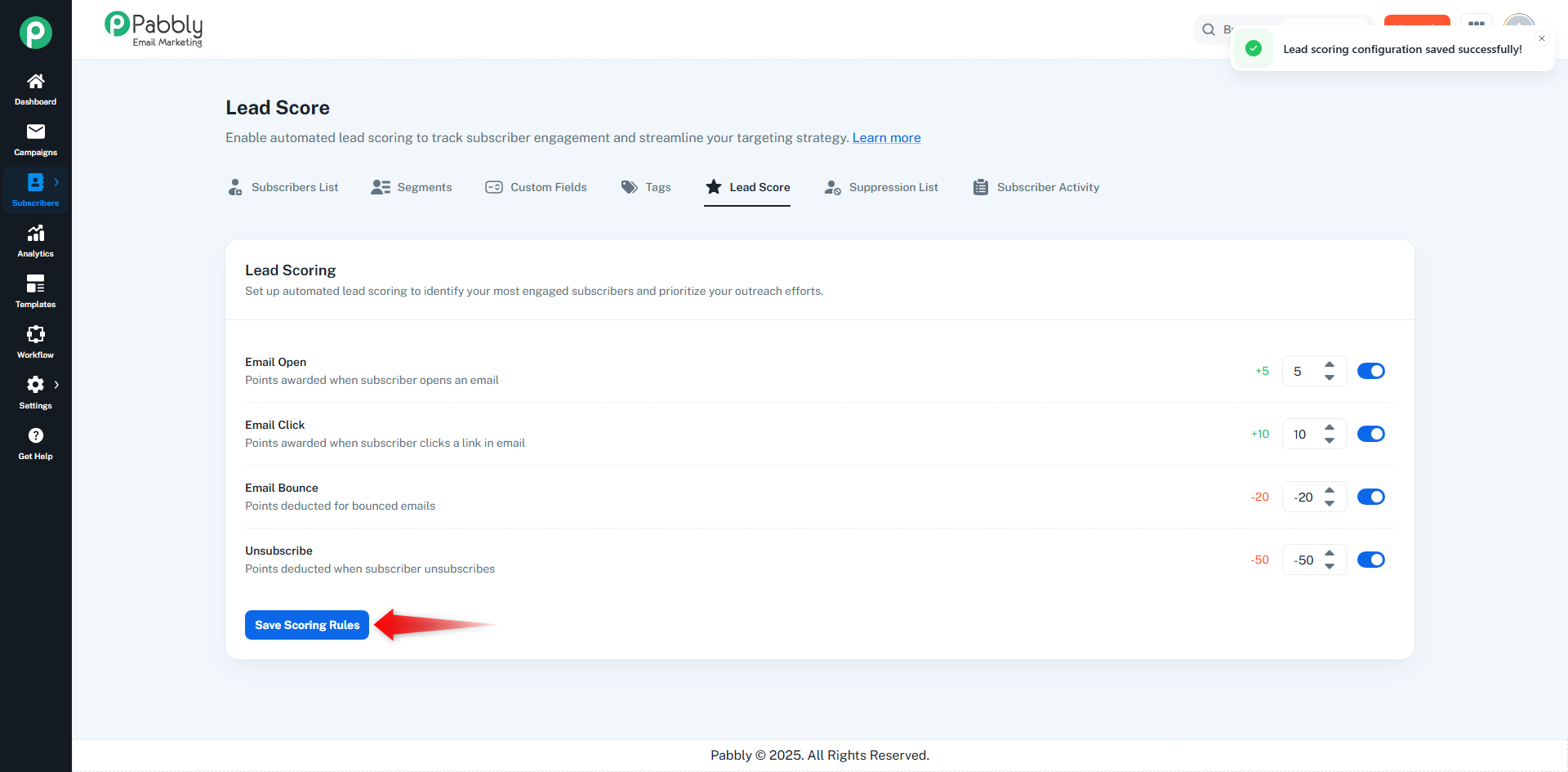
Lead scores are updated automatically when an event occurs
Scores are calculated per subscriber
Scores can increase, decrease, or remain unchanged
There is no manual intervention required once rules are set
Go to Subscribers → Subscribers List
View the Lead Score column
Each subscriber shows:
Numerical score
Visual progress indicator
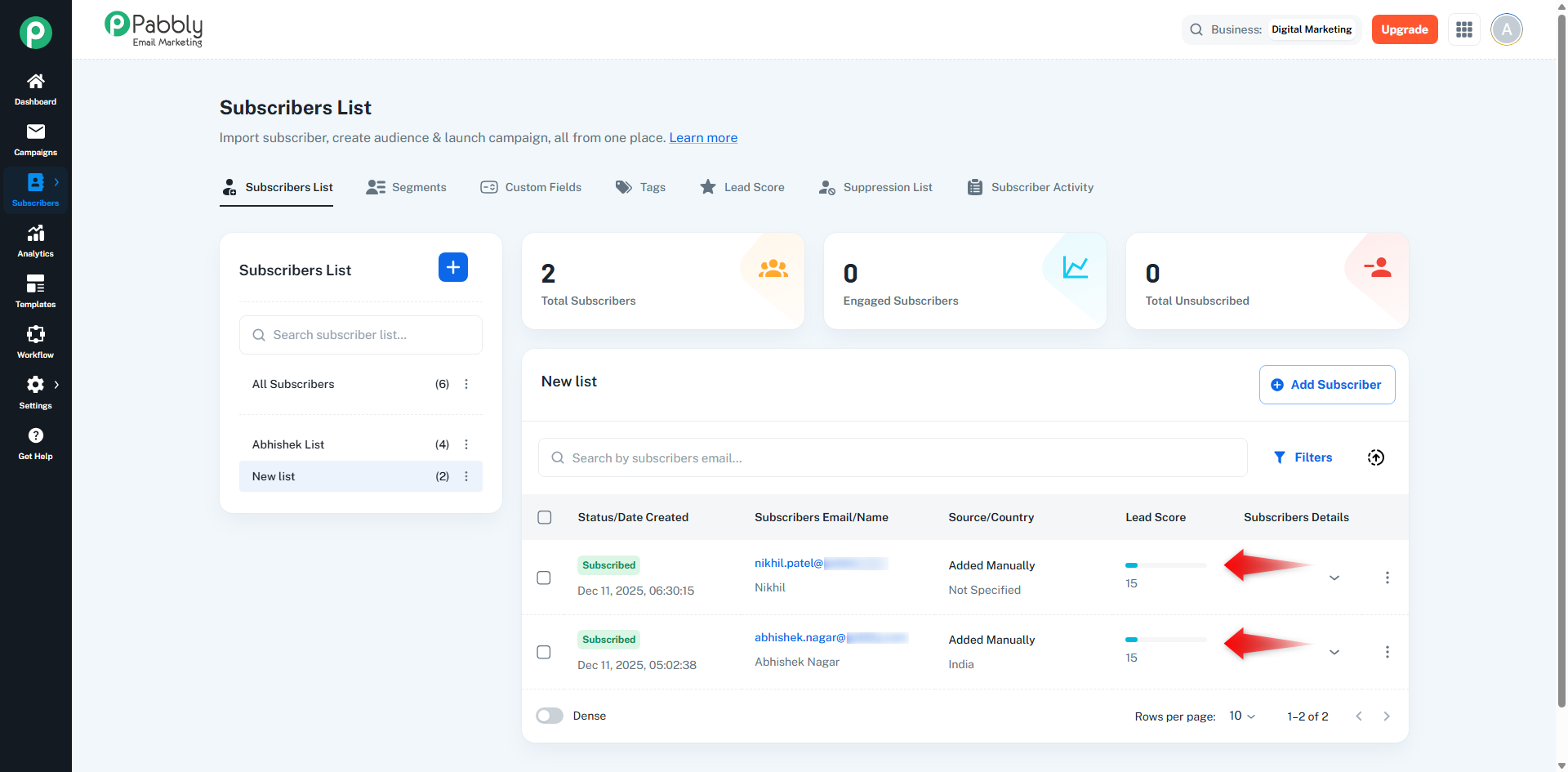
You can categorize subscribers based on their score range:
Lead Score Range | Subscriber Type |
|---|---|
0 – 5 | Cold / New Subscriber |
6 – 15 | Moderately Engaged |
16 – 30 | Highly Engaged |
30+ | Hot Lead / Ready to Convert |
These ranges are flexible and depend on your campaign strategy.
Send exclusive offers to high-score subscribers
Re-engage low-score subscribers
Create segments based on lead score
Suppress inactive or disengaged leads
Improve email deliverability and ROI (Return on Investment)
Subscriber opens an email → +5 points
Clicks a link → +10 points
Total lead score = 15
Subscriber is now considered highly engaged
If the same subscriber later unsubscribes:
-50 points
Final score becomes negative, indicating disengagement
Keep scoring rules simple and logical
Review scores periodically
Use lead score with segments and campaigns
Assign higher weight to clicks vs opens
Deduct heavily for unsubscribes and bounces
✔ Automatically identifies engaged subscribers
✔ Improves targeting accuracy
✔ Saves manual effort
✔ Boosts campaign performance
✔ Helps sales and marketing alignment
Lead Scoring in Pabbly Email Marketing is a powerful feature that helps you track subscriber behavior, measure engagement, and make data-driven marketing decisions. By setting clear scoring rules, you can easily judge which subscribers are worth focusing on and which need re-engagement.
