Credits & Plans
 Pabbly Studio Team•Updated Oct 1, 2026•2 min read
Pabbly Studio uses AI credits to build and update your apps. Every message you send uses some credits, whether you are creating something new, making changes to your app, or asking questions in Plan mode.
Small tasks use fewer credits, while bigger tasks use more credits. New accounts receive free AI credits so you can start building your first app right away.
Credits are separate from your plan. Your plan decides how many apps you can have active. Your credits decide how much building you can do.
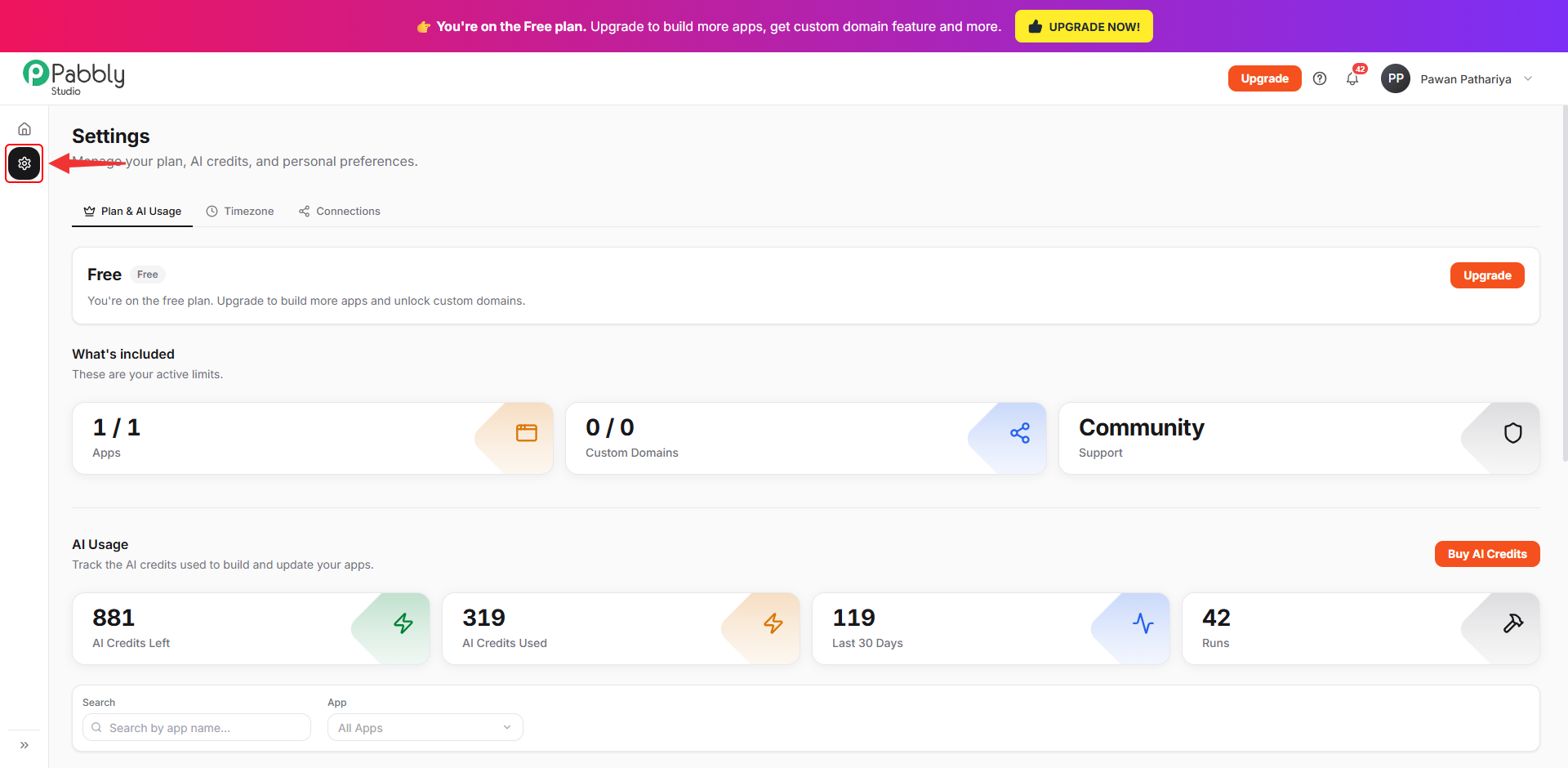
1. Open Settings. Click the Settings (gear) icon in the left sidebar of Pabbly Studio.
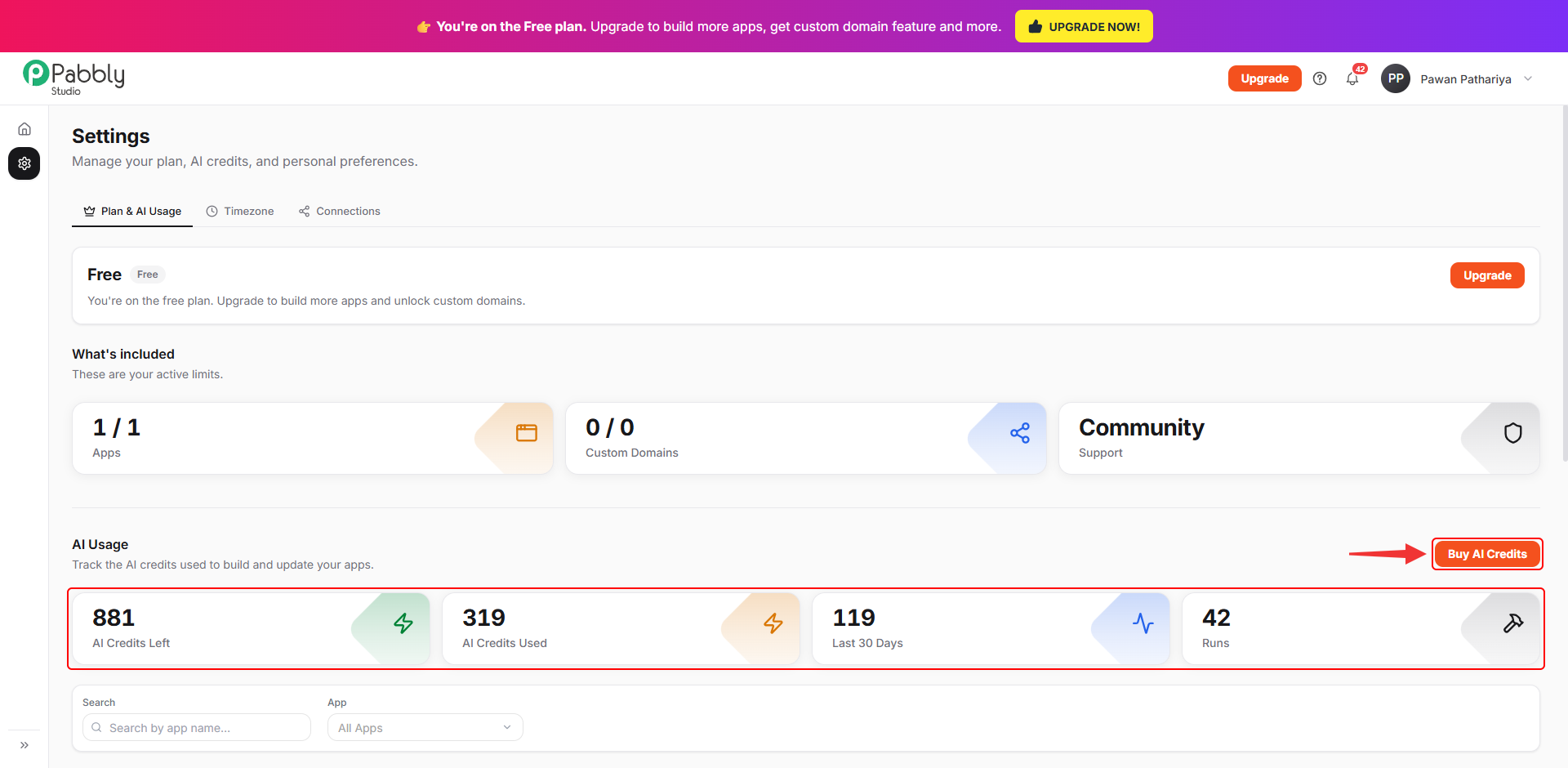
2. See your credit balance. Settings opens on the Plan & AI Usage tab. Under AI Usage, you can see:
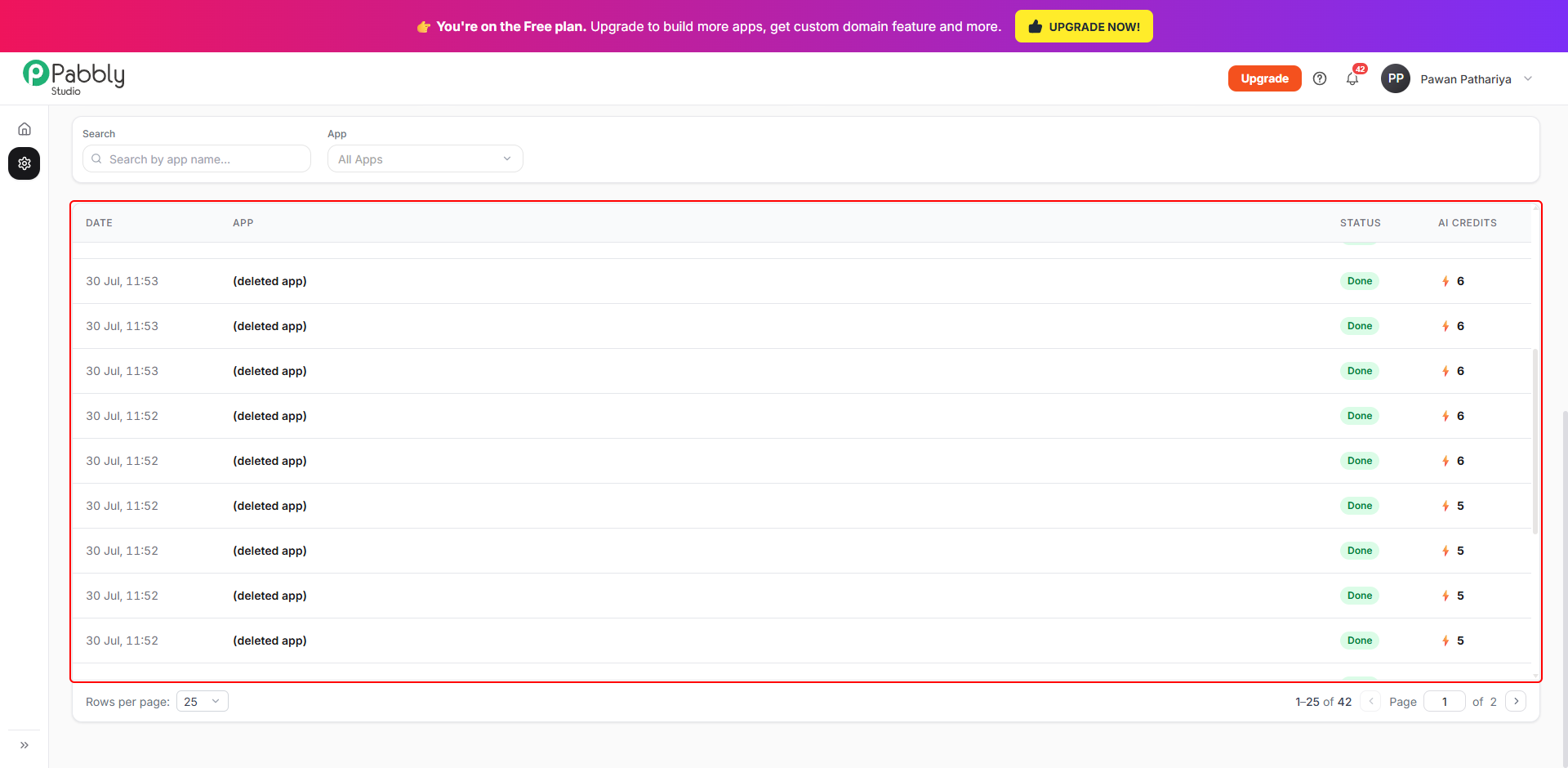
3. See what each message used. Below the cards, a table lists every run with its date, the app, its status and the AI credits it used. Use Search or pick an app to see the runs for just that app.
You can also see credits in two other places:
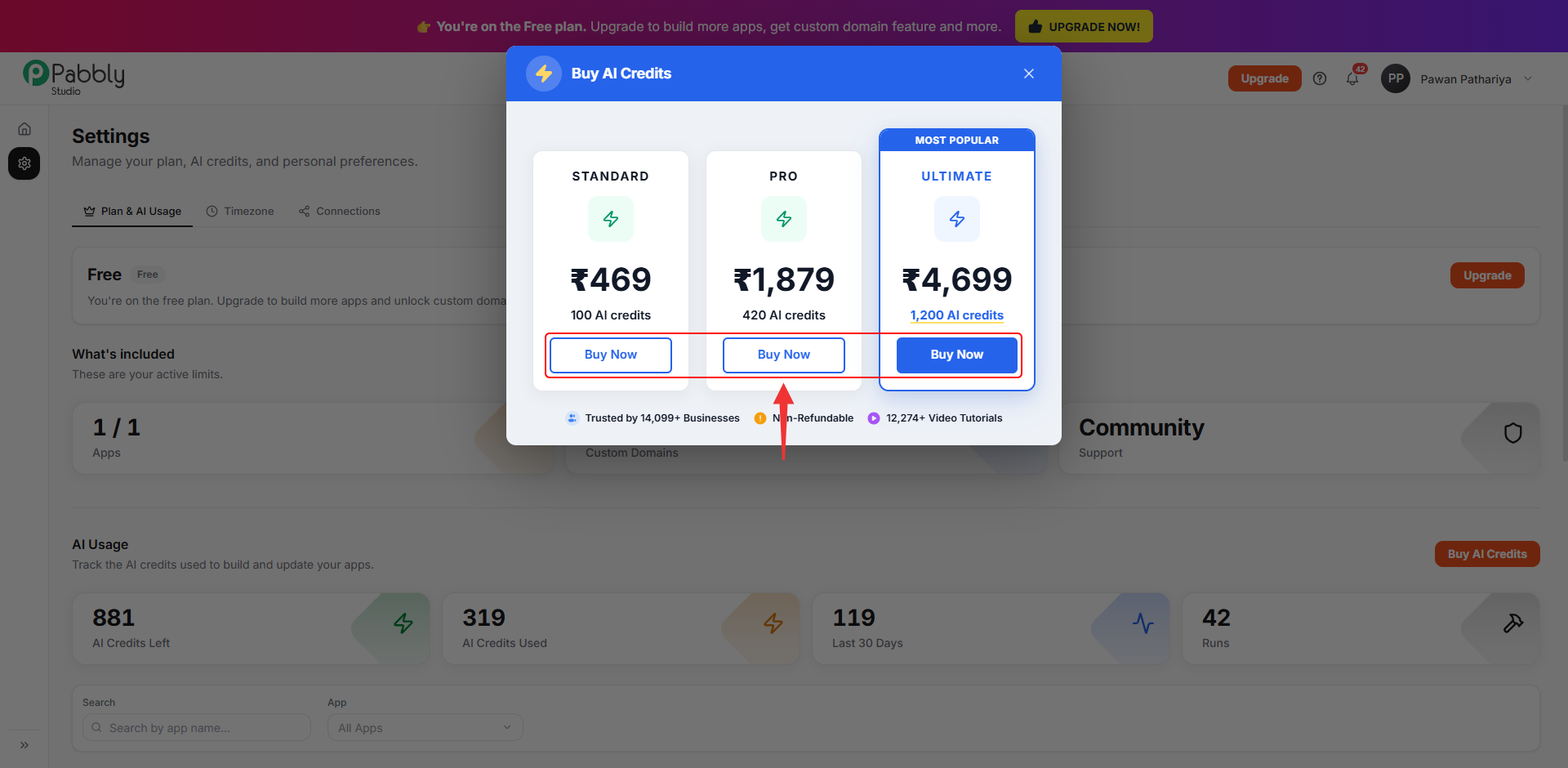
1. Click Buy AI Credits. In Settings › Plan & AI Usage, click Buy AI Credits.
2. Choose a credit pack. Pick the pack that suits you, click Buy Now and complete the payment. The credits are added to your balance as soon as the payment goes through. Prices are shown in your local currency.
Things to know about credits
This is how AI credits work in Pabbly Studio. If you still have any questions, feel free to reach out to us.
