Publishing & Domains
 Pabbly Studio Team•Updated Oct 1, 2026•3 min read
Every Pabbly Studio app has its own link ending in .pabbly.app. You can also put your app on a web address you own, such as app.yourcompany.com. This is called a custom domain.
Custom domains are available on the Standard and Unlimited plans. You also need access to your domain's DNS settings. DNS settings are the place where you manage your domain's records, usually in the account where you bought the domain or where its DNS is managed (for example GoDaddy, Hostinger, Namecheap or Cloudflare).
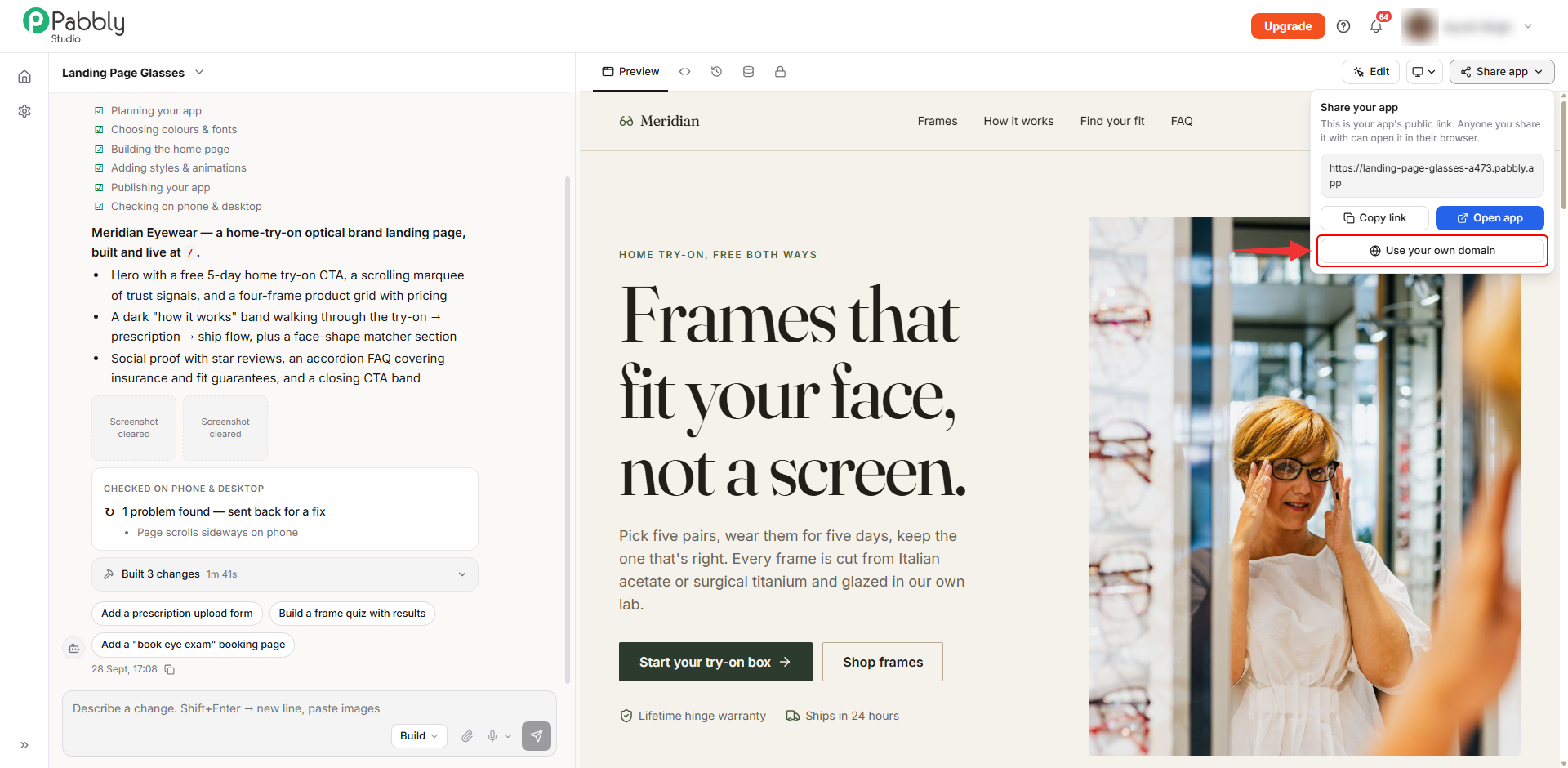
1. Open Use your own domain. Open your app in the builder and click Share app at the top right. Then click Use your own domain.
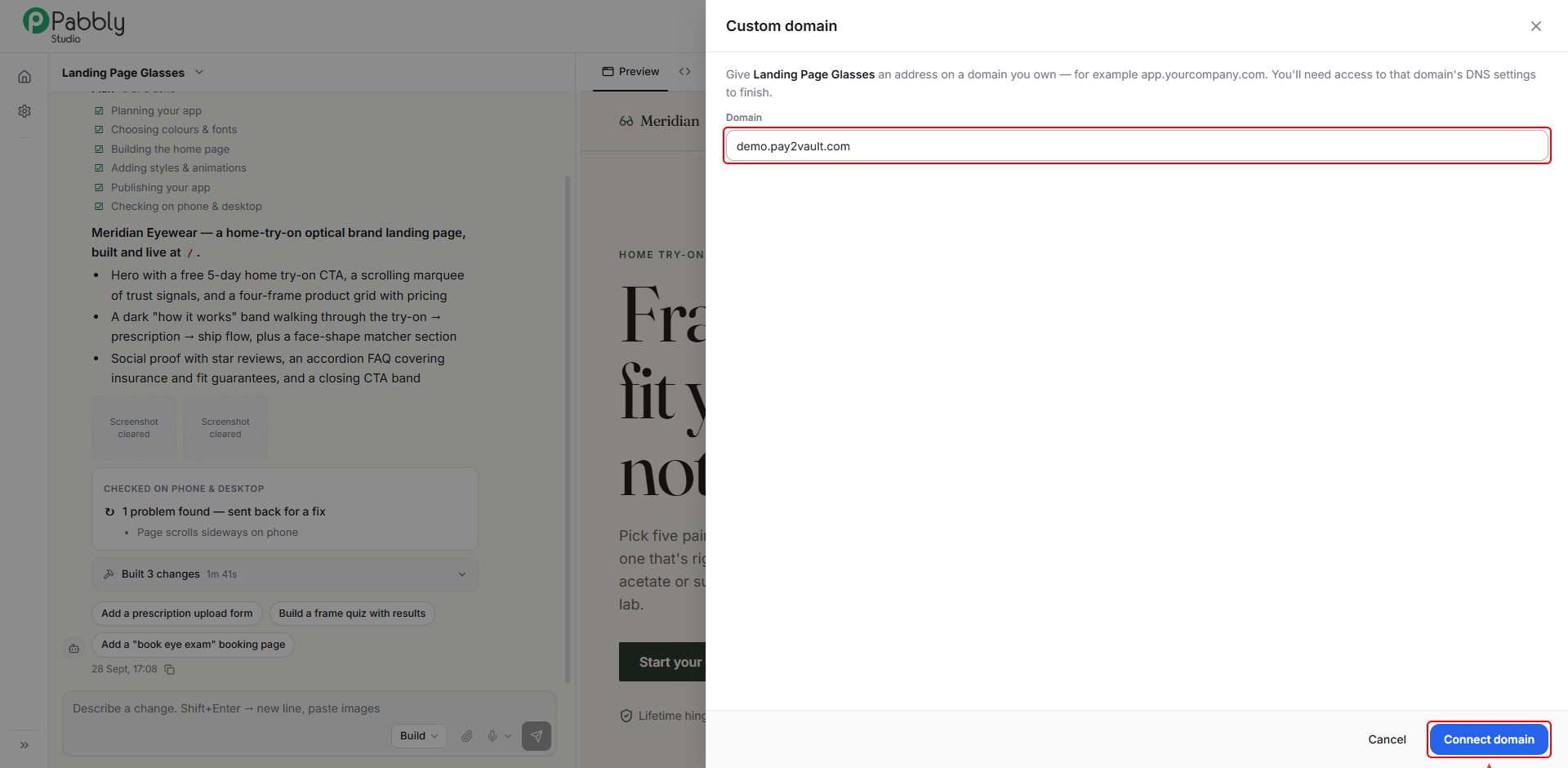
2. Enter your domain. In the Domain box, type the address you want to use, for example app.yourcompany.com. Then click Connect domain.
3. Copy the two DNS records. Pabbly Studio now shows two records that you need to add to your domain:
Keep this window open. You will come back to click Verify after adding the records.
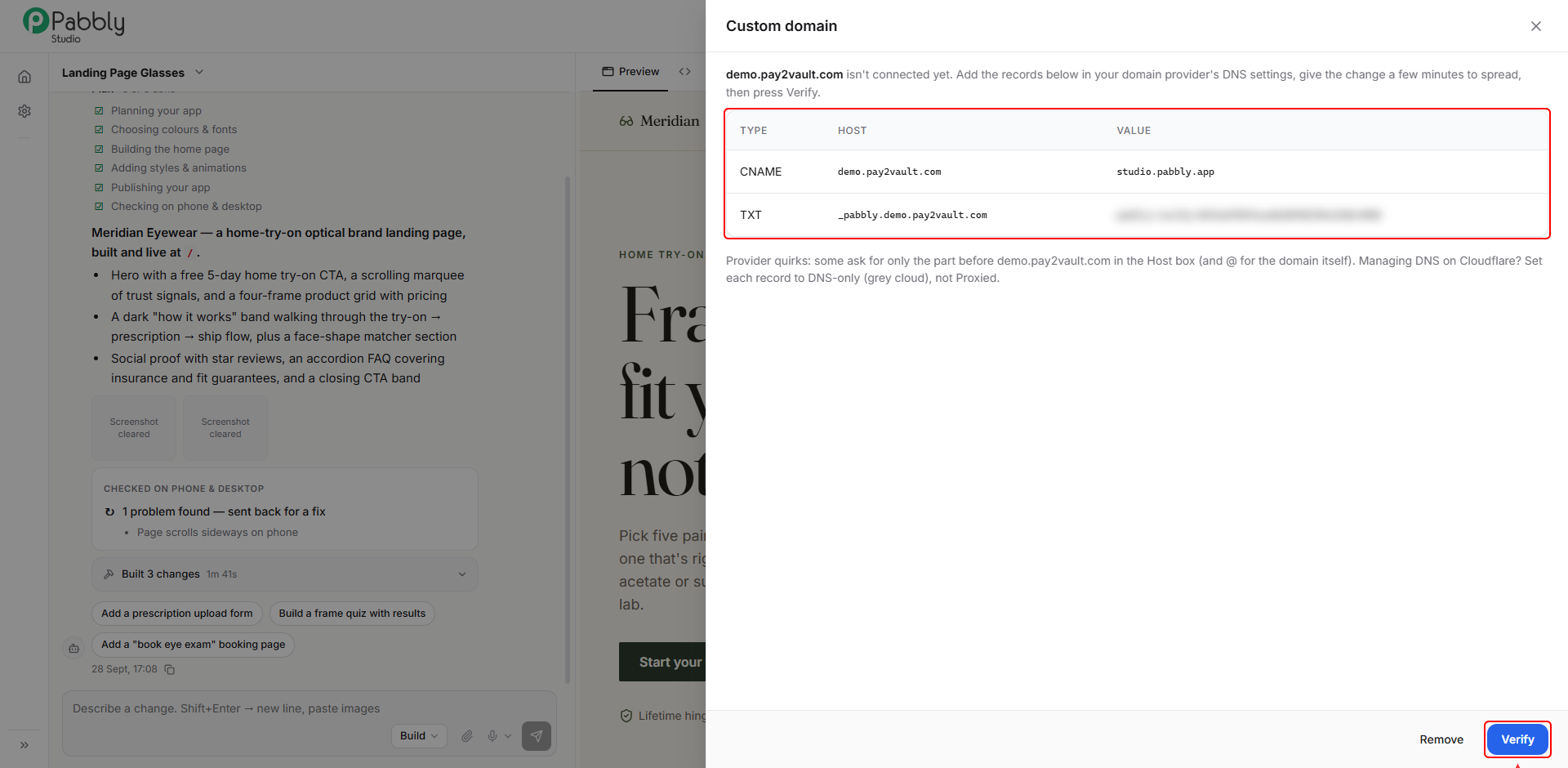
4. Add the CNAME record at your DNS provider. Log in to the account where your domain's DNS is managed and add a new CNAME record:
If your DNS is managed on Cloudflare, set Proxy status to DNS only (grey cloud), not Proxied. Otherwise the domain will not verify.

5. Add the TXT record. Add a new TXT record:
Some providers ask for only the part before your domain in the Name / Host box, as shown above. Others ask for the full name, such as _pabbly.app.yourcompany.com. Use whichever your provider asks for.

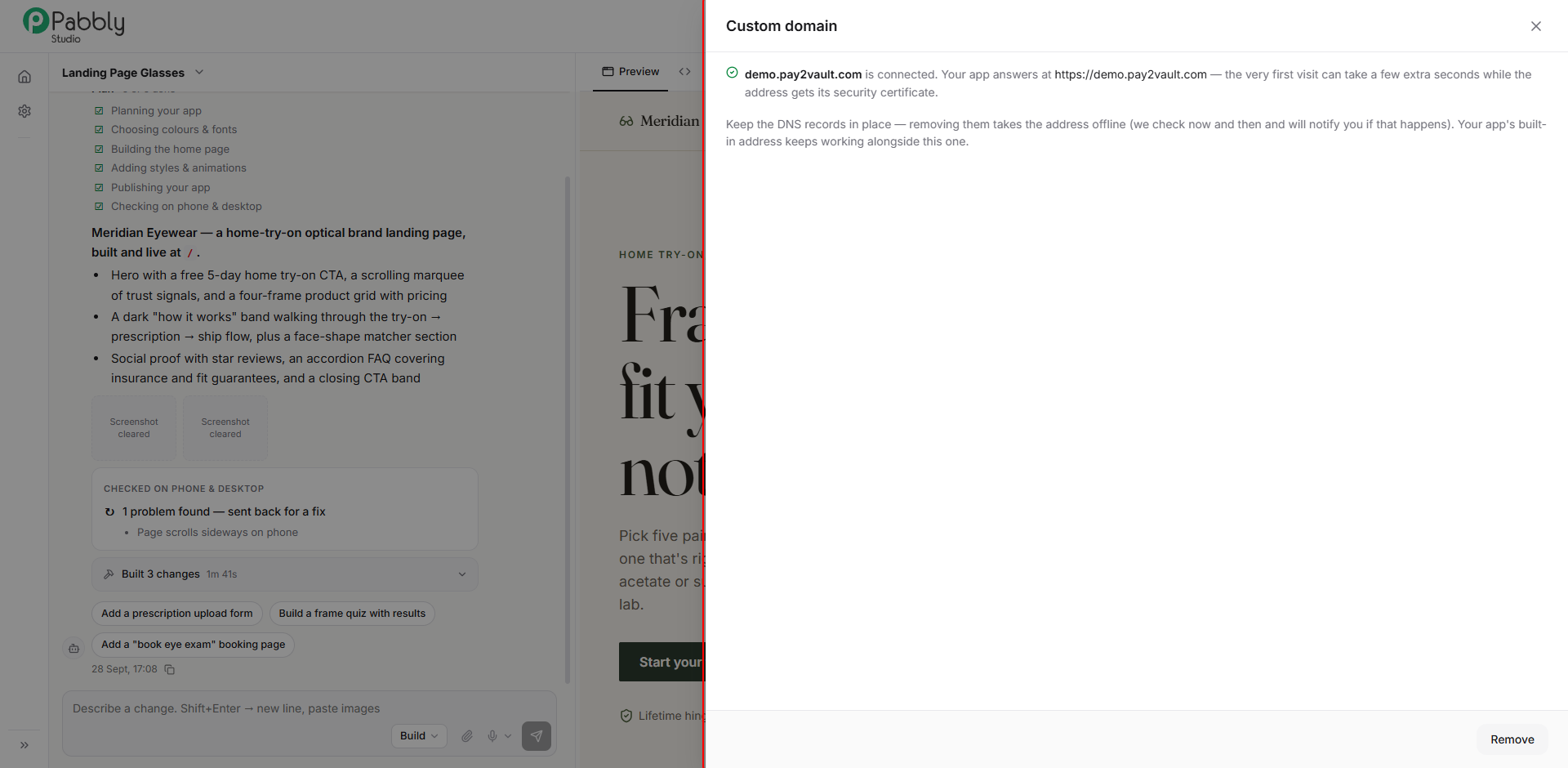
6. Verify the domain. Wait a few minutes for the new records to spread across the internet. Then go back to Pabbly Studio and click Verify.
When the records are found, you will see a message that your domain is connected, along with the address your app now answers at.
The first visit to your domain can take a few extra seconds while the secure (https) certificate is set up. This happens automatically.
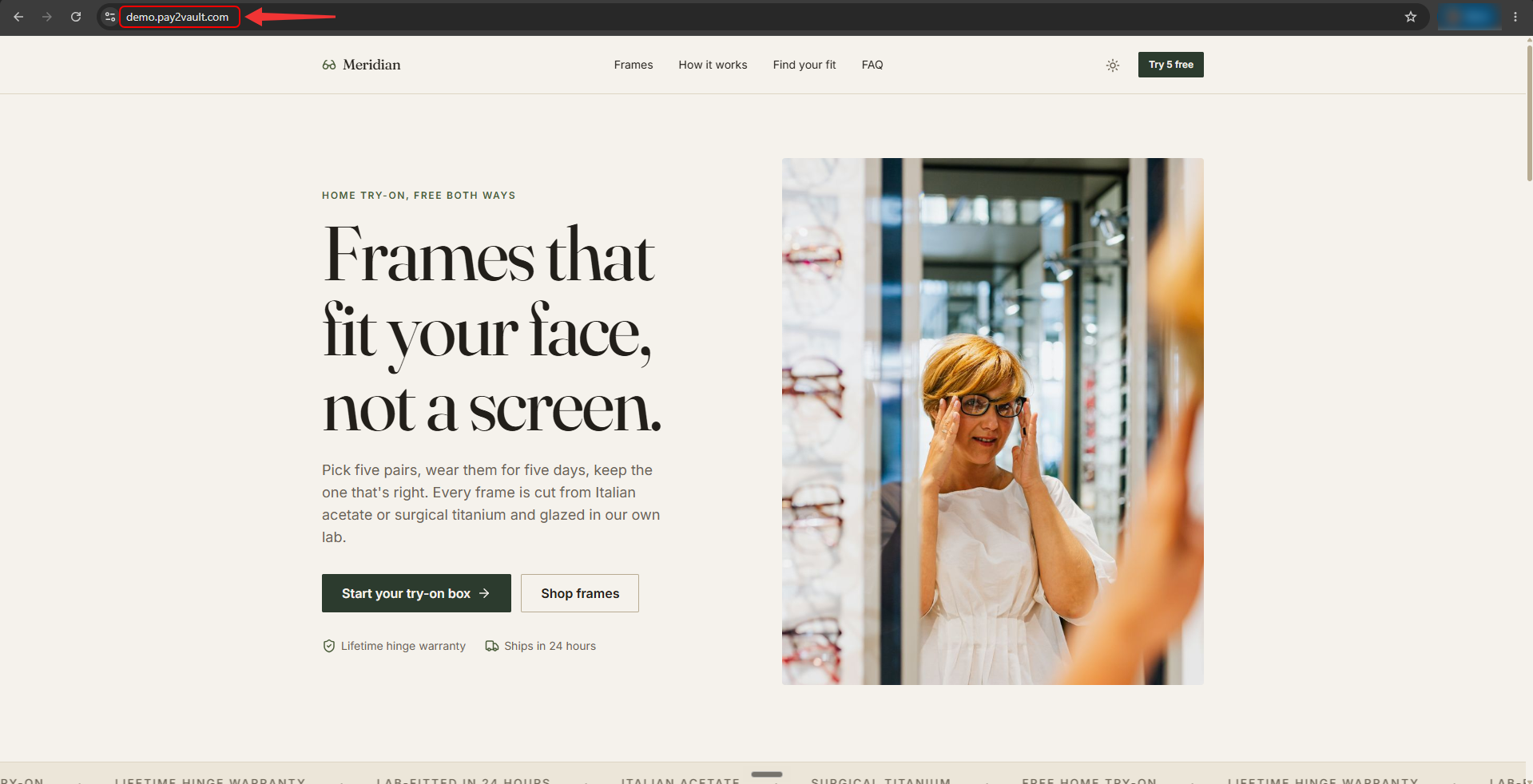
7. Open your app on your own domain. Visit your domain in the browser, for example https://app.yourcompany.com. Your app opens there with a secure https connection, and the address bar shows your own domain.
Things to know about custom domains
This is how you can connect your own domain to your app in Pabbly Studio. If you still have any questions, feel free to reach out to us.
