Managing Your App
 Pabbly Studio Team•Updated Oct 1, 2026•2 min read
Some features need a key or token from another service, for example to send SMS, send emails or take payments. These values are called environment variables, and you add them in the Environment tab.
Your app can read these values while it runs, but they are never shown to your app's visitors.
1. Open the Environment tab. Open your app in the builder and click the Environment tab (the lock icon) above your app.
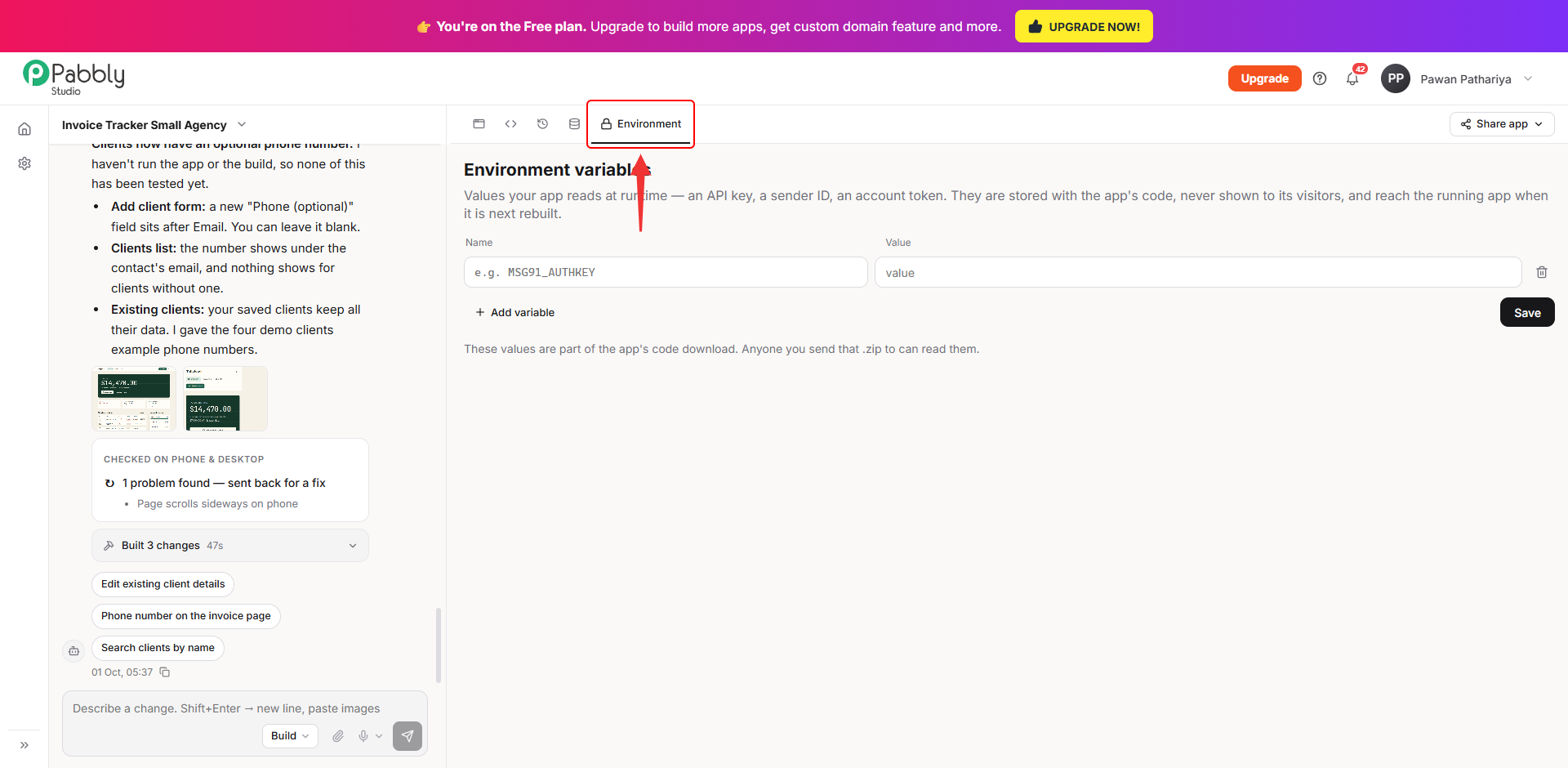
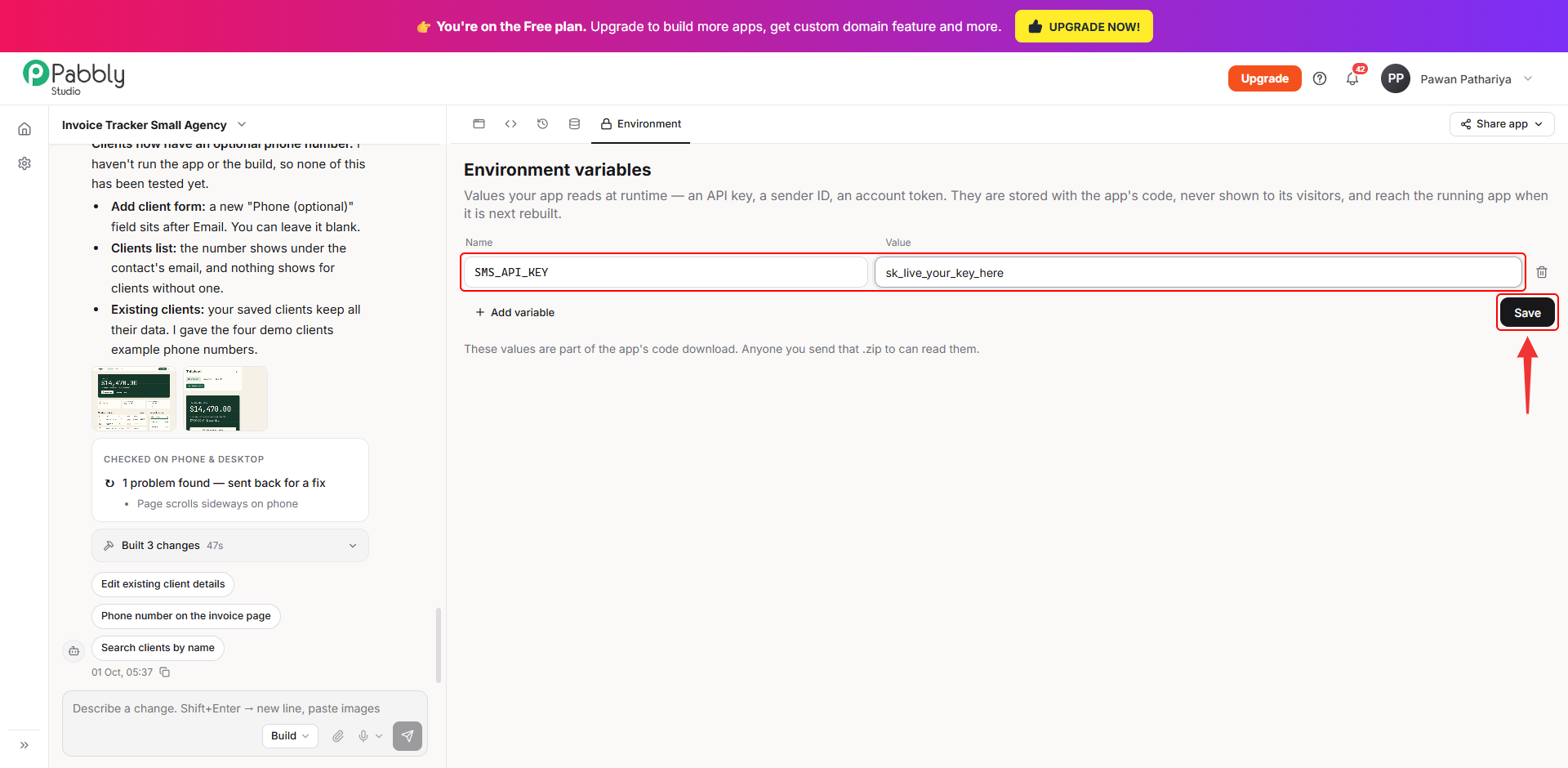
2. Enter the name and value, then save. Type the variable's Name and its Value, then click Save. Make sure you use the exact name your app expects. If Pabbly Studio builds a feature that needs a key, it will ask you for the key in the chat and tell you which name to use, for example SMS_API_KEY.
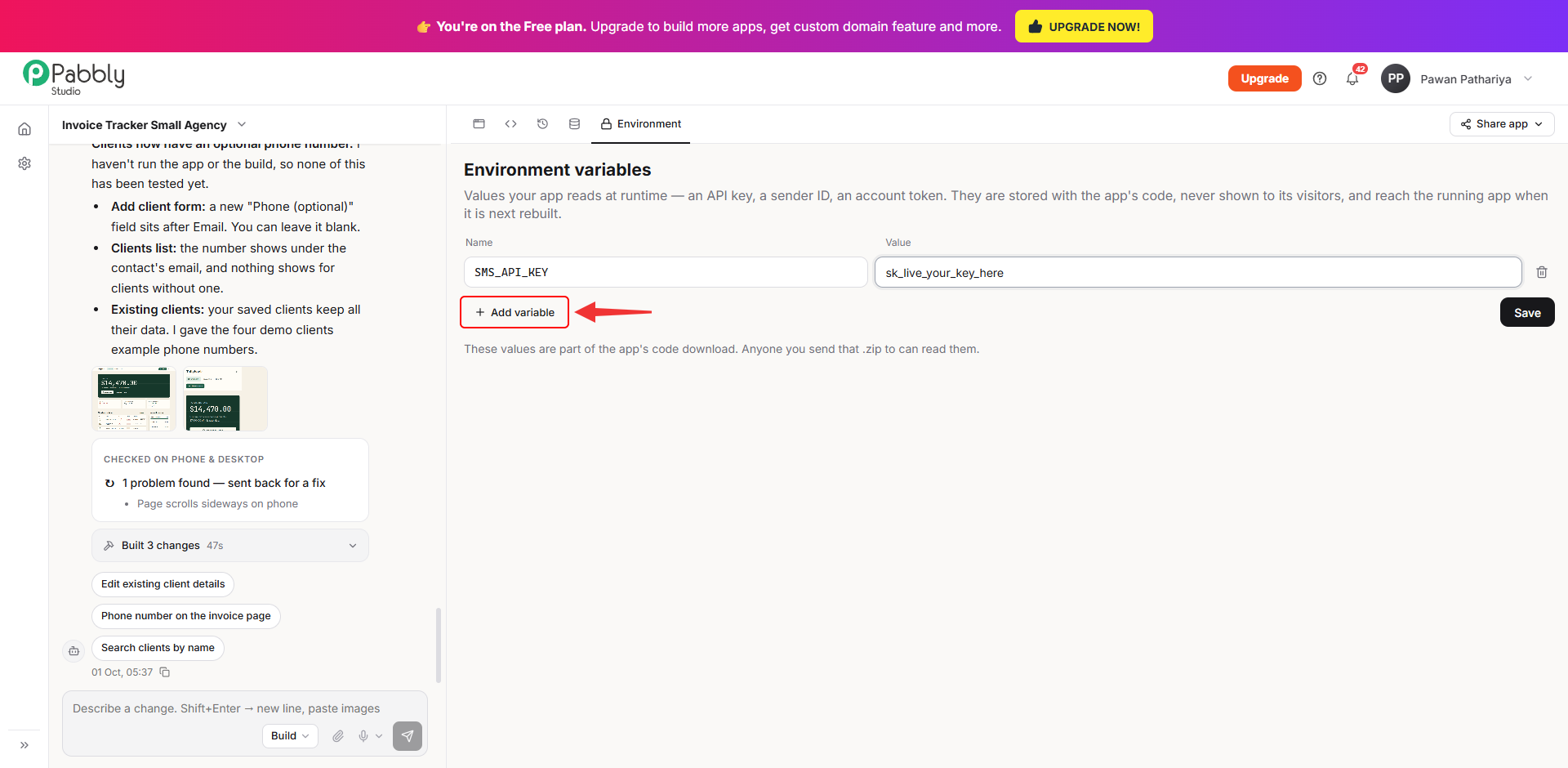
3. Add more variables if you need them. Click Add variable to add another row. To remove a variable, click the bin icon at the end of its row, then click Save.
4. Rebuild your app. A new or changed value reaches your app only the next time your app is rebuilt. After you save, the tab shows Your app is still running the environment it was last built with. Click Rebuild now to apply your values right away. (If a change is being built at that moment, you can rebuild as soon as it finishes.)
Things to know
This is how you can add API keys and other secrets to your app in Pabbly Studio. If you still have any questions, feel free to reach out to us.
