Settings & Support
 Pabbly Studio Team•Updated Oct 1, 2026•2 min read
Building an app or making a big change can take a few minutes. You do not need to keep watching the screen.
Pabbly Studio tells you when the work is done in two ways: the notifications bell inside Pabbly Studio, and browser notifications that reach you even when Pabbly Studio is closed.
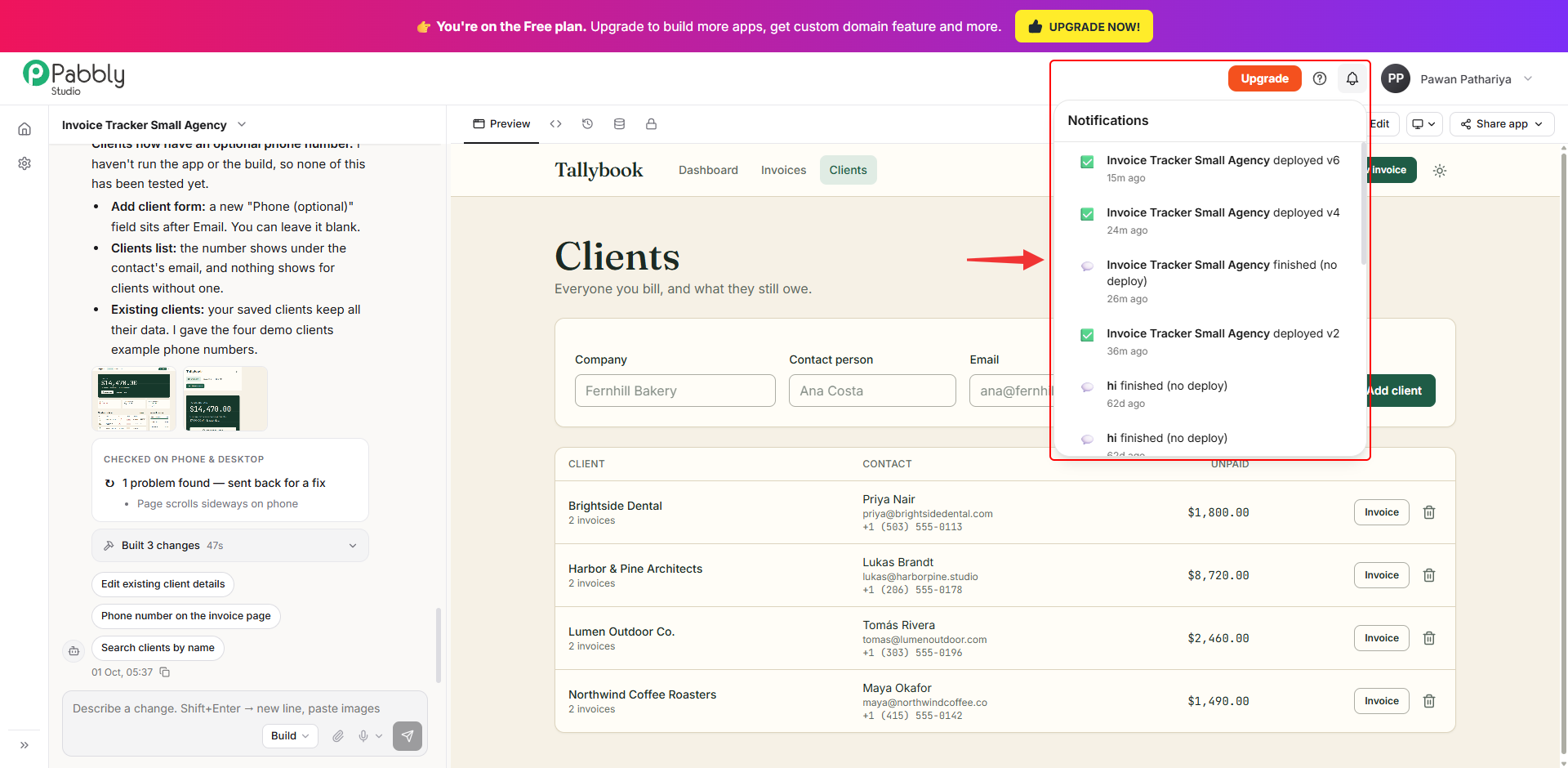
1. Click the bell. Click the bell icon at the top right of any Pabbly Studio page. The list shows what happened to your apps, with the newest first. For example: Invoice Tracker Small Agency deployed v6. A red badge on the bell shows how many notifications you have not seen yet.
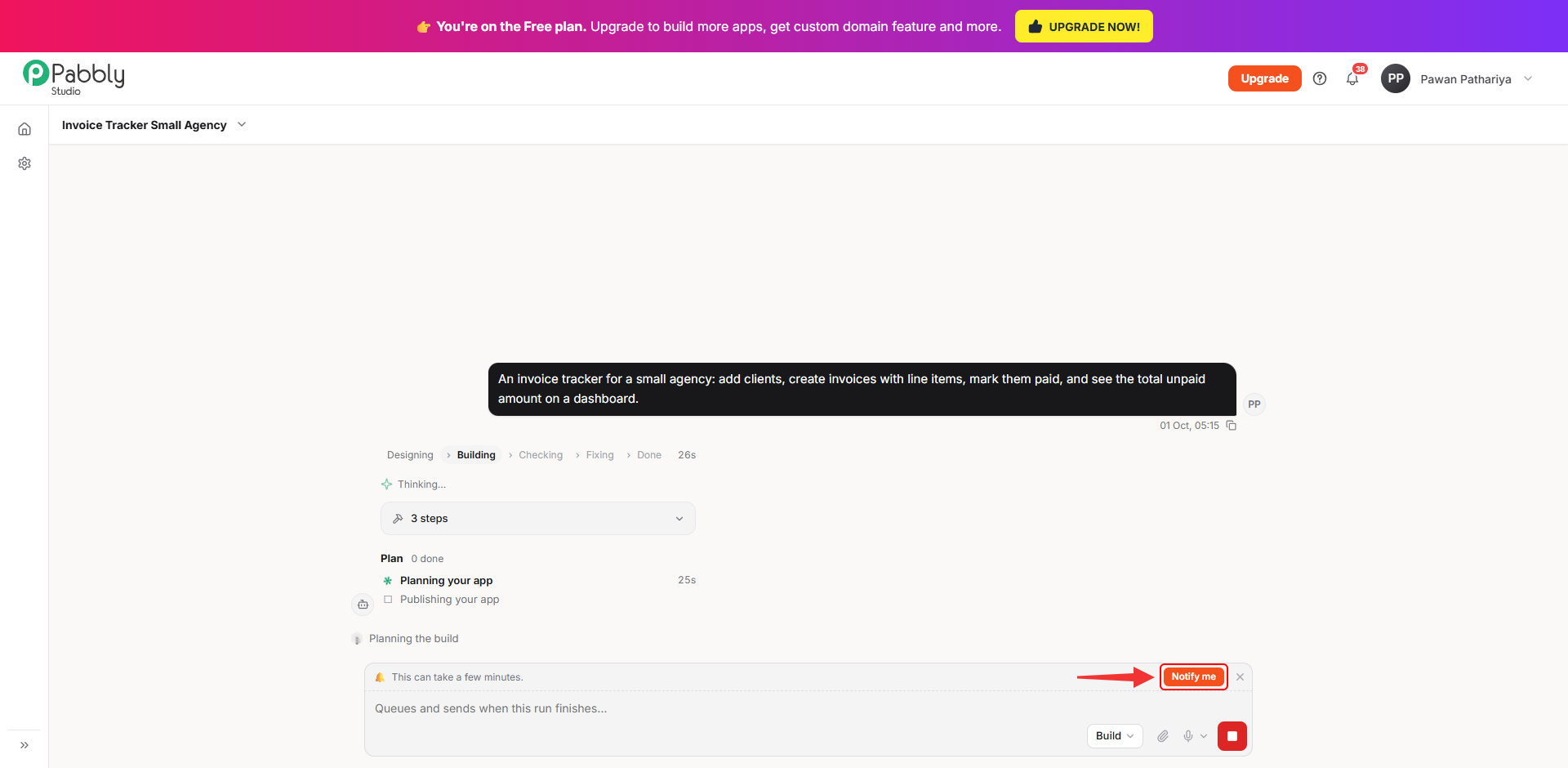
1. Click Notify me while a build is running. While Pabbly Studio is building, a strip above the message box says This can take a few minutes. Click Notify me.
2. Allow notifications in your browser. Your browser asks whether Pabbly Studio can show notifications. Click Allow.
From now on, when a build finishes, a notification pops up on your computer, even if the Pabbly Studio tab is closed. Click the notification to go straight back to your app.
Things to know about browser notifications
This is how you can know when your build is done in Pabbly Studio. If you still have any questions, feel free to reach out to us.
