Settings & Support
 Pabbly Studio Team•Updated Oct 1, 2026•1 min read
You can choose the timezone Pabbly Studio uses to show every date and time. You can also choose whether Pabbly Studio looks light or dark.
1. Open the Timezone tab. Click the Settings (gear) icon in the left sidebar, then click the Timezone tab.
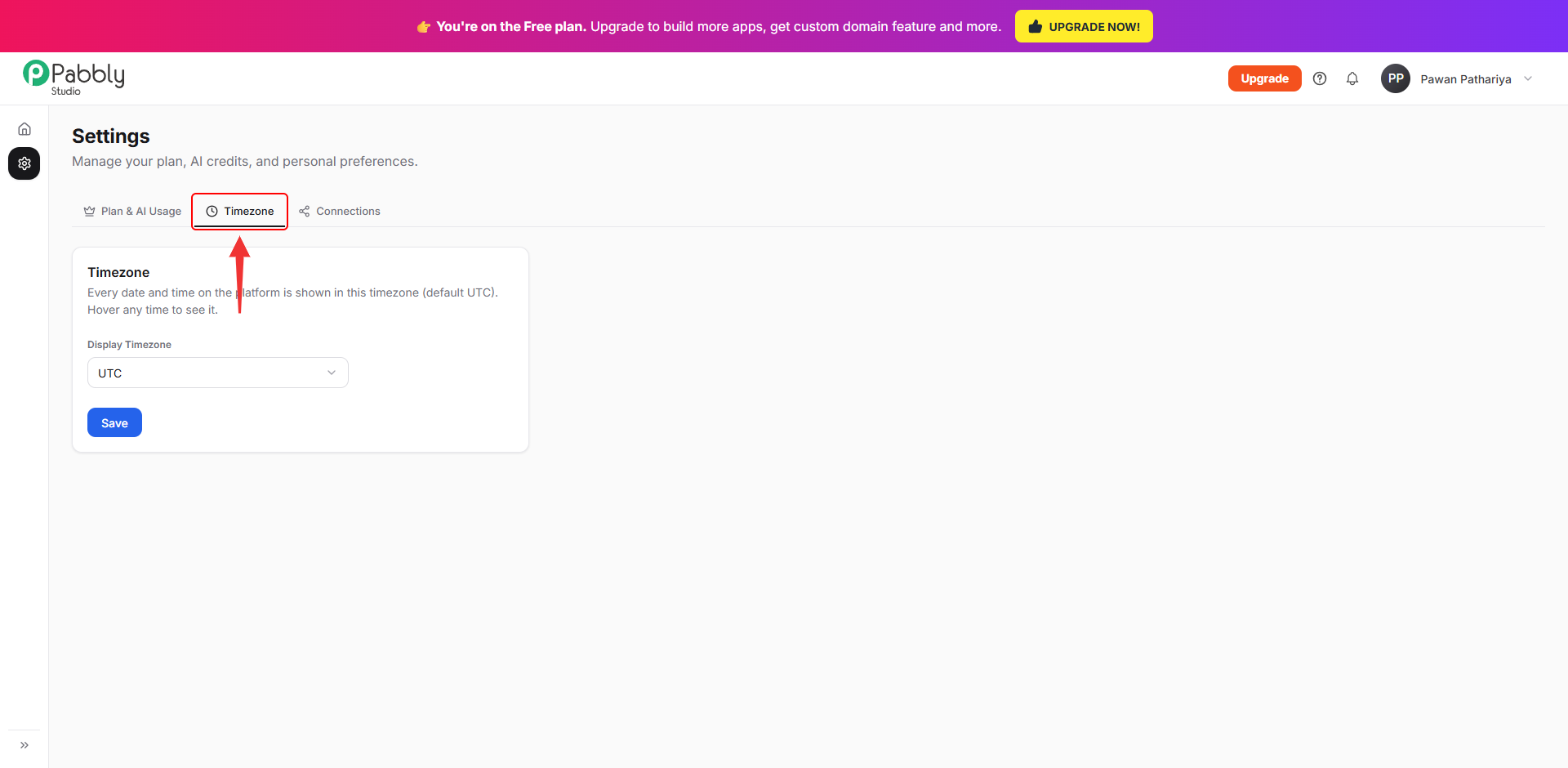
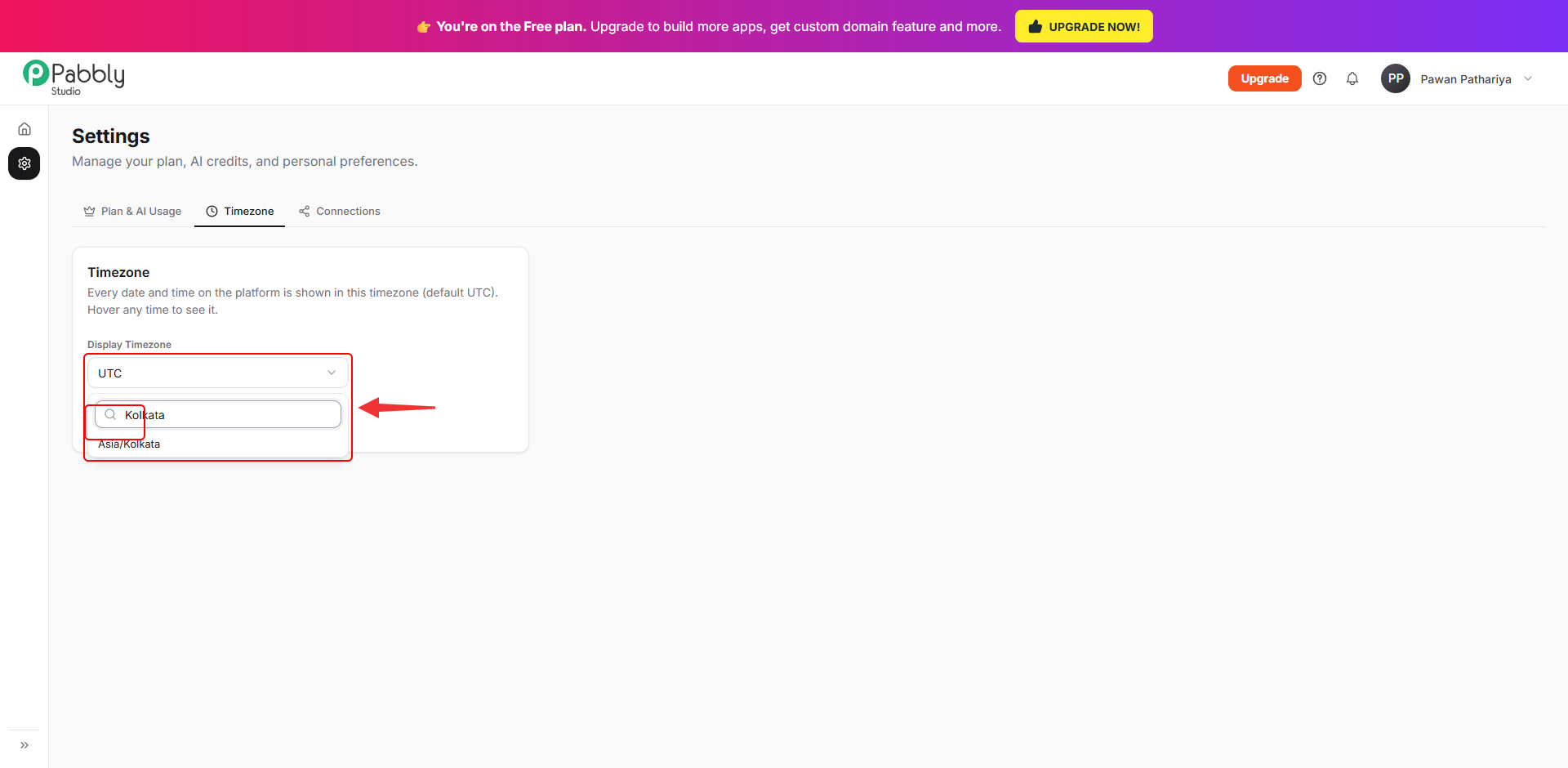
2. Pick your timezone and save. Click the Display Timezone box and type the name of your city or region (for example, Kolkata). Pick it from the list and click Save.
After that, every date and time in Pabbly Studio is shown in your timezone. The default timezone is UTC. You can hover over any time in Pabbly Studio to see the full date and time.
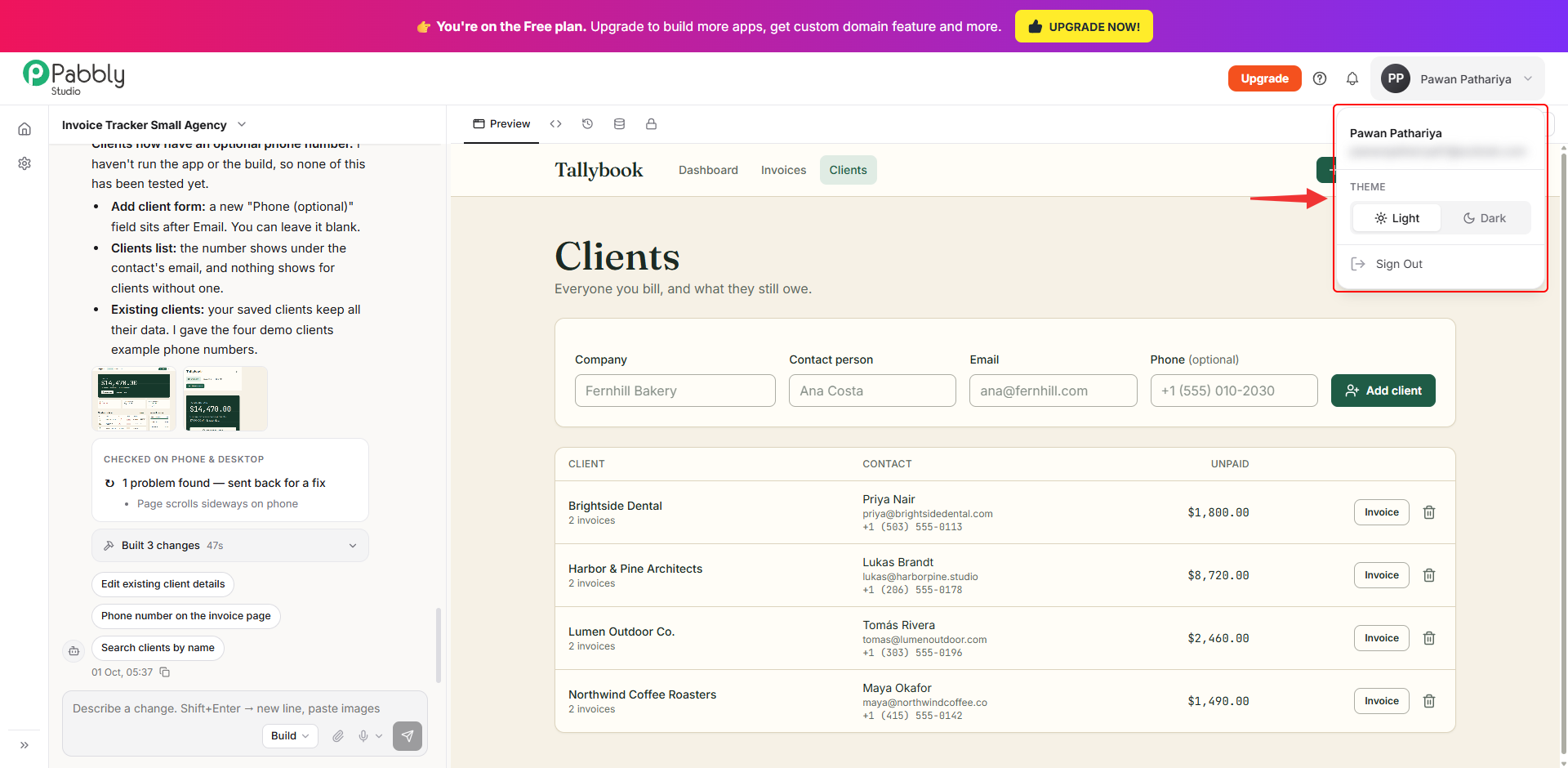
1. Choose a theme from your account menu. Click your name at the top right of any Pabbly Studio page. Under Theme, click Light or Dark.
This only changes how Pabbly Studio looks to you. It does not change the look of the apps you build.
This is how you can set your timezone and theme in Pabbly Studio. If you still have any questions, feel free to reach out to us.
