Troubleshooting Common Problems
Most problems in Pabbly Studio can be fixed in a minute. Find your problem below.
My change did not change the app
- Check the mode. Look at the button in the message box. If it says Plan, Pabbly Studio only answered in words and did not change your app. Switch it to Build and send the change again.
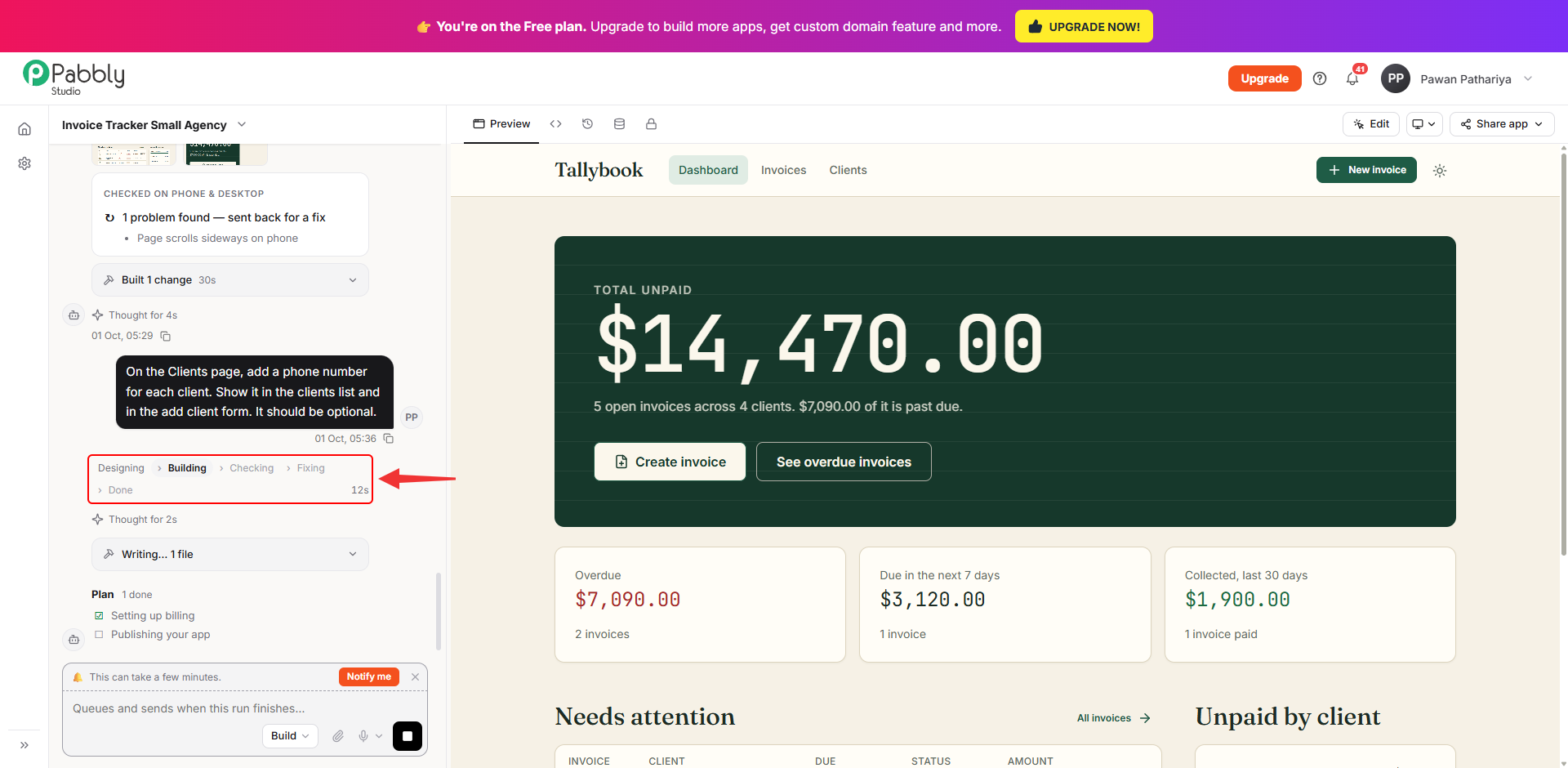
- Check that the build finished. The progress bar under your message should reach Done. If it is still running, wait for it to finish.
- Reload the preview. Switch to another tab above your app and then back to Preview, or reload the page.
A build is taking a long time
Big apps and big changes can take several minutes. You can leave the page, and the build will keep running. Click Notify me to get a browser notification when it is done.
If you want to cancel the build, click the square Stop button in the message box.
The result is not what I asked for
- Send a follow-up message that explains exactly what is wrong and what you expected. For example: "The total on the dashboard should only count unpaid invoices."
- To fix one specific button or section, click Edit, point at it in the preview and describe the fix.
- If the last change made things worse, open the Versions tab and use Rollback to go back to the version before it.
My app shows no data or a page is empty
- Open the Data tab and check whether the table has any rows.
- If the app has a login, make sure you are signed in to the app in the preview.
- Describe what you see in the chat. For example: "The Clients page is empty, but there are 4 clients in the database."
A feature that needs a key (SMS, email, payments) does not work
Open the Environment tab and check that the key's name and value are correct. If Pabbly Studio says your app is still running the old environment, click Rebuild now.
I cannot create a new app
Your plan's app limit may be full. Check Settings › Plan & AI Usage. You can deactivate an app you are not using, or upgrade your plan.
Pabbly Studio says I am out of credits
Buy more AI credits in Settings › Plan & AI Usage › Buy AI Credits. Your apps keep working in the meantime.
My app's link says "This app is currently unavailable"
This means the app is deactivated. On the dashboard, click the ⋮ button on its row and choose Activate.
Still stuck?
Click the ? icon at the top right of Pabbly Studio and choose Create a Ticket. Include your app's name and link, what you asked for, and what happened.
If you still have any questions, feel free to reach out to us.
 Pabbly Studio Team•Updated Oct 1, 2026•2 min read