Create an Invoice in Stripe
To add multiple custom fields, metadata & discount coupons in Create an Invoice action follow the steps given below -
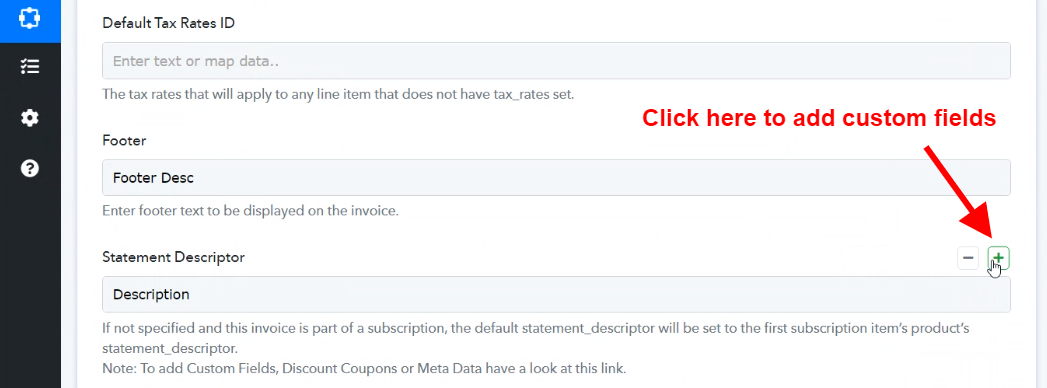
1. Hover on the top right of Statement Descriptor field.
2. Click on the "+" button as shown below -
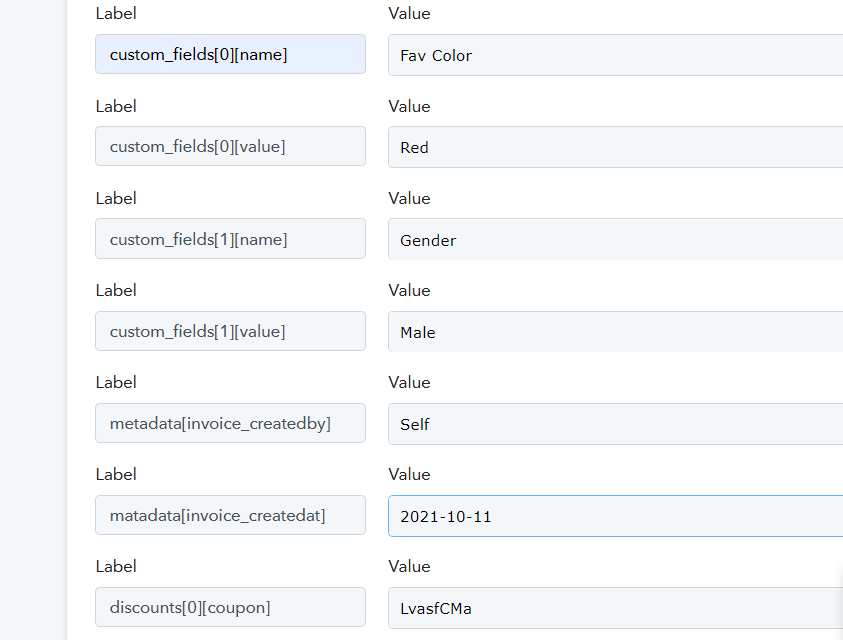
3. Custom Fields: For Custom Fields there will be two keys one for the name and another one for the value as shown in the example below
- custom_fields[0][name]
- custom_fields[0][value]
4. MetaData: For Metadata, provide a key as shown in example below -
Eg: metadata[invoice_createdby]
5. Discount Coupons
To provide multiple discount Coupons provide key as shown in example below
Eg: discounts[0][coupon] ----> This will be your first coupon
Eg: discounts[1][coupon] ----> This will be your 2nd Coupon
Provide the coupon ID in the value section of the field.
6. Shipping Details
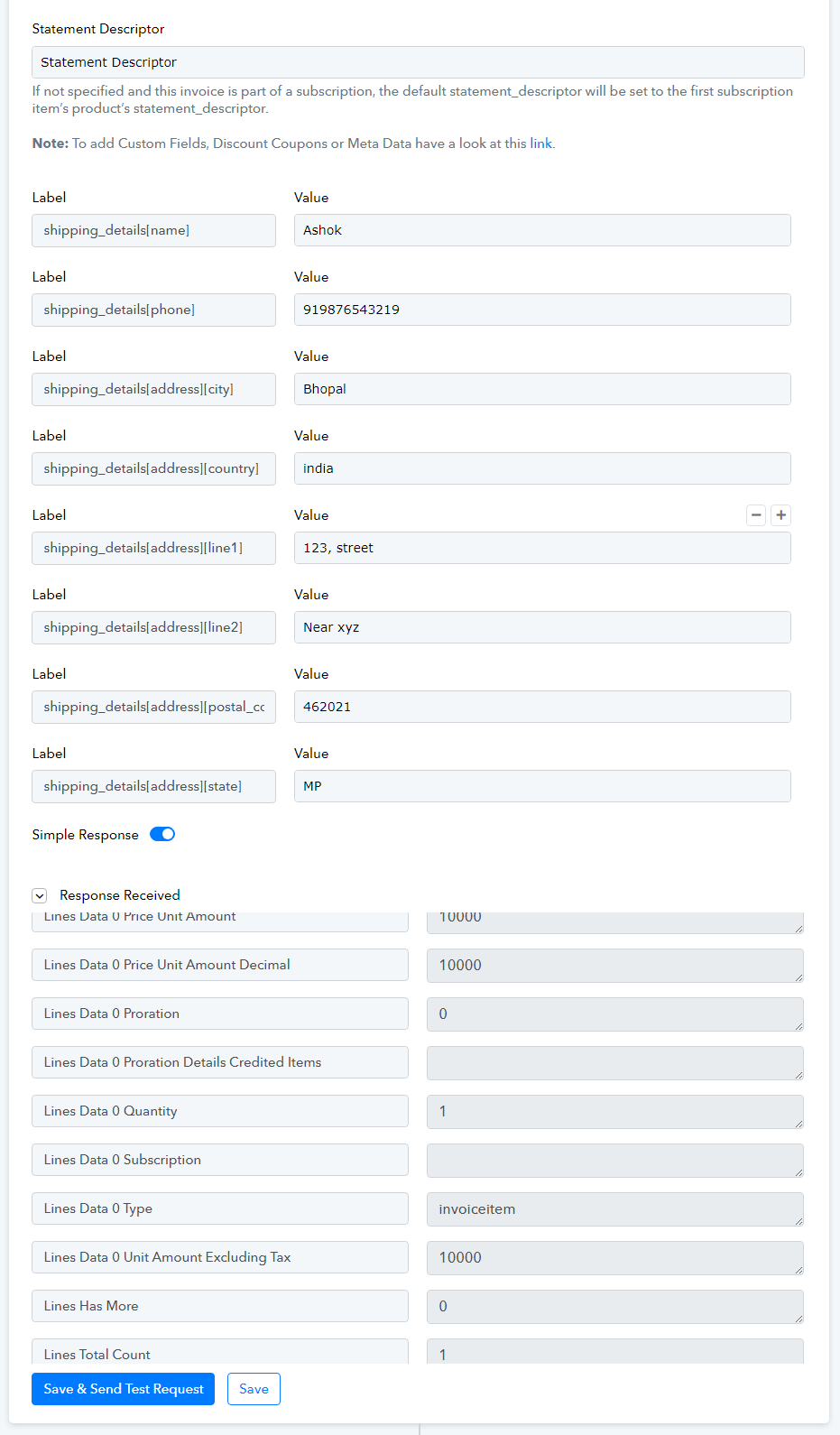
To provide shipping details provide key as shown in example below
shipping_details[name]=fit
shipping_details[phone]=919876543219
shipping_details[address][city]=bhopal
shipping_details[address][country]=india
shipping_details[address][line1]=123
shipping_details[address][line2]=ertt
shipping_details[address][postal_code]=462021
shipping_details[address][state]=mp
Please have a look at image given below -
 Pabbly Connect Team•Updated Jul 25, 2026•1 min read