Subscribers
 Pabbly Email Marketing Team•Updated Oct 24, 2026•1 min read
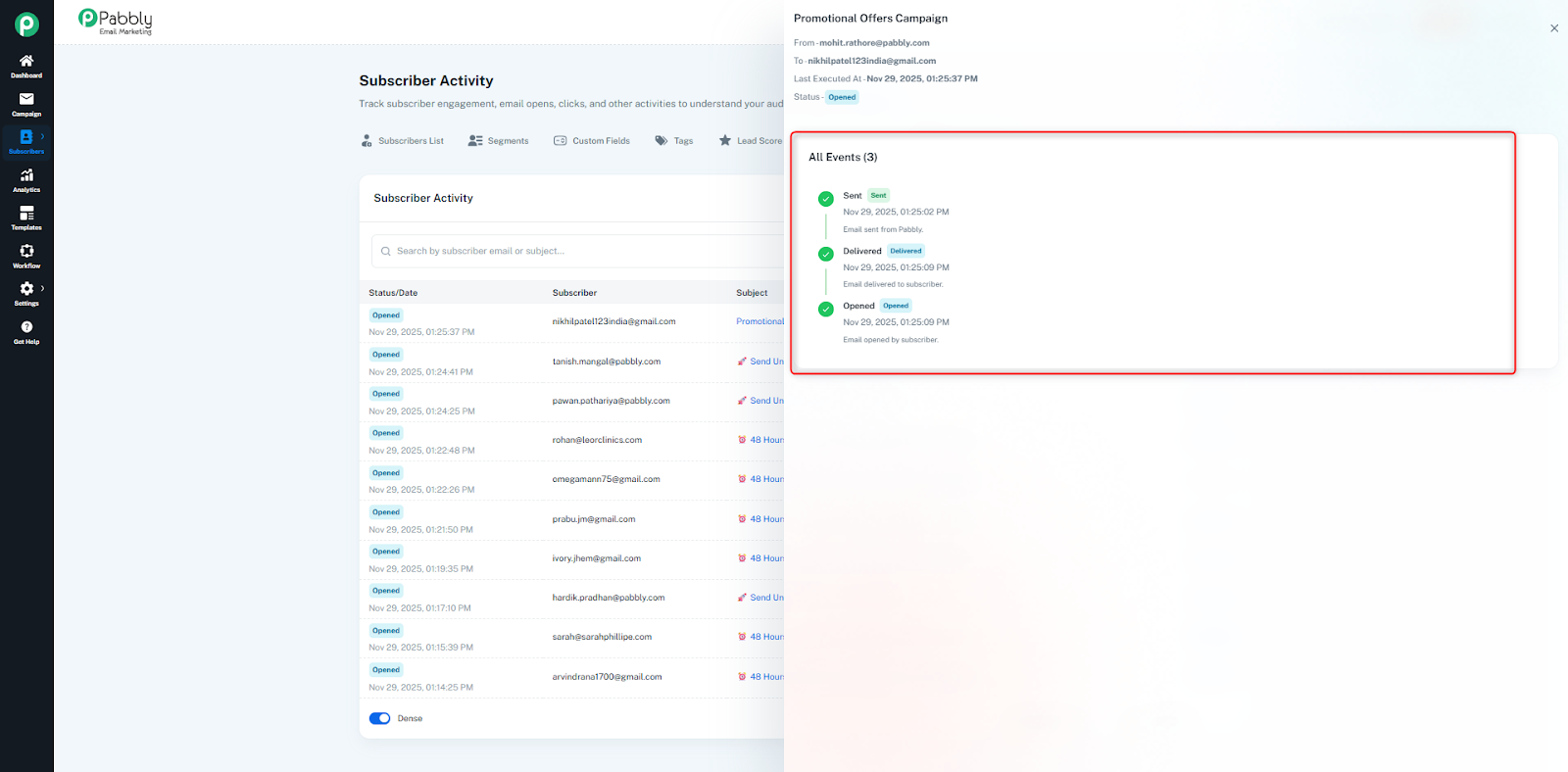
The Subscriber Activity section allows you to track the complete engagement history of each subscriber within your business.
It helps you understand how a subscriber interacts with all campaigns sent to them, giving full visibility into their behavior.
For every subscriber, you can see detailed records of actions such as:
Opened
Clicked
Bounced
Sent
Failed
Delivered
Unsubscribed
If you have sent 10 campaigns to a subscriber, the system will display 10 separate activity entries, each showing how that subscriber interacted with that specific campaign.
All these activities will be displayed in the Subscriber Activity table.
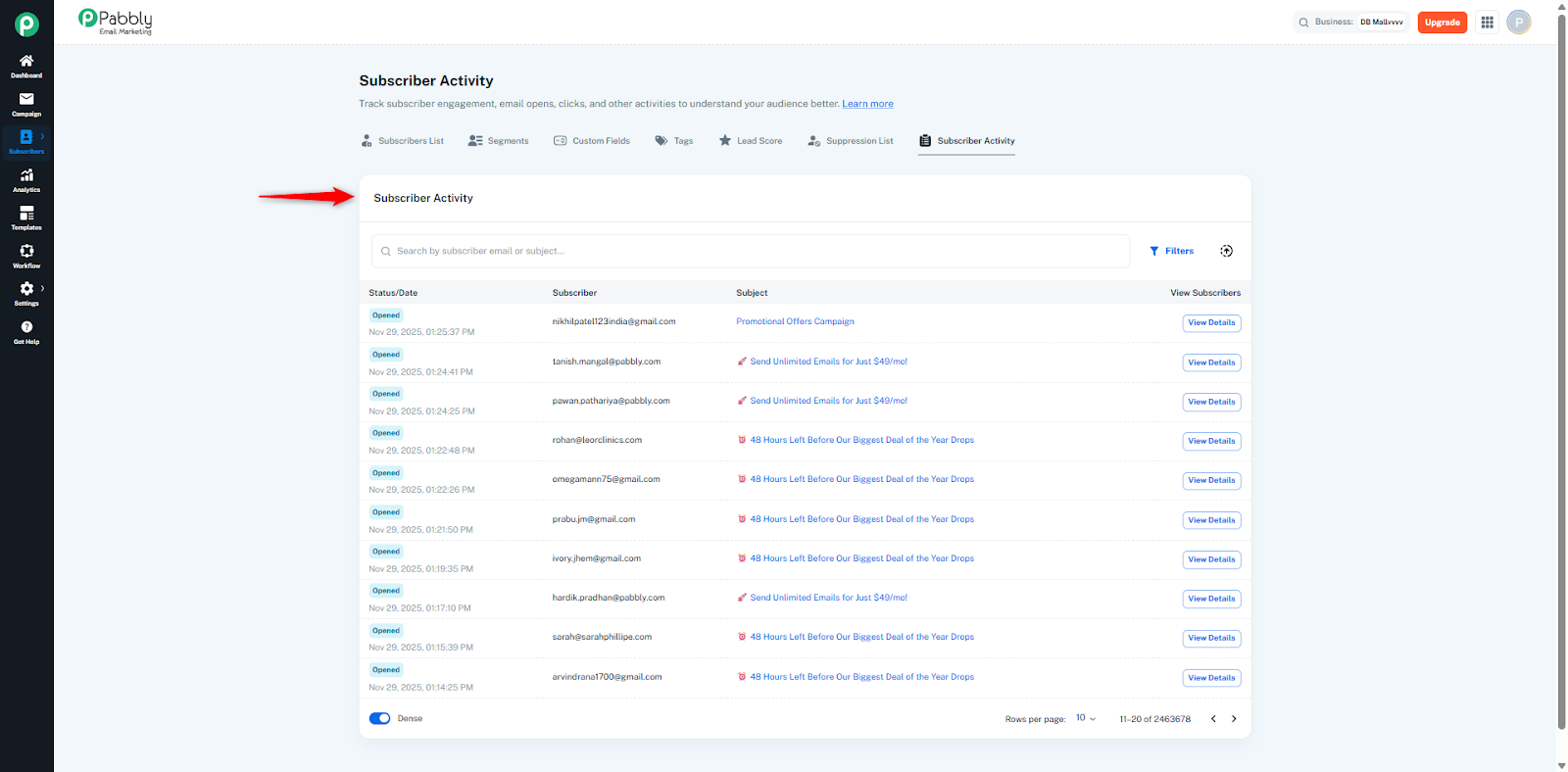
All subscriber activities can be exported in one format:
CSV
This lets you save, share, or analyze the data outside the platform.
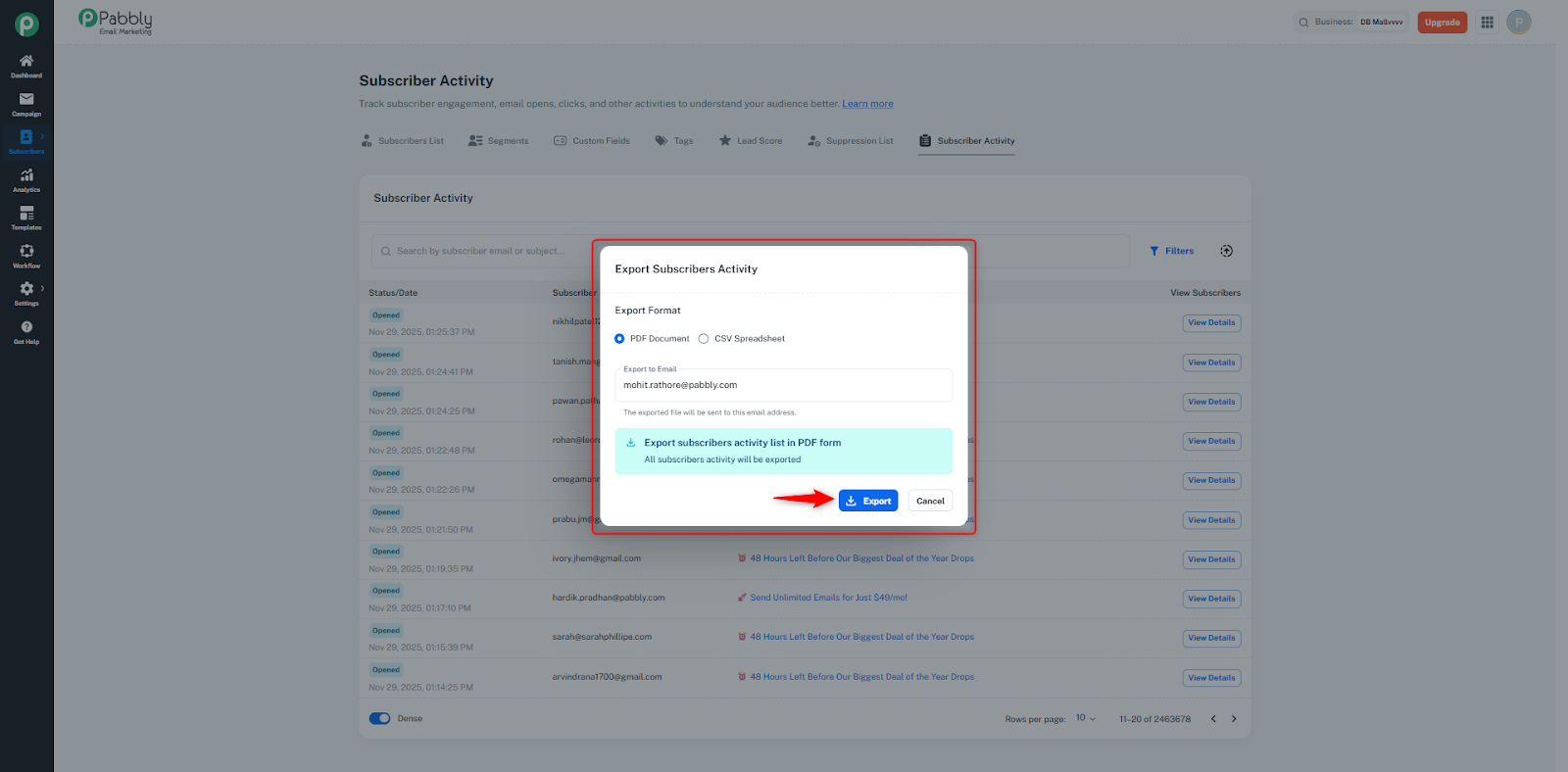
To view a subscriber’s complete event timeline for a particular campaign, click on View Detail.
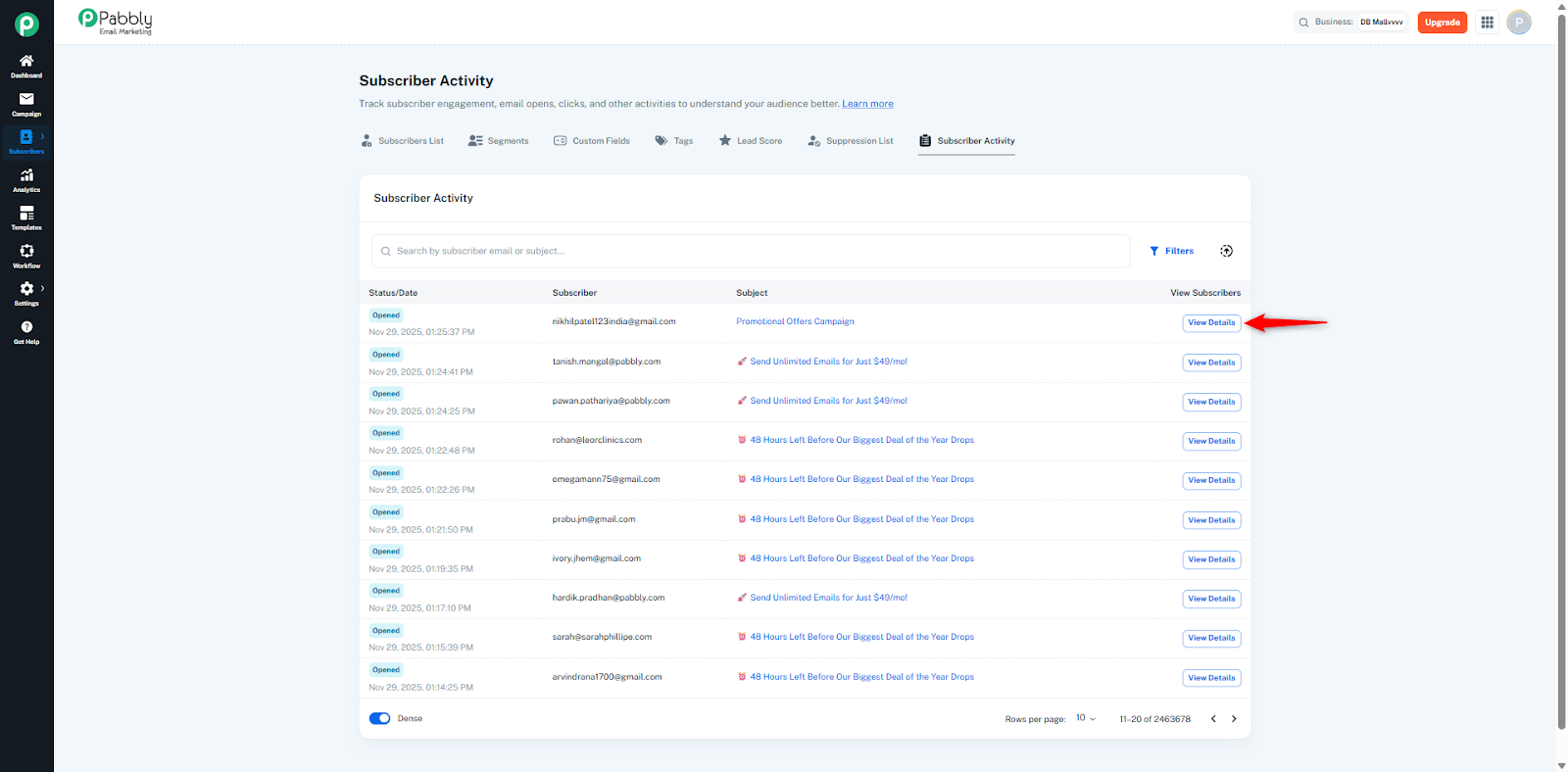
This will open a detailed panel showing:
When the email was sent
When it was delivered
When the subscriber opened it (with exact timestamps)
How many times the subscriber clicked (if any)
Any additional events related to that campaign
This helps you clearly understand the exact engagement pattern of that subscriber.