Pabbly Email Marketing
 Pabbly Email Marketing Team•Updated Oct 24, 2026•1 min read
Page for browsing, creating, and managing email templates. Displays templates in a grid with category filtering.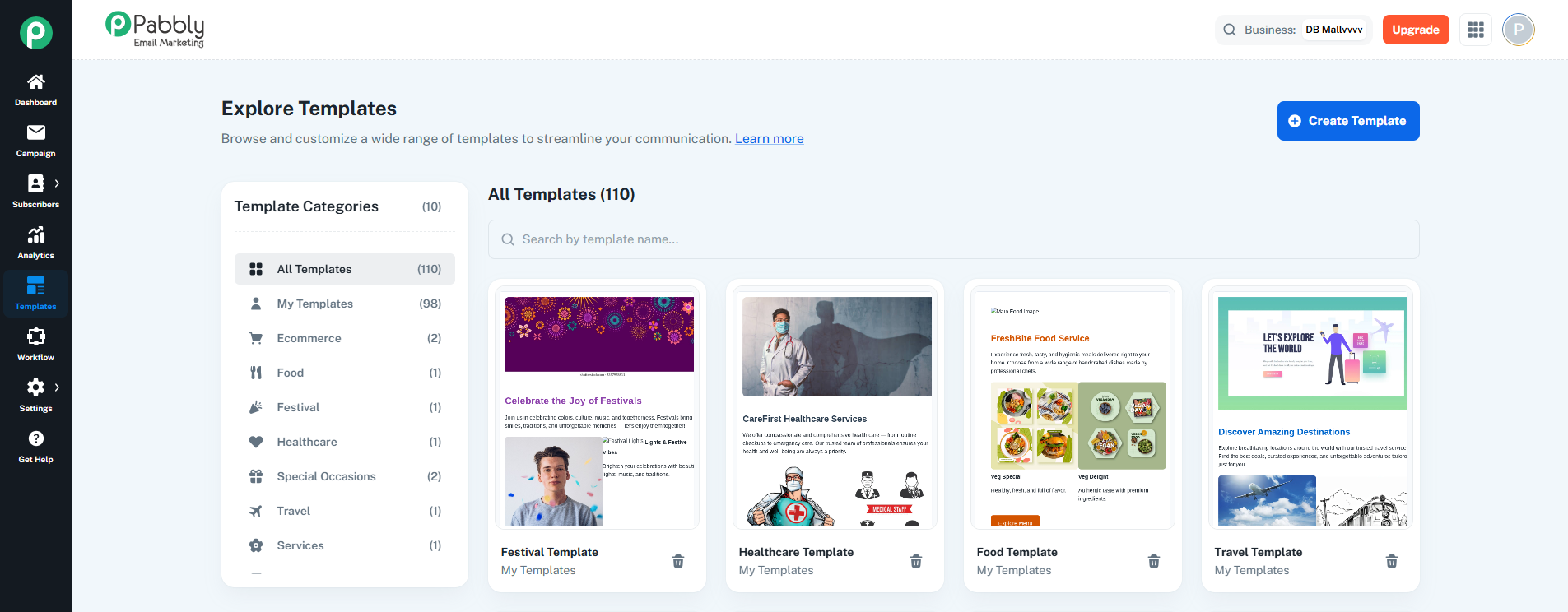
Template Categories List (left sidebar):
Sticky sidebar with template categories
Categories: All Templates, My Templates, Ecommerce, Food, Festival, Healthcare, Special Occasions, Travel, Services, Education
Each category shows template count in parentheses
Clicking a category filters the template grid
Template Grid (main area):
Responsive grid layout (1 column mobile, 2 small, 3 large, 4 extra large)
Displays template cards with thumbnails
Shows category name and template count at the top
Search bar to filter by template name
Pagination at the bottom (8 templates per page)
Template Cards:
Template thumbnail image
Template name and category
"New" tag badge for new templates
Hover overlay with Preview and Edit buttons
Delete button (trash icon) for user-created templates only
Create Template Button:
Opens template creation flow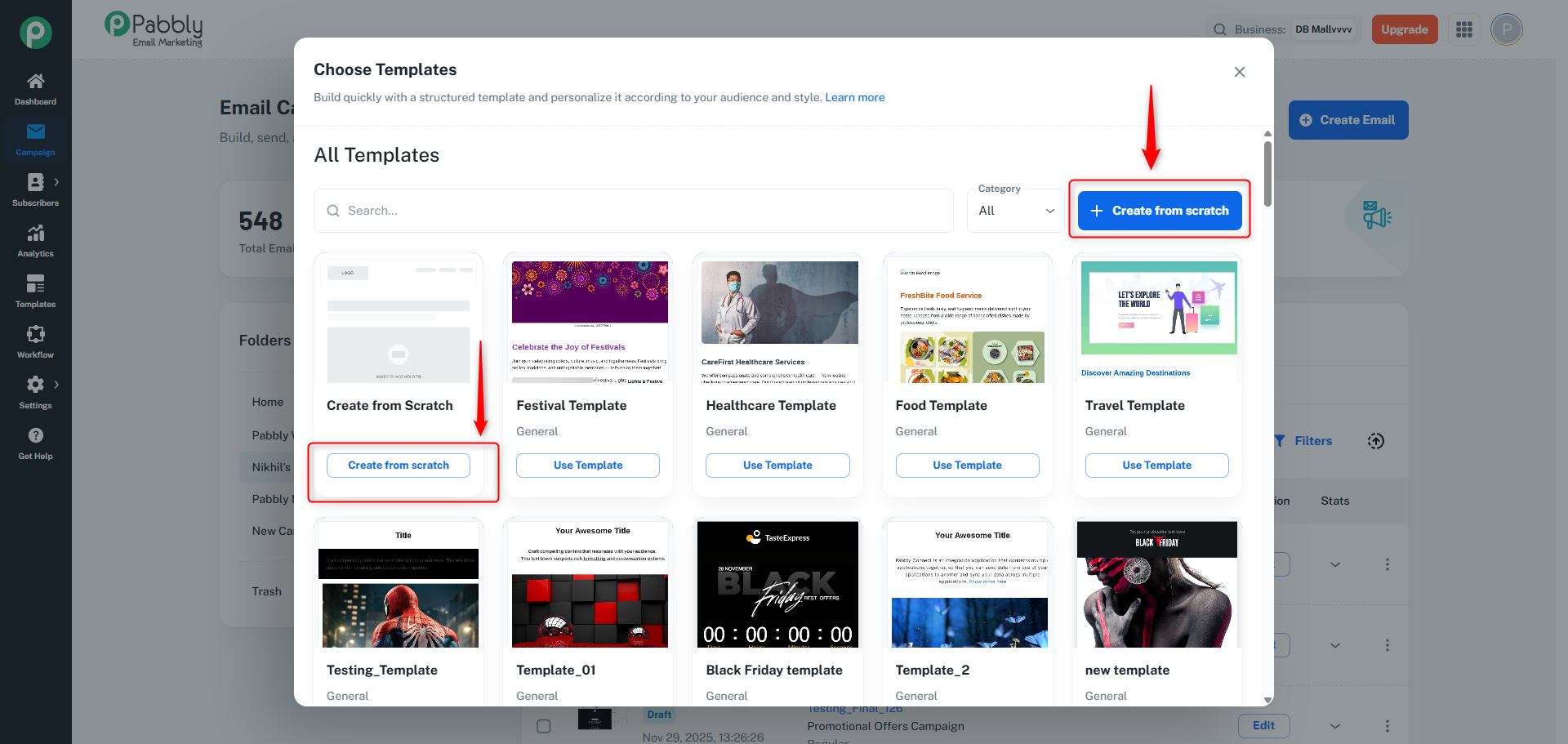
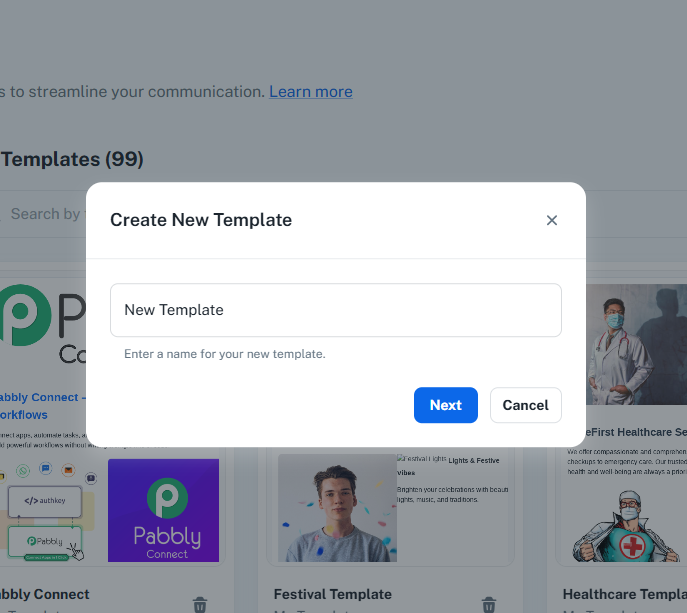
Template Name Dialog: Enter template name
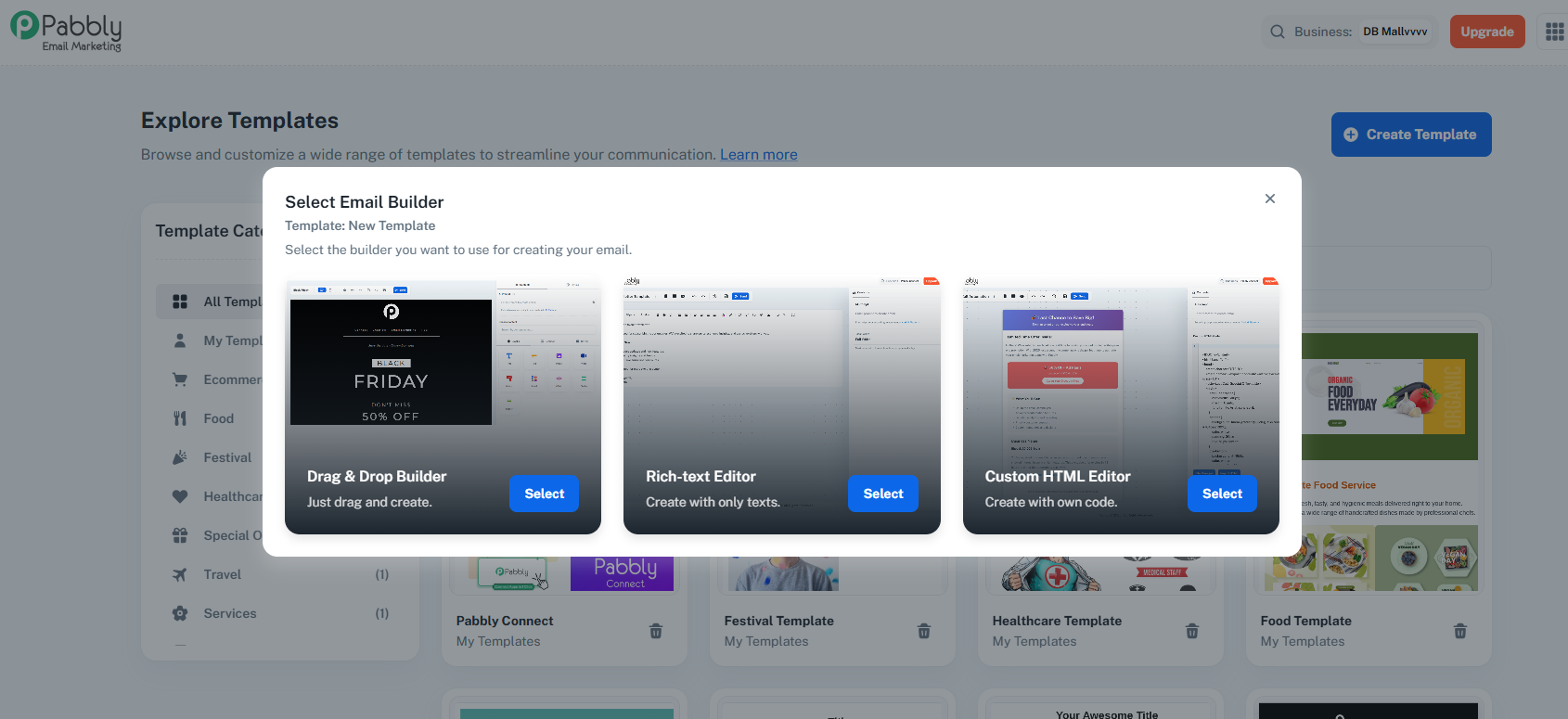
Builder Selection Dialog: Choose Drag & Drop, Rich Text, or HTML builder
Navigates to selected builder with new template
Category Filtering: Filter templates by category
Search: Search templates by name
Pagination: Navigate through template pages
Template Actions: Preview (opens in new tab), Edit (opens in appropriate builder), Delete (user-created templates only)
Smart Thumbnails: Uses screenshot if available, otherwise default based on builder type
Central hub for managing email templates, allowing users to browse, create, edit, and delete templates organized by categories.
